When it comes to DisplayPort vs. HDMI for gaming, the right choice depends entirely on your hardware. For PC gamers chasing high refresh rates like 144Hz and beyond, DisplayPort is the most reliable option. If you’re on a PS5 or Xbox Series X, an Ultra High Speed HDMI 2.1 cable is the only way to unlock the console’s full potential.
- DisplayPort 1.4 is the right choice for high-refresh-rate PC gaming, with 32.4 Gbps of bandwidth to handle 1440p at 240Hz with full color and adaptive sync
- HDMI 2.1 is the standard for console gaming on PS5 and Xbox Series X, supporting 4K at 120Hz and features like VRR and ALLM
- Always buy a VESA-certified DisplayPort cable or an Ultra High Speed Certified HDMI cable to avoid signal dropouts and bandwidth bottlenecks
- For dual-monitor setups, DisplayPort wins thanks to Multi-Stream Transport, which lets you daisy-chain monitors from a single port
- Streamers running capture cards should use DisplayPort for the gaming monitor and HDMI for the capture card output
Table of Contents
- VESA certification guarantees full DisplayPort 1.4 bandwidth
- Supports 4K at 240Hz with full HDR and adaptive sync
- Reliable build quality with locking connectors that stay put
- 6ft length may be short for some desk setups
- Stiffer than budget cables, slightly harder to route
- DisplayPort 2.1 is coming, so this won't future-proof beyond a few years
- Ultra-low latency passthrough for native console gameplay
- 1080p60 HDR10 recording covers most streaming needs
- Plug-and-play compatibility with OBS and major streaming software
- Maxes out at 1080p60 recording — 4K capture requires the HD60 Pro
- USB 3.0 connection means no internal PCIe card option
- Software ecosystem is heavier than minimalist alternatives
The Final Verdict: Which Cable Should You Choose?
Let’s get straight to the point. The debate between DisplayPort and HDMI boils down to your specific hardware and performance goals. Your objective is to match the cable to your gear so you don’t leave performance on the table.
Using the wrong cable creates a bottleneck. It’s like putting economy tires on a performance car—you’ll never get the capabilities you paid for out of your graphics card and monitor.
Key Takeaway: DisplayPort was built from the ground up for PCs and offers more bandwidth in its most common versions (like DP 1.4), making it the standard for high-refresh-rate PC gaming. HDMI was designed for TVs and home theater, making it the mandatory choice for modern consoles.
Quick Decision Guide
This isn’t just about finding the cheapest cable. For budget-conscious gamers, value means getting a reliable connection that lets your hardware work as intended. A cheap, uncertified cable can cause signal dropouts, screen flickering, and prevent features like G-Sync or FreeSync from working correctly.
Spending a few extra dollars on a quality, certified cable is a small price to pay for a stable gaming experience.
Use this quick guide to find the best cable for your specific gaming setup and priorities.
Quick Decision Guide: DisplayPort vs. HDMI
| Your Gaming Priority | Recommended Cable | Why It’s a Better Fit |
|---|---|---|
| Competitive FPS Gaming (144Hz+) | DisplayPort 1.4 or higher | Offers the bandwidth needed for stable high refresh rates. Historically provides the most reliable support for G-Sync and FreeSync on PCs. |
| Console Gaming (PS5, Xbox Series X) | Ultra High Speed HDMI 2.1 | This is the only way to get 4K at 120Hz and use Variable Refresh Rate (VRR) on modern consoles. It’s a requirement, not a choice. |
| Immersive RPG/MMO Gaming (PC) | DisplayPort 1.4 or HDMI 2.1 | For 4K at 60Hz or 120Hz, either works. DisplayPort remains the default for PC feature reliability, but a proper HDMI 2.1 connection is equally capable. |
| Streaming & Content Creation | Both (Dual Monitor Setup) | Use DisplayPort for your primary high-refresh gaming monitor. Use an HDMI port for your secondary monitor or for connecting to a capture card, which almost exclusively relies on HDMI input. |
| Value Build (1080p at 144Hz) | DisplayPort 1.2 or higher | Provides more than enough bandwidth for this popular resolution and refresh rate combination. It is often easier to find monitors that support 144Hz over DP 1.2 than over older HDMI versions. |
Ultimately, the choice comes down to the hardware you own. PC gamers benefit most from DisplayPort’s high-bandwidth, PC-centric design. For console gamers, the decision is made for you—HDMI 2.1 is the only path to next-gen performance.
Understanding The Core Technology
Before we get into version numbers and refresh rates, you need to understand where these two technologies came from. The entire DisplayPort vs. HDMI for gaming debate boils down to their original purpose.
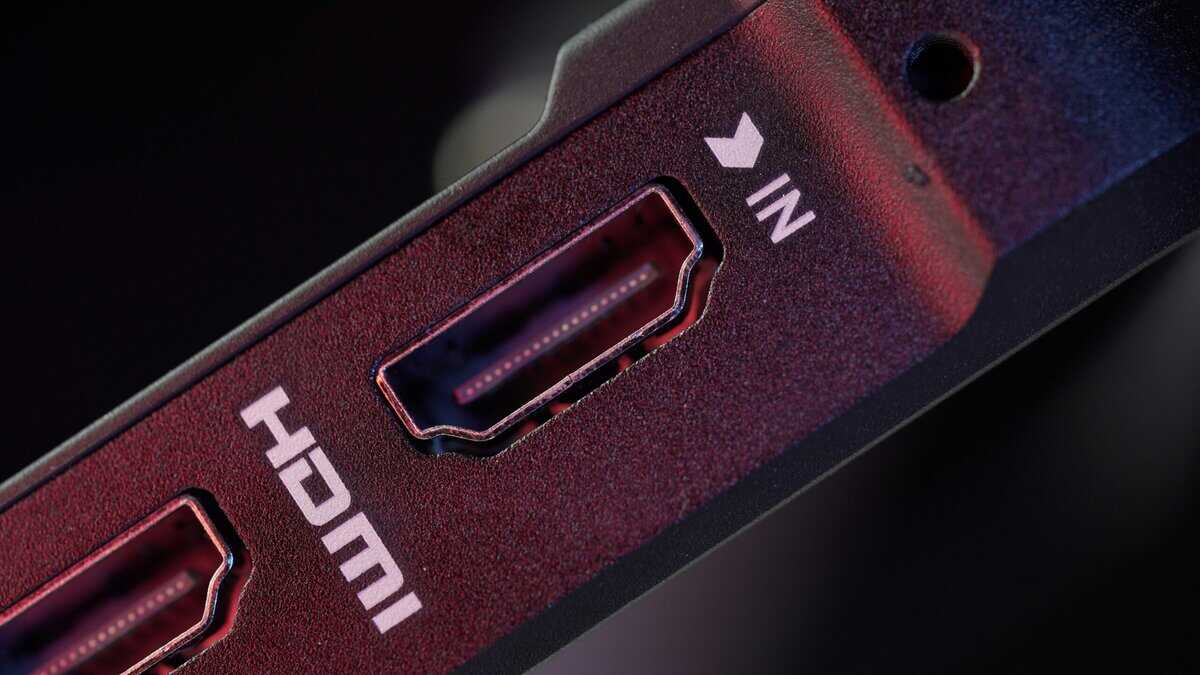
HDMI (High-Definition Multimedia Interface) was built for the living room. Think TVs, Blu-ray players, and game consoles. It’s a proprietary standard designed to be a convenient, all-in-one cable for video, audio, and control signals.
DisplayPort, on the other hand, is an open, royalty-free standard from VESA (Video Electronics Standards Association) made with one thing in mind: high-performance computing. It was engineered from the ground up to connect PCs to monitors, with a focus on raw data bandwidth.
This difference in origin is the reason one isn’t just flat-out better than the other. They were built for different jobs.
Physical Connectors and Build Quality
You can even see this difference in their physical plugs. The standard HDMI connector is symmetrical and plugs in easily, but it only stays connected by friction. A cheap or worn-out HDMI cable can work itself loose over time, causing frustrating, momentary signal drops.
The DisplayPort connector is more robust. It has a larger, asymmetrical design with a physical locking mechanism—two small hooks that click firmly into place. This detail is a significant benefit for a permanent desktop setup, as it prevents accidental disconnections. You have to press a button on the plug to release it.
Regardless of your choice, do not compromise on the cable itself.
A well-shielded cable with durable, properly molded connectors is a sound investment. It ensures signal integrity for a flicker-free experience and will withstand more plugging and unplugging than a flimsy, uncertified alternative.
The Console Gaming Factor
For console gamers, the choice is made for you. The PlayStation 5 and Xbox Series X only have HDMI ports. To unlock their full potential—like 4K resolution at 120 Hz and Variable Refresh Rate (VRR)—you need a certified HDMI 2.1 cable.
Since nearly all modern TVs use HDMI and almost none include DisplayPort, it’s the mandatory standard for any living room setup. With over 59 million PS5s shipped by 2024, the entire console market is built around HDMI.
For PC gamers, the story is different. While HDMI is perfectly usable, DisplayPort’s PC-first design often gives it a clear advantage for high-refresh-rate monitors and multi-display setups. This core technological divide is why they both still exist; they excel in different arenas.
Bandwidth and Versions: A Technical Deep Dive
To settle the DisplayPort vs HDMI for gaming debate, we have to talk about bandwidth. Think of it as lanes on a highway. The more data (cars) you need to push for higher resolutions and faster refresh rates, the more lanes you need to avoid a traffic jam.
Every port and cable has a version number that corresponds to its bandwidth. If you pair a new graphics card and a high-end monitor with an old, cheap cable, you’re creating a bottleneck and leaving performance on the table.
The Evolution of Bandwidth
A quick look at the history of these two standards shows a clear pattern. For years, DisplayPort consistently offered more raw bandwidth, which gave PC gamers an advantage in high-refresh-rate gaming without requiring top-tier hardware.
This history still affects the gear you use today. When DisplayPort 1.2 was released in 2010, its 21.6 Gbps of bandwidth could handle 1080p at 240Hz. At the same time, HDMI 1.4 was limited to 4K at a sluggish 30Hz with its 10.2 Gbps. For gamers on a budget, this demonstrates how a simple, affordable DisplayPort cable has historically been the key to unlocking better performance on mid-range hardware.
DisplayPort 1.4: The PC Gaming Standard
For the vast majority of PC gamers in 2026, DisplayPort 1.4 is the correct choice. It’s the intersection of value and performance, delivering 32.4 Gbps of total bandwidth. That’s more than enough for the most popular gaming monitor setups right now.
This is why it’s the ideal choice for these common scenarios:
1440p at 144Hz or 165Hz: A popular balance of sharp visuals and fluid gameplay.
1080p at 240Hz or 360Hz: The go-to for competitive FPS players who prioritize frame rate.
4K at 60Hz: Suitable for immersive, single-player games where graphical fidelity is the priority.
Meanwhile, the common HDMI 2.0 standard is capped at 18 Gbps. While it can handle 1440p at 144Hz, it is at its absolute limit and often forces compromises on color quality. This bandwidth ceiling is a frequent bottleneck, making DisplayPort 1.4 the more reliable and robust choice for most PC builds.
Direct Comparison: A DisplayPort 1.4 cable can run a 1440p 165Hz monitor with full 10-bit color and HDR turned on without issue. An HDMI 2.0 connection to that same monitor might force a drop to 8-bit color or disabling HDR to hit the same refresh rate. That’s a clear and visible trade-off.
HDMI 2.1 and DisplayPort 2.1: The Next Generation
The landscape shifted with the latest versions. HDMI 2.1 increased its bandwidth to 48 Gbps, finally providing enough capacity to handle 4K at 120Hz without compromises. This is why it’s the mandatory standard for the PlayStation 5 and Xbox Series X.
But DisplayPort also evolved. DisplayPort 2.1 increased its total bandwidth to a massive 80 Gbps. This enormous data pipeline is built for extreme performance targets that are just now becoming a reality, like uncompressed 4K at 240Hz or even 8K at 85Hz. It is overkill for most setups today, but it provides significant future-proofing for next-gen GPUs and monitors.
To make sense of these numbers, here’s a straightforward breakdown of what each version can realistically handle.
DisplayPort vs. HDMI Version Capabilities
This table shows the real-world capabilities of the most common versions you will encounter.
| Version | Max Bandwidth | Max Resolution/Refresh Rate (Uncompressed) | Best For |
|---|---|---|---|
| HDMI 2.0 | 18 Gbps | 4K at 60Hz or 1440p at 144Hz | Basic 4K TVs, older consoles, budget PC gaming |
| DisplayPort 1.4 | 32.4 Gbps | 4K at 120Hz or 1440p at 240Hz | High-refresh-rate PC gaming, multi-monitor setups |
| HDMI 2.1 | 48 Gbps | 4K at 144Hz or 8K at 30Hz | PS5, Xbox Series X, high-end TVs |
| DisplayPort 2.1 | 80 Gbps | 4K at 240Hz or 8K at 85Hz | Future-proofing, extreme high-end PC gaming |
Both of these new standards also use a technology called Display Stream Compression (DSC). DSC is a visually lossless compression technique that lets cables transmit video signals that would otherwise exceed their bandwidth. It’s what allows an HDMI 2.1 cable to push 8K at 60Hz or a DisplayPort 2.1 cable to hit targets like 16K resolution—feats that are impossible with their native bandwidth alone.
Comparing Gaming Features: G-Sync and FreeSync
Bandwidth is only half the battle. The feature that delivers a truly smooth gaming experience is Adaptive Sync, and this is where real-world differences between DisplayPort and HDMI appear. Technologies like NVIDIA G-Sync and AMD FreeSync eliminate screen tearing by synchronizing your monitor’s refresh rate with your GPU’s frame output.
When your graphics card outputs frames at a rate that doesn’t align with your monitor’s fixed refresh cycle, you get a “tear”—a jarring horizontal line where two different frames are displayed at once. It’s highly distracting during fast-paced action in games like Valorant or Apex Legends. Adaptive Sync solves this by telling the monitor to wait for a new frame from the GPU before refreshing the screen.
The result is a fluid, tear-free image that makes gameplay feel far more responsive.
DisplayPort: The Original Home of Adaptive Sync
For years, DisplayPort was the undisputed standard for Adaptive Sync because it was built to support it from the ground up. It has always been the most reliable way to get both NVIDIA G-Sync and AMD FreeSync working on a PC.
NVIDIA’s original G-Sync technology required a proprietary hardware module built into the monitor, which only communicated over DisplayPort. This made G-Sync monitors more expensive, but it guaranteed a premium, tear-free experience.
More recently, NVIDIA introduced “G-Sync Compatible”, a certification for monitors that run Adaptive Sync (based on the open VESA standard) over DisplayPort without the special hardware. These are effectively high-quality FreeSync displays that NVIDIA has tested and verified to provide a solid, tear-free experience with its GPUs.
Key Insight: For PC gamers, especially those with an NVIDIA GPU, DisplayPort remains the most dependable path to a stable Adaptive Sync experience. Even today, many “G-Sync Compatible” monitors deliver their best performance over DisplayPort.
HDMI Is Finally Catching Up
HDMI was late to adopt Adaptive Sync. While some older versions could technically handle AMD FreeSync, the implementation was often inconsistent. Compatibility was not guaranteed, and getting it to work could be a matter of luck.
This changed with HDMI 2.1, which made Variable Refresh Rate (VRR) an official part of the specification. This was particularly important for console gamers. Both the PlayStation 5 and Xbox Series X use HDMI 2.1’s VRR feature to deliver smooth, tear-free gameplay on compatible TVs and monitors.
For PC gamers, however, the situation is more complicated.
Console VRR: If you own a PS5 or Xbox Series X, HDMI 2.1 is your only option, and it works well.
PC G-Sync over HDMI: While G-Sync now technically works over HDMI 2.1, support is still less common than it is over DisplayPort. You have to ensure that your specific monitor, GPU, and cable are all compatible, which is not always a given.
For a budget-conscious gamer building a PC, this matters. You are far more likely to find a monitor where G-Sync or FreeSync “just works” flawlessly over DisplayPort. It removes a layer of potential headaches and troubleshooting.
If you play MMOs like Final Fantasy XIV or immersive RPGs where visual smoothness contributes to the experience, a reliable VRR setup is crucial. For the most dependable high-refresh-rate PC gaming ecosystem, DisplayPort’s longer history makes it the veteran standard. For console gaming, HDMI 2.1 is the modern solution, finally bringing this essential feature to the living room.
Which Cable For Your Specific Gaming Build
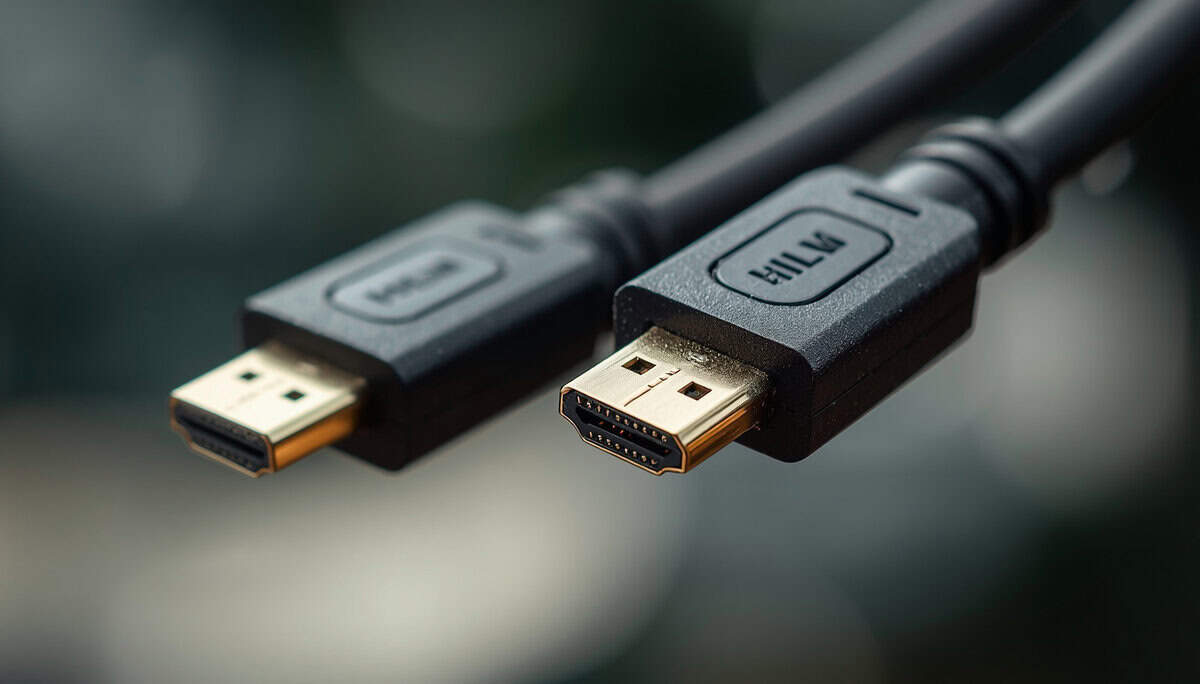
The tech specs are one thing; practical application is another. Picking between DisplayPort and HDMI is a decision that directly impacts how your games look and feel. The right cable comes down to your specific hardware, the games you play, and your budget.
This is where we translate bandwidth and version numbers into real-world performance for your build. We’ll break down common setups and recommend cables that are worth your money, focusing on official certifications and solid build quality.
For the Competitive FPS Player
If you play fast-paced games like Valorant, Counter-Strike 2, or Apex Legends, every frame matters. Your goal is the highest refresh rate possible for the smoothest, most responsive gameplay.
Scenario: You have a PC with a capable GPU (like an NVIDIA RTX 4060 or AMD RX 7700 XT) and a 1080p or 1440p monitor that runs at 240Hz or more.
Verdict: DisplayPort 1.4 is non-negotiable.
Reasoning: Only DisplayPort 1.4 has the 32.4 Gbps of bandwidth needed to reliably push 1440p at 240Hz with full color and Adaptive Sync. HDMI 2.0 would bottleneck you, and while HDMI 2.1 can do it, finding a monitor that properly supports that combination over HDMI is less common. DisplayPort is the native standard for high-refresh PC gaming.
Recommended Product: The Cable Matters VESA Certified DisplayPort 1.4 Cable is a solid choice. It’s VESA certified, guaranteeing it has been tested to meet the full DP 1.4 spec and deliver a stable signal. The gold-plated connectors and braided jacket contribute to its durability.
For the Immersive RPG and Single-Player Enthusiast
When you prefer getting lost in visually stunning worlds like Cyberpunk 2077, Baldur’s Gate 3, or Starfield, the priority shifts from raw frame rate to image quality. You care more about a sharp 4K picture and rich HDR colors.
Scenario: You’re gaming on a PC or console and want to play in 4K at 60Hz or 120Hz with HDR enabled.
Verdict: An Ultra High Speed HDMI 2.1 cable is the most convenient choice.
Reasoning: HDMI 2.1’s 48 Gbps bandwidth easily handles 4K 120Hz, and it’s the mandatory standard for the PlayStation 5 and Xbox Series X. Since nearly every TV uses HDMI, it’s the most straightforward option for a living room setup. For a PC, it works just as well as DisplayPort 1.4 for this specific purpose.
Console Gamer Note: If you’re hunting for a display for your new console, our guide to the best monitor for Xbox Series X can help you find one that takes advantage of what HDMI 2.1 offers.
Recommended Product: The Zeskit Maya Ultra High Speed HDMI 2.1 Cable is a well-regarded option that isn’t overpriced. It’s officially certified, which is critical for guaranteeing the 48 Gbps needed for 4K 120Hz and VRR. Its solid construction and shielding help prevent signal issues common with cheap, uncertified cables.
For the Streamer and Content Creator
Streamers often run complex multi-monitor setups with capture cards, creating a specific puzzle to solve. The goal is to get peak gaming performance on one screen while sending a stable video signal to another.
Scenario: You run a dual-monitor setup where your primary display is for high-refresh-rate gaming, and you use an external capture card (like an Elgato or AverMedia) to record or stream your gameplay.
Verdict: Use both. DisplayPort for your game, HDMI for your capture card.
Reasoning: This is a case of using the right tool for the job. Connect your primary gaming monitor with DisplayPort to guarantee the maximum refresh rate and the most reliable G-Sync/FreeSync performance. Since nearly every consumer capture card uses an HDMI input, you’ll connect your GPU’s HDMI output to your capture card.
This setup gives you zero compromises. You get your high-end gaming experience while maintaining compatibility with your streaming gear. Using adapters here is not recommended, as you will likely encounter performance limits or features that fail to work.
Choosing Cables, Adapters, and Compatibility
So you’ve picked your standard. The hard part is over, right? Not quite. Choosing the right port is only half the battle; the actual cable you plug into it is just as critical. A cheap, poorly made cable can undermine your expensive GPU and monitor, leading to flickering, signal drops, or features like Adaptive Sync refusing to work.
Don’t fall for marketing hype around “gold-plated” connectors. While gold resists corrosion, it does nothing for the performance of a digital signal. What you should care about is official certification and build quality.
What to Look for When Buying a Cable
For a DisplayPort cable, look for the VESA Certified logo on the box. For HDMI 2.1, you’re looking for an Ultra High Speed Certified cable, which will have a scannable QR code on the packaging to verify its authenticity. These certifications are your only real guarantee that the cable has been tested and can handle the bandwidth it claims.
Beyond that, look at the physical construction:
Durable Connectors: The plugs should feel solid and well-molded.
Good Shielding: A well-shielded cable, often indicated by a thicker, braided jacket, is better at preventing interference from other electronics. This is key for a stable signal.
Appropriate Length: Signal quality degrades over distance. For high-bandwidth gaming like 4K at 120Hz, stick to cables under 10 feet (3 meters). Long, uncertified cables are a notorious source of hard-to-diagnose problems.
For anyone on a budget, a certified cable from a reputable brand like Cable Matters or Zeskit is a smart choice. It’s a small investment to ensure your monitor and GPU perform as they’re supposed to. To see how vital this is, check out our guide on finding a quality HDMI 2.1 monitor, where cable choice is a make-or-break factor.
A Direct Warning About Adapters
What if your monitor only has DisplayPort, but your GPU’s only free port is an HDMI? It’s tempting to grab a cheap adapter. For your main gaming display, this is a bad idea.
Be Honest About Adapters: Adapters are a compromise, not a solution. Using a DisplayPort-to-HDMI adapter (or vice-versa) often introduces significant limitations. They frequently cap refresh rates, disable Adaptive Sync (G-Sync/FreeSync), and can add noticeable input lag.
Adapters are fine for a second monitor you use for Discord or web browsing, but they should be avoided for your primary gaming screen. They create a performance bottleneck that defeats the purpose of owning a high-refresh-rate monitor. Always use a direct connection with the correct, certified cable for your main display.
Got Questions? We’ve Got Answers
Even after diving into the details, you probably still have a few questions. Let’s tackle the common ones that come up when you’re trying to pick the right cable.
Can I Use HDMI For 144Hz Gaming?
Yes, but it depends on the version. HDMI 2.0 can handle 1080p at 144Hz, and it can just barely manage 1440p at 144Hz, but you might have to accept compromises on color quality (chroma subsampling). For a no-compromise 1440p 144Hz experience over HDMI, you need HDMI 2.1.
That said, DisplayPort 1.4 is still the more common and reliable standard for hitting high refresh rates on PC monitors. If your hardware has both ports, DisplayPort is almost always the safer bet for PC gaming.
Do I Really Need to Buy a Certified Cable?
You don’t need an “expensive” cable, but you absolutely need a certified one. The price difference between an uncertified cable and one with official certification is usually just a few dollars, but the performance gap can be massive. Certification from VESA (for DisplayPort) or an Ultra High Speed rating (for HDMI 2.1) is your only guarantee that the cable can deliver the bandwidth you paid for.
Is DisplayPort or HDMI Better For a Dual Monitor Setup?
For a PC, DisplayPort is decisively better for running multiple monitors. This is thanks to a feature called Multi-Stream Transport (MST), which lets you “daisy-chain” monitors together. You can run one cable from your graphics card to Monitor 1, then a second cable from Monitor 1 to Monitor 2, which cleans up cable management.
HDMI requires a separate port and cable for every single monitor, resulting in more cables around your desk. For a multi-monitor gaming or productivity rig, DisplayPort’s technical edge here is a clear win.
What Cable Do I Need For My PS5 or Xbox Series X?
This one is simple: you must use an Ultra High Speed Certified HDMI 2.1 cable. The PlayStation 5 and Xbox Series X do not have DisplayPort outputs, so HDMI is your only option.
Using anything less than a certified HDMI 2.1 cable will lock you out of the consoles’ best features, like running games in 4K at 120Hz or using Variable Refresh Rate (VRR). This isn’t a recommendation; it’s a technical requirement.
At Budget Loadout, we believe in getting the best performance for your money. Our guides cut through the hype to give you honest advice on building a gaming and streaming setup that delivers real value. Find more practical recommendations at https://budgetloadout.com.
Related Articles