Finding the best budget monitor for Arc Raiders can be the difference between winning and losing. Playing on a slow, blurry display is a significant disadvantage. For a game this fast, the best value is a 24-27 inch 1080p display with at least a 144Hz refresh rate, a low response time, and Adaptive Sync.
This isn’t the absolute cheapest option you can find, but it’s the one that delivers the most performance for your money where it counts. This guide will provide direct recommendations for specific use cases, including FPS gaming, streaming, and general-purpose use.
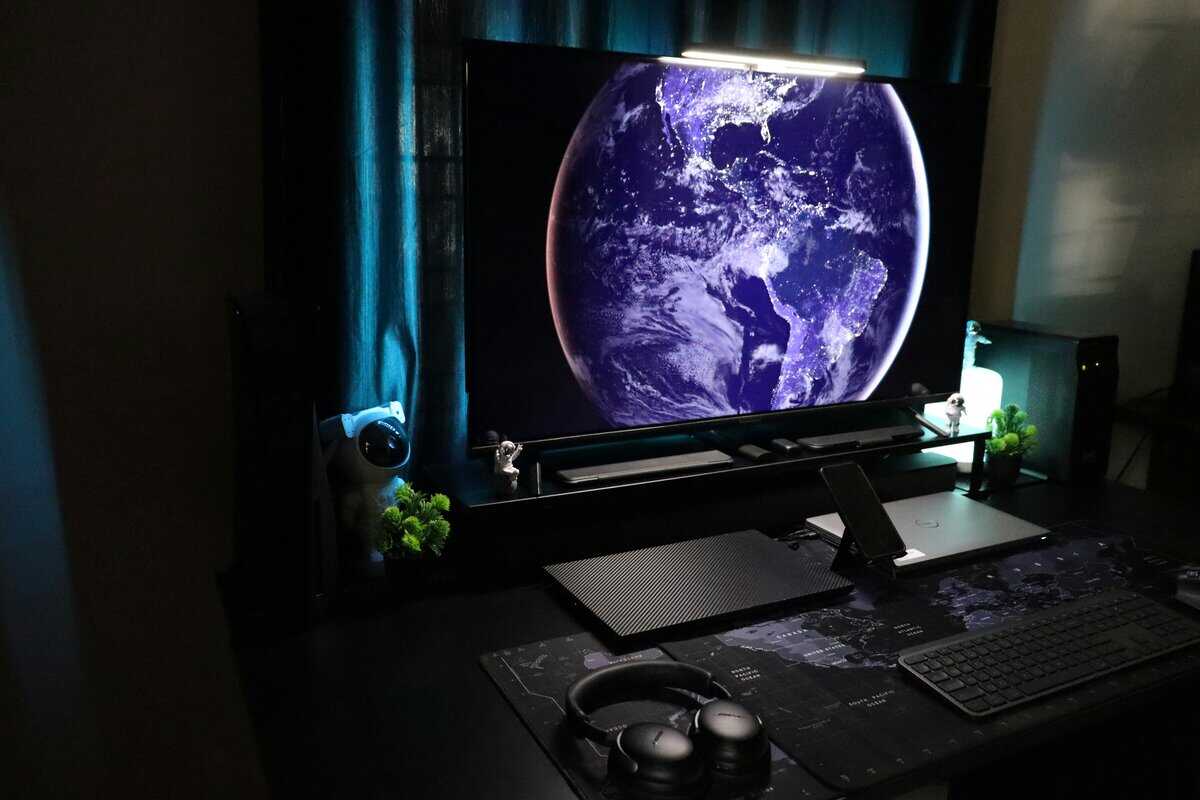
- The AOC 24G4 at ~$110 is the best entry-level pick for Arc Raiders, delivering 180Hz on a fast IPS panel with reliable FreeSync support
- The LG 27GP750-B at ~$230 offers 240Hz at 27 inches for players who want maximum competitive smoothness on a 1080p panel
- The LG 27GR83Q-B Ultragear at ~$300 is the best overall value, combining 1440p resolution with 240Hz for sharp, fluid gameplay
- A 1080p 144Hz+ monitor is the minimum for a smooth Arc Raiders experience — anything below feels sluggish in fast-paced PvE combat
- Adaptive sync (FreeSync or G-SYNC Compatible) is essential for eliminating screen tearing, especially on budget GPUs that can’t hold a locked frame rate
Table of Contents
- 180Hz refresh rate for smooth, responsive gameplay
- Fast IPS panel with accurate colors and wide viewing angles
- FreeSync Premium eliminates tearing on AMD and compatible NVIDIA GPUs
- 24-inch 1080p limits visual detail at normal desk distance
- Stand offers tilt only — no height or pivot adjustment
- No USB ports or built-in speakers
- 240Hz delivers noticeably smoother motion than 144Hz in fast combat
- G-SYNC Compatible and FreeSync Premium for tear-free gameplay
- Fully adjustable stand with height, tilt, pivot, and swivel
- 1080p at 27 inches results in lower pixel density than 1440p
- At ~$230 it's approaching 1440p territory in price
- Overkill if your GPU can't consistently push 200+ FPS
- 1440p at 240Hz delivers both visual clarity and competitive speed
- Excellent color accuracy with wide sRGB coverage
- G-SYNC Compatible ensures smooth frame delivery on both AMD and NVIDIA
- At ~$300 it's the most expensive pick on this list
- Needs a strong GPU (RTX 4060+ or RX 7600+) to hit high frame rates at 1440p
- No USB hub or KVM switch for multi-device setups
Defining Your Budget and Performance Targets
Finding the right monitor requires balancing price with the specifications that directly impact gameplay. For a demanding PvPvE game like Arc Raiders, where tracking fast-moving ARC bots and enemy players is crucial, some features are non-negotiable.
“Budget” in this context refers to value, not the lowest possible price. The goal is to identify monitors that provide a competitive edge without forcing you to pay for premium features you don’t need. This guide will help you understand the trade-offs between cost, speed, and visual quality.
Minimum vs. Ideal Monitor Specs for Arc Raiders on a Budget
To clarify what to look for, here’s a breakdown of baseline versus ideal specs for playing Arc Raiders effectively. Aiming for the “Ideal” column will provide a noticeable advantage without a high cost.
This table outlines the baseline and recommended specifications to help you understand what to prioritize.
| Specification | Minimum for Good Gameplay | Ideal for Competitive Edge |
|---|---|---|
| Refresh Rate | 120Hz | 144Hz or higher |
| Response Time | 4ms (GtG) | 1ms (GtG or MPRT) |
| Resolution | 1080p (Full HD) | 1080p or 1440p (QHD) |
| Panel Type | VA or fast IPS | Fast IPS |
| Adaptive Sync | FreeSync | FreeSync Premium / G-SYNC Compatible |
| Size | 24-inch | 24-27 inch |
Meeting the minimum targets is sufficient for casual play, but achieving the ideal specs offers a tangible difference in tracking targets and reacting to threats. It is the difference between participation and competition.
Understanding Monitor Specs That Matter for Arc Raiders
It’s easy to get lost in marketing jargon. We will focus on the five specifications that directly impact your ability to spot enemies, win gunfights, and survive extraction in Arc Raiders.
Getting these right is not a minor upgrade; it fundamentally changes how you perceive and react to the game. This is the most important step in choosing your display.
Refresh Rate and Response Time
Refresh rate, measured in Hertz (Hz), is how many times your monitor updates the image each second. A standard 60Hz monitor is not suited for a fast-paced shooter. The jump to 144Hz provides a substantially smoother picture that makes tracking fast-moving ARC bots and other players feel more natural.
Response time, measured in milliseconds (ms), relates to pixel transition speed. A slow response time creates motion blur or “ghosting,” leaving a distracting trail behind moving objects. For Arc Raiders, you need a response time of 4ms or less to maintain a sharp image during quick camera movements and chaotic firefights.
A high refresh rate provides more visual information per second, while a low response time ensures that information is clear and not a blurry mess. For a game like Arc Raiders, this combination provides a competitive advantage.
Panel Types The Color and Speed Trade-Off
The panel is the screen itself, and at a budget price point, you will choose between three main types: IPS, VA, and TN. Each type involves a trade-off.
IPS (In-Plane Switching): Known for the best color accuracy and viewing angles. Modern “fast IPS” panels have reduced the response time gap, making them a strong all-around choice for gaming and other use cases like content consumption or streaming. You get vibrant visuals without a major performance compromise.
VA (Vertical Alignment): This is a middle-ground option. VA panels deliver the best contrast, resulting in deep blacks. This can be useful for spotting enemies in shadows, but they often have the slowest response times, which can lead to black smearing in fast-moving scenes. This is a significant tradeoff for FPS games.
TN (Twisted Nematic): These are the fastest panels. TN panels provide the quickest response times for the lowest price, but at the cost of poor color quality and limited viewing angles. This is a pure performance choice, best for gamers who prioritize speed above all else.
Your choice often depends on other activities. If you also watch movies or do creative work, an IPS panel is the logical winner. If you are an FPS purist who only cares about raw speed, a TN panel might suffice. For a deeper analysis of the differences, you can check out our guide on IPS vs VA for gaming.
Resolution and Adaptive Sync
Resolution is a balance between visual clarity and performance. While a 1440p (QHD) monitor looks sharper, it requires a more powerful and expensive GPU to maintain high frame rates. For a budget-focused build, 1080p (Full HD) is the practical choice. It allows mid-range graphics cards to push the 144+ FPS needed to benefit from a high-refresh-rate monitor.
Finally, Adaptive Sync (AMD FreeSync or NVIDIA G-SYNC) is an essential feature. It synchronizes your monitor’s refresh rate to your GPU’s frame output, eliminating screen tearing. Most budget monitors are now “G-SYNC Compatible,” meaning they will work with NVIDIA cards even if they only advertise FreeSync. This is non-negotiable for a smooth gaming experience.
Finding the Sweet Spot 144Hz vs 240Hz on a Budget
When selecting the best budget monitor for Arc Raiders, the 144Hz vs. 240Hz debate is a common sticking point. The upgrade from a standard 60Hz display to 144Hz is a substantial improvement you will notice immediately.
The leap from 144Hz to 240Hz, however, is a matter of diminishing returns, especially when managing costs.
The main benefit of a 240Hz refresh rate is a measurable reduction in input lag and smoother motion clarity. For firefights in Arc Raiders, a 240Hz screen can reduce input lag by up to 50% compared to a 60Hz display, according to esports benchmarks. However, data also shows that mainstream 144Hz models captured 60% of all monitor shipments in 2024, demonstrating they have hit a value peak for the majority of users.
An honest assessment of your PC hardware and performance goals is critical here.
The Reality Check Your PC’s Performance
A 240Hz monitor’s effectiveness is limited by the PC powering it. To realize any benefit from that high refresh rate, your graphics card must consistently produce over 200 frames per second (FPS) in-game.
If your PC struggles to maintain 150 FPS, a 240Hz display offers no advantage over a 144Hz one. You are paying a premium for performance you cannot use.
For budget-conscious gamers, the money saved by choosing a 144Hz monitor is almost always better allocated to a more powerful GPU, a better CPU, or more RAM. Those upgrades provide a larger and more consistent performance improvement across all games.
For most gamers, a high-quality 144Hz IPS or VA panel is a more balanced investment than a low-end 240Hz TN panel. The trade-off in color quality, viewing angles, and build quality to reach 240Hz is rarely worthwhile at a budget.
Practical Scenarios Where It Matters (and Where It Doesn’t)
Let’s apply this to common scenarios for an Arc Raiders player:
FPS & MMO Gaming: You play several hours a week and want a fluid, responsive experience in both fast-paced shooters and MMOs. 144Hz is your target. It provides the necessary fluidity without requiring a top-tier PC. You can often find a capable 144Hz IPS monitor for under $200.
Aspiring Competitive Player: You have a powerful rig that consistently hits 200+ FPS, and you are serious about competitive performance. In this case, a 240Hz monitor can offer a slight edge. The reduced latency might make a measurable difference in reaction-based encounters.
The Streamer: For streamers, a high-quality 144Hz IPS monitor is often the better choice. Its superior color reproduction ensures the game looks better to your audience, a benefit that outweighs the slight motion clarity improvement from a budget 240Hz TN panel.
Ultimately, choosing the best budget monitor for Arc Raiders means being realistic. Unless you have the hardware to match and are chasing professional-level performance, a well-chosen 144Hz monitor delivers most of the benefit for a fraction of the cost.
Monitor Recommendations by Budget and Use Case
This section provides direct recommendations. Finding the right budget monitor for Arc Raiders is about matching your PC’s capabilities to the correct price tier. We’ll break down our picks into three budgets, focusing on specific models.
We will be direct about the compromises. A monitor in this price range might have a strong panel but a basic plastic stand. Understanding these trade-offs is key to making a smart purchase.
Entry-Level Value: Under $200
This is the most competitive bracket, offering a significant performance increase for the money. Your target here is a 24-inch 1080p monitor with a 144Hz-165Hz refresh rate. Speed and responsiveness are the priorities.
A solid example is the AOC 24G4. It features a fast IPS panel that provides good colors and the speed required for tracking targets in Arc Raiders. The build quality is standard for the price—mostly plastic with a basic stand—but its gaming performance is reliable. It is a suitable monitor for anyone with an entry-level GPU aiming for high frame rates at 1080p.
The Mid-Range Sweet Spot: $200-$300
In this range, you face a decision: a top-tier 1080p panel or an entry-level 1440p monitor. The correct choice depends on your graphics card and primary use case.
For FPS Purists and Streamers: A monitor like the LG 27GP750-B is a strong contender. It is a 27-inch 1080p 240Hz IPS panel. If your PC can consistently push high frame rates, this monitor’s motion clarity is a tangible advantage. The IPS panel also ensures accurate colors for a stream audience.
For All-Around Gamers (FPS, MMO, Single-Player): If you also play visually rich single-player games or watch movies, consider a model like the Gigabyte M27Q. This provides a 27-inch 1440p 170Hz IPS panel. The resolution increase makes the game world look sharper, but you’ll need a GPU like an RTX 4060 or better to drive it effectively. The trade-off is clear: sacrificing maximum frame rates for improved visual fidelity.
Your decision in this tier depends on your GPU. A stronger card makes 1440p a viable option, while a high-refresh 1080p display is a safer choice to guarantee smooth performance on mid-range hardware.
High-Value Performance: $300-$400
In this tier, you’re looking for a more complete package: 1440p resolution, a high refresh rate, and better build quality. The LG 27GR83Q-B Ultragear often fits this role, offering a 27-inch 1440p 165Hz IPS panel with fast response times and a fully adjustable stand.
This type of monitor represents a balanced setup: sharp visuals, fast performance, and good ergonomics. The build quality is excellent with a sturdy stand, a clear improvement over cheaper models. It is a good match for a player with an RTX 4070 or equivalent who wants a solid 1440p experience for Arc Raiders and other demanding titles.
You can also find more targeted advice in our guide to the best budget monitor for Valorant, as many of the core requirements are similar.
Assessing Build Quality and Long-Term Value
A monitor’s spec sheet indicates its speed but not its durability. The best budget monitor for Arc Raiders must endure years of use, accidental bumps, and future PC upgrades.
Build quality and thoughtful design separate a temporary fix from a long-term investment.
From Flimsy Plastic to Future-Proof Ports
During long gaming sessions, ergonomics become a performance feature. A cheap, wobbly stand can lead to neck strain and distract from gameplay.
Look for a stand with adjustment options. This is often the first feature cut to save costs.
Height Adjustment: Allows you to position the screen at eye level for better posture.
Tilt: Essential for reducing glare from overhead lights or windows.
Swivel: Useful for sharing your screen or adjusting your setup angle.
Even basic tilt and height adjustment is a significant improvement over a fixed plastic stand and a good indicator of overall quality at this price point.
Beyond the stand, consider materials and connectivity. Many budget monitors use thin, glossy black plastic that attracts fingerprints and feels insubstantial. A model with a sturdy, matte finish not only looks cleaner but often indicates a more durable internal frame.
A monitor that feels solid is more likely to house quality components. Check reviews for complaints about stand wobble, bezel flex, or mushy buttons. These details provide insight into a product’s real-world durability.
Equally important for long-term value is port selection. Your monitor should be compatible with your next PC or console.
DisplayPort 1.4: This is the standard for high-refresh-rate PC gaming. It has the bandwidth for 1440p at 165Hz and beyond, making it essential for a PC-focused setup.
HDMI 2.1: While less common on true budget monitors, it is key for full support of a PlayStation 5 or Xbox Series X. For our budget focus, HDMI 2.0 is the minimum requirement.
A monitor with at least one DisplayPort 1.4 and two HDMI 2.0 ports is an ideal configuration. It provides flexibility to connect your PC for maximum performance while leaving ports free for a console or laptop, ensuring the monitor remains a useful hub for years.
How to Optimize Your New Monitor for Arc Raiders
Unboxing a new monitor is just the first step. Default settings often leave performance on the table.
Properly configuring your settings is what separates an adequate experience from an optimal one. These adjustments will provide an immediate, tangible advantage in Arc Raiders.
First, you must enable your monitor’s high refresh rate. Your new display will almost certainly default to 60Hz, even if it is a 144Hz model.
In Windows: Go to Settings > System > Display > Advanced display settings. Find the dropdown menu and choose the highest refresh rate available.
In GPU Software: Open your NVIDIA Control Panel or AMD Software: Adrenalin Edition to verify the setting and enable Adaptive Sync (G-SYNC or FreeSync).
This is the single most important adjustment you can make. It is not optional.
Calibrating for a Competitive Edge
Next, tune your visuals. The goal is not perfect color accuracy, but maximum visibility, especially in dark environments. A poorly configured screen can obscure an enemy in shadows or cause eye strain.
Start by navigating your monitor’s on-screen display (OSD) and disabling any “Eco” or power-saving modes, as they reduce brightness and can impact performance. Then, make these adjustments:
Set the Game Mode: Use the “FPS” or “Gaming” preset as a baseline.
Adjust Brightness: Increase it until you can clearly see details in dark areas of the game, but not so much that blacks appear washed-out and gray.
Tweak Contrast: Set this high enough to make enemies pop against the background, but not so high that you lose detail in bright areas.
Do not simply copy a pro player’s settings. Your room’s lighting and personal vision are unique. Use an in-game training map to fine-tune your settings. The goal is to spot targets in both bright and dark areas instantly, without squinting.
Finally, ensure your in-game settings match your monitor’s hardware. Go into the Arc Raiders settings and confirm it is running at your monitor’s native resolution and refresh rate. This ensures you get the crisp, fluid, and tear-free gameplay that a quality monitor is supposed to deliver.
Final Questions About Your Arc Raiders Monitor? We’ve Got Answers
The number of specifications can be overwhelming. It is common to have questions before purchasing a new monitor. This section addresses some frequent concerns.
Is a 1080p Monitor Still Good Enough for Arc Raiders?
Yes, and for many players, it is the most practical choice. On a budget, a 24-inch 1080p monitor is a tactical decision. It is far less demanding on your graphics card, making it much easier to achieve the high frame rates—144+ FPS—that are crucial for a fast-paced shooter.
This approach prioritizes performance where it matters most, rather than pursuing higher pixel counts that your GPU might struggle to render effectively.
Do I Need G-SYNC, or is FreeSync Enough?
For anyone not building a top-tier PC, a monitor with FreeSync Premium is sufficient. The era of needing a proprietary G-SYNC module for tear-free gaming on an NVIDIA card is largely over.
Most modern NVIDIA GPUs are “G-SYNC Compatible,” which means they can utilize FreeSync technology effectively. You get a smooth, tear-free experience without paying the premium for native G-SYNC hardware.
Is a Curved Monitor Better for Arc Raiders?
A curved screen is almost entirely a matter of personal preference and offers no objective competitive advantage in a shooter, particularly on the 24-27 inch screen sizes discussed here. The “immersion” effect is minimal at this scale.
When on a budget, that money is better spent on a higher refresh rate, faster response time, or a better panel. Do not pay extra for a feature that does not improve your performance in a gunfight.
For more budget gaming gear guides, tips, and recommendations, check out BudgetLoadout.com — your go-to resource for gaming on a budget.
Related Articles