One question decides this purchase: in the middle of a fight, how much of your keyboard do you actually use? If the honest answer is fifteen keys and a thumb, a gaming keypad moves exactly those keys under your left hand, sculpted to fit it, and lets the rest of the keyboard leave the desk.
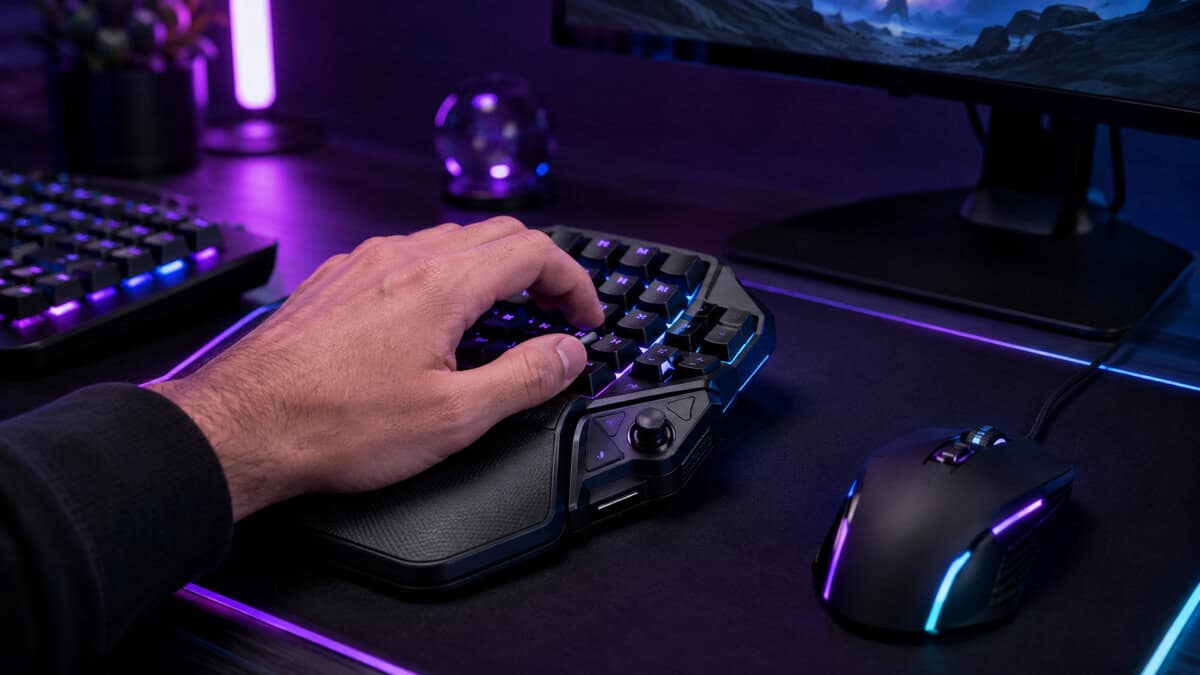
The catch is that this category has a floor. The credible boards start where budget peripherals usually end, and the bargain bin below them is a trap this guide walks you around rather than into.
The default answer for a first keypad and the board this category is measured against. Thirty-two keys under one hand, a thumb pad that swallows movement or modifiers, and years of refinement in the shape.
- The sculpted shape has had years of ergonomic refinement
- 8-way thumb pad frees a full cluster of binds
- Massive install base means every game has shared bind layouts
- Mecha-membrane feel is softer than true mechanical switches
- Synapse software is required for deep programming
- Right-handed layout only
The same proven shape with analog optical switches underneath. Keys read pressure like a controller stick, actuation depth is adjustable per key, and one press can carry two functions at different depths.
- Analog input lets movement keys behave like a thumbstick
- Per-key actuation tuning suits both typing-light and heavy hands
- Dual-step actuation doubles what each key can do
- Costs premium-keyboard money for one hand
- Analog features need per-game setup time to pay off
- Overkill if you only want static binds
The newest serious challenger in a category Razer has owned for years. True mechanical switches in a compact one-handed frame, from a brand with real hardware pedigree rather than a bargain-bin label.
- True mechanical switches where the V2 goes soft
- Compact footprint claims less desk than the Tartarus shape
- A genuine brand alternative in a one-brand category
- New listing, so its long-term track record is still being written
- Fewer community bind layouts than the Razer ecosystem
- No analog tricks at a price near the V2
- A gaming keypad shines when your game uses many binds under one hand, not when it replaces a keyboard outright
- The credible picks start near premium-keyboard territory; the bargain tier below them is brand-store and no-name land
- Analog switches turn movement keys into a thumbstick, which is the one feature worth paying up for
- MMO, MOBA, and accessibility players get the most from the format; typists get the least
- Check the software story before buying, because binds live or die by it
Table of Contents
A Gaming Keypad Solves One Problem Extremely Well
The problem is reach. A full keyboard spreads your binds across territory your fingers visit at different speeds, and the keys past the comfortable zone always pay a delay tax. A keypad deletes the territory and keeps the keys.
It is not a keyboard replacement. You will still type on a real board, and the keypad slides in beside the mouse only when you play. The honest way to think about it: a controller for your left hand that speaks keyboard.
A keypad does not add keys to your hand; it removes distance from your keys.
That reframing also predicts who should skip it. If your game uses six binds, your keyboard already does this job, and the sections below will try to talk you out of spending anything at all.
There is also a comfort argument that gets underrated. A keypad positions your left hand at a natural angle with a palm rest under it, hours at a time, which a flat keyboard edge never quite matches. Some owners keep theirs for that reason alone.
The desk also gets a say. Keypad plus mouse claims less width than a full keyboard, which opens real estate for wider mouse sweeps, the same logic that sends low-sens players hunting for compact boards in the first place.
The Three Picks Worth Your Left Hand
Razer Tartarus V2
The Tartarus V2 is the category, for most practical purposes. Thirty-two programmable keys, an 8-way thumb pad where a controller stick would sit, and a palm shape that years of iteration have quietly sanded into place.
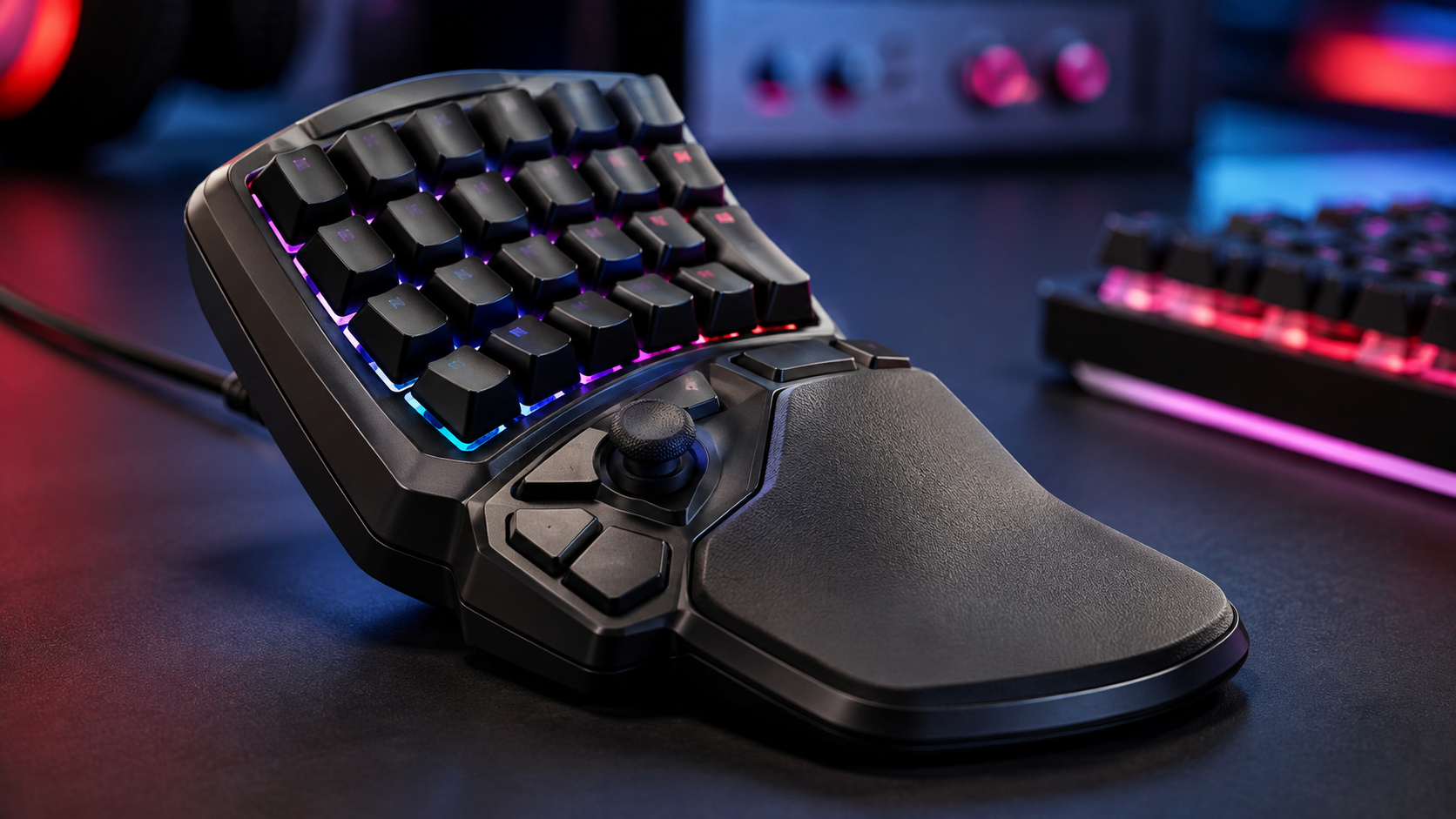
When one product defines a category for this long, the second-hand wisdom alone is worth something.
That maturity is a real feature. Whatever you play, someone has already published a bind layout for it, and the thumb-pad-as-movement trick that takes newcomers a week to discover is a copy-paste away.
The tradeoffs are honest ones. The mecha-membrane keys feel softer than the mechanical boards elsewhere on this site, Synapse is mandatory for the deep programming, and left-handed players are out of luck entirely.
One practical note on the layout: the V2 maps its keys 1 through 32 rather than pretending to be a keyboard chunk, and that abstraction is the point. You bind meanings, not letters, and the hand stops caring what the key would have been called on a full board.
Razer Tartarus Pro
The Tartarus Pro is the same shape with a different nervous system. Its analog optical switches read how far each key is pressed, which turns the four movement keys into something a controller player will recognize immediately.
Analog movement on a keypad is the closest a mouse-and-keyboard setup gets to a thumbstick.
The adjustable actuation matters day to day: set a hair-trigger for abilities and a deep, deliberate press for the binds you must never fat-finger. Dual-step actuation goes further, letting a light press walk and a full press sprint on the same key.
Pay for it only if you will use it. The analog features want per-game setup, and a player who just needs sixteen static binds gets everything they came for from the V2 at a fraction of the price.
The sweet spot for the Pro is genre-shaped: driving sections in open-world games, walk-to-sprint movement in stealth and survival titles, and any MMO where mounted travel speed deserves its own pressure curve. If none of that list made you nod, you just saved the difference.
Turtle Beach Command KP7
The Command KP7 is the challenger this category has waited years for: a true mechanical one-handed board from a real hardware brand, in a frame more compact than the Tartarus shape.
The first credible non-Razer keypad in years earns its slot by existing at all.
The mechanical switches are the story. If the V2 has one consistent criticism, it is the soft mecha-membrane feel, and the KP7 answers it directly with the crisp actuation mechanical-keyboard players expect under their fingers.
Buy it knowing what young means. The current listing is new enough that its long-term record is thin, the community bind libraries are smaller, and there are no analog tricks. What you get is the mechanical feel, the compact footprint, and a second real option in a one-brand market.
Competition also disciplines the incumbent. Even if you buy the Razer anyway, the KP7 existing at this quality level is the best thing that has happened to keypad buyers in years, and its trajectory is worth watching as the review record fills in.
The Three Side by Side
Three boards, three switch philosophies, one honest comparison.
| Keypad | Switches | Signature Feature | Best For |
|---|---|---|---|
| Razer Tartarus V2 | Mecha-membrane | 8-way thumb pad | First keypad and proven layouts |
| Razer Tartarus Pro | Analog optical | Adjustable actuation | Analog movement and per-key tuning |
| Turtle Beach Command KP7 | Mechanical | Compact frame | Mechanical feel outside the Razer ecosystem |
The Budget Wall in This Category
Here is the part most keypad roundups skip. Below the picks above sits a shelf of tempting sub-forty boards, and almost none of them are sold in a way this site can honestly recommend as a primary pick. The listings churn, the brands rotate, and the software that makes a keypad useful is exactly where they cut corners.
The one name there worth knowing is the Redragon K585, a one-handed mechanical board from a brand with an actual track record. If your budget stops short of the picks above, it is the floor worth standing on rather than the trapdoor beside it. Go in knowing the software is cruder and the shape is a flat board rather than a sculpted rest.
In this category the bargain tier is not a smaller version of the good tier; it is a different product wearing the same shape.
The tell is always the same: a no-name board whose product photos show software screenshots with mismatched branding. That is a rebadged shell with an orphaned driver, and the moment a Windows update disagrees with it, your binds are gone.
Price churn is the other tell. The legitimate boards in this category hold steady pricing quarter after quarter, while the shelf below cycles through discount theater. A price that swings weekly is a listing being managed, not a product being sold.
If forty is genuinely the ceiling, also reconsider whether a keypad is the move at all. A quality compact keyboard covers many of the same jobs, and the next section makes that case properly.
Keypad or TKL Keyboard
The strongest argument against a gaming keypad is a smaller keyboard doing most of the job free. A tenkeyless or 75 percent board pulls the mouse closer, keeps every bind you already know, and our 75 percent keyboard roundup covers boards that cost less than the Tartarus V2.
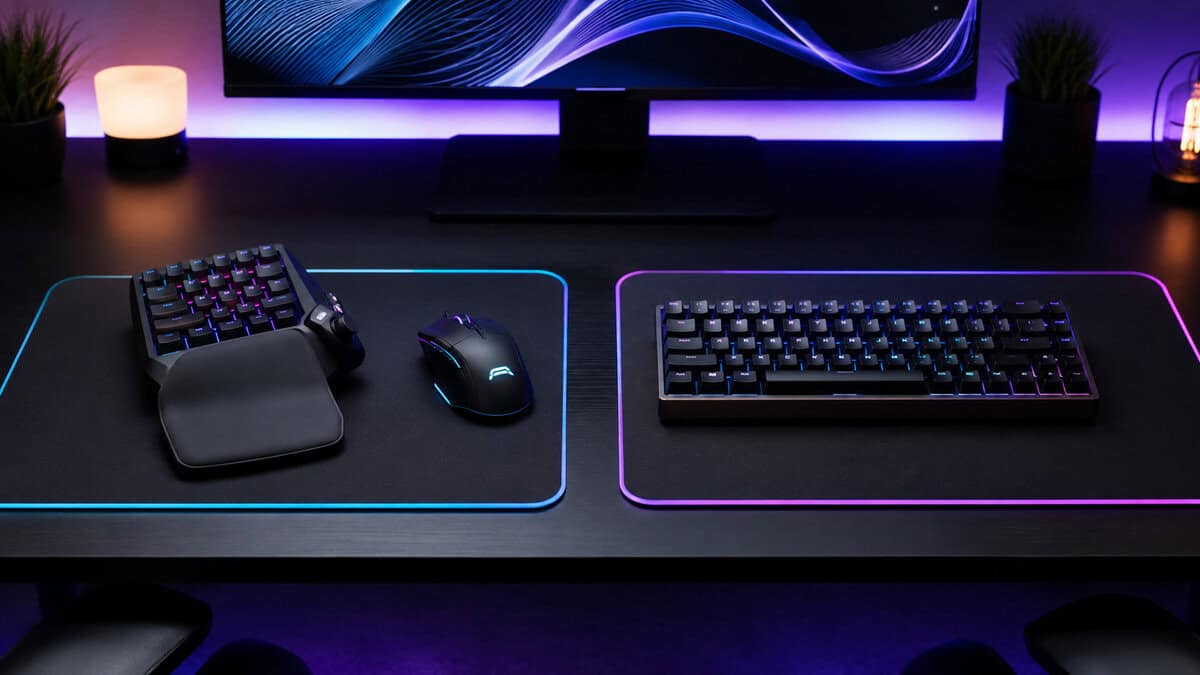
What the compact keyboard cannot do is change the geometry. Binds still live where the keyboard put them, your palm still floats, and nothing under your thumb does controller work. The keypad case rests entirely on those three differences mattering to you.
A practical test: if you have ever rebound a far key mid-patch because your pinky could not reach it in a fight, the geometry already bothers you and a keypad will feel like relief. If you have never thought about reach, keep the keyboard and spend the money on the budget gaming keyboard upgrade instead.
Cost cuts both ways too. A keypad is an addition, not a replacement, so its price stacks on top of the keyboard you already own. The compact-keyboard route spends once; the keypad route spends beside the board. Neither is wrong, but only one of them is honest about the total.
Who Actually Benefits From a Gaming Keypad
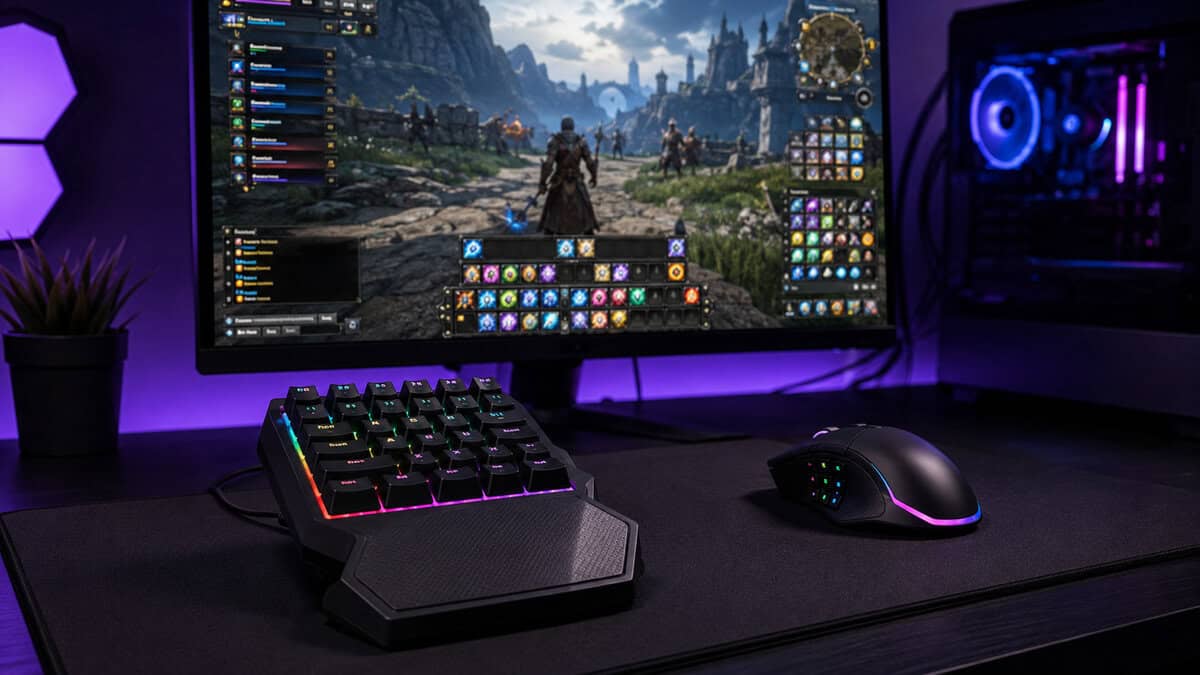
MMO players first, by a distance. Forty binds across bars is normal in the genre, and a keypad brings the core rotation under one relaxed hand, the same interface logic that made a taller screen worth it in our MMO monitor guide. MOBA and ARPG players follow close behind for the same reason: few keys, pressed constantly, worth optimizing.
The quiet third group is accessibility. For players with limited reach, one-handed play needs, or repetitive strain problems, a programmable keypad is sometimes the difference between playing and not playing, which is why organizations like AbleGamers treat input flexibility as seriously as game design.
Left-handed players deserve their own line here. The mainstream keypads are molded for the left hand of a right-handed mouse user, and mirrored options are scarce. If that is your situation, a compact keyboard on the right side of the mouse remains the more practical route.
The group that gains least is the one the marketing chases hardest: FPS players. Shooters use a handful of binds your index finger already owns, and the switch feel of a good keyboard matters more there than any thumb pad.
What the Software Decides
A keypad is half hardware, half software, and the software half decides whether you keep it. Binds, profiles, and the thumb-pad behavior all live in the companion app, which is why the bargain tier fails: the boards work, but the software makes remapping feel like filing taxes.
Razer routes everything through Synapse. It is heavier than it should be, and it is also the most mature bind ecosystem in the category, with per-game profiles that swap automatically when you launch. Turtle Beach counters with onboard profiles, which travel with the board and suit players who hate resident software.
One rule regardless of brand: build your layout in one sitting, mirroring your old keyboard binds as closely as the layout allows, then change nothing for a week. Muscle memory transfers fast when the map is stable and never when it drifts. And if your setup leans wireless elsewhere, note that every pick here is wired, a genre where the wired versus wireless tradeoff still tilts wired.
Give the layout one design principle: panic buttons under strength, not speed. The thumb gets your most-used ability, the strong three fingers carry the rotation, and the awkward stretches hold what you press once a minute. Copying your keyboard layout key-for-key wastes the whole point of the shape.
Expect the transition to take three or four sessions. The first evening feels clumsy, the second feels workable, and somewhere in the first week the reach advantage stops being a novelty and becomes the reason you cannot go back. Owners who quit almost always quit on night one.
If it is macros for streaming you are after, see our Stream Deck alternatives guide.
Frequently Asked Questions
Quick answers to what buyers ask before committing a hand to a keypad.
Is a gaming keypad better than a keyboard for gaming?
It is better at one thing: putting many binds under one relaxed hand with nothing out of reach. It is worse at everything else a keyboard does, which is why it works alongside your keyboard rather than replacing it. Bind-heavy genres feel the difference immediately; six-bind shooters barely notice it.
What games benefit most from a gaming keypad?
MMOs top the list, since a big rotation plus cooldowns maps naturally onto 32 keys and a thumb pad. MOBAs, ARPGs, and build-heavy survival games follow. The weakest case is competitive FPS, where a handful of binds already sit under your fingers on any keyboard.
Can you type on a gaming keypad?
Not practically. A keypad carries a partial key cluster meant for binds, not sentences. Every setup that uses one keeps a normal keyboard on the desk or nearby for chat and everything else the PC does.
Are cheap gaming keypads worth buying?
Rarely. The category has a genuine quality cliff below the established boards: rebadged hardware, orphaned software, and listings that churn. If the budget is firm, a known-brand board like the Redragon K585 is the safe floor, and a quality compact keyboard is often the smarter spend entirely.
Do gaming keypads work on PS5 or Xbox?
Mostly no. These are PC peripherals whose remapping lives in desktop software. Some games with native keyboard support on console will register basic input, but binds, profiles, and the thumb-pad behavior need the PC side to exist. Buy one for a PC setup or not at all.
Kitting out the rest of the battlestation? Budget Loadout covers budget gaming gear that earns its slot, from keyboards to monitors, minus the marketing tax.
Related Articles