The best laptop stand is one of those upgrades that looks trivial until you notice everything a flat laptop quietly breaks. The screen sits too low, your neck cranes forward, the fans choke against the desk, and the webcam stares up your chin on stream. Raising the machine fixes all of it at once, and it gives the whole rig a cleaner, steadier, more usable footprint.
A one-piece aluminum riser that fixes screen height and airflow for stay-put desks. It detaches flat for storage and its huge review base makes it a safe first stand.
- Open aluminum frame keeps the intake path clear
- Detachable design packs flat in a drawer or bag
- Massive review base for a budget accessory
- Height and angle are fixed once assembled
- Tops out at 15.6 inch laptops
- Works best when desk and chair height already align
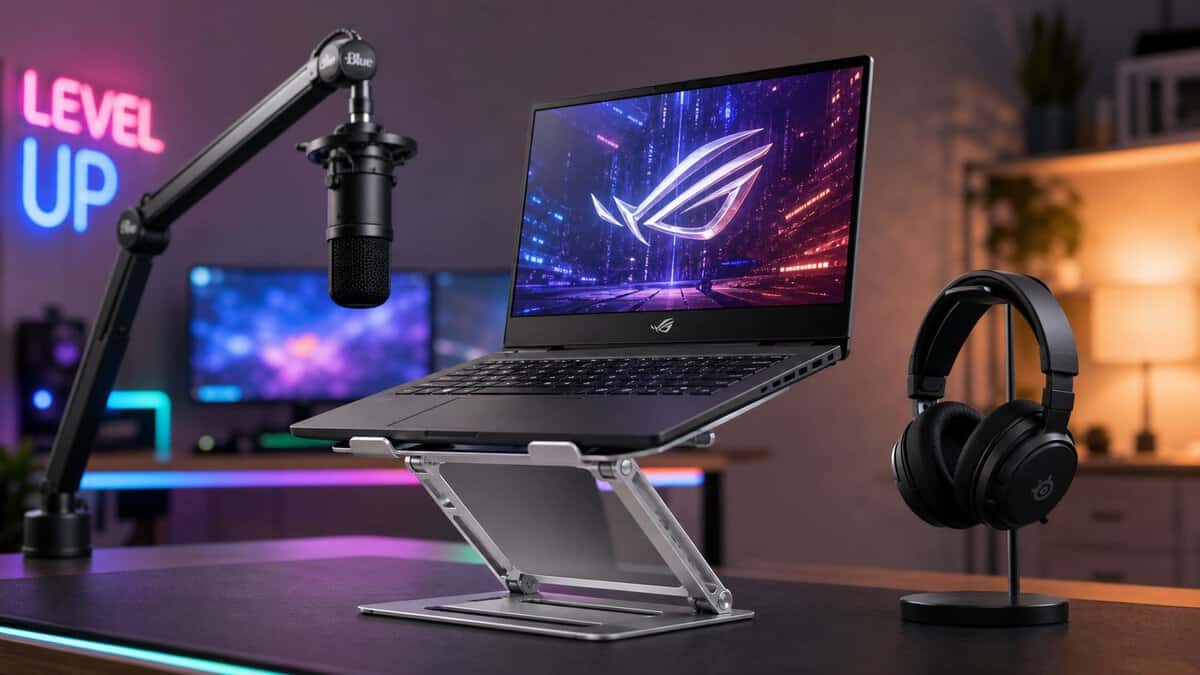
The adjustable sweet spot: twin hinges hold any height and angle, so you can dial in webcam sightlines and match an external monitor. The steel frame carries 17 inch gaming laptops without bounce.
- Free height and angle adjustment for webcam framing
- Alloy steel frame stays rigid under heavier laptops
- Holds position without drifting during long sessions
- Heavier than fixed risers, so it is not a travel piece
- Hinges need firm pressure to reposition
- May sit tall for very low desks at max height
The portable flagship. It collapses to the size of a rolled magazine, weighs almost nothing, and still lifts the screen near eye level with minimal wobble for travel and multi-room streaming setups.
- Unmatched stiffness for its tiny folded size
- Light enough to live in a laptop bag permanently
- Tool-free setup in a few seconds
- Costs several times more than a desk riser
- Grip arms need careful seating on thick laptops
- Overkill if your laptop never leaves the desk
Picks and availability last verified: October 26, 2026
- Raise the laptop so the top third of the screen sits at eye level; that one change fixes most neck strain and awkward webcam angles
- A fixed riser like the BESIGN LS03 is the value play when the laptop never leaves your desk
- Choose a height and angle adjustable frame like the BoYata if you stream or line the laptop up with an external monitor
- Pay for portability only if your setup actually moves; the Roost V3 folds tiny but costs desk-riser money several times over
- Plan on an external keyboard and mouse, because typing on a raised laptop cancels out the ergonomic gains
Table of Contents
Why Gamers and Streamers Need a Laptop Stand
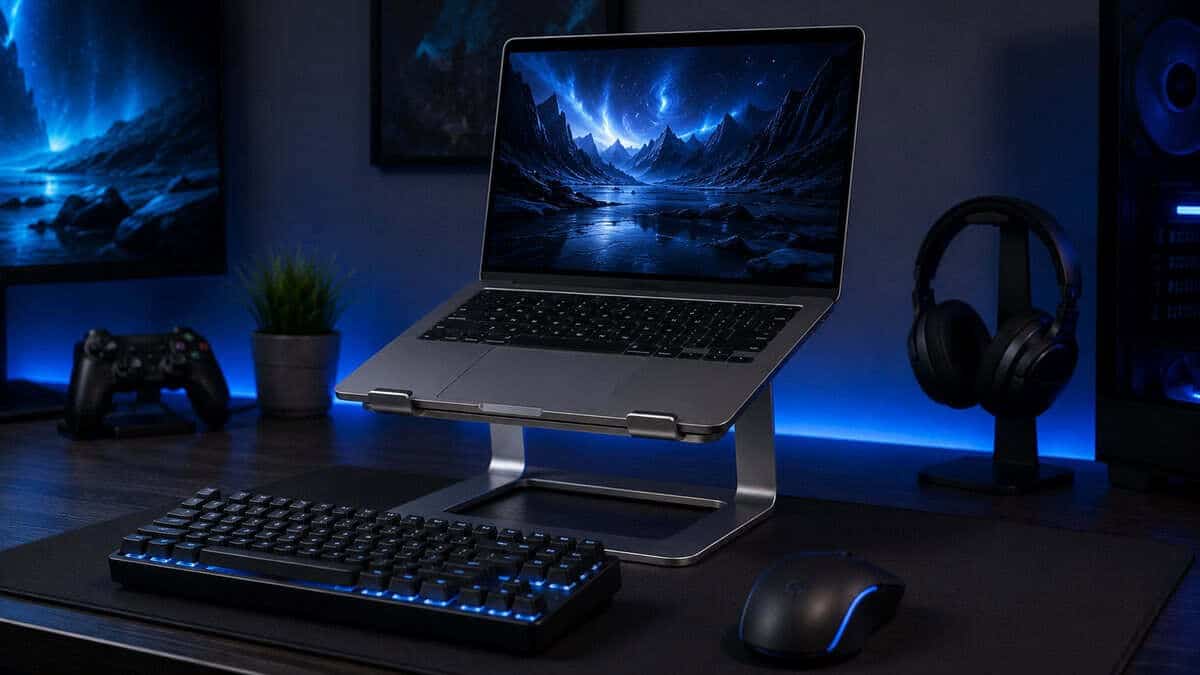
A lot of people buy a stand because the laptop looks cramped on the desk, then discover the payoff is how much better the whole session feels after an hour or two. The screen comes up, the keyboard drops out of the way, and the top of the display stops forcing your head into a forward lean. In ergonomic testing of an adjustable laptop stand, users had significantly lower RULA scores, meaning better upper-body posture during typing tasks, and the same study found reduced discomfort plus improved typing accuracy without slowing typing speed, which is exactly the kind of result budget buyers should care about when comfort and performance both matter (study).
What changes in a real gaming or streaming session
For FPS gaming, a stand matters because small interruptions become big ones. A wobbly deck makes mouse movement feel worse, and a low screen keeps your neck locked in a bad angle while you’re trying to track targets. For MMO sessions, the issue is less twitch aim and more endurance, long stretches of inventory management, chat, and cooldown monitoring are easier when the display sits at a sane height and the laptop isn’t stealing desk space from a separate keyboard and mouse.
Streaming adds another layer. A raised laptop gives you a better webcam sightline, helps keep desk clutter out of frame, and makes it easier to build a more consistent on-camera angle. If you’re also trying to plan a layout for clips, overlays, or short-form content, the same physical discipline applies, and the practical workflow notes in these practical steps for AI video making reinforce the same idea, organize the workspace first so the content process doesn’t become the bottleneck.
Practical rule: if the stand changes your screen angle but leaves the laptop shaky, it’s not helping your streaming quality much.
A stand also helps on desks that weren’t designed for a full battle station. HP’s ergonomics guidance notes that a laptop stand is especially useful for fixed desks, multiple locations, non-traditional surfaces, and limited desk space, and it also says the screen and keyboard should be separated with an external keyboard and mouse treated as essential for proper ergonomics (HP ergonomics guidance). That’s the baseline for a setup that can handle long sessions without turning into a neck and wrist problem.
If you’re building the rest of the desk around a stand, this streaming setup guide fits naturally with that planning.
Key Specs to Prioritize for Gaming and Streaming
For FPS players, a stand that wobbles during a clutch round is more than an annoyance. It can throw off aim, make the keyboard feel unstable, and make voice chat or stream controls harder to use cleanly. The right laptop stand is the one that stays planted, matches your desk height, and gives the screen a usable angle without turning the setup into a balancing act.
Mainstream buying guidance in 2026 keeps circling back to adjustability, stability, and height as the core decision factors, and Wirecutter’s 2026 review says many users should prefer an adjustable stand because body type, laptop size, and desk setup vary, while the screen should sit about 1 to 2 inches above eye level for many users.
Height and adjustability first
The most useful target for a seated desk is the height that keeps your eyes near the upper third of the display without forcing your shoulders up. One workplace guide says the screen often needs to rise 12 to 25 cm so the eyes land in that zone, which is more useful than vague advice to “raise it a bit” (workplace guide). If a stand misses that range, it may still look tidy, but it won’t do the job for long sessions.
A cheap stand that only adds a little lift tends to get replaced fast.
Adjustability matters because gaming and streaming do not use the desk the same way every time. A typing-heavy work block, a controller session, and a webcam-facing stream all call for different screen positions, and the stand has to hold those positions without slipping. A model that folds flat but drifts as soon as you touch the laptop loses most of its value.
Stability, load, and build quality
Stability is the spec that matters most once the desk starts taking real use. Independent roundup testing shows that many quality laptop stands support at least 10 lb, which covers most consumer laptops, while sturdier models are rated for 15+ lb. That higher capacity is useful because it usually means less flex, less shake from typing, and fewer tiny movements when you lean in during a tense match.
Load rating also tells you something about the kind of laptop the stand can handle without drama. Slim models with light bodies are easier to support, but thicker gaming laptops put more stress on hinges, joints, and contact points. If the stand barely meets the weight of the machine on paper, it is more likely to twist, creak, or shift when you reach for the keyboard or bump the desk.
Material choice matters just as much as the number on the box. Metal frames usually hold shape better over time, while thin plastic parts can flex, wear at the joints, or feel loose after repeated angle changes. A solid hinge, a broad contact surface, and feet that grip the desk are the details that separate a stand that lasts from one that looks fine on day one and feels sloppy after a few weeks.
If you use a cooling pad underneath, pair it with a matching cooling approach only when the stand still leaves enough structure to keep the laptop steady. Cooling helps thermals, but it should not come at the cost of a shaky frame.
Comparing Laptop Stand Types for Different Setups
A stand that feels solid on a clean desktop can become annoying the moment cables, webcam framing, and a live chat setup enter the picture. For gaming and streaming, the core question is how much movement you can tolerate before it starts showing up on screen or in your hands. A model that looks great on paper can still ruin a session if it shifts every time you type, bump the desk, or route a cable across it.
Laptop Stand Types Compared
| Stand Type | Best For | Stability in Practice | Cable and Camera Impact | Portability |
|---|---|---|---|---|
| Fixed desk stand | Permanent gaming corners, long streaming sessions | Usually the least likely to wobble during typing or camera movement | Often easier to keep cables tidy, which helps webcam framing stay clean | Low |
| Adjustable lift stand | External keyboard setups, mixed desk heights, webcam alignment | Strong when the hinge and base are well made, weaker if the adjustment points are loose | Helps place the laptop screen at a better eye line without forcing awkward cable bends | Medium |
| Portable foldable stand | Shared desks, travel, fast resets between rooms | Fine for light use, but hinge play shows up fast on unstable desks | Cable slack can tug the stand and shift the camera angle if routing is sloppy | High |
| Cooling-focused stand | Hot-running laptops used for long sessions | Depends on frame rigidity, not just airflow claims | Added clearance can help with cable routing, but fan noise and open framing can affect desk layout | Medium |
A fixed desk stand is the easiest to trust during a long session. If the laptop stays on one desk and the keyboard and mouse do the bulk of the work, the extra stiffness helps keep voice chat, hotkey use, and stream controls from feeling shaky. The downside is simple, once it is set up, it is not the kind of stand you toss into a bag.
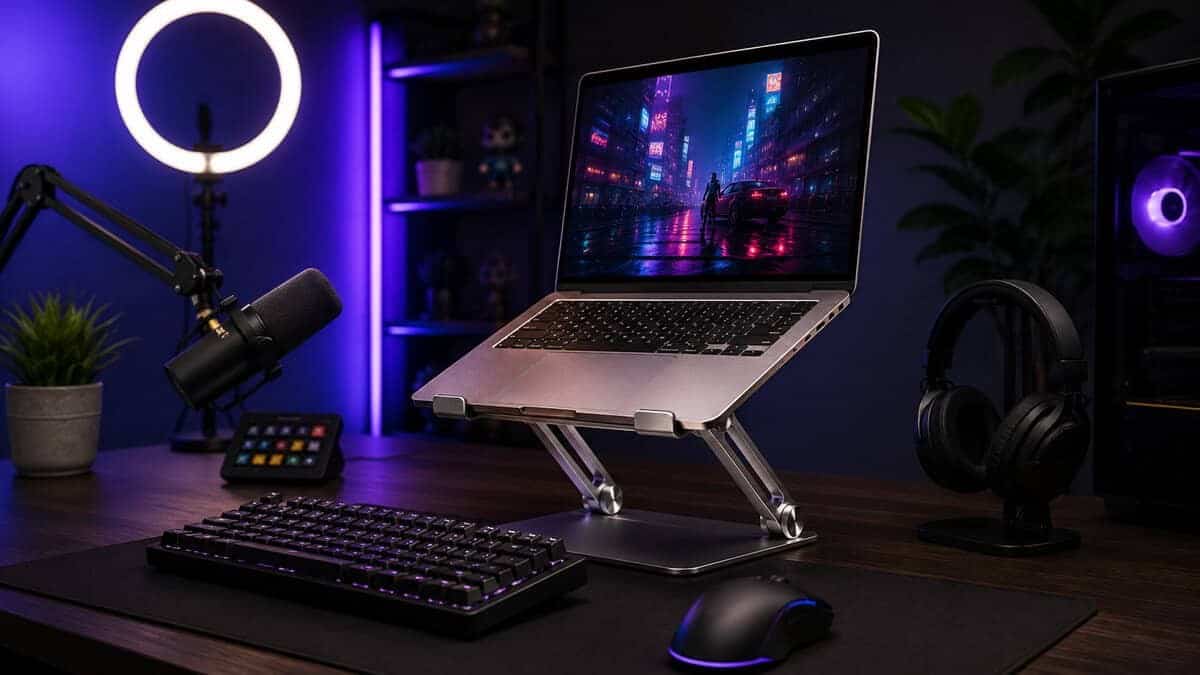
Adjustable lift stands make sense when the laptop has to share space with other gear. They give more room to line up the screen with your eyes, the camera, and an external keyboard without resorting to awkward stacks of books or improvised props. The catch is that the hinge quality matters more than the spec sheet, because a loose lift mechanism can drift over time and throw off both typing angle and webcam framing.
Portable foldable stands solve a different problem, quick setup and easy storage. They are handy for students, small desks, and anyone who clears their space after each session, but they are the most likely to disappoint if the frame is thin or the feet do not grip well. In real use, the weak point is usually not the idea of portability, it is how much wobble you are willing to accept once a keyboard, cable, and microphone arm are all sharing the same desk.
Cooling-focused stands sit in a narrower middle ground. The airflow can help a hot laptop breathe better, but if the frame flexes, that benefit gets overshadowed fast because the whole machine moves when you reach for a key or bump the desk edge. For streamers, the cable path matters here too, since extra clearance under the laptop can either clean up the desk or create a dangling mess that shows up on camera.
Best fit test: if your laptop screen is part of the camera view, choose the stand that keeps angle changes predictable, not the one that only looks light and easy to carry.
For setups where the laptop shares the desk with another screen, a good monitor arm guide helps keep the main display at a height that does not fight the laptop stand.
Matching a Stand to How You Play and Stream
The right choice depends on how you use the laptop, not just where you store it. A gamer with a hot-running machine, a streamer with a fixed camera angle, and a hybrid user bouncing between rooms need different compromises. If you start with the activity, the buying decision gets a lot easier.
FPS gaming
For FPS play, prioritize stability first and height second. You want the stand to stay planted when the desk gets bumped, because even slight movement is distracting during aim-heavy games. Cooling matters too, but only if the frame stays solid enough to support fast input without flex.
MMO and long-session play
MMO sessions usually mean more time, less movement, and more interaction with hotkeys, chat, and UI panels. A stand that raises the display to a comfortable line of sight and leaves room for a separate keyboard helps a lot here. If the stand also keeps the laptop off the desk surface, you gain cleaner cable routing and a less cluttered play area.
Streaming and webcam-heavy use
For streaming, angle is the hidden priority. The laptop should sit where the webcam sees your face cleanly, not from too low or too far off-axis. Cable management also matters because dangling cords look sloppy on camera and can pull the stand if the setup gets nudged.
Dual-display or mixed desk setups
If you use a laptop beside another monitor, the stand should help the screens sit at compatible heights. That makes it easier to glance between windows without hunching. A moderate tilt and enough lift often matter more here than a dramatic raise.
This gaming desk setup guide is useful if you’re trying to coordinate the stand with the rest of the desk instead of treating it as an isolated purchase.
Best Laptop Stand Picks by Budget
The best laptop stand for a budget-conscious gamer is rarely the cheapest one on the shelf. The right shortlist usually splits by how you play, because build quality, durability, and rigidity matter more than shaving a few dollars off the frame. If you’re buying for long gaming sessions, choose the stand that solves your actual setup problem, not the one that only looks tidy in photos.
| Stand | Type | Fits | Best For |
|---|---|---|---|
| BESIGN LS03 | Fixed aluminum riser | 10 to 15.6 in | Stay-put desks and clean airflow |
| BoYata | Height and angle adjustable | Up to 17 in | Streaming desks and monitor alignment |
| Roost V3 | Folding portable | 10 to 16 in | Travel and multi-room setups |
Entry-Level Value Pick: BESIGN LS03
A simple fixed desk stand makes sense if your laptop stays put and you want a more stable, less fussy base. This is the lane for buyers who want solid elevation, cleaner airflow, and less desk clutter without paying for features they won’t use. The trade-off is limited flexibility, so it works best when your desk height and chair height already line up reasonably well.
The BESIGN LS03 is the pick in this lane: a one-piece aluminum riser that lifts the screen about six inches, fits 10 to 15.6 inch laptops, and leaves the underside open so a gaming laptop can actually breathe. The two-piece design detaches flat for a drawer or bag, the silicone pads keep heavier machines planted, and one of the largest review bases in the category makes it about as safe as a first stand purchase gets.
Mid-Range Pick for Gaming and Streaming: BoYata
Adjustable lift stands are the sweet spot for many. They’re the best fit when you use an external keyboard and mouse, move between gaming and streaming, or need to align the laptop screen with another monitor. In this tier, pay attention to hinge feel, base stiffness, and whether the stand still feels planted after repeated changes.
The BoYata laptop stand is the adjustable pick: twin friction hinges hold whatever height and angle you set, and the alloy-steel frame carries laptops up to 17 inches without the bounce cheap risers develop. That free range is what makes it the streaming favorite, because you can dial in the webcam sightline and match the laptop screen to an external monitor instead of working around one fixed deck angle.
Premium Portable Pick: Roost V3
A premium portable stand makes sense if you travel, stream from multiple places, or shift between rooms a lot. You’re paying for better folding hardware, tighter tolerances, and less slop in the joints. That matters because a portable design that wobbles during typing or webcam use stops being good value fast.
The Roost V3 is the stand this tier describes: it folds down to roughly the size of a rolled magazine, weighs a few ounces, and still raises the screen close to eye level with almost no wobble. It costs several times what a desk riser does, which only makes sense if your setup genuinely moves between rooms, events, and travel, but nothing else in the category matches its stiffness for the weight.
Practical filters that matter
- If you play FPS titles: choose the most stable frame you can justify, even if it folds less neatly.
- If you stream often: prioritize angle control and a clean front-facing layout.
- If you move daily: accept a little less rigidity in exchange for easier transport, but don’t go so light that the stand flexes under normal keypresses.
- If you run hot hardware: pair the stand with enough clearance and airflow, then verify the laptop doesn’t rock on the platform.
This guide to a lightweight gaming laptop helps if you’re trying to decide whether portability should come from the machine, the stand, or both.
Maintenance Tips for Long-Term Durability
A decent stand can last a long time if you treat the moving parts like hardware, not decoration. Dust buildup, loose hinges, and messy cables are usually what age a stand early. Plenty of budget-friendly models stay useful for years because the owner kept them clean and stopped overloading the joints.
Keep the frame and joints in shape
Wipe the surface regularly with a soft cloth, especially on aluminum and plastic builds that collect grime around the contact points. If the stand has hinges or height locks, check for play before a long session and tighten anything that starts to loosen. A stand that starts wobbling usually got there gradually, not overnight.
Cable routing matters more than people think. If the cable tugs every time you adjust the angle, that stress goes straight into the hinge or base. Keep enough slack so the stand can move without dragging peripherals with it.
A stand that moves freely by design should still feel locked in place once you stop adjusting it.
Position it for airflow and balance
Don’t push the laptop so far forward that the center of gravity sits near the edge of the platform. Keep the feet, rails, or contact pads fully engaged with the chassis. That simple habit reduces the chance of slide, flex, and accidental knocks during a late-night game or stream.
If the machine runs hot, make sure the stand doesn’t block intake areas. Good airflow is part of durability because heat affects the laptop, and a hotter machine often makes the whole setup noisier and less pleasant to use.
Common Mistakes to Avoid When Buying a Laptop Stand
The biggest mistake is buying for appearance instead of stability. A sleek stand can look clean in a product shot and still wobble the moment you type or bump the desk. For gaming and streaming, that wobble is the kind of flaw you notice every single day.
Another common error is ignoring load capacity. If the stand flexes under the laptop’s weight, the whole setup feels cheap even when the materials look decent. That’s why higher-capacity designs matter, especially for heavier laptops or portable frames that need to do more structural work.
The last big miss is undershooting height. If the stand doesn’t lift the screen enough to match your eyes and your chair, you’ve bought a workaround, not a fix. Before you buy, ask yourself these questions: does it stay stable during typing, does it reach the height you need, and does the build quality match how often you’ll move it?
A raised laptop usually needs more ports within reach, and our best USB-C hub guide covers the picks.
Frequently Asked Questions
Quick answers to the questions buyers ask most before picking a laptop stand.
Do I need an external keyboard and mouse with a laptop stand?
Yes, for any ergonomic setup. Raising the screen to eye level puts the built-in keyboard at an awkward typing height, so a stand works as part of a trio: stand, external keyboard, and mouse. Typing directly on a raised laptop cancels out the posture benefit and adds wobble on adjustable frames.
Does a laptop stand actually help with cooling?
It helps, with limits. Lifting the chassis off the desk clears the intake vents and lets warm air escape underneath, which lowers surface temperatures during long sessions. It is not a substitute for a powered cooling pad on a hot-running gaming laptop, but an open-frame stand removes the worst restriction: a flat desk blocking airflow.
What height should a laptop stand raise the screen to?
Aim for the top third of the screen at eye level when you sit upright. For most desks that means a lift of four to eight inches. Adjustable stands let you fine-tune this against your chair height, while fixed risers work best when your desk and chair already line up reasonably well.
Are adjustable laptop stands stable enough for gaming?
Quality ones are. Look for dual friction hinges and a steel or thick aluminum frame, which hold position without drifting or bouncing while you play. Thin single-hinge designs are where wobble complaints come from, especially with heavier 16 and 17 inch gaming laptops.
What size laptop fits a laptop stand?
Most stands handle 10 to 15.6 inch machines, and sturdier frames stretch to 17 inches. Check the stated size range and the weight rating rather than eyeballing it, because heavy gaming laptops stress cheap frames long before they physically stop fitting on the deck.
Budget Loadout covers the gear decisions that matter when you’re trying to build a clean, durable setup without wasting money on the wrong features. If you want more practical buying advice for gaming and streaming upgrades, visit Budget Loadout and use it as a shortcut to the parts of the setup that improve comfort, performance, and long-term value.
Related Articles