For years, the SSD vs. HDD for gaming debate involved a serious tradeoff between budget and performance. That time is over. In 2026, a Solid-State Drive (SSD) is not just a recommendation; it’s the required standard for a good gaming experience.
While large, inexpensive Hard Disk Drives (HDDs) still serve a purpose for mass storage, an SSD provides the performance modern games are built around. It is one of the most impactful upgrades you can make, significantly cutting load times and making your entire system more responsive.
- An SSD is a non-negotiable upgrade for gaming in 2026: HDDs create load time bottlenecks that SSDs eliminate entirely
- SSDs do not increase FPS, but they drastically reduce load times, eliminate texture pop-in, and enable technologies like DirectStorage
- A SATA SSD is enough for most budget gamers: NVMe drives offer faster speeds but the real-world gaming difference is minimal
- The smartest 2026 storage strategy pairs a fast SSD for your OS and games with a large HDD for media and archive files
- SSD prices have dropped enough that a 1TB NVMe drive is an accessible upgrade for any budget gaming build
Table of Contents
The Verdict Upfront: SSD Is a Non-Negotiable for Gaming
If you are building or upgrading a gaming PC in 2026, an SSD is not a luxury, it is a core component. The performance difference between a traditional HDD and even a basic SSD is the largest quality-of-life improvement available for its cost.
This is not about following trends; it is about removing the single biggest performance bottleneck in a modern gaming PC.
Newer games like Starfield and even frantic co-op shooters such as Helldivers 2 are designed with the assumption that your system has the near-instant data access of an SSD. Running them on an old mechanical HDD results in long loading screens, textures that appear seconds after you arrive in an area, and frustrating stuttering as the drive struggles to locate data.
For the value-conscious gamer, the choice is straightforward. SSD prices have decreased substantially, making a reliable 1TB SATA SSD an affordable and transformative upgrade for any build.
Drive Technology at a Glance
To understand the difference, it’s useful to know the underlying technology. The primary tradeoff remains speed versus cost-per-gigabyte. An SSD uses silent, durable flash memory, whereas an HDD uses spinning magnetic platters and a physical read/write head. It’s the difference between instantly recalling a fact and having to manually search a reference book.
If you want a detailed explanation of the technology, this guide on What Is SSD vs HDD is a solid resource.
For a gamer, the practical differences are what matter. This table outlines how the main storage types compare for gaming use cases.
Drive Technology Comparison
| Attribute | HDD (Hard Disk Drive) | SATA SSD (Solid-State Drive) | NVMe SSD (Solid-State Drive) |
|---|---|---|---|
| Primary Use Case | Mass storage, game archives, media files | OS, most-played games, general use | OS, competitive games, content creation |
| Gaming Feel | Noticeable load times, potential stutter | Fast load times, smooth experience | Fastest loads, zero storage bottlenecks |
| Durability | Vulnerable to physical shock and drops | High resistance to shock and movement | Highest shock resistance, no moving parts |
| Build Quality | Mechanical parts that can wear out | Solid-state construction for reliability | Premium solid-state build for performance |
| Cost | Lowest cost per gigabyte, best for bulk | Good value, affordable for most builds | Higher cost, best for performance-first rigs |
The key takeaway is that your operating system and active game library belong on an SSD. This is not negotiable for a modern gaming setup.
The reality is that an SSD is crucial for your operating system and your active game library. An HDD still has a valuable role, but it has shifted to being a secondary drive for your massive back catalog and media files, not the foundation of your gaming rig.
Real-World Gaming Performance
While benchmarks and specifications are useful, the real difference between an SSD and an HDD in a gaming PC is experiential. It’s the gap between a smooth, immersive session and a frustrating, choppy one.
To be clear: an SSD will not increase your maximum FPS. That function is handled by your graphics card and CPU. What an SSD does is eliminate performance bottlenecks that cause stuttering and hitches, making your gameplay smoother.
This difference manifests in three key ways: game load times, in-game asset streaming, and overall system responsiveness.
The End of Long Load Screens
The first thing you will notice after switching from an HDD to an SSD is how fast your games load. Booting the game, loading a save file, or fast-traveling between maps becomes nearly instantaneous. For a value-oriented gamer, this is where you get the most noticeable performance return for your investment.
To illustrate, here are typical load time differences across popular game genres.
SSD vs. HDD Gaming Load Time Comparison
| Game Type | HDD Load Time (Approx.) | SATA SSD Load Time (Approx.) | NVMe SSD Load Time (Approx.) |
|---|---|---|---|
| Open-World RPG (Starfield, Cyberpunk 2077) | 60 – 90 seconds | 15 – 25 seconds | 10 – 18 seconds |
| FPS / Battle Royale (VALORANT, Apex Legends) | 25 – 40 seconds | 8 – 15 seconds | 5 – 12 seconds |
| MMO (Final Fantasy XIV, World of Warcraft) | 45 – 75 seconds | 10 – 20 seconds | 8 – 15 seconds |
The improvement from an HDD to even a basic SATA SSD is substantial, with load times dropping sharply. This is not theoretical; it is about reclaiming minutes of waiting during every gaming session. For more detail, check out these gaming storage benchmarks on hp.com.
This benefit is not limited to PCs. Upgrading the storage on a modern console also makes a significant difference. If you are on PlayStation, our guide to the best PS5 storage expansion options can help you make an informed upgrade.
The real trade-off isn’t just about seconds saved. It’s about the quality of your limited gaming time. Faster loading means getting into one more match of VALORANT or finishing one more quest in Starfield before you have to log off.
Eliminating In-Game Stutter and Texture Pop-In
Modern games, particularly open-world titles, constantly pull assets from your storage drive. As you move through a city or across a landscape, the game streams textures, character models, and audio files. An HDD’s mechanical design becomes a serious liability here.
- With an HDD: Its physical read-write head has to move across a spinning disc to find data. That delay, known as “seek time,” is what causes texture pop-in, where low-resolution objects take seconds to load properly. In severe cases, the game may freeze or stutter while waiting for the drive to catch up.
- With an SSD: There are no moving parts. The drive accesses any piece of data almost instantly. This allows textures and models to load seamlessly as you approach them, providing a smooth, uninterrupted visual experience. Stuttering caused by storage bottlenecks is effectively eliminated.
A Quieter, More Responsive Rig
Beyond gaming, an SSD makes your entire PC feel significantly faster. Your operating system boots in seconds, programs launch instantly, and file browsing is snappy. It is a quality-of-life upgrade you will appreciate daily.
Finally, consider build quality and noise. Because SSDs have no moving parts, they are completely silent. The low hum and clicking sounds of an HDD during heavy loading are gone. Their solid-state construction also makes them far more resistant to bumps and drops, a key advantage if you ever move your PC.
Understanding Your Real Cost Per Gigabyte
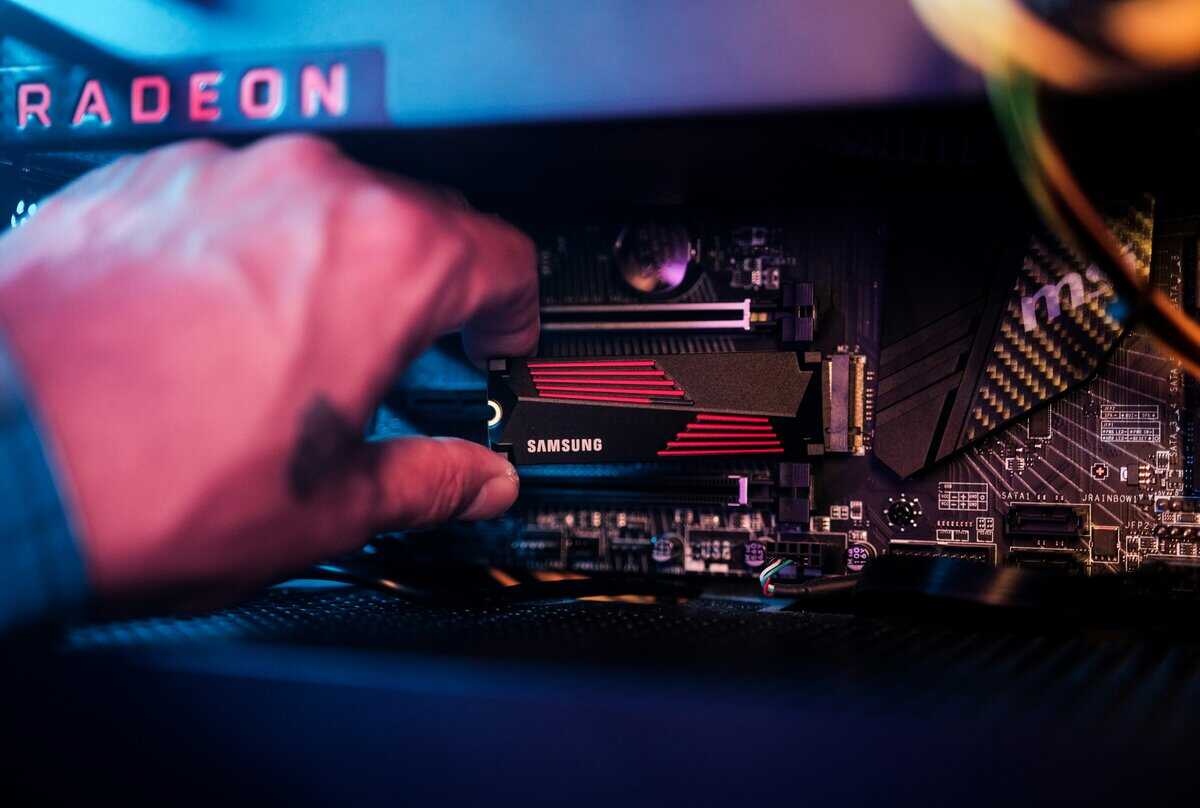
When comparing SSDs and HDDs for a gaming build, the first point of comparison is often the price tag. Historically, hard drives offered large capacity for a low price, while SSDs provided speed at a premium. That gap has narrowed significantly, requiring a more nuanced approach to storage value.
Instead of just looking at the purchase price, the relevant metric is cost per gigabyte. This calculation reveals the true value you are getting for your money, helping you allocate your budget where it will improve your gaming experience.
How the Cost Equation Has Changed
The price of SSDs has decreased dramatically, redefining what a “budget” PC build should include. A few years ago, a 1TB SSD was a luxury item. In 2026, it is the realistic baseline for any competent gaming rig.
For a gamer seeking value, the cost-to-performance ratio is now very favorable. You can acquire a reliable 2TB SATA SSD at an affordable price point, with faster NVMe models not costing much more. This makes upgrading from a hard drive one of the most impactful changes you can make, providing a noticeable performance boost for a modest investment.
The core financial choice is no longer if you should buy an SSD, but rather how much SSD capacity you can afford. The performance benefit is so clear that it’s worth prioritizing a good SSD over minor bumps in other components.
This has changed how builders plan their storage. The goal is no longer to get the most gigabytes for the fewest dollars. It is about finding the right balance of fast storage for active games and inexpensive bulk storage for everything else.
The Numbers Behind the Decision
about the costs. Even with falling prices, HDDs remain the leader in cheap, bulk storage. No SSD can match the capacity-per-dollar that a traditional spinning hard drive offers.
This is where strategy is important. Here is a look at typical price points in 2026 to illustrate the financial trade-off.
Sample Cost Breakdown (Approximate 2026 Prices)
- Budget SSD: For the best value, a 1–2TB SATA drive like the WD Blue SA510 is significantly cheaper per gigabyte than premium NVMe. If your board has a spare M.2 slot, a budget NVMe like the Kingston NV3 delivers much faster speeds for only a little more, both are accessible upgrades for budget builds.
- HDD: A standard 4TB drive from Seagate or WD remains the cheapest storage option per gigabyte by a wide margin.
The math is clear: the hard drive provides double the space for a lower upfront cost and less than half the cost per gigabyte. This is why HDDs are not obsolete; their role has simply changed. The same logic applies to console gamers. For more on this, check out our guide on choosing the right Xbox Series X storage expansion.
Building a Smart Financial Framework
With this information, the path forward becomes clearer. It is not about choosing one drive type over the other, it is about using both technologies for their intended strengths.
Your budget should first accommodate a primary SSD large enough for your operating system, key applications, and the games you play most often. A 1TB or 2TB SSD is the optimal choice for most gamers today, providing ample high-speed storage without being prohibitively expensive.
Then, if you have a large library of older single-player games, media files, or game captures, you can add a large HDD. This hybrid approach gives you the responsiveness of an SSD for daily use and the massive, low-cost capacity of an HDD for archives. It is the most effective way to spend money on performance where it matters most, while still having the space you need for a growing game collection.
Build Quality, Durability, and Drive Lifespan
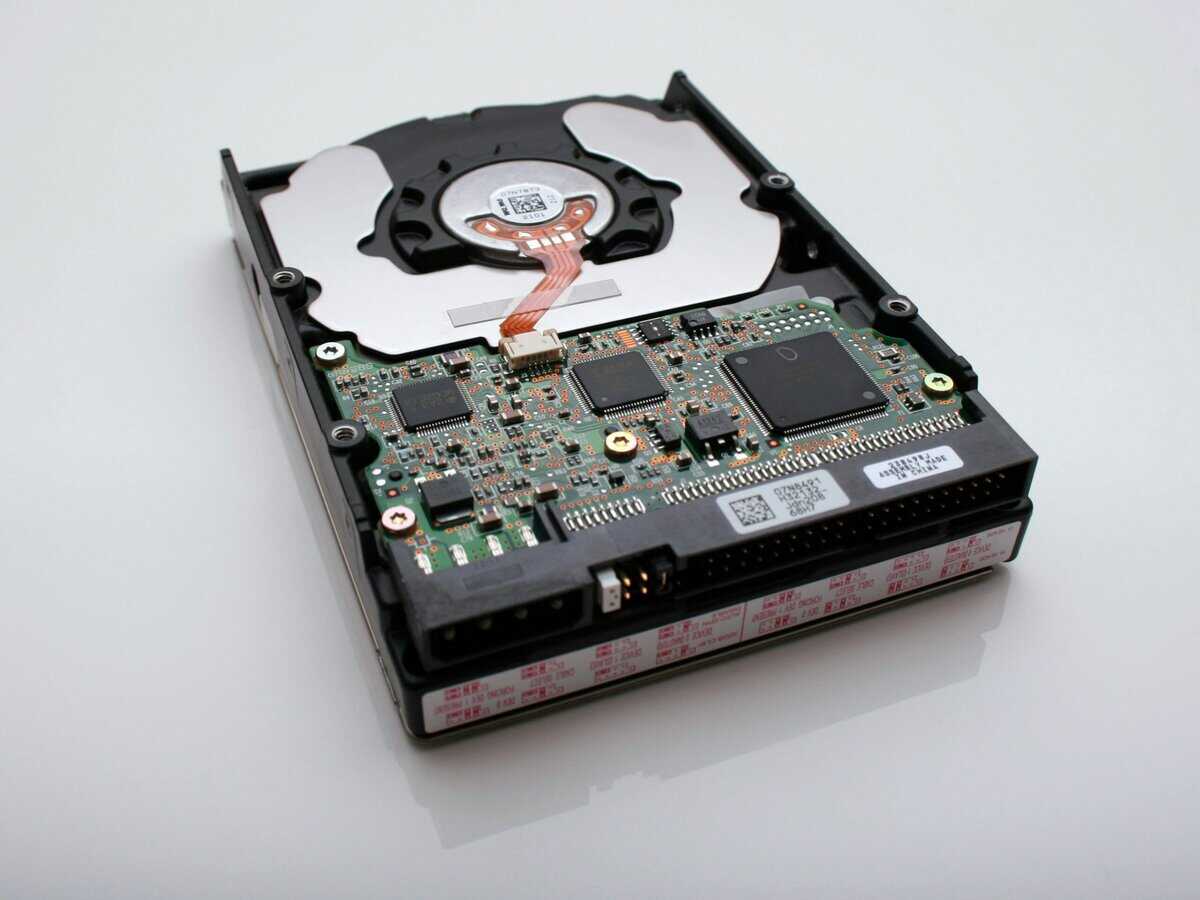
When investing in a gaming PC, you expect components to be durable. In the context of SSDs vs. HDDs for gaming, the discussion on durability heavily favors solid-state drives. The fundamental design of each drive dictates its resilience.
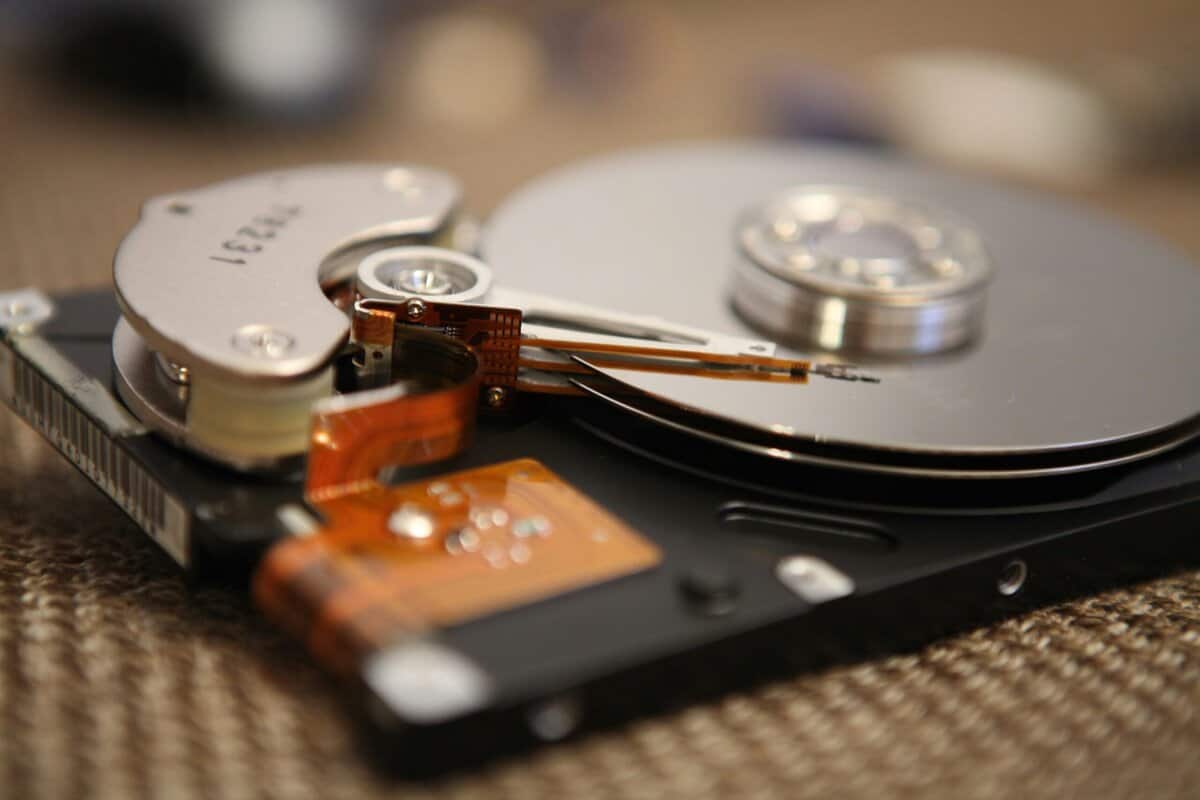
A hard disk drive (HDD) is a mechanical device, which is also its main vulnerability. Inside the housing, an actuator arm hovers fractions of a millimeter over a platter spinning at thousands of RPM. This makes it extremely susceptible to physical shock.
This is a practical concern. Accidentally bumping a PC tower while it’s active, or moving a setup without proper care, can cause the read head to contact the platter, resulting in catastrophic data loss. In contrast, an SSD has no moving parts, making it significantly more durable.
The Solid-State Advantage
An SSD is built using NAND flash memory chips, an advanced version of the technology found in USB thumb drives. With no mechanical components, an SSD is highly resistant to drops, bumps, and vibrations. For any gamer with a desktop that might be moved or a laptop that travels, this provides peace of mind.
This robust construction means an SSD is the more reliable choice for an active gaming rig. You do not have to worry about a minor physical impact destroying your drive, which is a constant risk with the fragile, spinning-platter design of an HDD.
The difference is stark. An HDD is like a record player, where a small jolt can cause the needle to skip and permanently scratch the vinyl. An SSD is like your smartphone’s storage, solid, silent, and totally unaffected by movement. For gaming, that resilience is a massive practical win.
This superior durability applies to all types of SSDs, from 2.5-inch SATA drives to M.2 NVMe modules that mount directly to the motherboard.
Demystifying SSD Lifespan and the TBW Rating
A common concern among gamers new to SSDs is the idea that they “wear out.” While it is true that the flash memory cells in an SSD have a finite number of write cycles, for typical gaming use, this concern is largely unfounded.
Manufacturers provide a rating called Terabytes Written (TBW) to estimate a drive’s endurance. This number indicates how much data can be written to the drive over its lifetime before the memory cells might begin to degrade.
Let’s put that in context. A quality 1TB SSD from a reputable brand like Samsung or Western Digital might have a rating of 600 TBW. To reach that limit within a 5-year warranty period, you would need to write over 328 GB of new data to the drive every single day.
For a gamer, this is an extremely high amount of data. A typical usage pattern involves:
- Installing games: A large, one-time write.
- Game saves: Small, infrequent writes.
- Playing games: Almost entirely a read-intensive activity.
Unless you are constantly downloading and deleting massive 100+ GB games daily or using your PC for heavy-duty video editing, you are unlikely to approach the TBW limit of a modern SSD. Additionally, current drives use sophisticated wear-leveling algorithms that distribute writes evenly across all memory cells to extend their lifespan.
For the vast majority of gamers, an SSD will be replaced because it has become too small or slow compared to newer technology long before it fails from write endurance. The warranty and TBW rating should be seen as a guarantee of quality and reliability, not a countdown on the drive’s life.
The Smart Gamer’s Storage Strategy for 2026
Once you’ve decided an SSD is the way to go, our roundup of the best SSDs for gaming breaks down the top picks by capacity and budget.
The “SSD vs. HDD” argument is outdated. In 2026, the optimal approach is a hybrid system that uses each drive for its strengths. This involves moving beyond a single-drive solution to create a storage setup that matches your budget, game library, and play style.
By being strategic, you can achieve fast performance where it counts without overpaying for massive SSDs you do not need. Below are three practical strategies for different types of gamers.
The Budget-Focused Build: Single SSD
This setup is for the gamer who wants a significant performance increase over an old hard drive without a complex installation or high cost. The goal is to make the entire PC feel fast. The best way to achieve this is with a single, high-value SATA SSD.
- Recommended Drive: A 1TB to 2TB SATA SSD. Look for models like the WD Blue SA510. These drives offer a good balance of price, performance, and reliability from established brands.
- Ideal Use Case: This is perfect if you primarily play a few core games (e.g., VALORANT, Apex Legends, World of Warcraft) and want your OS and applications to be responsive. A 1TB drive is sufficient for the OS and a few large games, while a 2TB model provides more space for a growing library.
For pure gaming, a SATA SSD delivers most of the real-world benefit of a more expensive NVMe drive. Load times are reduced, stuttering is eliminated, and the entire system feels more responsive.
The Hybrid Powerhouse: NVMe SSD + HDD
This is our top recommendation for most gamers. The hybrid approach combines speed for your most-played games and OS with inexpensive, large-capacity storage for your game library. It pairs a fast NVMe SSD with a large HDD.
- Primary Drive (NVMe SSD): A 1TB NVMe SSD like the Samsung 980 Pro or WD Black SN850X. This drive should house your OS, essential programs, and most-played competitive games (e.g., FPS, MMOs).
- Secondary Drive (HDD): A 4TB or larger HDD, such as a Seagate BarraCuda. This acts as your game archive for massive single-player RPGs, media files, and gameplay recordings.
By putting your OS and competitive titles on the NVMe drive, you get the absolute fastest load times where every second matters. Meanwhile, your huge library of story-driven games can sit on the HDD, ready to be moved over to the SSD when you’re ready to play them.
This strategy is cost-effective and is a cornerstone of a well-planned PC build. To see how this fits into a complete system, you can explore our guide on how to build a gaming PC.
The Creator and Streamer Rig: Multi-Drive Setup
For gamers who also stream, record gameplay, or edit video, storage demands are more complex. A three-drive strategy creates dedicated lanes for each workflow, preventing bottlenecks during simultaneous gaming, streaming, and recording.
- OS & Apps Drive (Top-Tier NVMe): A 1TB PCIe 4.0 or 5.0 NVMe SSD dedicated to the OS and core software (e.g., OBS, Adobe Premiere). This ensures system responsiveness under heavy load.
- Active Games & Projects Drive (SATA SSD): A large 2TB to 4TB SATA SSD as a workhorse. It stores your current game library and serves as a “scratch disk” for video projects and high-bitrate gameplay recordings. Its write speeds can handle large files without slowing down your game.
- Archive Drive (Massive HDD): An 8TB or larger HDD for long-term storage of completed video projects, stream VODs, and your entire game library.
Beyond the SSD vs. HDD choice, an optimal setup considers where game saves and other valuable data are stored. For a broader perspective on storage, including the tradeoffs between local and online storage, the debate over cloud storage vs local storage is relevant. This creator rig prioritizes maximum performance by ensuring no single drive becomes a bottleneck.
Once you have settled on an SSD, our 512GB vs 1TB vs 2TB comparison helps pick the size.
Got Questions About Gaming Storage? We’ve Got Answers.
Even with a solid plan, questions can arise when choosing storage. Here are answers to common questions to help you finalize your build.
Do SSDs Increase FPS in Games?
No, an SSD will not directly increase your framerate. That function is handled by your GPU and CPU. However, an SSD provides smoothness, which is often more important for a good gaming experience than raw FPS.
An SSD eliminates storage bottlenecks that cause stuttering, hitching, and texture pop-in. The momentary freeze you experience when moving quickly through an open-world game is often your HDD struggling to load assets. An SSD delivers that data almost instantly, making gameplay feel more fluid and consistent.
Is NVMe Necessary, or Is a SATA SSD Enough?
For most gamers, especially those building on a budget, a good SATA SSD is more than enough. While NVMe drives have higher theoretical speeds, the real-world difference in game load times is often only a few seconds.
A quality SATA SSD, like the WD Blue SA510, provides a massive performance improvement over any HDD at a great value. It will reduce load times and eliminate stuttering without the premium cost of an NVMe drive.
So, when does an NVMe drive make sense?
- For New PC Builds: Most modern motherboards include M.2 slots. Starting with a solid NVMe drive like a WD Black SN7100 is a good choice for a clean, cable-free build.
- For Content Creation: If your gaming PC is also used for video editing or streaming, the speed of an NVMe drive is a significant quality-of-life improvement, reducing file transfer and render times.
- For Future-Proofing: As games increasingly utilize technologies like Microsoft’s DirectStorage, the speed of an NVMe drive will become more impactful.
For a pure gaming PC focused on value, a reliable SATA SSD is a smart allocation of your budget.
How Do I Move My Games from an HDD to a New SSD?
Moving your game library to a new SSD is relatively simple, and you usually do not need to re-download files. The easiest method is to use the built-in tools within your game launcher.
- On Steam: Right-click the game in your library, go to Properties > Installed Files, and click “Move Install Folder.” Then, select the location on your new SSD.
- On the EA App or Battle.net: These launchers offer a similar “Move Game” function in the game’s settings, allowing you to transfer the installation with a few clicks.
If you are replacing your main drive and need to migrate your entire Windows operating system, this process is also straightforward. Most drive manufacturers, including Samsung and Crucial, provide free cloning software with their SSDs. These tools create an exact copy of your old drive, OS, programs, and all, onto the new one, making the migration seamless.
At Budget Loadout, we’re dedicated to helping you find the best value in gaming gear. For more guides on building a high-performance setup without breaking the bank, check out our reviews and recommendations at Budget Loadout.
Related Articles