If you’re wondering what is the average FPS for a gaming PC, the short answer is: at least 60 frames per second (FPS). This is the accepted baseline for smooth gameplay in modern titles.
However, the “right” average depends on your goals. For competitive, fast-paced games like Valorant or Apex Legends, targeting 120 FPS or higher provides a measurable advantage. For single-player cinematic games, a stable 60 FPS is sufficient.
This guide explains what realistic FPS targets are for different budgets, why stability matters more than a high average, and which components have the biggest impact on performance.
- A stable 60 FPS is the baseline for smooth gaming — prioritize frame consistency over peak numbers
- Budget builds ($500-$800) with an RX 7600 XT can hit 100+ FPS in esports and 60+ FPS in AAA titles at 1080p
- Your 1% low FPS matters more than your average — it reveals the stutters and hitches your average hides
- Balance your CPU and GPU pairing to avoid bottlenecks that waste money and limit performance
- Match your monitor refresh rate to your PC’s output — a 60Hz screen caps visible FPS at 60 no matter what your hardware produces
Table of Contents
What is a Good Average FPS for PC Gaming?
FPS measures how many frames (images) your PC can render each second. A low FPS appears choppy and disconnected. A high FPS delivers fluid, responsive motion. Gamers use FPS as the primary benchmark for PC performance because it’s a direct indicator of how well hardware handles a specific game at certain settings.
The Modern Standard for Smoothness
What constitutes a “good” FPS has evolved. A decade ago, 30-60 FPS was considered playable on budget hardware like the NVIDIA GTX 650.
Today, expectations are higher. For most mid-range systems, 60-100 FPS is the new normal.
For budget-conscious gamers, the objective isn’t the absolute highest number. The goal is a stable 60 FPS. This target provides a strong balance between visual fluidity and cost, ensuring a stutter-free experience without requiring high-end components. The tradeoff is you won’t get the competitive edge of a 144Hz+ setup.
Realistic FPS Expectations for Your Build
Your PC’s performance is determined by its components, the game you’re playing, and your graphics settings. The following table provides realistic expectations for different PC tiers when gaming at 1080p, the most common resolution for value-focused builds.
| PC Tier | Typical Price Range | Expected Average FPS (Esports) | Expected Average FPS (AAA Titles) |
|---|---|---|---|
| Value / Budget | $500 – $800 | 100 – 150 FPS | 60 – 75 FPS |
| Mid-Range | $800 – $1,400 | 150 – 240+ FPS | 75 – 120 FPS |
| High-End | $1,400+ | 240 – 360+ FPS | 120 – 165+ FPS |
Value Build: Aim for a stable 60+ FPS in demanding AAA games using optimized medium settings. In lighter esports titles like Fortnite or Valorant, expect to exceed 100+ FPS. This tier is excellent for 1080p gaming but will struggle at 1440p.
Mid-Range Build: This is the best value for most gamers. Expect 75-100 FPS in most AAA games at high settings and a locked 144+ FPS in competitive titles, making it ideal for a 144Hz monitor. It offers a good entry point for 1440p gaming, though often with settings compromises.
High-End Build: This tier delivers premium performance, pushing 120+ FPS in visually demanding games at max settings and 240+ FPS in esports titles. This is necessary for competitive players who need every frame and for users who want to stream without performance loss.
Why Smoothness Beats High Averages
Focusing on a single average FPS number is a common mistake. A benchmark showing an average of 90 FPS can be misleading if the gameplay experience is choppy and full of stutters.
Inconsistent performance, with jarring hitches and dips, ruins immersion and can be detrimental in a competitive match. True performance is not about the highest average number; it’s about smooth, consistent frame delivery.
Frametime and The Train Analogy
To understand smoothness, you need to look at frametime, which is the time it takes your PC to render a single frame, measured in milliseconds (ms).
Imagine your monitor is a train station and frames are trains.
High Average FPS: Many trains arrive every minute, on average.
Inconsistent Frametime: Three trains arrive at once, followed by a 20-second wait for the next one. The average arrival rate is high, but the experience on the platform is poor. That long wait is a stutter.
This is what happens in a game. Large spikes in frametime are perceived as lag or stutter, even with a high average FPS. A locked 60 FPS with consistent frametimes will feel significantly better than an unstable 90 FPS.
The goal for a value-focused gamer is a flat frametime graph. A steady, predictable delivery of frames creates a fluid and responsive gaming experience.
Meet The 1% Lows
The most practical metric for measuring consistency is the 1% low. This number represents the average framerate of the worst 1% of frames your PC rendered. It’s a direct measurement of your game’s most significant stutters.
If your average FPS is 100 but your 1% lows are 30, you are experiencing severe, noticeable performance drops. A well-balanced system will have 1% lows that are much closer to its average FPS. This metric is key to diagnosing performance issues and building a PC that feels responsive, not just one that produces high benchmark numbers.
Real-World FPS Benchmarks for PC Builds
To answer what is the average fps for a gaming pc, we need to look at how real hardware performs. The following builds are based on components chosen for their performance-per-dollar and proven build quality, providing concrete performance targets for your budget.
The following builds use well-known component pairings to illustrate what each budget tier delivers. Specific parts and pricing shift with each generation, but the performance tiers remain consistent.
Value Build (AMD Ryzen 5 5600 + AMD Radeon RX 7600 XT)
This combination delivers a strong 1080p experience for budget-conscious gamers. The Ryzen 5 CPU is a reliable workhorse, and the RX 7600 XT offers great value without major compromises in its class. Build quality for these components is generally solid, offering good durability for the price.
If you’re building a full system in this price range, our guide to the best gaming PC under $1000 details complete component selections.
1080p Valorant (High): Expect 200-240 FPS on average, with 1% lows around 140 FPS. This is more than enough for a high-refresh-rate monitor in competitive FPS games.
1080p Cyberpunk 2077 (Medium/High): In this demanding AAA title, you will see a playable 65-80 FPS average, with 1% lows near 55 FPS, providing a consistently smooth experience.
Mid-Range Powerhouse (Intel Core i5-13400F + NVIDIA RTX 4060 Ti)
This tier provides an excellent balance for most gamers, dominating 1080p and offering a capable entry into 1440p. The Core i5 CPU provides a strong gaming foundation, while the RTX 4060 Ti delivers a mix of raw performance and features like DLSS. These components are well-regarded for their build quality and longevity.
1440p Valorant (High): Performance is excellent, with averages around 250-280 FPS and 1% lows at a very smooth 170 FPS.
1440p Cyberpunk 2077 (High, DLSS Quality): Expect 70-85 FPS on average. With DLSS, 1% lows remain around 60 FPS, which is strong for such a demanding game at this resolution.
High-End Rig (AMD Ryzen 7 7800X3D + NVIDIA RTX 4070 Super)
This setup is for users who want high frame rates at 1440p and a good experience at 4K. The Ryzen 7 is also well-suited for multitasking, making it a good choice for streamers. Its extra cores and 3D V-Cache handle encoding in software like OBS Studio without impacting game performance.
Use Case (MMO/Strategy): In CPU-heavy MMOs like World of Warcraft or strategy games, the 7800X3D’s large cache helps maintain high, stable framerates during raids or large-scale battles where other CPUs falter.
1440p Valorant (Max): This delivers elite-tier performance, with averages well over 350+ FPS.
1440p Cyberpunk 2077 (Ultra, DLSS Quality): You will get a smooth 90-110 FPS on average, with 1% lows above 75 FPS, ensuring a flawless visual experience.
The Key Components That Drive Your FPS
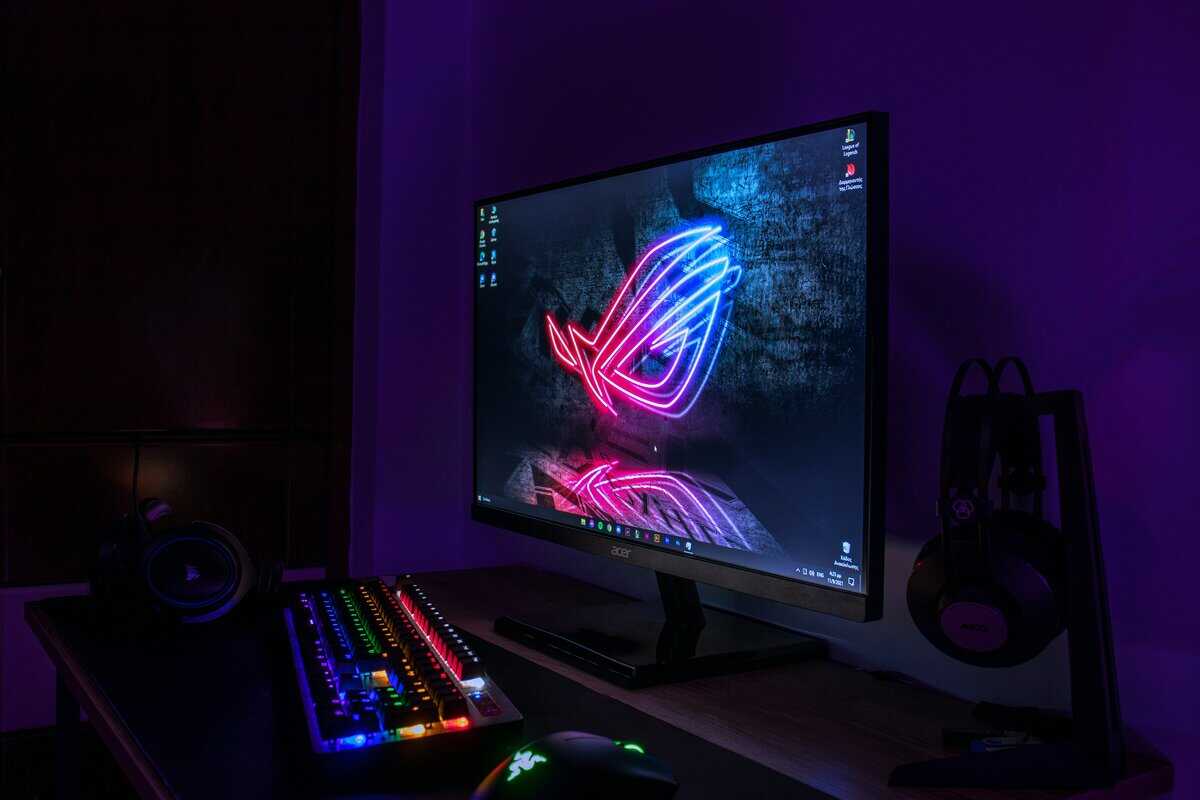
To make smart, value-driven decisions, you must understand which parts affect your framerate. Two components are primarily responsible for gaming performance.
The Graphics Card (GPU) is the visual engine of your PC. It is responsible for rendering everything on screen, from textures and models to lighting. A more powerful GPU can draw more frames per second, directly increasing your FPS.
The Processor (CPU) acts as the brain, managing game logic, physics, enemy AI, and player actions. It sends instructions to the GPU on what to draw. A slow CPU will create a “bottleneck,” limiting your maximum FPS by leaving the GPU waiting for data.
The GPU and CPU Partnership
A balanced PC requires teamwork between the CPU and GPU. Pairing an expensive, high-end GPU with a weak CPU is a waste of money, as the CPU will be unable to supply data fast enough. This is a critical consideration for budget-conscious builders. The optimal balance depends on your primary use case.
FPS Gaming (Valorant, CS2): These games are often CPU-bound. The processor’s single-core speed is the deciding factor for achieving the high framerates needed for competitive play.
AAA Titles (Cyberpunk 2077, Alan Wake 2): These graphically intense games are GPU-bound. A stronger graphics card provides the largest FPS gains.
Streaming: Broadcasting gameplay requires extra CPU cores to handle both the game and video encoding simultaneously without dropping frames. Our streaming setup guide breaks down what you actually need, and our guide on how to build a gaming PC can help match these components correctly.
The performance ceiling keeps rising. Just a few years ago, 100 FPS was a great target for a mid-tier gaming PC. Now, that same tier often pushes between 100-165 FPS in well-optimized titles. For a stark example, current-generation GPUs can push from 185 FPS to over 600 FPS in a well-optimized title like Rainbow Six Siege at 4K. The full FPS benchmark analysis from Apex Gaming breaks down these trends further
Supporting Components That Matter
Other components provide the foundation for a smooth experience. They do not generate frames directly but prevent stutters and hitches.
RAM: 16GB is the recommended minimum for modern gaming. Less than this risks stuttering. Faster RAM (in MHz) can also provide a modest FPS boost, especially with AMD Ryzen CPUs.
Storage (SSD vs. HDD): A Solid State Drive (SSD) is essential for a modern gaming PC. It dramatically reduces load times and helps eliminate stuttering in open-world games that stream assets from the drive.
Monitor Refresh Rate: Your monitor’s refresh rate (Hz) determines the maximum FPS you can see. A 144Hz monitor can display up to 144 FPS. Pairing a PC capable of 150 FPS with a 60Hz screen is a poor tradeoff, as you are discarding over half of your rendered frames.
How to Accurately Measure Your PC’s Performance
To understand what a good average FPS is for a gaming PC, you must first measure your own system’s performance. The simplest method is using the built-in tools from your graphics card manufacturer.
Both NVIDIA App and AMD Software: Adrenalin Edition include performance overlays that can be toggled with a hotkey. These are sufficient for a quick check of your framerate during gameplay.
Going Deeper with Third-Party Software
For detailed performance monitoring and diagnosing issues, MSI Afterburner is the standard. It is a free utility that works with any brand of graphics card. Paired with the included RivaTuner Statistics Server, it allows you to display a detailed on-screen display (OSD) in-game.
With MSI Afterburner, you can track:
Average FPS: Your overall framerate.
1% and 0.1% Lows: The key metrics for identifying stutter.
CPU and GPU Usage: Identify bottlenecks by seeing which component is at its limit.
Temperatures and Clock Speeds: Ensure your hardware is running cool and at its expected performance level.
By using a proper OSD, you become an informed system tuner. You can see the direct impact of every graphics setting, allowing you to balance visual quality and performance for your specific hardware.
If you are a content creator, our guide on the best free recording software can help you capture gameplay with minimal performance impact.
Common Questions About Gaming PC FPS
Here are direct answers to some of the most common questions about PC performance.
Is 60 FPS Still Good for Gaming?
Yes. While competitive gaming requires 120+ FPS, a stable 60 FPS remains the standard for a smooth experience in most single-player AAA titles. For a budget build, targeting a locked 60 FPS is a smarter goal than an unstable higher framerate.
The Tradeoff: You get a smooth, stutter-free experience in graphically rich games without the high cost of a top-tier GPU. You give up the split-second reaction advantage found at elite framerates, which is a worthwhile compromise for most gamers.
What Is More Important for FPS: The CPU or GPU?
The Graphics Card (GPU) has the largest impact on your maximum FPS, as it renders all the visuals. However, the CPU directs the GPU by managing game logic and physics.
A balanced pairing is essential. A weak CPU will “bottleneck” a powerful GPU, limiting your FPS because it cannot supply instructions fast enough.
The Tradeoff:
GPU-Heavy Tasks: Graphically intense AAA titles at high resolutions.
CPU-Heavy Tasks: High framerate esports, complex strategy games, or streaming your gameplay.
Will Lowering My Resolution Always Increase FPS?
Usually, yes. Dropping from 1440p to 1080p reduces the number of pixels the GPU must render, which typically results in a significant FPS boost. It is often the most effective way to gain more frames.
However, if your performance is limited by a CPU bottleneck, lowering the resolution may have little to no effect. In this scenario, your GPU was not the limiting factor. A better solution would be to lower CPU-intensive settings like “object detail” or “view distance.”
Do I Need an Expensive Monitor for High FPS?
Your monitor’s refresh rate (Hz) sets the maximum framerate you can see. A standard 60Hz monitor can only display 60 FPS.
If your PC produces 150 FPS, you are only seeing 60 of those frames on a 60Hz display. The extra performance is wasted. To experience the fluid motion and responsiveness of high FPS, you must use a high-refresh-rate monitor (144Hz or higher). Our guide to the best budget 1440p monitor can help you find one without overspending. It is a poor investment to build a high-performance PC and pair it with a basic 60Hz display.
At Budget Loadout, we specialize in finding gear that delivers maximum value without the hype. Explore our guides to build a powerful, cost-effective setup that lets you focus on the game. Find your next upgrade at https://budgetloadout.com.
Related Articles