The honest news first: a true gaming laptop under $600 is nearly impossible to buy new in 2026. Component prices have pushed every legitimate budget model above that mark, and the listings that still show tempting numbers are mostly third party sellers you should not trust with a purchase this size. This guide covers what your budget actually buys right now, which machines are worth it, and when stretching slightly beats wasting the whole budget.
Setting realistic expectations is the first step toward a smart purchase. Whether you search for a 600 dollar gaming laptop or a gaming laptop under 600, the limits below apply to both.

- Genuinely under $600, sold by Amazon
- 16GB RAM out of the box beats most budget rivals
- Light 3.9 lb chassis that travels well
- Integrated graphics only, so modern AAA gaming is off the menu
- Standard 60Hz panel, no high-refresh display
- Plastic build feels more office than gaming
- RTX 3050 and 16GB DDR5 handle 1080p at high settings in most titles
- Thin, light chassis with effective Cooler Boost cooling
- Sold directly by Amazon
- Well above the $600 budget this guide targets
- 512GB SSD fills fast with modern game installs
- Speakers are weak, so plan on a headset
- No new gaming laptop with a discrete GPU is currently sold under $600 by Amazon directly, so the honest choice is an integrated-graphics machine now or saving toward a discrete GPU
- The Acer Aspire Go 15 is the only legitimate sub-$600 new pick, and it is an esports machine, not an AAA rig
- Name-brand gaming laptops with real GPUs have temporarily climbed above $600 as component inflation moved the whole budget tier up
- Avoid third party marketplace listings that still show tempting prices; a laptop purchase is too big to gamble on an unknown seller
- Prioritize the GPU first, then CPU: at this budget the graphics card decides more than any other spec
Table of Contents
What to Realistically Expect from a Sub-$600 Gaming Laptop
Finding a new gaming laptop under $600 at its regular price is difficult. Most devices in this price bracket use integrated graphics, which are insufficient for modern gaming. The correct approach is to find a laptop with a dedicated graphics card that has been discounted into your budget.
This requires patience and monitoring deals from trustworthy retailers. Avoid listings from unknown sellers with specifications that seem too good to be true, as they almost always are. Focus on sales events from established brands like HP, Lenovo, MSI, and Acer.
Baseline Performance in a 600 Dollar Gaming Laptop
At this price, you are targeting entry-level 1080p gaming. 4K resolutions and high-end ray tracing are not feasible. The objective is to achieve smooth, playable frame rates at medium settings in most current titles. You should focus on a specific set of core components to ensure a functional gaming experience.
Here is a practical configuration that often becomes available for under $600 during sales:
- GPU: NVIDIA GeForce RTX 3050 or RTX 4050
- CPU: Intel Core i5 (11th gen or newer) or AMD Ryzen 5 (5000 series or newer)
- RAM: 8GB DDR4 is the minimum; 16GB provides a significant performance advantage.
- Storage: 512GB NVMe SSD for fast game loading.
- Display: 1080p (FHD) resolution with at least a 120Hz refresh rate.
A laptop with these specifications can achieve high frame rates in competitive FPS games like Valorant and Apex Legends, making a 120Hz display a useful feature. For more demanding AAA games, you will need to lower settings to medium to maintain a stable 60 FPS. For MMOs or strategy games, the CPU becomes a critical factor for performance in large-scale encounters.
Understanding the Necessary Trade-Offs
To reach this price point, manufacturers make compromises. Build quality is a common area for cost-cutting. Expect a primarily plastic chassis, which may exhibit flex in the keyboard deck or lid. This is not a critical flaw, but it means the laptop should be handled with care to ensure its durability.
Battery life is another significant tradeoff. When gaming, the laptop must be plugged in to achieve full performance from the CPU and GPU. On battery power, expect only a few hours of light use, such as web browsing. This is standard for most gaming laptops but is particularly true for budget models.
While this budget will not secure a full desktop replacement, it is possible to find good value if you understand which compromises are acceptable. For a different perspective, you can consult our guide on building a gaming PC under $500 to compare the value proposition.
What Specs Actually Matter on a Sub-$600 Gaming Laptop?
When searching for a gaming laptop under $600, the internal components are the most important factor. Incorrect component choices can result in a slow and frustrating user experience. Manufacturers must make difficult decisions to meet this price, so understanding which parts are non-negotiable is your primary advantage. Every dollar must contribute to performance, which means focusing on the hardware that directly impacts frame rates.
The single most critical component is the Graphics Processing Unit (GPU). This is the priority. Any laptop relying solely on integrated graphics (like Intel Iris Xe or basic AMD Radeon Graphics) is unsuitable for modern gaming and should be disregarded.
The GPU and CPU Power Duo
Your primary goal is to find a machine with a dedicated GPU. For this budget, you should focus on finding an NVIDIA GeForce RTX 3050. During a significant sale, an RTX 4050 is a better option. These graphics cards are the entry point for respectable 1080p gaming, capable of running esports titles at high frame rates and modern AAA games on medium settings.
The Central Processing Unit (CPU) works in conjunction with the GPU. A top-tier CPU is not necessary, but a weak processor will bottleneck the GPU’s performance. Aim for a modern Intel Core i5 (11th Gen or newer) or an AMD Ryzen 5 (5000 Series or newer). These processors are sufficient for gaming, background applications, and light streaming without hindering the graphics card. For a deeper analysis of CPU performance, see our guide on the best CPU for gaming.
A balanced system is crucial. A laptop with an RTX 4050 paired with an old i3 processor is poorly designed and will not perform well. The objective is a Core i5 or Ryzen 5 that can keep pace with the GPU, ensuring smooth and consistent gameplay.
RAM, Storage, and Display Essentials
After securing a capable GPU and CPU, the next three components contribute to the laptop’s responsiveness and immersive qualities.
- RAM: 8GB is the absolute minimum for modern gaming. However, you should prioritize 16GB, which is increasingly common in this price bracket. With 16GB of RAM, you can run a game, Discord, and a few browser tabs without a significant drop in performance.
- Storage: A solid-state drive (SSD) is mandatory. Specifically, an NVMe SSD with at least 512GB of storage is required. This ensures a fast operating system and significantly reduces game loading times compared to a mechanical hard drive.
- Display: The screen is your interface to the game. Look for a 1080p resolution display with at least a 120Hz refresh rate. A high refresh rate produces smoother motion, which provides a tangible advantage in fast-paced games.
Evaluating Build Quality, Durability, and Upgrade Options
High performance is irrelevant if the laptop’s construction is poor. When shopping for a gaming laptop under $600, accept that manufacturers will cut costs. Build quality is often the first area of compromise. Your task is to distinguish between an acceptable tradeoff and a critical flaw.
Durability extends beyond surviving accidental drops; it involves withstanding the daily demands of gaming. Check for excessive keyboard flex by pressing down in the middle, significant bowing is a negative indicator. Inspect the screen hinges, as flimsy hinges are a common point of failure and can render the laptop unusable.
Nearly every laptop in this price range has an all-plastic chassis. This is acceptable. A well-designed plastic body can be sturdy enough for normal use, but a low-quality one will creak and feel hollow.
Assessing Thermal Performance
A powerful CPU and GPU are ineffective if they overheat. Poor cooling leads to thermal throttling, where the system reduces its own performance to prevent damage, which drastically lowers frame rates. Since you cannot conduct stress tests at a retail store, you must rely on independent reviews.
Look for reviews that include gaming benchmarks with temperature monitoring. An effective cooling system will prevent core components from consistently reaching their maximum temperature limits. It is helpful to understand what constitutes a normal CPU temperature while gaming to interpret review data accurately.
A laptop that throttles significantly during a 30-minute gaming session is a poor investment. Regardless of its on-paper specifications, its real-world performance will be inconsistent and frustrating, particularly during intense gameplay moments.
The Importance of Future-Proofing
Planning for future upgrades is a practical strategy for budget laptops. The ability to add more RAM or a second SSD can significantly extend the machine’s useful lifespan. Before purchasing, confirm that the laptop has accessible, user-upgradable components.
Here is what you must check for:
- RAM: Ensure it has two SODIMM slots. If the laptop ships with a single 8GB RAM stick, you can easily add another 8GB stick later. This is a cost-effective and significant performance improvement for multitasking and demanding games.
- Storage: Look for a second M.2 SSD slot. This allows you to add another drive for your game library without replacing the primary drive containing the operating system.
These simple upgrades are not expensive and can provide substantial benefits as new games become more demanding. A laptop with a clear upgrade path is a smarter long-term purchase.
Real-World Performance Benchmarks for Popular Games
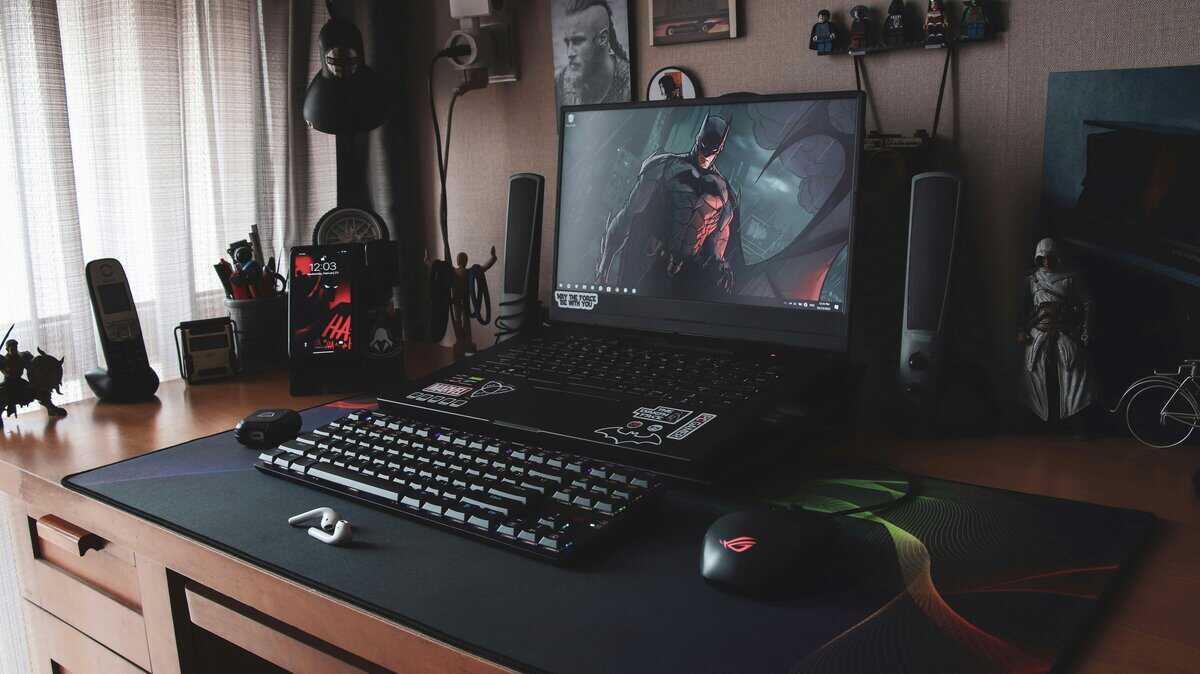
Product specifications are one thing, but how a gaming laptop under $600 performs in the games you actually play is what counts. Performance is not a single metric; it varies based on game optimization and whether a game is CPU- or GPU-intensive.
Here is a breakdown of what to expect. We will assume a typical budget laptop with a modern Core i5 or Ryzen 5 CPU, an NVIDIA RTX 3050 or 4050 GPU, and at least 8GB of RAM, all at a 1080p resolution.
Competitive FPS and Esports Titles
For games like Valorant, Counter-Strike 2, and Apex Legends, the objective is to achieve the highest possible frame rate. These titles are designed to run on a wide range of hardware, which is advantageous for budget-conscious users. Your goal is to meet or exceed your display’s refresh rate, typically 120Hz at this price.
- Performance Goal: A stable 120+ FPS is the target for fluid, responsive gameplay on a high-refresh-rate screen.
- Settings: You will use a mix of low and medium settings. This is not just a budget consideration; competitive players often use these settings to reduce visual clutter and maximize clarity.
- Key Component: The CPU is important in this use case. High frame rates require a processor that can supply information to the GPU quickly enough to avoid a bottleneck.
Demanding AAA Single-Player Games
This category represents the performance ceiling for a sub-$600 laptop. Graphically intensive games like Cyberpunk 2077, Baldur’s Gate 3, or Alan Wake 2 will push the hardware to its limits. Playing these titles on high or ultra settings is not feasible. The objective is to find a stable, playable experience through compromise.
A stable 40-60 FPS at 1080p with medium-to-low settings is a realistic target for most modern AAA titles. Using upscaling technologies like NVIDIA’s DLSS or AMD’s FSR is necessary to achieve these frame rates without significant performance degradation.
MMOs and Strategy Games
Games like Final Fantasy XIV, World of Warcraft, and the Total War series present a different challenge. While they have graphically intense elements, they are often heavily CPU-bound, especially in crowded areas or large-scale battles with many units on screen. Your performance here depends on the processor’s single-core speed. An underpowered CPU will cause stuttering and frame drops during a raid or large battle, regardless of GPU capability. For these games, a recent-generation Ryzen 5 or Core i5 is essential.
Expected Gaming Performance at 1080p
This table provides a baseline for what to expect from a typical sub-$600 gaming laptop at medium settings.
| Game or Genre | Expected FPS | Most Important Component |
|---|---|---|
| Esports Titles (Valorant, CS2) | 120-180 FPS | CPU |
| Battle Royales (Apex, Fortnite) | 70-100 FPS | GPU & CPU Balance |
| Modern AAA Titles (Cyberpunk 2077) | 40-60 FPS (with DLSS/FSR) | GPU |
| Strategy & MMOs (WoW, FFXIV) | 60-90 FPS (variable) | CPU |
These figures indicate that performance is strong for competitive games. For AAA titles, aggressive settings management is required, but a playable experience is achievable. Streaming while gaming on a single budget laptop is not recommended. The CPU will struggle to both run the game and encode the video feed, resulting in a poor experience for both the player and the audience.
The Two Laptops Worth Buying at This Budget
Here is the honest state of the market: as of mid-2026, no name-brand laptop with a dedicated GPU sells new under $600 from Amazon itself or an official brand store. Component inflation pushed the entire budget tier up, and the gap has been filled by third party marketplace sellers with tempting numbers and thin track records. We do not recommend gambling several hundred dollars on those listings.
That leaves three smart plays: buy the closest legitimate option now, stay genuinely under $600 with an esports-focused machine, or save a little longer and start where real gaming laptops currently begin.
Acer Aspire Go 15: Genuinely Under $600 (Know What You Are Buying)
The Acer Aspire Go 15 is the only pick here that actually respects the budget: around $550, sold by Amazon, with an 8-core Ryzen 7 7730U, 16GB of RAM, and a 512GB Gen4 SSD. There is no dedicated GPU, and we will not pretend otherwise. The integrated Radeon graphics handle League of Legends, Rocket League, Valorant, and older titles at 1080p with sensible settings, while the 16GB of RAM keeps everything responsive for school and work.
Buy this if your library is esports and indies and your budget is firm. Skip it if you want Cyberpunk 2077 or other modern AAA releases; no new laptop under $600 delivers that honestly in 2026.
MSI Thin A15 (RTX 3050): Worth the Stretch
If you can push the budget to around $900, the MSI Thin A15 is where real gaming laptops currently start: RTX 3050 graphics, 16GB of DDR5, a 144Hz panel, and Amazon as the seller. It replaces the MSI Thin GF63 we previously tracked here, which has disappeared from legitimate stock.
The jump from the RTX 2050 tier is meaningful: high settings instead of medium in most 1080p titles, and 16GB of DDR5 means no day-one upgrades. If an integrated-graphics machine feels like a compromise you would regret, save toward this instead of buying twice.
Whichever route you take, set price alerts on Amazon and CamelCamelCamel for the Thin A15. Budget laptop pricing in 2026 moves weekly, and the difference between a fair deal and an inflated listing is often just patience. When a name-brand model with a real GPU shows up under $600 sold by Amazon itself, that is your signal to act fast.
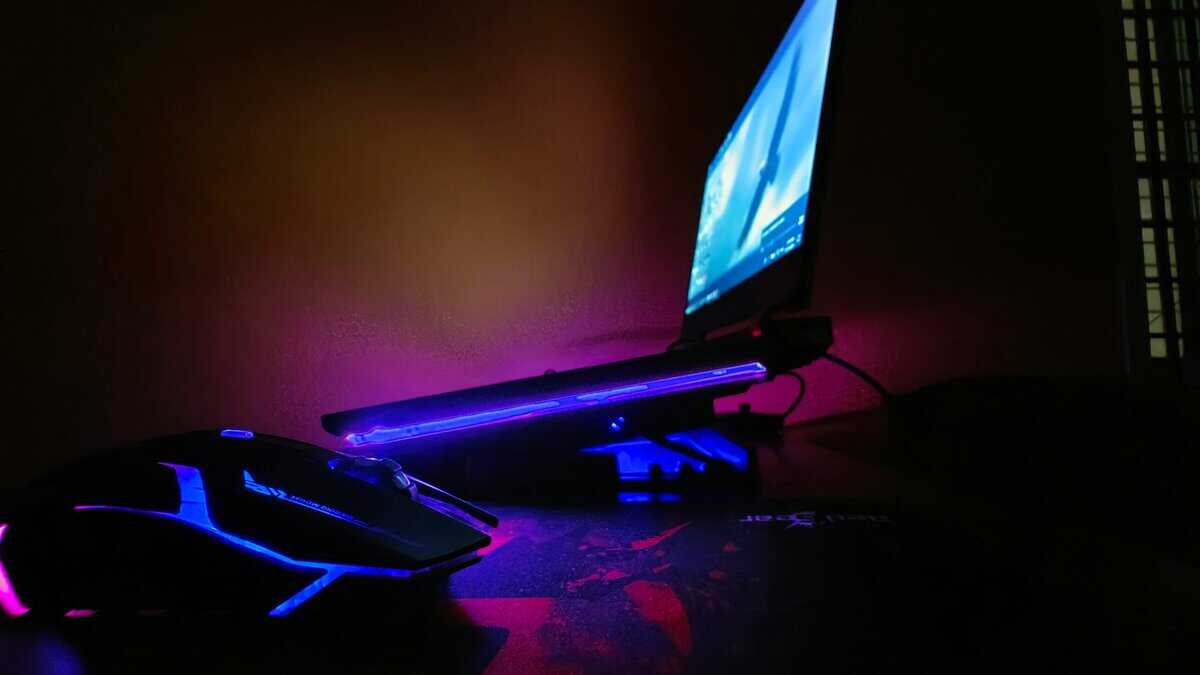
Raising the laptop also helps its cooling, and our best laptop stands guide covers the affordable options.
Got Questions About Budget Gaming Laptops? We’ve Got Answers.
Entering the budget gaming hardware market can be complex. Here are direct answers to common questions to help you make an informed decision.
Is Buying a Refurbished Laptop a Good Idea?
Yes, provided you purchase from a reputable source. Buying refurbished can be an effective way to acquire a powerful gaming laptop under $600. Certified refurbished models from manufacturers or trusted sellers like Best Buy often undergo more rigorous testing than new units. They are cleaned, repaired, and restored to factory specifications.
The critical factor is to buy from a source that provides a warranty; a 90-day warranty is the minimum acceptable. This protects you against defects. A refurbished laptop that originally sold for $800 will almost always offer better gaming performance and build quality than a new machine designed to sell for $600.
How Can I Squeeze More Performance Out of a Budget Laptop?
A few simple, no-cost adjustments can unlock additional performance from your laptop.
Update Your GPU Drivers: This is mandatory. The first step should be to install the latest drivers from NVIDIA or AMD. This ensures your games benefit from the latest optimizations and stability fixes.
Kill the Bloatware: Budget laptops often come pre-loaded with unnecessary software that consumes CPU and RAM resources. Review your installed programs and uninstall anything you do not need.
Change Your Power Settings: When gaming, always connect your laptop to a power outlet and set the power plan to “High Performance” in Windows settings. This allows the CPU and GPU to draw the necessary power for maximum performance.
A common error is attempting to game on battery power. Most gaming laptops are designed to significantly reduce performance when unplugged to conserve energy, which will severely impact your frame rates. Always keep the laptop plugged in during gaming sessions.
Is It Worth Waiting for Black Friday or Other Big Sales?
Absolutely. If you have a strict budget, patience is a valuable asset. Major sales events like Black Friday, Cyber Monday, and back-to-school promotions are the best times to find significant discounts. Laptops that typically retail in the $750-$850 range can see price reductions of $150-$250, bringing them into the sub-$600 bracket.
However, sales are not limited to major holidays. Retailers offer flash sales and model-specific discounts throughout the year. A useful strategy is to set up price alerts for the recommended models. This will notify you as soon as a deal becomes available. You must be prepared to act quickly, as the best deals sell out fast.
For more direct guides on building a high-performance setup on a budget, explore the resources at Budget Loadout. We provide clear, practical advice to help you find the best value in gaming and streaming gear. Check us out at Budget Loadout.
Related Articles