For most gamers looking for the best Xbox controller, the standard Microsoft Xbox Wireless Controller provides the ideal balance of performance and price. Its build quality is reliable, and it works seamlessly with Xbox consoles and PCs. However, for players prioritizing competitive features or a lower price point, wired options from brands like PowerA and Turtle Beach present compelling tradeoffs.

- The standard Microsoft Xbox Wireless Controller offers the best balance of build quality and price for most gamers
- Third-party controllers from PowerA and PDP provide extra features like back buttons at half the price of the Elite Series
- Textured grips and hall-effect thumbsticks are the features that make the biggest difference in competitive play
- Xbox controllers work natively with Windows PCs via Bluetooth or USB — no extra software needed for plug-and-play gaming
Table of Contents
- Comfortable ergonomic design refined over generations
- Seamless low-latency wireless with Bluetooth for PC
- Wide platform compatibility across Xbox, PC, and mobile
- Requires AA or separate recharge pack
- No back paddles or pro features
- Textured grip could be more pronounced
- Hall Effect thumbsticks resist stick drift long-term
- Three-position trigger locks for faster firing in FPS games
- Two mappable back buttons for custom controls
- Wired-only connection may limit setup flexibility for couch gaming
- Slightly heavier than the standard Xbox controller
- Rumble motors feel a bit weaker compared to first-party options
- Superhuman Hearing mode enhances key in-game audio cues
- Built-in game and chat audio balance for quick adjustments
- Two mappable quick-action buttons on the back
- Wired-only may not suit all gaming setups
- Textured grip may feel different from the standard Xbox finish
- No Bluetooth support for use with PCs or mobile devices
How to Choose the Right Xbox Controller
Choosing a controller isn’t just about price; it’s about finding the right tool for the games you play. This guide focuses on real-world value, balancing performance, durability, and cost to help you make a practical decision. We avoid marketing hype and concentrate on tangible benefits.
Our approach is to analyze the features that directly impact gameplay. We will examine the practical tradeoffs budget-conscious gamers face and offer clear advice on where your money is best spent. This means understanding the core differences between wired and wireless connectivity and recognizing why solid build quality is non-negotiable for long-term value.
Performance: This covers button responsiveness, thumbstick accuracy, and input latency. A good controller feels precise, not sluggish.
Durability: We assess materials, construction, and common failure points like stick drift. A controller should withstand consistent use.
Cost-Effectiveness: We identify controllers that offer useful features without an excessive price tag.
Your controller is one part of a larger ecosystem. Our goal is to equip you with the knowledge to select a controller that feels right, performs reliably, and respects your budget. For additional options, you can review our other guides on gaming controllers.
The most expensive controller is not always the best for your needs. A durable, standard controller often provides better long-term value than a feature-heavy “pro” model with functions you won’t fully utilize.
Essential Features That Define a Quality Controller
To choose the right controller, you must first understand what makes one functional and reliable. A few core features determine a controller’s quality, allowing you to look past marketing claims and focus on what improves your gameplay.
The first significant decision is wired vs. wireless. For competitive gamers, a wired controller offers a distinct advantage: minimal input lag. It also eliminates the need for batteries, making it a dependable choice for long sessions where an interruption is not an option. This is a critical consideration for FPS players.
Wireless controllers provide the freedom to play from a distance without managing a cable. This convenience comes with two tradeoffs: battery life and a small amount of latency. For most single-player or casual games, this delay is unnoticeable. However, in a fast-paced shooter or fighting game, every millisecond matters. You will also have to manage AA batteries or a rechargeable pack.
Build Quality and Advanced Customization
After connectivity, build quality is the most critical factor for long-term value. A controller’s durability is determined by its weakest component. Assess the feel of the grips, the sturdiness of the triggers, and the thumbsticks—the most common point of failure and the primary cause of stick drift. A well-built controller feels solid and will withstand years of use.
Advanced features like remappable buttons and trigger stops are designed for specific playstyles.
Remappable Back Paddles: These extra buttons on the back allow you to perform actions like jumping or reloading without removing your thumb from the right stick. In an FPS like Call of Duty, where continuous aiming is necessary, this provides a functional advantage.
Trigger Stops: These physical switches reduce the travel distance of the triggers, enabling faster firing in shooters. This feature is less beneficial for racing games where precise, full-range acceleration is required.
These “pro” features are not necessary for everyone. For many gamers, a standard controller with excellent build quality is a better investment than a cheaper model with features that may break or go unused. Prioritize durability first.
Comparing the Top Value Xbox Controllers

When searching for value, three controllers consistently emerge as top contenders. We are comparing the official Microsoft Xbox Wireless Controller with two popular wired alternatives: the PowerA Advantage Wired Controller and the Turtle Beach REACT-R. Each represents a different balance of build quality, features, and price.
The objective is not to declare a single winner but to clarify where your money goes with each option. By understanding their specific strengths and weaknesses, you can identify the controller that best fits your setup and budget.
The Reliable Benchmark: Microsoft Xbox Wireless Controller
The standard-issue Xbox controller serves as the baseline for good reason. Its build quality is consistently solid, featuring durable plastics and responsive thumbsticks designed to withstand heavy use. Microsoft has refined the ergonomics over many years, resulting in a controller that is comfortable for long sessions, regardless of hand size.
Its main advantage is its seamless wireless connection and universal compatibility. It works reliably with Xbox, PC, and mobile devices. However, this convenience comes at a higher price than its wired competitors, and you will need to supply AA batteries or purchase a separate rechargeable pack. This is the recommended choice for anyone who values proven durability and wireless freedom above extra features.
The Trade-Off: You are paying a premium for the official brand, robust build, and wireless convenience. It lacks the specialized features of its competitors, but its core performance is excellent.
The Durable Workhorse: PowerA Advantage Wired Controller
For gamers on a tight budget who demand durability, the PowerA Advantage Wired Controller is a compelling option. Its wired USB-C connection eliminates battery concerns and provides virtually zero input lag, which is a tangible benefit in competitive shooters or fighting games. The standout upgrade is its Hall Effect thumbsticks, which resist drift over time — a common issue with traditional sticks.
The build quality is substantial for its price point, outlasting many generic alternatives. The clear tradeoff is the lack of wireless freedom and the more premium materials found in the official controller. PowerA also includes two programmable back buttons and 3-way trigger locks for faster firing — features typically reserved for more expensive “pro” controllers. This makes it a strong value proposition for players seeking a competitive edge without a high price tag. The same principles apply when searching for the best budget gaming controllers for PC.
The Audio Specialist: Turtle Beach REACT-R Controller
The Turtle Beach REACT-R occupies a specific niche by focusing on audio integration. This wired controller incorporates Turtle Beach’s audio technology directly into the hardware. It provides on-the-fly access to EQ presets, a game and chat volume mixer, and the “Superhuman Hearing” mode, which amplifies subtle sounds like enemy footsteps.
For competitive FPS players who rely on audio cues, this is a significant advantage that can provide a real edge without requiring an external mixer. The build quality is decent, though its plastics feel less dense than the official Microsoft controller. The compromise is that its features are highly specific. If you already own a high-end headset with its own controls, the Recon’s main selling point may be redundant.
This comparison table highlights the core features of each controller to help you weigh the tradeoffs.
Value Controller Feature Comparison
This table breaks down the key specs so you can easily weigh the trade-offs between our top value-focused picks.
| Controller Model | Connectivity | Key Features | Average Price | Best For |
|---|---|---|---|---|
| Microsoft Xbox Wireless | Wireless (Bluetooth) | USB-C, 40hr battery, Share button, sculpted grip | $55 – $65 | Gamers wanting proven durability and wireless freedom. |
| PowerA Advantage Wired | Wired (USB-C) | Hall Effect thumbsticks, 3-way trigger locks, back buttons | $35 – $40 | Competitive players on a budget who prioritize performance. |
| Turtle Beach REACT-R | Wired (USB-C) | Integrated audio controls, Superhuman Hearing | $40 – $50 | FPS players who rely heavily on in-game audio cues. |
Each of these controllers offers good performance for the price. Your decision depends on what you value most: the wireless convenience of the official controller, the competitive features of the PowerA, or the audio enhancements of the Recon.
Matching a Controller to Your Gaming Style
The best Xbox controller is not a one-size-fits-all product. It is the one that provides a tangible advantage in the games you play most. Investing in features you will actually use is the key to finding good value.
For competitive FPS players in games like Call of Duty or Apex Legends, speed and precision are crucial. This is where features like programmable back paddles and trigger stops become functional tools. Assigning jump or crouch to a back paddle allows you to aim and maneuver simultaneously—a critical advantage in a firefight. Similarly, trigger stops shorten the trigger pull, letting you fire follow-up shots faster.
Controllers for Different Genres and Needs
Your ideal controller changes if you primarily play expansive RPGs or MMOs. In these games, comfort during long sessions is paramount. Ergonomics and grip texture become more important than instantaneous trigger response. For MMO players, extra mappable buttons can be a significant quality-of-life improvement, allowing you to assign complex commands or inventory items for quick access.
A controller’s value is directly tied to its use case. An FPS player gains a real edge from back paddles, while an RPG fan might get more mileage out of long-term comfort and a durable build.
Streamers should consider the noise level of a controller’s buttons and D-pad to avoid distracting their audience. A quieter controller, paired with one of the best Xbox headsets for clear communication, contributes to a more professional broadcast.
Finally, for parents purchasing for younger gamers, the priorities shift to durability and cost-effectiveness. A wired controller is often the most practical choice. It is typically less expensive, more resilient to drops, and you never have to worry about dead batteries. A robust build ensures it can withstand rougher handling.
Extending Your Controller’s Lifespan
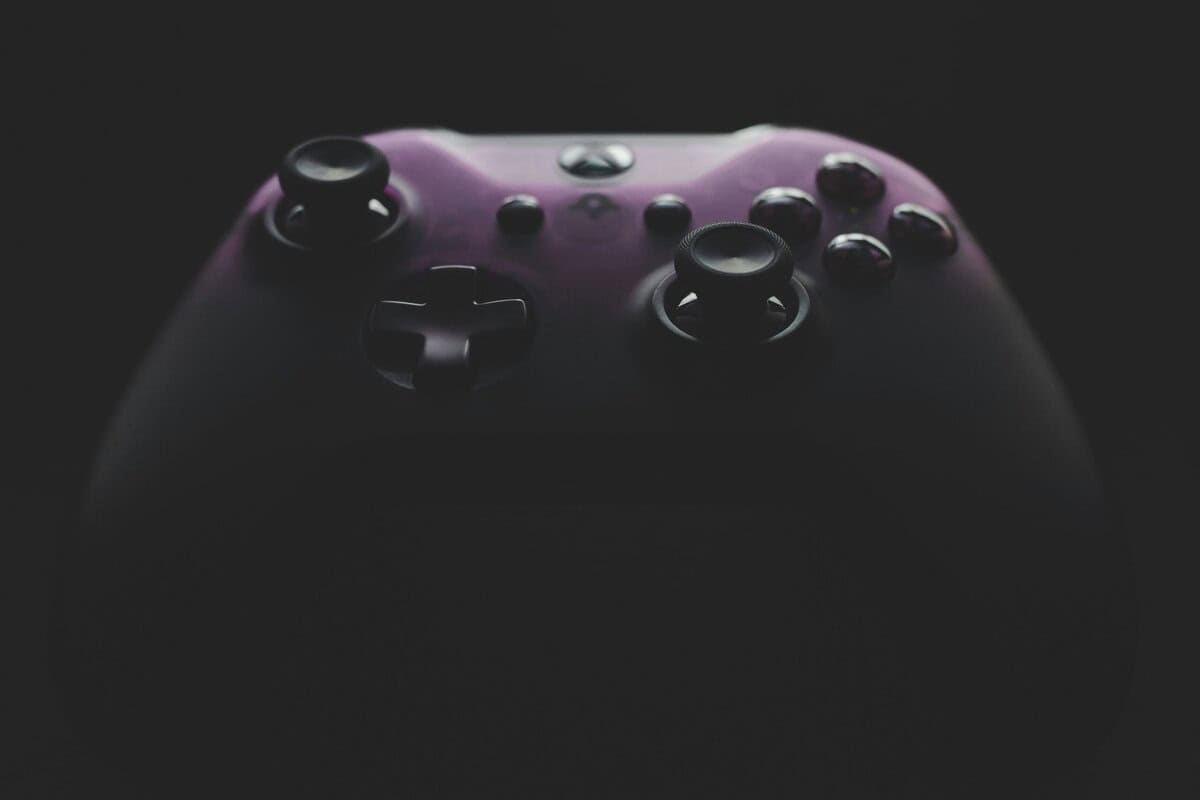
A good controller is an investment. Proper care will improve its performance and extend its lifespan. Making your controller last begins with initial setup and continues with simple, routine maintenance.
The first step with any new controller is to check for a firmware update. Manufacturers release updates that can fix bugs, improve thumbstick accuracy, and reduce input latency. Connect the controller to your Xbox or PC and use the Xbox Accessories app to ensure it is running the latest software. This can resolve potential issues before they become noticeable.
Practical Maintenance for Durability
Consistent care prevents the most common controller problems, such as sticky buttons and stick drift. Incorporating these simple habits can keep your controller functioning properly for years.
Regular Cleaning: For daily maintenance, wipe the controller with a dry microfiber cloth. To remove buildup in seams and around buttons, use a cotton swab lightly dampened with isopropyl alcohol. Never spray liquid directly onto the controller.
Proper Storage: Avoid leaving your controller where it can be dropped, sat on, or exposed to extreme temperatures. A simple stand or a designated spot on a shelf can prevent accidental damage.
Battery Management: If you use a wireless model with a rechargeable battery, avoid leaving it plugged in continuously after it is fully charged, as this can degrade battery health over time. If you use AA batteries, remove them if the controller will be unused for an extended period to prevent corrosion.
Stick drift is a primary cause of controller failure and is often caused by dust and debris entering the thumbstick mechanism. Regular, gentle cleaning around the base of the sticks is the best defense.
Frequently Asked Questions About Xbox Controllers
Answering common questions can help finalize your decision. Here are some of the most frequent inquiries from gamers looking for a new Xbox controller.
Is a Pro Controller Worth the High Price?
For most gamers focused on value, the answer is no. “Pro” or “Elite” controllers are highly capable devices with swappable components, trigger locks, and extensive software customization. However, they are specialized tools designed for competitive players seeking maximum performance.
A standard Xbox controller offers excellent durability and performance for a fraction of the cost. You could purchase two or three official controllers for the price of one Elite model. Unless you compete at a level where minor adjustments provide a measurable advantage, your money is better spent on a reliable workhorse that has mastered the fundamentals.
What Is the Average Lifespan of an Xbox Controller?
With regular use and proper care, an official Xbox controller should last two to three years. The first components to show wear are typically the thumbsticks, which can develop “stick drift,” or the bumpers, which may lose their tactile response.
The durability of third-party controllers varies. Reputable brands like PowerA and Turtle Beach offer good longevity for their price, but low-cost, unbranded controllers may fail in under six months.
The most effective way to extend your controller’s life is to take care of it. Keeping it clean, especially around the thumbsticks, and preventing drops can add a year or more to its operational lifespan.
Can I Use an Xbox Controller With a PC or Phone?
Yes. Modern Xbox controllers (from the Xbox One S generation onward) include Bluetooth, making them highly versatile.
You can pair them with various devices:
Windows PCs: Connect via Bluetooth or a USB-C cable. For the most stable connection, an Xbox Wireless Adapter is available.
Macs: Pairing via Bluetooth is straightforward and works well for Apple Arcade and other compatible games.
Mobile Devices: Both Android and iOS support the Xbox controller, making it a suitable option for mobile gaming and cloud services like Xbox Cloud Gaming.
This cross-platform compatibility adds significant value, making one controller a viable option for nearly any screen you own.
Do Third-Party Controllers Have More Input Lag?
Not necessarily. The connection type is more important than the brand. A quality wired third-party controller can have less input lag than a standard Xbox controller operating wirelessly over Bluetooth. This is why many budget-conscious competitive players prefer a wired connection.
Poorly made wireless third-party controllers can introduce noticeable lag. The key is to choose established brands known for quality components. For any game where reaction time is critical, a wired connection is the most reliable choice for minimizing latency, regardless of the controller’s manufacturer.
At Budget Loadout, we provide clear, value-focused guides to help you build a great gaming setup without overspending. Explore more of our recommendations at https://budgetloadout.com.
Related Articles