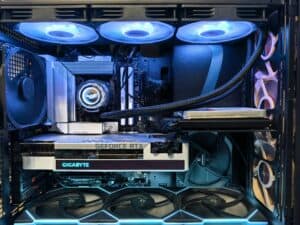
Finding the best CPU for gaming means looking beyond marketing specs and focusing on what actually improves your experience: real-world frame rates, total platform cost, and long-term value. This guide breaks down the top options at every budget.
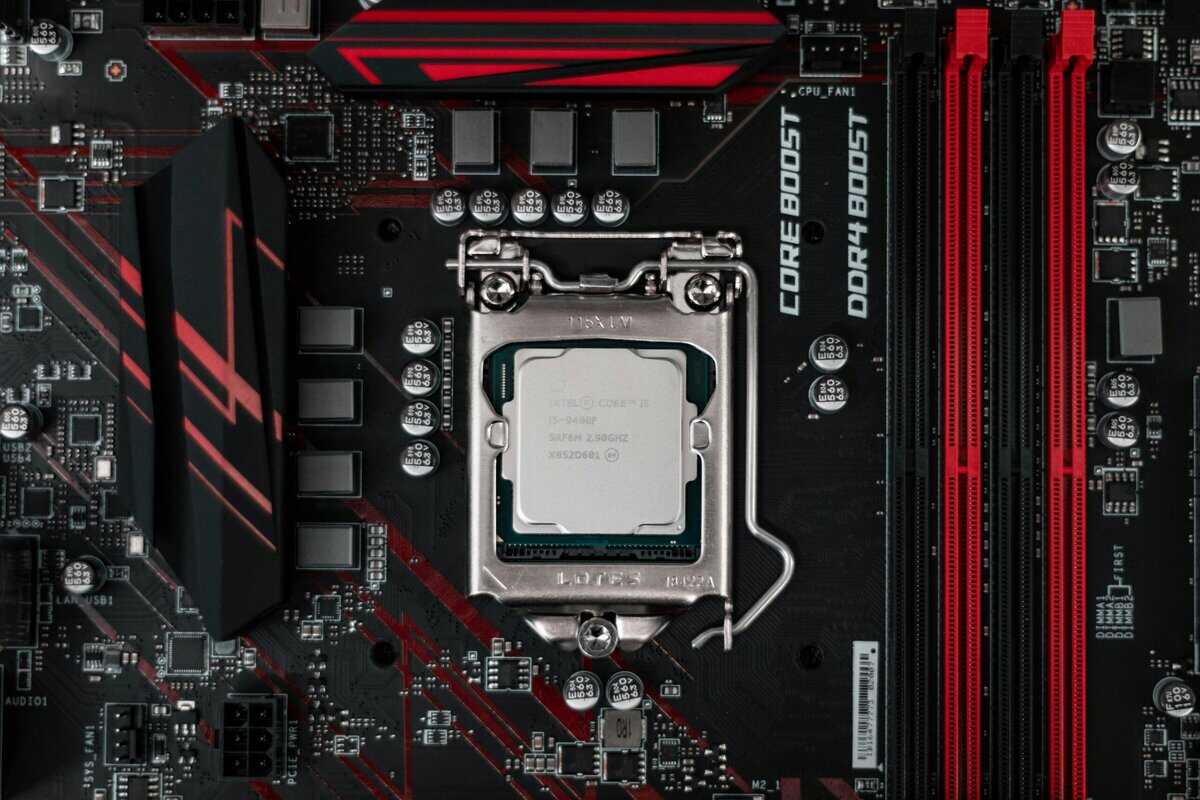
- Most games are more GPU-dependent than CPU-dependent, so spending your entire budget on a top-tier CPU while skimping on the GPU is a common mistake
- AMD’s Ryzen 5 and Intel’s Core i5 processors offer the best gaming performance per dollar in the budget segment
- Clock speed and IPC (instructions per clock) matter more for gaming than core count — 6 cores is plenty for virtually all current games
- Pairing a mid-range CPU with a strong GPU delivers far better gaming performance than an expensive CPU with a weak graphics card
Table of Contents
- 3D V-Cache delivers exceptional gaming frame rates
- 8 cores and 16 threads handle modern titles with ease
- AM5 platform offers a clear upgrade path for the future
- Higher price than entry-level
- Requires DDR5, adding to build cost
- Productivity trails similarly-priced CPUs
- Affordable entry point to the modern AM5 platform
- Zen 4 single-thread performance handles 1080p gaming smoothly
- Low 65W TDP keeps thermals and power costs manageable
- No integrated graphics; GPU required
- DDR5 + AM5 adds to platform cost
- 6 cores may strain in heavy multitasking
- DDR4 compatibility significantly lowers total platform cost
- Reliable 1080p gaming performance across major titles
- Widely available with strong aftermarket cooler options
- LGA 1700 platform has a shorter upgrade path than AM5
- Slightly behind Zen 4 in raw single-thread performance
- No integrated graphics on the F-series variant
Finding the Best Gaming CPU for Your Build
Choosing a CPU involves navigating marketing claims about core counts and clock speeds. This guide focuses on what actually improves gaming: real-world performance, total build cost, and long-term durability. We are not focused on finding the most expensive chip. The goal is to help you make a smart investment. A CPU choice affects the entire system, from motherboard and RAM costs to cooling requirements and case compatibility.
Why The Ryzen 7 7800X3D Is a Top Performer
The AMD Ryzen 7 7800X3D has become a standard for gamers seeking high-end performance without the flagship price. Its primary advantage comes from its 3D V-Cache technology, which adds a large 96MB of L3 cache directly onto the chip. This design reduces latency, providing a gaming advantage that CPUs with higher clock speeds often cannot match.
In benchmarks, the 7800X3D achieved an 8% higher average frame rate than Intel’s Core i9-14900K across a range of games. It also showed a 15% improvement in 1% low frame rates, which contributes to smoother gameplay by reducing stutter. You can see a full performance analysis on TechSpot.
This focus on a gaming-specific architecture, rather than simply increasing core count, is why it delivers such effective performance. It was designed for a specific use case: running games efficiently.
Key Factors For Your Decision
To make an informed choice, you must look beyond the CPU’s sticker price. This guide will cover the variables that impact both performance and your budget.
| Factor | What It Means for Gamers |
|---|---|
| Performance vs. Price | We analyze which CPUs provide the most frames per dollar, ensuring your budget is spent effectively. |
| Platform Costs | The CPU is one part of a system. We will cover motherboard and RAM costs to show the total price of entry. |
| Single vs. Multi-Core | Learn why a CPU’s single-core speed is often more important for gaming than its total number of cores. |
| Power and Cooling | We will detail the power draw and cooling needs of each chip to prevent thermal throttling and ensure system stability. |
Understanding What Makes a CPU Great for Gaming
To find the right CPU, you need to look past marketing figures. Manufacturers often emphasize core counts and clock speeds, but these numbers do not provide a complete picture of performance. What translates to higher, more stable frame rates is the underlying architecture and how the processor functions in real-world scenarios.
Understanding a few key concepts will help you make a better choice. It is the difference between buying a processor that looks good on a spec sheet and one that delivers a solid gaming experience. A well-chosen CPU and a durable motherboard form the foundation of a reliable gaming PC.
Single-Thread Performance Is Key
Most games, including modern AAA titles, do not effectively use a high number of CPU cores. Gaming workloads often rely on one primary “game thread” that handles critical tasks like AI, physics calculations, and user inputs. The speed of that single thread determines how quickly the CPU can process these tasks.
This is why a processor with strong single-thread performance will often outperform one with more, but slower, cores in many gaming benchmarks. This is particularly true for high-refresh-rate FPS games like Valorant or Counter-Strike 2, where single-thread speed is essential for maximizing frame rates.
To get the most out of any processor, you must ensure it is running correctly. Learning about identifying and resolving high CPU usage is an important part of maintaining performance, as system bottlenecks can significantly degrade your gameplay.
What About Multi-Thread Performance
While single-thread speed is important, multi-thread performance has its place. Having more cores and threads becomes a clear advantage when you are doing more than just gaming.
Streaming: Encoding a live video stream while playing is a core-heavy task. A CPU with 8 or more cores can handle both gaming and streaming without a significant drop in in-game performance. A dedicated streaming PC is another option, but a single powerful CPU is often more practical for budget-conscious users.
MMO and Strategy Games: Titles like Final Fantasy XIV or large-scale strategy games with hundreds of units can utilize multiple cores to manage complex simulations. In these scenarios, a higher core count can prevent frame drops during intense moments with many on-screen characters.
Background Tasks: Running applications like Discord, web browsers, or system monitoring software adds to the CPU load. More cores provide a smoother and more responsive system overall.
For a build focused strictly on gaming, a modern 6-core, 12-thread CPU is a practical choice for performance and value. However, if you are a streamer or a heavy multitasker, upgrading to an 8-core model is a worthwhile investment.
The ideal gaming CPU strikes a balance: it has very fast individual cores for the primary game thread, with enough additional cores to manage background processes and modern game engines without creating a bottleneck.
The Cache Advantage
An often-overlooked specification is the CPU cache. Cache is a small amount of high-speed memory integrated directly into the processor. It stores frequently accessed data, so the CPU does not have to wait for the much slower system RAM.
There are different levels (L1, L2, L3), but for gaming, the L3 cache is the most significant. A larger L3 cache allows more game data to be stored close to the cores, which reduces latency and helps prevent performance dips.
This is the primary reason AMD’s 3D V-Cache technology provides such a tangible gaming advantage. By stacking a large amount of L3 cache onto the processor, it can feed the cores data more quickly. The result is higher average frame rates and, just as importantly, a more consistent and stable experience.
Comparing The Top Value Gaming CPUs
Choosing the best CPU for gaming means focusing on performance per dollar. We’re not just looking at the price of the processor itself. We are analyzing the total platform cost—including the motherboard and RAM—to identify the options that offer the best overall value.
This is a direct comparison. The goal is to show you which CPU delivers the most effective real-world gaming experience for your budget, whether you are building a 1080p system or a high-refresh-rate machine.
The Entry-Level Value Showdown
In this price range, the objective is to achieve solid 1080p gaming performance without overspending. The key is to find a chip with strong single-thread speed and enough cores for modern games and light multitasking. This is a popular segment for budget-conscious builders.
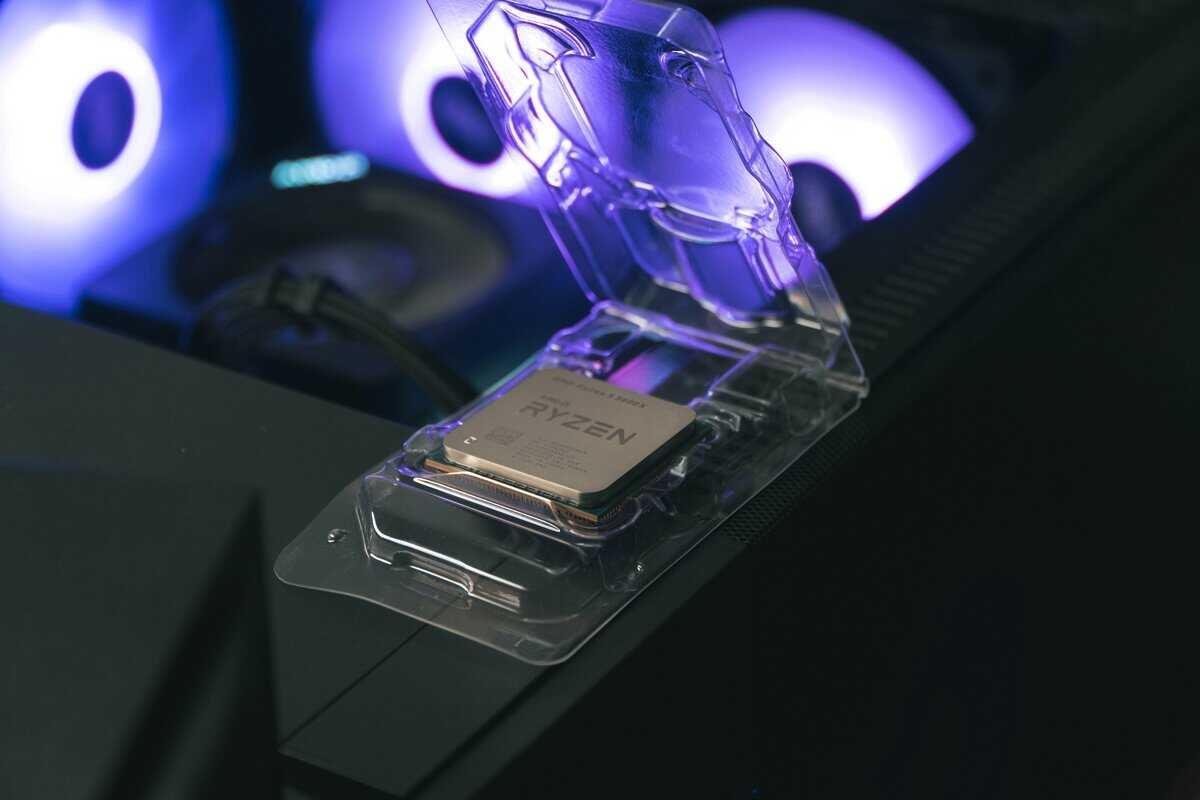
The main options are the AMD Ryzen 5 7500F and the Intel Core i5-12400F. Both are 6-core, 12-thread CPUs that are capable of running today’s major titles. The 7500F, based on the newer Zen 4 architecture, generally provides slightly higher gaming performance due to its higher instructions-per-clock (IPC) and the requirement of faster DDR5 memory.
However, the Core i5-12400F has a significant advantage in platform cost. It uses the older LGA 1700 socket, which offers a wide selection of affordable B660 and B760 motherboards that support cheaper DDR4 RAM. For builders on a strict budget, the savings on the motherboard and memory can be considerable, making the i5-12400F a practical choice despite its slightly lower frame rates. The build quality on both Intel and AMD stock coolers is adequate for base performance, but an aftermarket cooler is recommended for sustained loads.
The decision here depends on your total build budget. The Ryzen 5 7500F offers a better upgrade path on the AM5 platform, but the Intel Core i5-12400F has a lower immediate cost of entry, allowing you to allocate more funds to your graphics card.
The Mid-Range Sweet Spot
This is the tier where most gamers will find the best balance of price and performance, suitable for gaming at both 1080p and 1440p. The CPUs here are powerful enough for high-refresh-rate monitors and can also handle some light streaming.
The competition is between chips like the AMD Ryzen 5 7600X and the Intel Core i5-13600K. The Ryzen 5 7600X is a pure gaming CPU with excellent single-thread performance that is beneficial in fast-paced FPS and action games. It is also efficient, with a 105W TDP that keeps cooling requirements manageable; a good aftermarket air cooler is sufficient.
The Intel Core i5-13600K is a strong multitasking option due to its hybrid architecture of 6 Performance-cores and 8 Efficient-cores. While its gaming performance is very close to the 7600X, the extra E-cores give it an advantage in productivity and streaming. The tradeoff is that it runs hotter and draws more power, often requiring a more substantial and expensive cooler to maintain its boost speeds. Both chips are constructed to high standards of durability, as expected from modern processors.
High-End Value And Performance
For gamers who want high-end performance without paying for a flagship model, this segment is the target. These processors are designed for high-refresh-rate 1440p and entry-level 4K gaming, offering enough power to remain relevant for several years.
The AMD Ryzen 7 7800X3D is the standout in this category. Its 3D V-Cache technology gives it a gaming advantage that more expensive CPUs often cannot match. With 8 cores, 16 threads, and 96MB of L3 cache, it delivers very smooth frame rates. It is also efficient, with a TDP of 120W.
Intel’s primary competitor in this value segment is the Core i7-14700K. It has more cores and higher clock speeds, making it a strong performer for productivity tasks like video editing. However, in pure gaming, it does not consistently outperform the 7800X3D and does so while consuming significantly more power and producing more heat, which necessitates a high-end liquid cooler.
Value Gaming CPU Head-to-Head Comparison
This table breaks down the key metrics for our top picks to clarify the tradeoffs. It is a direct comparison of performance, cost, and platform requirements to help you identify where each CPU excels.
| CPU Model | Core/Thread Count | Avg. Gaming Performance (1080p) | Platform Cost (CPU + Mobo + RAM) | Power Draw (TDP) | Best For |
|---|---|---|---|---|---|
| Intel Core i5-12400F | 6 P-Cores / 12 Threads | Very Good | Low (DDR4 Support) | 65W | 1080p Budget Gaming |
| AMD Ryzen 5 7500F | 6 Cores / 12 Threads | Excellent | Moderate (DDR5 Only) | 65W | Future-Proof 1080p Gaming |
| AMD Ryzen 5 7600X | 6 Cores / 12 Threads | Excellent | Moderate (DDR5 Only) | 105W | High-Refresh 1080p/1440p |
| Intel Core i5-13600K | 6 P + 8 E / 20 Threads | Excellent | Moderate-High | 125W | Gaming & Streaming |
| AMD Ryzen 7 7800X3D | 8 Cores / 16 Threads | Exceptional | High | 120W | Pure High-End Gaming |
| Intel Core i7-14700K | 8 P + 12 E / 28 Threads | Excellent | High | 125W | Gaming & Productivity |
This table clarifies the choices you have to make. While one CPU might seem superior on paper, its true value is revealed when you factor in the entire ecosystem cost. Remember, pairing your processor with the right GPU is critical for a balanced rig; our guide on the best budget graphics card can help you make a smart choice that complements your new CPU.
Choosing The Right CPU For How You Play
Selecting the best CPU for your gaming PC depends on how you play and what other tasks you perform. A processor that is ideal for one person may be unnecessary or a poor value for another.
The goal is to match a CPU’s strengths to your specific needs. Spending money wisely means every dollar invested should directly improve your experience in the scenarios that matter most to you.
High-Refresh-Rate FPS Gaming
If you are a competitive player in titles like Valorant, Counter-Strike 2, or Apex Legends, your primary objective is to achieve the highest and most stable frame rates possible. In these games, performance is heavily influenced by single-thread speed and low-latency cache.
These game engines rely on a main “game thread” to process critical tasks like player inputs and physics. A CPU that can process those instructions faster will produce more frames per second. This is where processors with high clock speeds and large L3 caches—like AMD’s X3D chips—have a clear advantage. They reduce the time the CPU spends waiting for data, which results in a more fluid and responsive experience—a necessity for competitive play.
A high core count is largely irrelevant here. A fast 6-core or 8-core CPU will consistently outperform a 16-core processor with slower individual cores in most esports titles. Focus on single-core performance.
CPU-Intensive MMO And Strategy Games
Massively Multiplayer Online games like World of Warcraft or Final Fantasy XIV and complex real-time strategy titles like Starcraft II present a different challenge for your processor. These games must simulate hundreds of characters, objects, and AI routines simultaneously, which can stress a CPU in unique ways.
Strong single-thread performance remains important for the main game engine, but these games are more capable of utilizing multiple cores. A CPU with a healthy balance of both—such as a modern 6-core or 8-core chip—is the practical choice. The extra cores help manage complex simulations without bottlenecking the main thread, leading to smoother gameplay during large-scale raids or battles where numerous players and effects are active on screen.
A low-core-count CPU will often struggle in these situations, causing significant frame drops and stuttering. For MMO and RTS players, investing in a solid mid-range CPU provides the necessary headroom to handle the processor-heavy moments these genres are known for.
Streaming And Content Creation
If you plan to stream your gameplay on Twitch or YouTube, your CPU has to perform two demanding tasks simultaneously: run your game at a high frame rate and encode a high-quality video stream in real-time. This is where multi-thread performance becomes essential.
Attempting to stream on a CPU with only six cores often results in a poor experience for both the player and the viewers. You will likely encounter dropped frames in-game, a pixelated or choppy stream, or both. The encoding process is resource-intensive, and if there are not enough cores available, both tasks will be compromised.
This is the primary scenario where upgrading to a processor with 8 or more cores provides a significant benefit. A CPU like the Intel Core i5-13600K, with its mix of Performance-cores and Efficient-cores, is a strong choice because it can offload encoding to some cores without significantly impacting your game’s performance.
There is a tradeoff, however. CPUs designed for heavy multitasking often consume more power and run hotter, which means you will need a more substantial and expensive cooling solution. This is a necessary compromise for streamers who need a processor that can reliably handle both gaming and encoding.
Beyond The CPU: The Hidden Costs Of Your Platform
Choosing the best CPU involves more than its purchase price. A processor is part of a platform, and your choice determines your motherboard and RAM options. Ignoring these platform costs is a common mistake that can disrupt a budget.
To make a sound decision, you must consider the CPU within the context of the entire system. The relevant metric is the total cost of the processor, motherboard, and memory combined. Getting this balance right is key to building a PC that performs well and has a viable future.
Motherboard And Platform Longevity
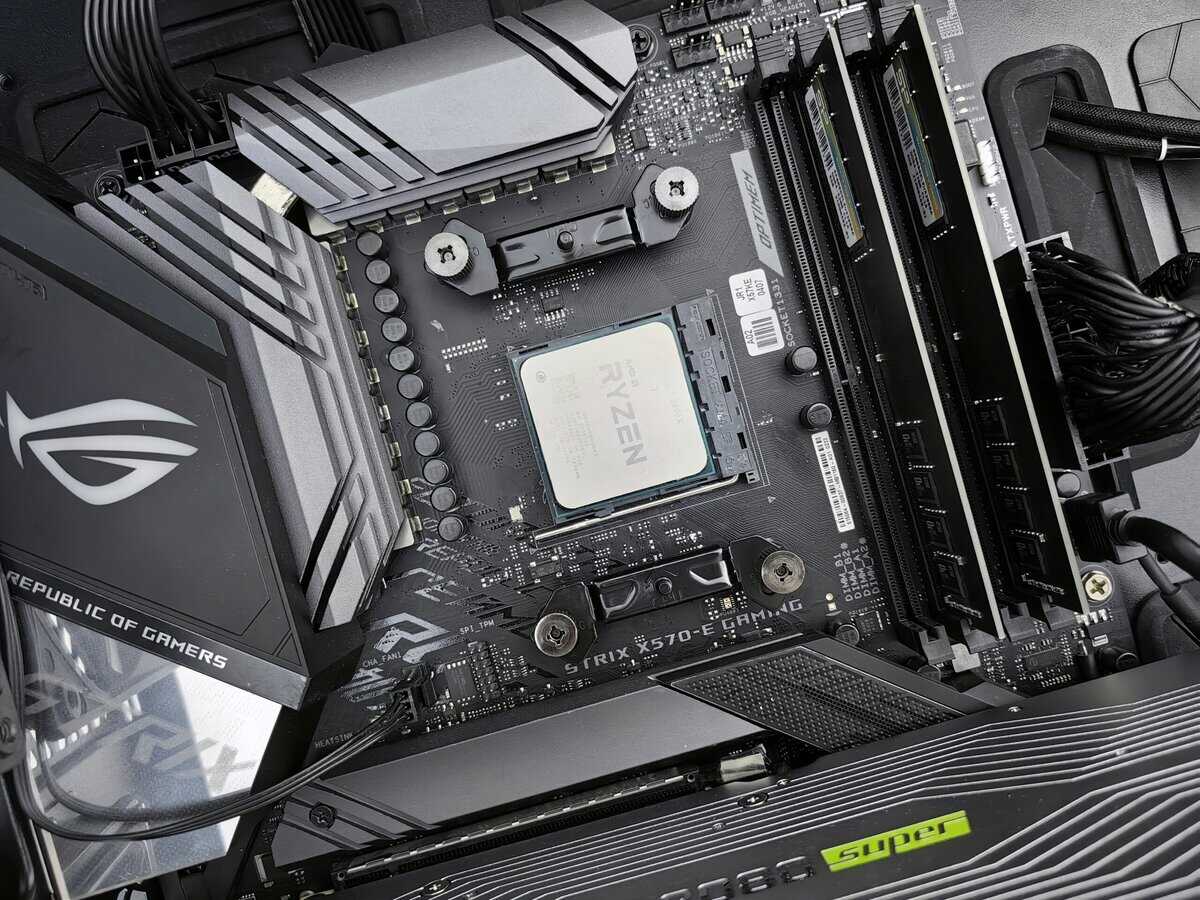
Currently, the PC market is divided between two main platforms: AMD’s AM5 socket and Intel’s LGA 1700. Your CPU choice commits you to one, which has significant implications for your budget and future upgrade possibilities.
Intel’s LGA 1700 platform, supporting their 12th, 13th, and 14th Gen chips, offers a wide variety of motherboards. Because it has been available for some time, you can find many affordable B660 and B760 boards that provide solid performance at a lower price. The downside is that this platform is at the end of its life. A motherboard purchased today will not support future Intel CPUs.
AMD, in contrast, has committed to supporting its AM5 socket through at least 2025. While AM5 motherboards were initially expensive, prices for good quality B650 boards have decreased, making the platform more accessible. Both platforms offer motherboards with high build quality and durable components like solid capacitors and reinforced PCIe slots, which are important for long-term system stability.
Choosing an AM5 platform today may have a slightly higher upfront cost, but it provides a clear and cost-effective upgrade path. In a few years, you will be able to install a next-generation Ryzen CPU into your existing motherboard, which represents a significant long-term saving.
The Mandatory Jump To DDR5 Memory
The other critical cost factor is RAM. AMD’s AM5 platform requires DDR5 RAM. DDR5 is faster and more current, but it costs more than the older DDR4 standard.
Intel’s LGA 1700 platform offers a choice. You can find motherboards that support either DDR4 or the newer DDR5, which gives Intel an advantage for builders on a very tight budget.
So, what’s the trade-off?
DDR4 builds (Intel only): This is the cheapest way to get a new system running. If you are reusing old RAM or need to minimize every cost, it is a viable path for an entry-level build.
DDR5 builds (AMD and Intel): This is the modern standard. It provides a measurable performance increase in new games that can utilize the extra bandwidth. While the initial cost is higher, you are investing in technology that will remain relevant for longer.
For anyone building a mid-range or high-end PC, DDR5 is the logical choice. The performance benefits are tangible, and prices have become more reasonable. Opting for DDR4 today saves a small amount now but locks you into older technology that will require a full motherboard and RAM replacement for your next significant upgrade.
Balancing Your Total Build Cost
The goal is to build a balanced PC where components work together without one creating a bottleneck for another. Overspending on one part while cutting corners on another leads to wasted potential. The platform costs associated with your CPU are a major part of this equation.
You have to consider the entire system. For example, the money saved by pairing an Intel CPU with a cheap DDR4 motherboard could be allocated to a more powerful graphics card or a larger SSD. Conversely, investing in an AM5 platform now sets you up for an easy CPU upgrade later, ensuring your core components remain viable for longer. A durable system starts with a solid foundation, which includes a well-built chassis. You can see our recommendations for a great gaming PC case that will easily last through multiple builds.
Making Your Final Decision
Choosing the best CPU for gaming requires an honest assessment of your budget and how you use your PC. It is easy to get distracted by specifications, so focus on the total platform cost and long-term value to make a sound investment.
Your decision should be based on a simple framework. First, what is your primary use case? Are you aiming for high FPS in competitive shooters, streaming your gameplay, or playing CPU-intensive MMOs? Second, establish a realistic budget for the entire platform—the motherboard and RAM are as crucial as the processor itself.
A Simple Decision Framework
For pure 1080p/1440p gaming value: The AMD Ryzen 5 7600X or Ryzen 7 7800X3D are the clear choices. The 7800X3D’s 3D V-Cache, in particular, gives it a gaming performance edge that competitors struggle to match at a similar price point.
For gaming plus streaming/multitasking: This is where the Intel Core i5-13600K or i5-14600K have an advantage. Their hybrid architecture with additional E-cores is better suited for handling background tasks and encoding, though you must account for higher power consumption and cooling requirements.
Your goal is a balanced system, not just a powerful CPU. A processor’s performance is dependent on the graphics card it is paired with. Overspending on the CPU at the expense of the GPU will create a performance bottleneck that negates your investment.
Ultimately, the best choice is a processor that meets 95% of your needs without forcing you to pay for features you will not use. For most gamers building a new PC today, the AMD AM5 platform offers a strong combination of gaming performance and a better future upgrade path. This helps ensure your system remains relevant for years.
A well-chosen CPU is the foundation of a great gaming PC. If you’re putting together a complete system from scratch, our guide to the best gaming PC under $1000 can help you assemble a balanced build around your new processor.
Frequently Asked Questions About Gaming CPUs
Even after reviewing the specifications, you might have some remaining questions. Let’s address the common queries that arise when selecting a CPU for a gaming rig.
Do I Need an 8-Core CPU for Gaming?
For the majority of current games, a modern 6-core, 12-thread CPU is sufficient and represents the best value. Most game engines still heavily utilize a few primary cores, making single-thread speed more critical for a pure gaming build than a high core count.
However, an 8-core CPU provides more headroom for future titles that are being developed to use more cores. It also offers a tangible benefit for gamers who stream or run other demanding applications in the background. For multitaskers, those extra cores prevent your game from stuttering when the stream encoder is active.
Is It Better to Spend More on My CPU or GPU?
For a PC built primarily for gaming, your budget should always prioritize the graphics card (GPU). The GPU has the largest impact on your frame rates and the visual quality settings you can enable. A balanced approach is important, but the GPU should be the primary focus of your budget allocation.
The most common mistake builders make is pairing a high-end CPU with a mid-range GPU. This leaves a significant amount of gaming performance unrealized. Allocate your funds to the best GPU you can afford first, then select a CPU that is powerful enough to support it without causing a bottleneck.
How Important Is the Included Stock Cooler?
Stock coolers included with some CPUs are designed to be adequate for lower-power, non-overclocked processors under typical gaming loads. They perform their basic function, but their utility is limited. The build quality is generally basic, consisting of a simple aluminum heatsink and fan.
For most mid-range and all high-end CPUs, purchasing a quality aftermarket cooler is a wise investment. Even an affordable tower air cooler or an All-In-One (AIO) liquid cooler will provide several key benefits:
Lower Temperatures: This prevents thermal throttling, ensuring your CPU can maintain its boost clocks for consistent performance.
Quieter Operation: Aftermarket coolers are almost always quieter than the smaller, high-RPM fans on stock coolers.
Increased Durability: Keeping your CPU operating at lower temperatures can contribute to its long-term health and stability.
At Budget Loadout, we focus on helping you find the perfect balance of performance, durability, and cost for your entire gaming setup. https://budgetloadout.com
Related Articles