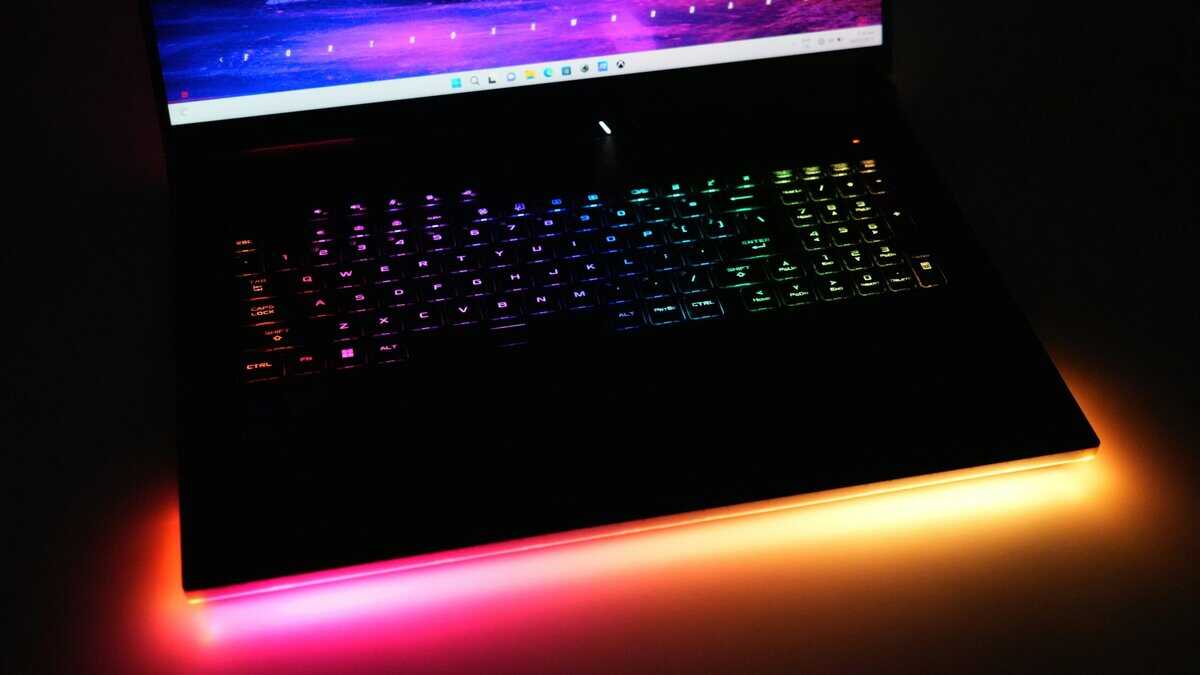
Hunting for the best cheap laptop for gaming isn’t about finding the lowest price tag. Real value is a balancing act. It’s about securing a machine that runs modern games at playable frame rates, is built to last more than a year, and makes smart component choices so you don’t feel outdated immediately. For a budget under $800, this means getting the essentials right—a capable graphics card and a responsive screen—over flashy extras that do nothing for your frame rate.
- Gaming laptops under $600 can handle popular titles at 1080p medium settings — you don’t need to spend $1,000+ for a solid gaming experience
- The GPU is the most important spec in a gaming laptop — prioritize GPU tier over CPU, RAM, or storage when comparing models
- A 15.6-inch 1080p 144Hz display is the sweet spot for budget gaming laptops, balancing visual clarity with achievable frame rates
- Battery life on budget gaming laptops averages 4-6 hours for general use but drops to 1-2 hours during gaming — always plan to game near an outlet
Table of Contents
- Superior thermal management sustains performance longer
- Solid build quality with minimal keyboard flex
- Inherits proven design elements from Lenovo's Legion line
- Under 4-hour gaming battery
- Average display brightness
- Heavier for daily carry
- Often includes a stronger GPU at the same price point
- Effective cooling system for stable frame rates
- Functional keyboard suited for long gaming sessions
- Plastic chassis has some flex
- Basic display brightness and color
- Gamer aesthetic may not suit work
- Clean, understated design suits school and office settings
- Typically better battery life than gaming-focused rivals
- Solid keyboard and trackpad for everyday productivity
- Average color accuracy
- Fan noise under heavy gaming
- GPU may trail Nitro at same price
Defining Real Value in a Budget Gaming Laptop
The budget gaming laptop market is defined by trade-offs. The goal is to make intelligent compromises that protect your actual gaming experience. This comes down to investing where it counts and saving where it doesn’t.
A laptop with a solid GPU like an NVIDIA RTX 3050 or 4050 provides more tangible gaming power than one with an RGB keyboard but a weaker graphics card. Similarly, a high-refresh-rate display is more important for competitive games than a 4K screen that the internal hardware can’t fully utilize.
Where to Invest Your Money
To avoid buyer’s remorse, you have to prioritize. Pouring a limited budget into the right components is the key to getting a machine that performs well and holds up over time.
- Graphics Card (GPU): This is the single most important part of a gaming laptop. It dictates your frame rates and visual settings.
- Display Refresh Rate: A 120Hz or 144Hz screen makes gameplay feel smoother and more responsive, especially in fast-paced shooters. It offers a tactical advantage over a standard 60Hz panel.
- Build Quality & Durability: A sturdy chassis, reliable hinges, and effective cooling are non-negotiable. A laptop that overheats will throttle performance and have a shorter lifespan.
A common mistake is paying for a high-end CPU in a budget build. A modern Intel Core i5 or AMD Ryzen 5 has sufficient power for gaming when paired with a decent GPU. This frees up funds for parts that make a bigger difference.
Where You Can Safely Save
To keep the price tag under control, you’ll need to make cuts. The trick is knowing where to cut corners without crippling your gaming performance.
| Component to Save On | Why It’s a Smart Trade-Off |
|---|---|
| Initial Storage (SSD) | Most budget laptops come with a 512GB SSD. Storage is one of the easiest and cheapest components to upgrade yourself later on. |
| RAM (Initial Amount) | While 16GB is ideal, some models ship with 8GB. If the laptop has upgradeable RAM slots, this is an acceptable short-term saving. |
| Aesthetic Features | RGB keyboards and all-metal bodies look nice but add zero performance. A durable plastic build is perfectly functional and cost-effective. |
If you’re planning a multi-screen setup, our guide to the best portable monitor can help you complete your rig without a large investment.
Decoding the Specs That Actually Matter for Gaming
When hunting for the best cheap laptop for gaming, the spec sheet can be a wall of confusing acronyms. Manufacturers often highlight features that don’t improve how games run. We’ll cut through that noise and focus on the five components that truly define your gaming experience.
Getting these right is the difference between a machine that runs modern titles smoothly and one that struggles from day one. It’s about making targeted investments in the parts that do the heavy lifting.+
The GPU: Your Gaming Powerhouse
The Graphics Processing Unit, or GPU, is the most important component in a gaming laptop. It’s responsible for rendering everything you see on screen, and its power directly dictates your in-game frame rates and graphical settings. Nothing else has a bigger impact.
In the budget space, you’re mostly looking at NVIDIA’s entry-level cards, specifically the GeForce RTX 3050 and the newer RTX 4050. While both are capable, there’s a significant performance gap between them.
The RTX 4050 consistently delivers a 15-25% performance uplift over the 3050. This is due to a more efficient architecture and access to DLSS 3 with Frame Generation—an AI-powered feature that can substantially boost frame rates in supported games. For demanding titles like Cyberpunk 2077 or Alan Wake 2, this technology makes a cheap laptop feel more powerful than its price suggests.
The Tradeoff: An RTX 4050 laptop will cost more than a comparable RTX 3050 model. If your budget is extremely tight, the 3050 is still a viable pick for 1080p gaming, especially in esports titles. But if you can stretch your budget for the 4050, its performance and future relevance make it the smarter long-term investment.
Understanding the graphics card hierarchy is essential for making a good choice. For a deeper look at how different models stack up, our guide on the best budget graphics card shows what kind of performance you should expect.
CPU: The Unsung Hero
While the GPU gets the glory, the Central Processing Unit, or CPU, plays a vital supporting role. It handles game logic, physics, AI, and background tasks. A weak CPU will bottleneck a powerful GPU, leading to stutters and inconsistent performance, especially in strategy games or large-scale MMO battles.
The good news is that modern CPUs are very capable. You don’t need a top-of-the-line processor for a good gaming experience. For budget laptops, a recent Intel Core i5 or AMD Ryzen 5 is more than enough. These chips have the cores and clock speed to keep up with demanding games without holding back your GPU. Spending extra on a Core i7 or Ryzen 7 in this price range is usually a waste of money—those funds are better spent on a stronger GPU.
RAM: The Non-Negotiable Minimum
Random Access Memory, or RAM, is your laptop’s short-term memory. It holds data your system needs to access quickly, like game assets and open applications. For modern gaming, 16GB of RAM is the minimum you should accept.
With 8GB, you will encounter performance issues. You’ll experience frequent stuttering, longer load times, and even crashes, especially if you multitask—like running Discord or a browser while you play. Moving up to 16GB gives your system the necessary breathing room for a smooth experience. The market reflects this, with 16GB now standard in over 50% of gaming laptop configurations because it handles high-res textures without lagging.
Display: Fluidity Over Fidelity
On a budget gaming laptop, the display is a classic case of making smart trade-offs. You’ll see models advertised with 1440p (QHD) screens, but the reality is that entry-level GPUs like the RTX 3050 or 4050 cannot run modern games well at that resolution.
A more impactful feature for gaming is a high refresh rate. This measures how many times per second the screen updates its image, measured in Hertz (Hz). A standard display is 60Hz, but a proper gaming panel should be at least 120Hz.
| Feature Comparison | 1080p @ 120Hz Display | 1440p @ 60Hz Display |
|---|---|---|
| Primary Benefit | Extremely smooth motion, reduced input lag, and a clear competitive edge in fast-paced games like Valorant or Apex Legends. | Sharper, more detailed image quality that looks good for single-player, story-driven games. |
| Performance Reality | Budget GPUs can consistently hit 100+ FPS at 1080p in many titles, fully taking advantage of the high refresh rate. | Budget GPUs will often struggle to maintain a stable 60 FPS at 1440p, negating the benefit of the higher resolution. |
For most gamers, the choice is clear: prioritize a 1080p, 120Hz (or 144Hz) panel. The smoothness it provides is a tangible benefit you’ll feel in every game you play.
Build Quality and Thermals: The Longevity Factors
Do not overlook build quality and thermal design. A cheap gaming laptop that overheats will thermal throttle, meaning the CPU and GPU automatically reduce performance to cool down. This causes sudden, drastic frame rate drops that make games unplayable.
Look for laptops with dual-fan cooling systems and ample ventilation. While most budget models use a plastic chassis, some are far more durable than others. Check for keyboard flex, hinge sturdiness, and overall rigidity. A well-built, durable laptop not only feels better to use but is also more likely to survive transport, ensuring your investment lasts.
What Different Budgets Can Realistically Buy
Setting realistic expectations is the most important step in finding a suitable cheap gaming laptop. The difference between a $700 machine and a $1,000 one is a significant leap in performance that dictates which games you can play and how well you can play them.
We’ll break down what your money gets you at three distinct budget levels. This is a direct guide to the components, frame rates, and necessary trade-offs you’ll encounter at each price. Understanding these tiers is key to deciding if stretching your budget will provide the performance jump you need.
The Entry Point: Under $800
This is true budget territory. Every component in these laptops is a calculated compromise, and your job is to find the machine that makes the smartest sacrifices.
- The Guts: You’ll typically find an NVIDIA GeForce RTX 3050 or RTX 2050. These are paired with a modern Intel Core i5 or AMD Ryzen 5 CPU. Storage is almost always a 512GB SSD, and while some models have 16GB of RAM, many still ship with just 8GB.
- Real-World Performance: For esports titles like Valorant, Fortnite, and Apex Legends, you can expect 60-100 FPS at 1080p on medium settings. For demanding AAA games like Cyberpunk 2077 or Baldur’s Gate 3, you’ll have to drop settings to low and use DLSS or FSR to maintain a playable 30-45 FPS.
- Who It’s For: This tier is for casual gamers focused on popular multiplayer titles. It’s also a good starting point if you’re unsure how serious you’ll get about PC gaming and want to test the waters without a large investment.
The biggest trade-off here is longevity. The 4GB or 6GB of VRAM on GPUs like the RTX 2050 and 3050 is already a bottleneck in new games. You’ll need to be aggressive with your graphics settings and accept that this machine will struggle with new releases in a year or two.
The Sweet Spot: $800 to $1,000
This is where the idea of “value” comes into focus. A couple hundred extra dollars unlocks a major performance jump, moving you from “playable” to genuinely “smooth” gaming. This is the core of the budget market.
- The Guts: You’ll start seeing the NVIDIA GeForce RTX 4050 or the RTX 3060. These are usually paired with a solid Core i5/Ryzen 5 CPU, 16GB of RAM becomes standard, and you might find a 1TB SSD. Displays also get an upgrade to 120Hz or 144Hz.
- Real-World Performance: The leap is significant. In esports titles, you’ll be pushing 120+ FPS at 1080p, matching those high-refresh-rate screens. For AAA games, you can now play on medium-to-high settings and lock in a stable 60 FPS.
- Who It’s For: This is the ideal tier for most gamers on a budget. It performs well in competitive FPS games, delivers a good experience in single-player titles, and has enough power for light streaming. If you’re weighing this against a desktop, our guide on the best gaming PC under $1000 offers a point of comparison.
The High-Value Ceiling: Up to $1,200
Pushing your budget this far gets you the best performance-per-dollar before you hit diminishing returns. This tier offers components that were considered high-end just a year or two ago, providing a level of future-proofing that cheaper models cannot match.
- The Guts: The NVIDIA GeForce RTX 4060 is the main feature here—it’s a very capable GPU. You’ll also see more powerful CPUs like an Intel Core i7 or AMD Ryzen 7, along with 16GB of RAM, a 1TB SSD, and high-quality 144Hz+ displays with better color accuracy.
- Real-World Performance: At 1080p, this setup is powerful. Expect 144+ FPS in competitive titles on high settings and 60-80+ FPS in the latest AAA games with settings cranked up, sometimes with ray tracing enabled.
- Who It’s For: This is for the serious gamer who is still on a budget. If you want to play new releases at high settings, need every frame for competitive shooters, or want to stream your gameplay without a second PC, this is the investment to make.
You’ll also find that the build quality and cooling systems are noticeably better in this bracket. Laptops feel sturdier, run cooler under pressure, and can sustain their peak performance through longer gaming sessions—a hidden value that contributes to the machine’s lifespan.
To make these differences clear, here’s a quick-glance comparison of what to expect from each tier.
Budget Gaming Laptop Tiers Compared
This table breaks down the core specs and performance you can realistically expect at each price point, showing exactly where the trade-offs lie.
| Budget Tier | Price Range | Typical GPU/CPU | Target Performance (1080p) | Primary Trade-Offs |
|---|---|---|---|---|
| The Entry Point | Under $800 | RTX 3050 / RTX 2050 Core i5 / Ryzen 5 | Esports: 60-100 FPS (Medium) AAA Games: 30-45 FPS (Low) | GPU VRAM limitations, 8GB RAM common, poor future-proofing. |
| The Sweet Spot | $800 – $1,000 | RTX 4050 / RTX 3060 Core i5 / Ryzen 5 | Esports: 120+ FPS (High) AAA Games: 60 FPS (Medium/High) | Modest build quality, average display brightness. |
| The High-Value Ceiling | Up to $1,200 | RTX 4060 Core i7 / Ryzen 7 | Esports: 144+ FPS (High) AAA Games: 60-80+ FPS (High/Ultra) | Price starts to climb, pushing the definition of “budget.” |
Ultimately, the goal is to align your budget with your gaming habits. An esports player doesn’t need an RTX 4060, and a Cyberpunk 2077 fan will be frustrated with an RTX 3050. Use this breakdown to find the tier that makes the most sense for you.
Matching Your Laptop to Your Favorite Games
The idea of a single “best” cheap gaming laptop is a myth. The right machine for you depends entirely on what you play. A laptop optimized for smooth Valorant gameplay has different priorities than one built to handle the sprawling worlds of an MMO.
Knowing your specific use case is the most effective way to spend your money wisely. Instead of chasing the highest specs on a product page, focus on the components that directly impact your favorite genres. This targeted approach means you aren’t overpaying for power you won’t use.
For the Competitive FPS Player (Valorant, Apex Legends)
If you play titles like Valorant, CS:GO, or Apex Legends, one number matters above all else: frame rate. Your goal is to get the highest, most stable frames per second possible for a tactical edge. Graphics settings are secondary to speed and responsiveness. A durable build is also important; the laptop needs a rigid chassis and a keyboard that can withstand intense gaming sessions.
Here’s your checklist:
- Must-Have: A 120Hz or 144Hz display. This is non-negotiable. The visual smoothness provides a clear advantage in fast-paced fights, making it easier to track targets.
- Key Spec: A capable CPU, like a modern Intel Core i5 or AMD Ryzen 5. High frame rates in these games often depend heavily on the processor’s single-core speed.
- Smart Trade-Off: An entry-level GPU like an RTX 3050. These games aren’t graphically intense, and this card can push 100+ FPS at 1080p on low settings—which is how competitive players configure their games anyway.
For the MMO and Strategy Fan (Final Fantasy XIV, Baldur’s Gate 3)
If you spend your time in Final Fantasy XIV, Civilization VI, or Baldur’s Gate 3, your hardware needs shift. These games render massive worlds with countless NPCs, other players, and complex calculations happening simultaneously. This puts a heavy strain on the processor. A weak CPU will cause major bottlenecks and stuttering, especially during large-scale raids or late-game scenarios.
For this type of gamer, a stronger CPU is almost always a better investment than a slightly better GPU. The ability to process complex simulations smoothly is what defines the experience in these genres.
Prioritize these features:
- Must-Have: A powerful multi-core CPU. Look for a modern Intel Core i5/i7 or AMD Ryzen 5/7 to handle the demanding processing loads.
- Key Spec: At least 16GB of RAM. MMOs and large strategy games are memory intensive, and running them on 8GB will lead to slowdowns and crashes.
- Smart Trade-Off: A standard 60Hz display is sufficient. These games don’t benefit from ultra-high refresh rates like shooters do, so you can put that money toward a better CPU and more RAM.
For the Aspiring Streamer (Gaming and Broadcasting)
For anyone who wants to game and stream from a single laptop, the hardware demands are the highest. Your machine isn’t just running a game; it’s also encoding a high-quality video feed in real-time and sending it to platforms like Twitch or YouTube. This dual workload taxes both the CPU and the GPU. Skimping on either will result in dropped frames in your game, a choppy stream for your viewers, or both. A robust cooling system is essential to prevent thermal throttling under sustained, heavy load.
A cheap laptop for gaming and streaming requires a careful balance:
- Must-Have: The best GPU you can afford, ideally an RTX 40-series card. The dedicated NVENC encoder on NVIDIA’s GPUs is efficient and handles the streaming workload with a minimal hit to gaming performance.
- Key Spec: A strong multi-core CPU (Core i7 or Ryzen 7) and 16GB of RAM are the baseline. This ensures you have enough processing power and memory to manage the game, streaming software, and background applications.
- Smart Trade-Off: You might have to compromise on initial storage. A 512GB SSD is a common starting point. While tight, it’s manageable, and you can add a second SSD later, as storage is one of the easiest components to upgrade.
Top Picks for Budget Gaming Laptops
We’ve covered the internal components and performance expectations. Now it’s time to look at specific models that deliver on the promise of budget gaming. Instead of a long list, we’re focusing on a few laptops that consistently offer a good balance of performance, build quality, and price.
For each, we’ll provide a direct breakdown of its specs, what it does well, and where it cuts corners. Remember, there is no perfect budget laptop. It’s about understanding the trade-offs to pick the machine that makes the right compromises for you.
Lenovo LOQ Series: The All-Rounder
The Lenovo LOQ series has become a top contender in the budget space. It incorporates design elements from Lenovo’s high-end Legion lineup at a more accessible price. Its primary strength is thermal management, which is often superior to direct competitors. This allows it to sustain high performance levels for longer periods without throttling. The build quality is another advantage; the plastic chassis feels dense and solid with minimal keyboard flex, giving it a durable feel.
- Core Specs: You’ll typically find these with an RTX 3050 or RTX 4050, paired with a modern Intel Core i5 or AMD Ryzen 5 CPU and a 120Hz or 144Hz display.
- Best For: Gamers who want a dependable, durable machine that works well out of the box. It’s a solid first gaming laptop.
- The Trade-Off: The screens on base LOQ models are adequate but not exceptional. They are fine for gaming but often have lower brightness and less accurate colors compared to pricier options.
Acer Nitro Series: The Performance Value
For years, Acer’s Nitro line has been the choice for gamers who want to maximize frame rates for their money. These laptops often include slightly better components—like a step-up GPU or a faster screen—than competitors at the same price point. If raw performance is your only priority, the Nitro series is a good place to start your search. This focus on performance means other areas are compromised. The build quality, while functional, feels less premium than the Lenovo LOQ, with more flex in its all-plastic chassis.
- Core Specs: It’s common to find these with an RTX 4050 or even an RTX 4060 for under $1,000 during sales, often with a 144Hz screen.
- Best For: The gamer on a tight budget who wants the highest possible FPS and is willing to accept a less-premium build to get it.
- The Trade-Off: Thermals can be a weak point. The cooling works, but the fans can get loud under load, and the machine may run hotter than its Lenovo rival. Battery life is also consistently below average, so proximity to a power outlet is necessary.
When shopping, remember that a refurbished model can offer good value, often giving you the performance of a higher tier for the price of an entry-level one. For detailed recommendations, you might find insights in this list of the Top 8 Refurbished Gaming Laptops.
HP Victus Series: The Balanced Option
The HP Victus occupies a middle ground. It offers a clean, minimalist design that doesn’t look overly “gamer,” making it a good choice for students or professionals who need one laptop for both work and play. It usually provides a good balance of features, often with better battery life than its rivals and a solid keyboard. Performance is reliable, though it rarely pushes the absolute limits for its price like an Acer Nitro. The build feels more substantial than some budget options but not as robust as the Lenovo LOQ.
- Core Specs: Available with a wide range of parts, from the RTX 3050 up to the RTX 4060, and almost always paired with a 144Hz display.
- Best For: Anyone who needs a versatile machine for gaming, school, or work and prefers a more understated design.
- The Trade-Off: The display hinge on some Victus models is known for some wobble, and screen brightness can be on the dim side. It’s a solid, well-rounded performer but lacks a single standout feature to dominate the category.
Still Have Questions About Budget Gaming Laptops?
Even after narrowing down the options, a few questions usually remain. Answering these final details can be the difference between buying with confidence and experiencing buyer’s remorse. Let’s address the most common concerns directly.
Is It Better To Wait for Sales or Buy Now?
This is a common dilemma. Waiting for a major sale like Black Friday can result in a good deal, sometimes bringing a $1,000 laptop into the sub-$800 bracket. However, waiting has risks.
Technology in this space moves quickly. If you wait a few months, the model you were considering might be sold out or replaced by a newer version at a higher price. If you find a laptop today that meets your needs and fits your budget, buying it is usually the safer move. A deal on an older model isn’t worth much if it means missing out on features like DLSS 3, which is exclusive to RTX 40-series GPUs.
The Bottom Line: If a current model with an RTX 4050 or better is already in your price range, it’s almost always better to buy it now. The performance jump from newer GPU tech often outweighs the savings you might get by waiting for a deep discount on an older model.
How Much Can You Actually Upgrade on a Budget Laptop?
Unlike a desktop PC where most parts can be swapped, a laptop’s most important components—the CPU and GPU—are soldered to the motherboard and cannot be upgraded. This makes your initial choice critical. That said, you have a couple of limited but impactful upgrade options.
The two components you can almost always upgrade are:
RAM (Memory): Many budget laptops ship with a single 8GB stick of RAM to cut costs but often have a second, empty slot. Adding another 8GB stick is a cheap, easy upgrade that provides a significant performance boost in gaming and multitasking.
Storage (SSD): Most models come with a 512GB SSD, which fills up quickly. If the laptop has a spare M.2 slot, you can add a second SSD to expand your game library.
Before buying, always check the specific model’s spec sheet to confirm it has open slots for upgrades. This is also where build quality is a factor; a well-built machine is easier to open and work on without damaging plastic clips.
Can a Cheap Gaming Laptop Double as a School or Work Machine?
Yes, but you need to be aware of the trade-offs. The powerful hardware is more than capable of handling productivity tasks, video calls, and multiple browser tabs. The challenges come from the features designed for gaming, not portability.
Here’s what you need to consider:
Battery Life: It will be poor. Expect 2-4 hours of light use away from an outlet, and much less when gaming. You will need to carry the power brick with you.
Weight and Size: These machines are heavier and bulkier than a typical ultrabook. A laptop weighing over 4.5 lbs (2 kg) can become cumbersome to carry around all day.
The “Gamer” Aesthetic: While some models like the HP Victus have a low-key design, many have an aggressive style that might look out of place in a classroom or office. The keyboard is also designed for gaming, which may not be the most comfortable for typing long documents.
So yes, it can pull double duty. Just remember that it will always prioritize raw performance over the portability and battery life of a standard laptop.
At Budget Loadout, we specialize in finding gear that delivers maximum performance for every dollar you spend. Our guides cut through the noise to help you build a complete gaming setup that’s both powerful and affordable. Explore our reviews and recommendations to make your next upgrade a smart one. Find out more at https://budgetloadout.com.
Related Articles