You don’t need a $150 mouse to compete in CS2. For the best budget mouse for CS2, high-end performance is now available at a fraction of the cost. Workhorses like the Logitech G305 LIGHTSPEED and Pulsar X2V3 Mini prove that smart value beats a high price tag. These mice are not about compromise; they are about delivering the performance needed to win.
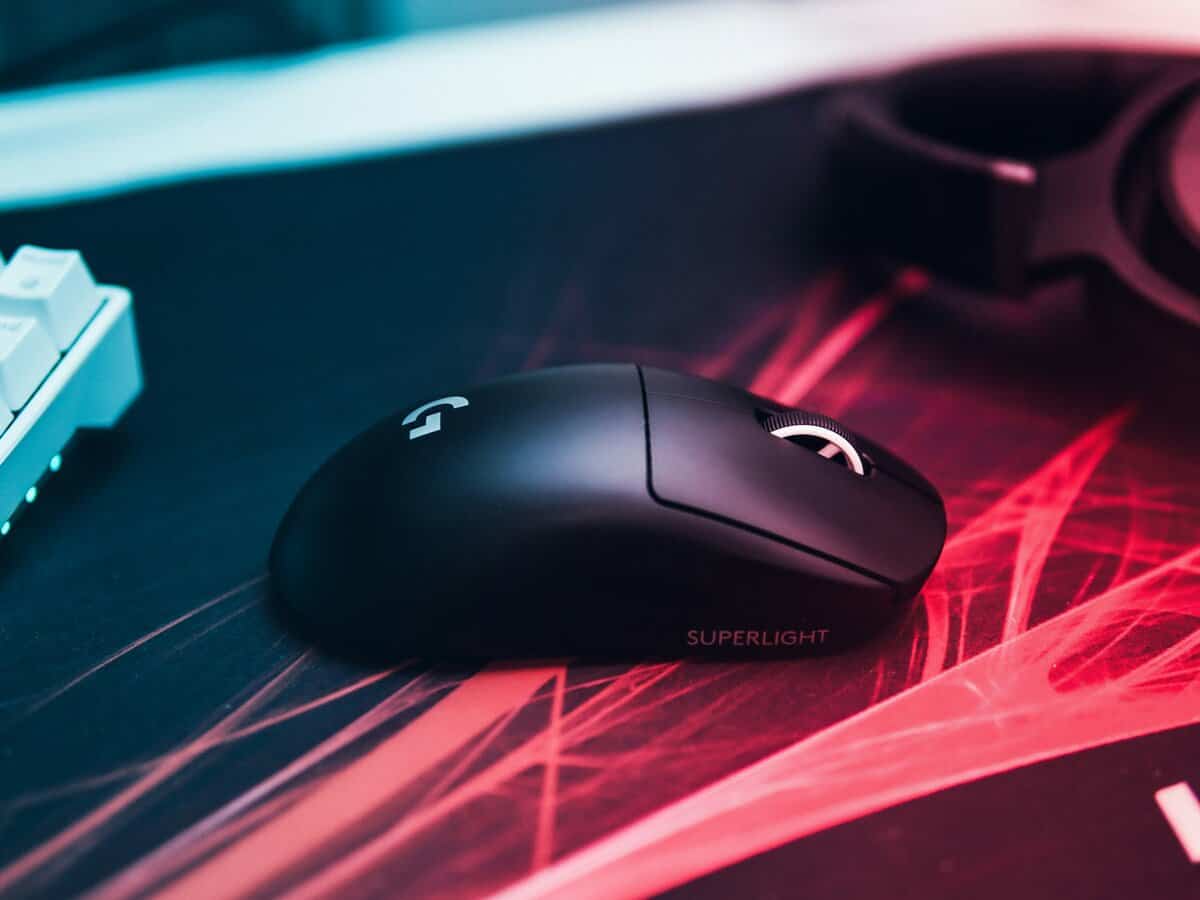
- The Logitech G305 delivers reliable wireless performance for CS2 at just ~$30, making it the best entry-budget option
- The Pulsar X2V3 Mini weighs only 52g with an XS-1 sensor, ideal for fast flick-heavy playstyles
- The Lamzu Atlantis offers a secure claw-grip shape with a PAW3395 sensor at ~$90 for competitive play
- For CS2, prioritize 1000Hz polling rate, a flawless sensor, and a weight under 80g over high DPI numbers
- Match your mouse to your grip style: palm for AWPing stability, claw for rifling versatility, fingertip for maximum flick speed
Table of Contents
- Reliable LIGHTSPEED wireless at ~$30
- 250-hour battery on a single AA
- HERO 12K sensor with flawless 1:1 tracking
- Heavier than modern ultralights at 99g
- Requires AA battery instead of rechargeable
- Older sensor compared to PAW3395 competitors
- Ultra-lightweight 52g for effortless flicks
- XS-1 sensor with 32K DPI and 8K polling support
- Symmetrical shape suits claw and fingertip grips
- Premium price at ~$100 for a budget guide
- Compact size may feel small for large hands
- No Bluetooth for casual use
- Unique shape designed for secure claw grip
- PAW3395 sensor matches $150+ mice
- Light 55g weight with solid build quality
- Shape may not suit non-claw grippers
- Limited colorway availability on Amazon
- No 4K or 8K polling on the base model
Finding Your Competitive Edge on a Budget
This guide is for budget-conscious gamers who want value, not just the cheapest option. Features once exclusive to premium models—flawless optical sensors, lightweight shells, and durable switches—are now standard on affordable mice. We’ll show you which specs directly impact performance in CS2, so you can make an informed decision.
Since Counter-Strike 2 launched, the market for budget gaming mice has expanded, with sales for FPS-focused mice increasing by 22%. The trend is a shift away from heavy mice towards lightweight models under 80 grams. Quality mice in the $40-$100 price range now include sensors reaching 18,000-26,000 DPI and responsive optical switches that rival more expensive gear. Even lifestyle tech sites are noting this trend, with outlets like Gravastar.com covering the topic.
Our recommendations focus on performance per dollar, helping you improve your gameplay without overspending.
What to Expect in This Guide
Instead of just listing products, this guide analyzes them from the perspective of a competitive CS2 player. We will cover top picks across different price tiers and use cases, whether you are an FPS gamer needing fast flicks or an MMO player requiring extra buttons. You won’t just learn what to buy, but why a product fits a specific need.
The objective is to find a mouse that feels like a natural extension of your arm. A good budget mouse delivers the precision and reliability you need to focus on crosshair placement and game sense, not on whether your gear will fail.
Here’s what we’ll cover to help you find the best budget mouse for CS2:
- Key Spec Analysis: We will dissect sensor performance, weight, shape, and switch types, explaining how each one directly impacts your aim in FPS games.
- Model Comparisons: A head-to-head breakdown of the best budget mice, comparing them for different price tiers and playstyles.
- Grip and Role Matching: Tailored recommendations for your specific grip (palm, claw, fingertip) and your in-game role, such as entry fragging or holding angles.
A capable mouse is a critical part of your setup, but its performance depends on the PC powering your game. If you’re also looking to benchmark your system, see our guide on the average FPS for a gaming PC.
What Specs Actually Matter for CS2 Performance
When searching for a budget mouse for CS2, it is easy to get lost in marketing hype and inflated specifications. In reality, only a few specs will actually help you track a target on Dust II or win a clutch duel on Mirage. Let’s identify what provides a real competitive edge.
The sensor is the core of your mouse, but an extremely high DPI is not necessary. The primary goal is flawless tracking—ensuring the sensor reads your movements accurately without spin-outs or stuttering. Most budget mice from reputable brands now use sensors that provide the 1:1 tracking required for FPS gaming.
Sensor and Switch Performance
DPI, or dots per inch, is one of the most over-marketed specs. The reality is that most professional CS2 players use a DPI between 400 and 1600. Any budget mouse offering a max DPI of 6,400 or higher provides more than enough range.
What is more critical is the polling rate, measured in Hertz (Hz). This determines how often the mouse reports its position to your PC. For a game as fast as CS2, 1000Hz is the standard. A lower rate can make your crosshair feel laggy, especially during fast flicks.
Your mouse clicks are registered by switches, and there are two main types:
- Mechanical Switches: The traditional standard. They provide a tactile click but can develop a “double-clicking” issue over time as physical parts wear out. They are common in budget mice and are perfectly serviceable for FPS gaming.
- Optical Switches: These use a light beam to register clicks, making them faster and more durable while eliminating the double-clicking issue. They are increasingly common on mid-tier budget models and are a significant advantage for longevity.
The core trade-off on a budget mouse is often an older—yet still excellent—sensor, or mechanical instead of optical switches. For most players, this has minimal impact on aim, as today’s budget sensors outperform top-tier models from just a few years ago. Good build quality is paramount; a solid, durable mouse will outlast a flimsy one with better specs on paper.
Weight and Shape Ergonomics
In a fast-paced FPS game like CS2, mouse weight is significant. Lighter mice, typically weighing under 80 grams, allow for faster reactions and reduce arm fatigue during long gaming sessions. This makes it easier to snap between targets and make micro-adjustments.
However, an ultralight mouse is not automatically the best choice. The shape of the mouse is equally critical and depends entirely on your hand size and grip style. A mouse with a top-tier sensor will still be a liability if its shape forces your hand into an unnatural position. The goal is to find a shape that feels like an extension of your arm. Build quality is also a factor; a well-constructed budget mouse will feel solid and creak-free, ensuring it holds up during intense gameplay.
Comparing the Best Budget Mice for CS2 in 2026
Let’s compare these mice based on their real-world performance. This analysis focuses on how click latency, sensor tracking, and weight feel when you are holding a site or controlling a spray.
We will examine three top value picks: the established Logitech G305, the claw-grip focused Lamzu Atlantis, and the lightweight Pulsar X2V3 Mini. Each represents a different approach to budget performance and comes with specific trade-offs.
2026 CS2 Budget Mouse Showdown
Here is a summary of the key specs for CS2. Use this table as a reference before we discuss the in-hand feel of each mouse.
| Model | Price Tier | Weight | Sensor | Best For Grip Style | Key Feature |
|---|---|---|---|---|---|
| Logitech G305 | Entry-Budget (~$30) | 99g (with AA) | HERO 12K | Fingertip / Claw | Reliable wireless performance |
| Pulsar X2V3 Mini | Mid-Budget (~$100) | 52g | XS-1 | Claw / Fingertip | Ultralight agility |
| Lamzu Atlantis | Mid-Budget (~$90) | 55g | PAW3395 | Claw / Palm | Unique, secure claw shape |
Specs on paper are only part of the story. The real test is how these mice translate numbers into in-game performance.
Analysis of the Top Contenders
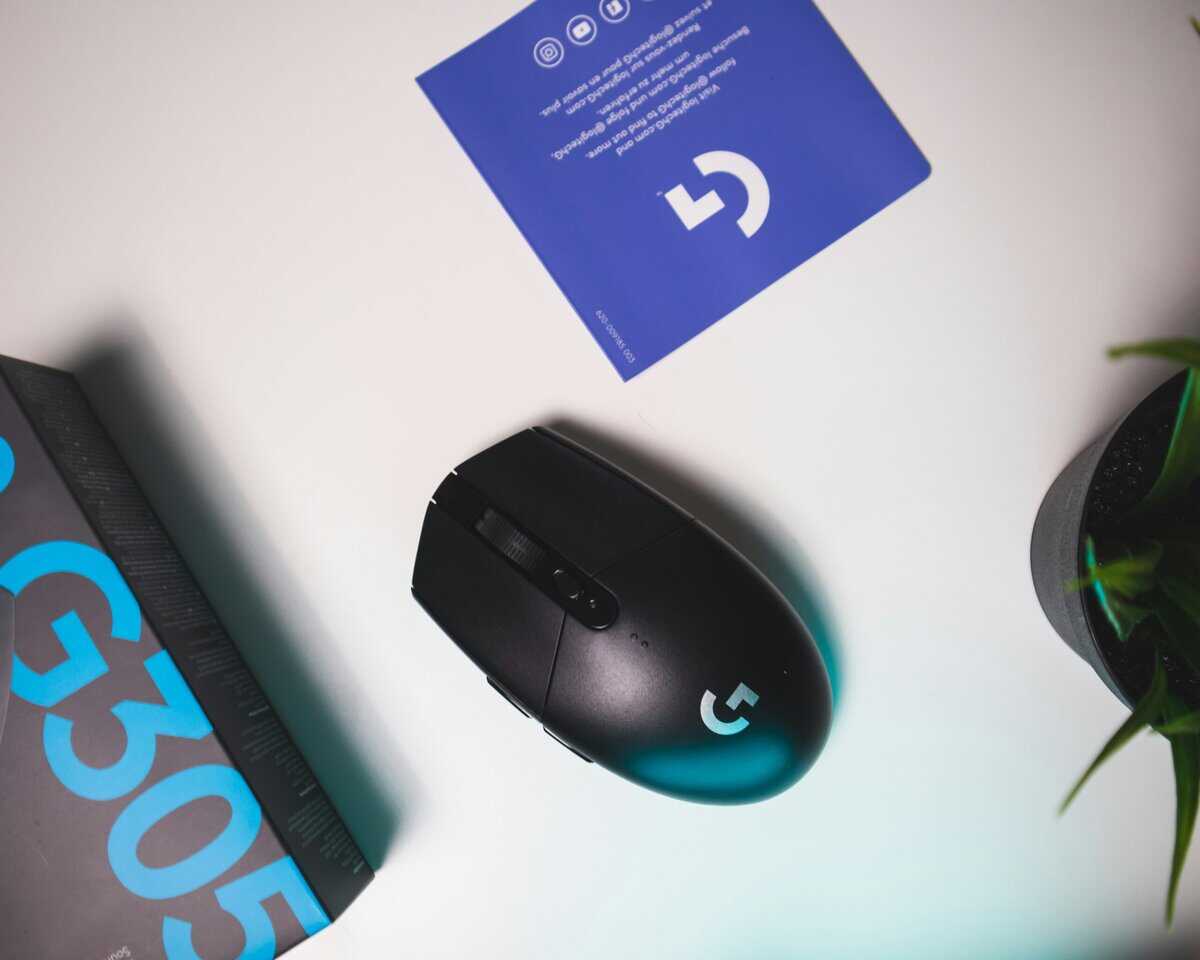
The Logitech G305 is a long-standing choice for entry-level wireless gaming. Its HERO sensor, while not the newest, provides the pixel-perfect 1:1 tracking essential for CS2. You will not miss a shot due to sensor performance. The primary trade-off is its weight. At 99 grams with a standard AA battery, it is heavier than modern ultralights. However, using a AAA lithium battery and an adapter can reduce the weight to a more competitive ~80 grams. Its small, symmetrical shape is well-suited for fingertip and small-handed claw grippers but may feel cramped for large hands. For under $50, the G305’s build quality and wireless freedom offer excellent value.
The Lamzu Atlantis is a different type of mouse. It includes a modern PAW3395 sensor—the same found in more expensive models—so tracking is flawless. At just 55 grams, it feels nimble, making large spray transfers and 180-degree flicks feel effortless.
The most polarizing feature of the Atlantis is its shape. The aggressive side curves are designed specifically for claw grip, offering a locked-in feel. However, this design makes it a poor fit for palm or pure fingertip grippers. Its build quality is solid, with no creaking.
If you are a dedicated claw gripper, the Atlantis may feel custom-made for you. Otherwise, it is likely a poor choice.
The Pulsar X2V3 Mini also uses the top-tier XS-1 sensor but weighs only 52 grams, making it ideal for FPS gamers who rely on quick reactions. Its symmetrical shape is safer than the Atlantis, suiting a wide range of claw and fingertip grips. The build quality is solid for its weight, with no creaks or flex, ensuring durability. The optical switches provide light, spammable clicks suitable for tapping or spraying. The main downside is the price, which is at the high end of the budget category. It is a good option for streamers who need a single mouse for both gaming and productivity.
Many pros use more affordable gear like the BenQ EC2-C and SteelSeries Aerox 3, proving you don’t need the most expensive equipment to compete. A look at pro gear analysis sites shows that player preference for shape and weight often outweighs the need for the priciest mouse.
How to Match a Mouse to Your Grip and Role
The best sensor is useless if the mouse feels uncomfortable in your hand. Finding a mouse that fits your natural grip and in-game role is a direct performance upgrade.
There are three main grip styles, and each benefits from a different shape and weight. Identifying your grip is the first step toward finding a mouse that improves your aim.
- Palm Grip: Your entire palm rests on the mouse. This provides stability for smooth, sweeping aim, making it suitable for AWPers who need steady tracking.
- Claw Grip: Your palm rests on the back, but your fingers are arched. This offers a balance of stability from your palm and quick micro-adjustments from your fingertips, making it a versatile grip for riflers.
- Fingertip Grip: Only your fingertips touch the mouse, with your palm floating above the pad. This allows for maximum speed for fast flicks but is the least stable grip.
Pairing Your Grip with the Right Mouse
The shape and size of a mouse determine how well it works for you. An ergonomic mouse with a high profile is often ideal for palm grippers, as it fills the hand and provides relaxed control. This shape is useful for support players or AWPers in FPS games.
Conversely, a symmetrical, lower-profile mouse is often the best gaming mouse under $50 for claw and fingertip players. These shapes allow for more vertical finger movement, which is important for controlling recoil and making quick adjustments. Build quality is critical here; a solid, creak-free body ensures your grip feels secure during intense moments.
An AWPer holding an angle on Inferno’s B site may need the stability of a medium-weight, ergonomic mouse. In contrast, an entry fragger clearing Banana needs an ultralight, symmetrical shape for rapid flicks to check multiple corners. Your role dictates your movement, and your mouse must accommodate it.
Matching Shape and Role
Let’s apply this to our recommended mice. The Lamzu Atlantis, with its aggressive side curves, is built for claw grip. It forces the hand into a specific position, offering enhanced control for players who use that style but feeling awkward for others. It is a good match for an aggressive rifler who relies on spray control.
Meanwhile, the Logitech G305‘s small, ambidextrous shape has a following among fingertip and small-handed claw grippers. It allows for fine finger movements without locking you into a specific hold. This versatility makes it a solid choice for players who flex between different roles. For MMO players, its six programmable buttons offer a balance between FPS performance and utility.
Ultimately, choosing a mouse is a personal decision. Pay attention to how you hold your current mouse and consider your primary role in-game. This self-assessment will guide you toward a shape that complements your playstyle.
Calibrating Your New Mouse for Peak CS2 Performance
Once you have your new mouse, take ten minutes to configure your settings. This step can turn a good purchase into a great one by translating hardware into consistent aim.
First, open your mouse’s software. Locate two critical settings: DPI and polling rate. Set the polling rate to 1000Hz; anything less will feel unresponsive in CS2. Set your DPI to 800 as a starting point.
Finding Your Perfect Sensitivity
Your goal is to determine your eDPI (effective Dots Per Inch), which is your mouse DPI multiplied by your in-game sensitivity. This is the number that matters for muscle memory. Most competitive CS2 players use an eDPI between 600 and 1200. A lower number provides more control for precise adjustments.
Here is a practical method to find your optimal sensitivity:
- Set your in-game sensitivity so your eDPI is around 800. If your mouse is at 800 DPI, this means an in-game sensitivity of 1.0.
- Go into an aim map or the practice range.
- Place your crosshair on a fixed point on a wall. Strafe left and right, keeping your crosshair locked on that spot by only moving your mouse.
- If your crosshair moves past the point, your sensitivity is too high. If it lags behind, it is too low. Adjust in small increments until your aim feels steady.
One setting is non-negotiable: turn off mouse acceleration. In Windows, go to your mouse settings and uncheck “Enhance pointer precision.” This feature alters cursor speed based on how fast you move the mouse, which disrupts the muscle memory needed for consistent flick shots.
The Unsung Hero: A Good Mousepad
Even the best budget mouse for CS2 is hindered by a poor surface. A quality mousepad provides the smooth, predictable friction your sensor needs for flawless tracking. If your aim skips or feels inconsistent, a worn-out pad is often the cause.
A large mousepad allows you to use low sensitivity without running out of space during a wide 180-degree flick. For a detailed guide on selecting a surface that complements your mouse, see our article on choosing the right gaming mouse pad. It is one of the most cost-effective upgrades you can make.
Once your hardware is dialed in, personalizing your in-game loadout adds another layer to the CS2 experience. GatherSkins lets you earn free CS2 skins by completing simple tasks, so you can customize your loadout without spending extra.
Answering Your Questions About Budget CS2 Mice
Even after narrowing down your choices, some questions can make the final decision difficult. Let’s address common concerns about buying a budget mouse for competitive play.
Is a Wireless Mouse Worth It on a Budget for CS2?
Yes. The notion that “budget wireless” means lag is outdated. Modern 2.4GHz wireless technology is so reliable that there is no perceptible difference in responsiveness between a good wireless mouse and its wired counterpart. All three mice in this guide use wireless connectivity that performs identically to wired in competitive play. The key is to look for 2.4GHz wireless, not just Bluetooth, as Bluetooth has higher latency.
How Much DPI Do I Actually Need for CS2?
Most competitive CS2 players use a DPI between 400 and 1600. A mouse with a max DPI of 6,400 or higher provides more than enough range. What matters far more is the sensor quality — you want flawless 1:1 tracking without acceleration or smoothing. Any mouse with a modern sensor like the HERO 12K, PAW3395, or XS-1 delivers this. Don’t pay extra for a higher DPI number you’ll never use.
How Long Should a Good Budget Gaming Mouse Last?
A well-built mouse from a reputable brand can be expected to last 2-4 years of consistent use. The first components to fail are typically the mechanical switches or the mouse feet, which wear down from friction. A click rating of 20 million is a solid baseline for durability. Mice with optical switches use light to register clicks instead of physical contacts, so they are immune to the double-clicking issues that affect mechanical switches.
While a great budget mouse can improve your gameplay, remember that long hours of gaming can strain your eyes. To protect your vision, consider tips from guides on eye care for gamers, such as those discussing blue light glasses for gamers. Health is as important as hardware.
At Budget Loadout, we’re dedicated to helping you find high-performance gaming and streaming gear that delivers real value. Explore our guides to build a top-tier setup without the top-tier price tag at BudgetLoadout.com.
Related Articles