Finding the best budget keyboard for gaming isn’t about snagging the absolute cheapest option. It’s about getting the most performance and durability for your money—a keyboard with sturdy build quality, essential features like anti-ghosting, and reliable switches that offer a tangible competitive edge.

- Budget gaming keyboards under $40 now include real mechanical switches from brands like Outemu and Huano that rival pricier options in feel
- Membrane keyboards still make sense under $25 for quiet gaming — high-quality membrane boards offer a soft, cushioned keypress without the click noise
- Anti-ghosting and N-key rollover are standard even at this price, ensuring every keypress registers during intense gaming moments
- A TKL or compact layout saves money and desk space while keeping all the keys you actually use during gaming
Table of Contents
What Defines a High-Value Budget Gaming Keyboard
A true high-value gaming keyboard delivers benefits that actually improve gameplay, not just flashy lights. Think of it as an investment in a durable tool built for the demands of gaming. To make a smart choice, you have to understand the trade-offs at different price points and focus on the features that directly impact performance.
This means prioritizing a rigid frame over complex RGB effects and focusing on switch feel over unnecessary software. For instance, a keyboard with a metal top plate will feel far more robust during an intense FPS match than a flimsy, all-plastic model, even if the plastic one has more lighting modes.
Understanding Price Tiers and Realistic Expectations
Budget keyboards are not all created equal. The features and build quality you get depend entirely on how much you’re willing to spend. Understanding these tiers helps you align expectations with your budget so you don’t end up with a disappointing product.
A common mistake is buying a keyboard just because the box says “mechanical” while ignoring its construction. A good membrane keyboard can easily outperform and outlast a poorly made mechanical one with inconsistent switches and a flexible plastic body.
The market generally breaks down into a few key price segments, each with its own set of trade-offs. Knowing what to expect in each bracket is the key to finding the best value for your setup.
To make this clear, let’s break down what your money gets you at each level.
Budget Gaming Keyboard Tiers Explained
| Price Tier | Typical Features | Best For | Common Tradeoffs |
|---|---|---|---|
| Under $30 | Basic membrane switches, plastic build, simple backlighting | Casual gaming, entry-level setups | Mushy key feel, significant deck flex, limited durability |
| $30 – $50 | Entry-level mechanical switches, hybrid builds (metal plate), basic RGB | FPS, MMOs, new gamers | Inconsistent switch quality, basic ABS keycaps |
| $50 – $75 | Reputable mechanical switches, more durable keycaps (PBT) | Competitive gaming, streaming | Fewer premium features like dedicated media keys |
As you can see, moving from the sub-$30 tier to the $30-$50 range is a significant leap in performance, introducing true mechanical switches. Pushing into the $50-$75 bracket refines that experience with better materials and more reliable components.
Mechanical Vs. Membrane Switches: The Budget Dilemma
This is the single most important decision for a budget gaming keyboard. The common wisdom is that “mechanical is always better,” but when hunting for value, the reality is more nuanced. A poorly built mechanical keyboard is a worse investment than a high-quality membrane board.
Mechanical switches have an edge in speed, tactile feedback, and durability, which is why they dominate the competitive scene. Each key sits on its own spring-loaded switch, giving you a consistent press that registers actions with speed and accuracy. That precision is critical in fast-paced games.
But that performance comes at a cost. Those individual components make mechanical keyboards more expensive to produce. On a tight budget, manufacturers often cut corners on the frame, keycaps, or switch consistency—negating the benefits you were paying for.
The Case For High-Quality Membrane Keyboards
This is where premium membrane keyboards enter the conversation. Instead of individual switches, they use a single rubber dome sheet under the keys. While traditionally dismissed as “mushy,” modern gaming-focused membrane boards have improved, with designs that offer a more responsive feel, often marketed as “mecha-membrane.”
Their biggest advantages are cost-effectiveness and practical durability. They are cheaper to make, which lets reputable brands invest in a sturdier chassis and better keycaps while keeping the price low. Plus, their sealed design makes them highly resistant to spills—a useful feature for any gamer.
Membrane keyboards continue to grow in popularity because they offer spill-proof reliability for under $50. This makes them a practical pick for the majority of gamers who stick with wired keyboards for pure value.
The critical takeaway is this: a well-built membrane board from a trusted brand will often provide a better overall gaming experience than a bargain-bin mechanical keyboard riddled with compromises. Don’t let the “mechanical” label alone guide your purchase.
Matching Switches To Your Games
The right choice ultimately comes down to what you play. Different switch types excel in different genres, and understanding that relationship is key to making a smart decision.
Here’s a quick look at how switch types align with popular game genres:
FPS Gaming (e.g., Valorant, Apex Legends): Linear mechanical switches are the standard. Their smooth, uninterrupted travel is ideal for rapid, repeated key presses, which is essential for fast movement and actions. A quality membrane board is functional, but the raw speed of linears offers a clear competitive edge.
MMO & Strategy Games (e.g., World of Warcraft, League of Legends): Tactile mechanical switches are a good fit here. The noticeable bump during the keypress gives you confident feedback that an ability has been activated, without needing to bottom out the key. This helps prevent accidental presses during complex ability rotations.
Streaming & Content Creation: Quietness becomes a major factor. Silent linear switches or a high-end membrane keyboard are excellent options to prevent loud keyboard clatter from being picked up by your microphone, ensuring cleaner audio for your audience.
Build Quality and Form Factor: What Actually Matters
A keyboard’s longevity and in-game feel come down to its construction, not its marketing slogans. When you’re hunting for the best budget keyboard for gaming, look past the RGB and focus on the materials that define its durability and performance. Many cheap boards are made entirely of plastic, which often leads to noticeable deck flex—a flimsy bending of the frame during intense gaming.
This flex creates an inconsistent feel and can interfere with key presses. A smarter budget option will almost always feature a metal top plate (usually aluminum) mounted on a plastic base. This hybrid design adds significant rigidity, eliminates flex, and makes the keyboard feel more substantial.
Keycaps: The Durability Difference You Can Feel
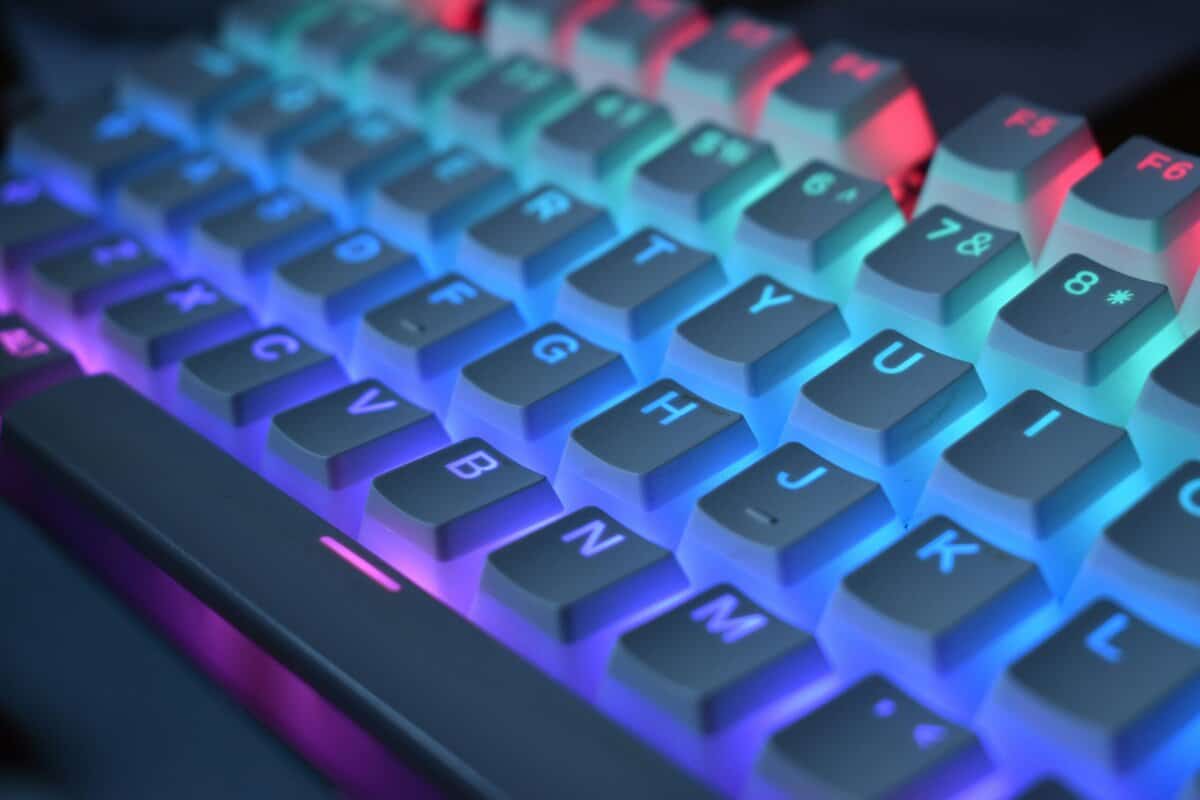
Beyond the frame, the keycaps themselves are a large part of your long-term satisfaction. The cheapest keyboards use thin ABS plastic with painted letters. These are known for developing a greasy shine, and the letters can wear off, making WASD keys look worn out in months.
A small step up in price can get you much better materials. Keep an eye out for one of two things:
Double-shot ABS: This process molds two separate pieces of plastic together—one for the cap, one for the letter. Since the legend is a physical part of the keycap, it will not fade.
PBT Keycaps: PBT is a denser, more durable plastic that naturally resists oils from your fingertips. PBT caps keep their textured finish and won’t develop an unappealing shine over time.
Here’s the trade-off on a budget: you can have a sturdy frame or durable keycaps, but it’s rare to get both for under $50. I recommend prioritizing the metal top plate for a better in-game feel. You can always upgrade the keycaps later.
Choosing a Form Factor for Your Games
The size of your keyboard, or its form factor, is a strategic choice that directly impacts gameplay and desk space. Going smaller isn’t just about aesthetics; it can provide a competitive edge, especially in FPS games.
Here’s how the common layouts stack up for gamers:
Full-Size (100%): The classic layout with a number pad. It’s useful for productivity or for players who need tons of extra keybinds for MMOs, but its large footprint cramps mouse movement.
Tenkeyless (TKL): This layout removes the number pad, freeing up significant desk real estate. It’s a functional middle ground for FPS gamers who still want dedicated function and arrow keys.
65% / 60%: These ultra-compact designs ditch the function row and nav cluster to maximize space for large mouse sweeps. If a minimalist setup is your goal, you can learn more about the trade-offs by reading about the benefits of a 60% keyboard. This size is ideal for dedicated FPS players, but it requires getting used to function layers for the missing keys.
Essential Gaming Features Vs Unnecessary Gimmicks
Budget keyboards are a minefield of features. Brands pack them with flashy tech, but only a handful provide a real competitive edge. The goal is to separate the essential tech from the marketing fluff and prioritize features that directly impact performance.
Two technologies are non-negotiable: N-key rollover (NKRO) and anti-ghosting. Together, they guarantee every key you press gets registered, no matter how chaotic the action gets. In a frantic firefight or a complex MMO rotation, a missed input can cause you to lose. Any keyboard you seriously consider must have this foundation.
Beyond that, the value of other features depends on you—your habits, your setup, and the games you play.
What to Prioritize and What to Ignore
Not all features are created equal, and some add unnecessary cost. For example, a standard 1000Hz polling rate is perfectly sufficient. This means the keyboard reports to your PC 1000 times per second, which is already faster than humanly perceptible. Some budget boards advertise 4000Hz or 8000Hz, but the real-world benefit for most players is negligible. It’s not worth paying extra for.
A common mistake is overpaying for features you will never use. Before you spend extra on dedicated macro keys, ask yourself if you play MMOs or MOBAs that benefit from them. If you’re a dedicated FPS player, that money is better spent on a more rigid frame or better switches.
Customizable RGB lighting is another feature that walks the line between a useful tool and a gimmick. While rainbow effects look good, the real value is in practical application. An MMO player might program keys to flash when a cooldown is ready. A streamer can use it to add a professional touch to their camera shot. If you just need to see keys in the dark, save money with a simple single-color backlight.
This value-first mindset is more critical than ever. The budget keyboard market under $50 continues to expand rapidly. This growth is fueled by entry-level keyboards packing genuinely competitive features, letting new gamers build effective setups without overspending. For a closer look at this trend, you can discover more insights about the gaming keyboard market.
Ultimately, your money should go toward things you can feel. To help you make those calls, let’s break down which features move the needle.
Feature Value Matrix for Budget Gamers
Sorting through spec sheets can be tedious. This table cuts through the noise, giving you a practical breakdown of common keyboard features, their actual impact on your game, and whether they’re worth the extra cost for a budget-conscious gamer.
| Feature | Gaming Impact (High/Medium/Low) | Worth the Extra Cost? | Best Use Case |
|---|---|---|---|
| N-Key Rollover | High | Absolutely | All competitive gaming genres |
| Dedicated Macro Keys | Medium | Only for specific genres | MMO/MOBA players who need complex keybinds |
| Customizable RGB | Low-Medium | If you have a specific use | Streamers, MMO players tracking cooldowns |
| Media Keys/Volume Wheel | Low | No, unless it’s a bonus | General convenience, streaming |
| Detachable Cable | Medium | Yes | Portability and easy replacement |
This isn’t about finding a keyboard that has everything. It’s about finding one that has everything you need and skips the rest, putting your money where it will have the biggest impact on your gameplay.
How to Match Your Keyboard to Your Primary Games
The “best” budget keyboard isn’t one-size-fits-all; it’s the right tool for the job. The games you play should dictate which features give you a real edge and which are just noise. If you align your keyboard with how you play, every dollar spent will translate directly into better performance.
A competitive FPS player and a dedicated MMO strategist need completely different things. One needs raw speed and maximum desk space for their mouse, while the other thrives on complex commands and the certainty of a tactile keypress. Getting this wrong leads to buying a keyboard that actively works against you.
For the Competitive FPS Player
If you play games like Valorant or Apex Legends, your priorities are simple: speed and space. A Tenkeyless (TKL) or 65% form factor is a massive advantage, clearing up desk space for large, low-sensitivity mouse swipes that win gunfights.
Pair that smaller layout with linear mechanical switches. Their smooth press is ideal for rapid strafing and double-tapping keys without any tactile bump getting in the way. The trade-off is ditching the number pad for a direct performance gain in your aim.
A TKL layout is often the most practical choice. It gives you the critical mouse space for FPS gameplay but keeps the dedicated arrow and function keys, so you don’t have the steep learning curve of an ultra-compact 60% board. It’s a functional compromise that enhances gameplay without ruining the keyboard for everyday use.
For the MMO or MOBA Strategist
Players of World of Warcraft or League of Legends manage complex ability rotations where every keypress must be deliberate. For this use case, the most important features are entirely different.
Look for keyboards with programmable macro keys, which let you bind intricate command sequences to a single button press. Tactile switches are also helpful, giving you a noticeable “bump” that confirms an ability has been triggered without having to bottom out the key. That deliberate feedback can prevent costly misclicks during a chaotic team fight.
For the Streamer and Versatile Gamer
When you stream, your keyboard is part of the broadcast. Aesthetics and noise levels become major factors.
A board with quiet linear or tactile switches, or a high-quality membrane model, is essential to minimize the clatter your microphone will pick up. Durable PBT or double-shot keycaps are also a smart move, as they’ll resist the greasy shine that comes from hours of use.
If your gaming rig is also your work-from-home setup, finding a good balance is key. A TKL keyboard with tactile switches often hits that sweet spot, offering a satisfying typing experience for productivity while being responsive enough for gaming.
A great keyboard is just one piece of the puzzle. For more ideas on rounding out your setup without overspending, check out our guide on the best gaming mouse under $50. And if you’re looking to capture and share your gameplay, choosing the right tools is critical. Beyond your keyboard and mouse, consider exploring the best video editing software for gaming.
Making a Confident Purchase and Final Setup
You have the knowledge. Now it’s time to make a purchase with confidence. The best budget keyboard for you is the one that fits your playstyle and priorities—not just the one with the longest feature list. Before you buy, run through one last mental checklist.
Dig into user reviews, but be strategic. If you’re a competitive FPS player, filter out the noise and look for feedback specifically on switch responsiveness and whether the keyboard flexes under pressure. Never overlook the warranty. A one-year warranty is the bare minimum; it’s a signal that the manufacturer has some faith in the keyboard’s durability.
Why Wired Is Still the Smart Choice
For anyone building a loadout on a budget, a wired connection is the most practical and reliable option. It’s not just about saving money. Wired models still dominate the gaming keyboard market for one simple reason: they deliver near-zero latency without the high cost of performance-grade wireless tech.
Choosing a wired keyboard on a budget means the manufacturer could invest that money into a sturdier frame or better keycaps instead of expensive wireless components. It’s a direct trade-off for better build quality.
Initial Setup and Long-Term Care
Once your new keyboard arrives, a few simple steps will ensure it performs well for years. First, decide if you need the manufacturer’s software. If you aren’t planning on creating complex macros or custom RGB light shows, you can often skip it and avoid another process running in the background.
When it comes to maintenance, keep it simple.
Regular Cleaning: Once a month, unplug the board, flip it upside down, and gently shake out any debris. A soft brush or a can of compressed air is useful for clearing out what’s left between the keys.
Wipe Downs: For smudges, use a slightly damp microfiber cloth on the keycaps and frame. Never spray liquid directly onto the keyboard.
This basic upkeep takes a few minutes but prevents sticky keys and keeps your investment feeling reliable through countless gaming sessions.
Our Choice
The Redragon K552 Kumara (~$35) is hard to beat in the $30-50 tier. It has a metal top plate for rigidity, Outemu mechanical switches (available in Red or Blue), and a TKL layout that frees up desk space for your mouse. It skips the fancy RGB software and unnecessary features, putting the money where it matters: build quality and switch feel. It’s been a go-to budget pick for years because it just works.
Got Questions? We’ve Got Answers
Stepping into the world of budget keyboards can bring up a lot of questions. Let’s tackle some of the most common ones that come up when you’re trying to finalize your choice.
How Long Should a Good Budget Gaming Keyboard Last?
A well-chosen budget keyboard should give you 2-3 years of solid gaming. The deciding factors are build quality and switch type. Look for models with a metal top plate for rigidity and durable keycaps like PBT or double-shot ABS that won’t wear down.
While a decent mechanical switch is rated for millions of clicks, a high-end membrane board can be just as durable and often handles spills much better—a practical feature for any gamer’s desk.
Is a Mechanical Keyboard Under 50 Dollars Worth It?
Yes, but you have to be selective. Some brands offer genuinely solid mechanical options in this price range. The key is to look past the “mechanical” label and evaluate the overall build quality.
Don’t buy it just because it says ‘mechanical.’ A top-tier membrane keyboard from a reputable brand can offer a more reliable and consistent experience than a budget mechanical board with a flimsy frame and inconsistent switches.
Do I Need Special Software for a Budget Keyboard?
Usually, no. Most budget gaming keyboards are plug-and-play and work for essential functions right out of the box. You only need the manufacturer’s software if you want to unlock advanced features.
If you don’t care about that level of tweaking, you can often skip the software. Some keyboards even let you control basic lighting and record simple macros using onboard function keys, no install required.
For more direct, value-focused recommendations on gaming and streaming gear, visit Budget Loadout. We cut through the hype to help you build a high-performance setup without breaking the bank. Find your next upgrade at https://budgetloadout.com.
Related Articles