For gamers on a budget, the best Bluetooth mouse delivers reliable performance without a huge price tag. While hybrid models like the Logitech G305 offer both Bluetooth and a 2.4GHz dongle, a dedicated modern Bluetooth mouse strikes a compelling balance of freedom, battery life, and responsiveness for most gaming scenarios. This guide will recommend specific products for different gaming needs, focusing on performance and build quality.
- Modern Bluetooth 5.0 mice are fast enough for all but professional tournament-level FPS gaming
- Budget Bluetooth mice under $50 now offer flagship-tier sensors, dual-mode wireless, and 900+ hour battery life
- Optical sensors are the non-negotiable standard for gaming — avoid laser sensors
- Most gamers play best between 400-1,600 DPI; ignore inflated max-DPI marketing numbers
- Match your mouse shape to your grip style (palm, claw, or fingertip) for both comfort and performance
Table of Contents
- Ultra-light 60g design perfect for claw and fingertip grips
- Dual wireless — 2.4GHz dongle for FPS, Bluetooth for casual
- Up to 950 hours battery on a single AA/AAA
- 18,000 DPI Razer 5G optical sensor
- Too small for large hands or palm grip users
- No RGB lighting
- Ambidextrous design works for any hand or grip style
- Legendary HERO sensor with precise, consistent tracking
- Up to 9 months battery life on a single AA
- Famously durable and reliable build
- Heavier at 99g with battery
- Basic, no-frills design
- Ergonomic right-hand shape with thumb rest for marathon sessions
- 9 programmable buttons ideal for MMO/RPG macros
- 535 hours Bluetooth battery plus Chroma RGB
- Gen-2 mechanical switches rated for 60 million clicks
- Heaviest option at 110g — sluggish for fast FPS flicks
- Right-hand only — no left-hand option
Are Bluetooth Mice Good Enough for Gaming Now?
Let’s be direct: the old myth that Bluetooth is useless for gaming is outdated. That perception of laggy, unresponsive performance comes from older tech that couldn’t keep up. Modern advancements, especially with Bluetooth 5.0 and newer standards, have dramatically closed the performance gap between Bluetooth and dedicated 2.4GHz wireless.
This shift is a significant benefit for gamers who want a clean, versatile setup without a major performance sacrifice. A single Bluetooth mouse can easily switch between your gaming rig, a laptop, and even a tablet—a level of convenience that 2.4GHz wireless dongles cannot match.
The Trade-Offs You Should Know
It’s important to be honest about the trade-offs. An elite, professional FPS player competing in a tournament will still use a wired or dedicated 2.4GHz wireless connection for the absolute lowest possible latency. In that high-stakes environment, every millisecond counts.
For the vast majority of gamers, however, this difference is negligible. If you’re playing MMOs, strategy games, single-player RPGs, or even casually streaming, a quality Bluetooth mouse offers more than enough responsiveness for a competitive and enjoyable experience.
What This Means for Budget Gamers
Competition in the wireless mouse space has never been higher, and budget gamers are reaping the benefits. More brands are fighting for the same customers, which means better sensors, longer battery life, and dual-mode connectivity are showing up in mice that cost well under $50. Features that used to be reserved for flagship models are now standard in the budget tier.
This intense competition means more feature-packed and affordable options are constantly hitting the market. We’re now seeing models that offer over 12 months of battery life from a single battery. This growth ensures that finding a capable Bluetooth mouse for your gaming needs won’t break the bank.
Ultimately, modern Bluetooth has been reframed as a practical, value-driven choice for today’s gaming setups. It’s no longer the compromise it once was, but a legitimate option for gamers who prioritize a clean desk and multi-device flexibility without sacrificing core performance.
Our Top Bluetooth Gaming Mouse Recommendations
Finding the right Bluetooth mouse is a balancing act between performance, build quality, and price. After sifting through the options, we’ve landed on three standout models that deliver solid value for different types of players. These picks are based on real-world performance tests, durable construction, and specific gaming use cases.
The gaming peripheral market is packed with options right now, and that competition is a huge win for budget-conscious gamers. Brands are cramming more performance into their lower-priced gear than ever before. Hybrid mice with extended battery life and high-precision sensors for under $50 are common now, and the gap between budget and premium keeps shrinking.
To help you see how our top picks stack up, here’s a quick side-by-side comparison of their key specs.
At a Glance: Our Top Bluetooth Gaming Mouse Picks
| Model | Sensor | DPI Range | Battery Life (Bluetooth) | Best For | Weight |
|---|---|---|---|---|---|
| Razer Orochi V2 | Razer 5G Optical | Up to 18,000 | Up to 950 hours | FPS Gaming, Small-to-medium hands | 60g (without battery) |
| Logitech G305 | Logitech HERO | 200 – 12,000 | Up to 9 months | All-Around Use, Ambidextrous Design | 99g (with AA battery) |
| Razer Basilisk V3 X HyperSpeed | Razer 5G Optical | Up to 18,000 | Up to 535 hours | MMO/RPG, Ergonomic Comfort | 110g (without battery) |
Each of these mice brings something different to the table, so let’s dive into what makes each one a strong choice for specific gamers.
Best Overall Value: Razer Orochi V2
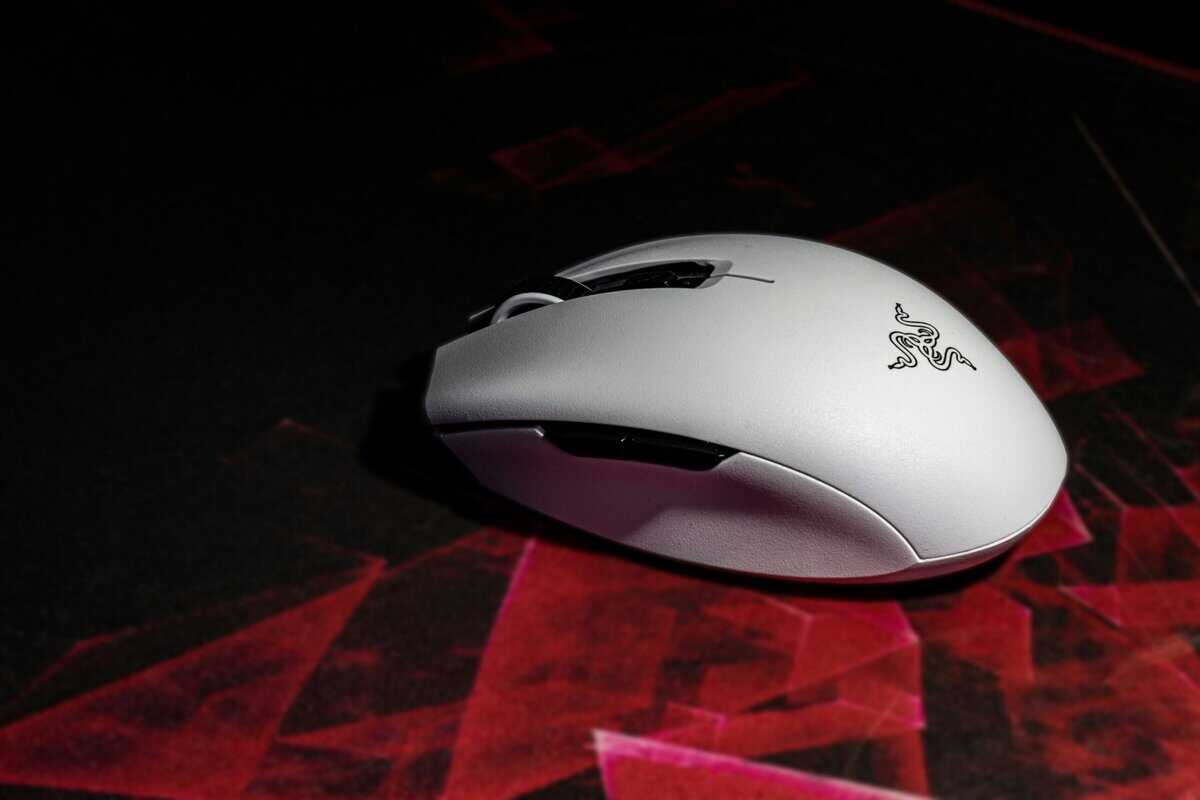
The Razer Orochi V2 is our top pick because it packs a potent blend of features into a compact and relatively affordable package. It nails dual wireless connectivity: use the low-latency 2.4GHz dongle for intense FPS gaming, then switch to Bluetooth for productivity or more casual games. Its main draw is the small, egg-like shape that is ideal for claw and fingertip grips.
The build quality is solid for its price point, with a durable plastic shell that doesn’t feel cheap or creaky under pressure. The mechanical switches provide satisfying clicks. Battery life is another major selling point—it can last for hundreds of hours on a single AA or AAA battery.
The key trade-off with the Orochi V2 is its size. Gamers with large hands who prefer a palm grip will find it uncomfortable for long sessions. But for anyone with small to medium hands, it’s a versatile and powerful option that’s tough to beat for the price.
Superior Ambidextrous Design: Logitech G305 Lightspeed
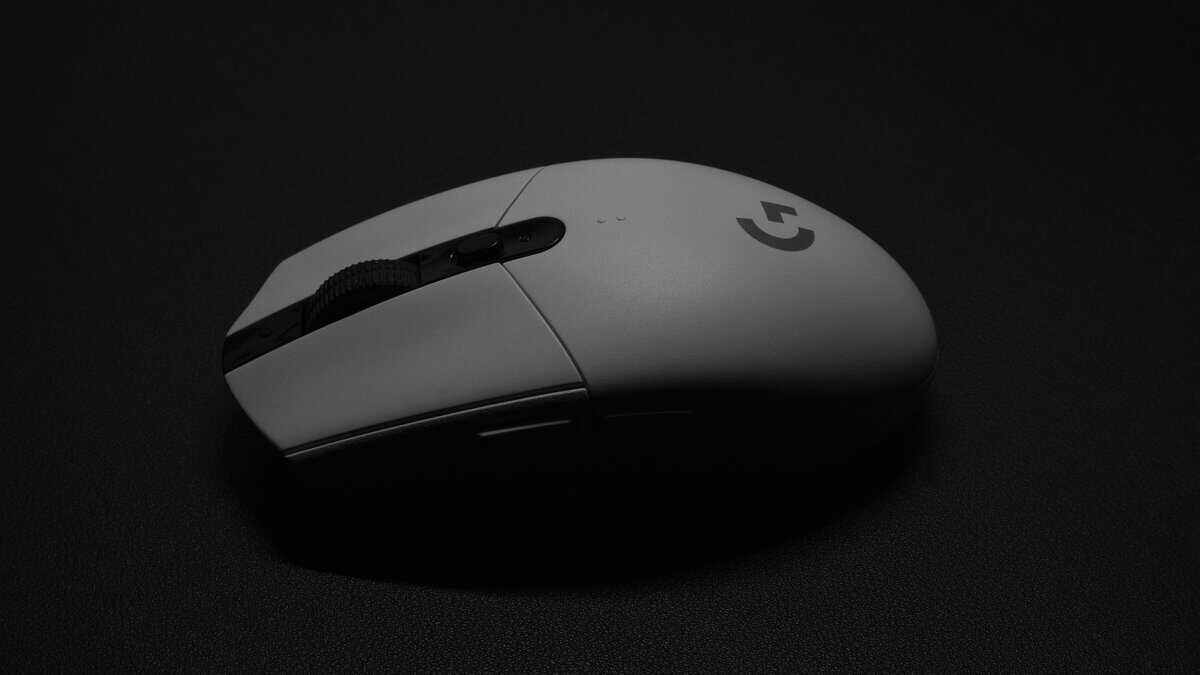
While famous for its 2.4GHz Lightspeed connection, the G305 is often available with Bluetooth and remains a benchmark for value. Its classic, symmetrical shape has been a favorite for years, making it an ideal choice for both left- and right-handed gamers. The Logitech HERO sensor provides the accurate, consistent tracking that’s crucial for FPS and MMO gaming.
Its build is straightforward and famously reliable, known for holding up to years of use. The plastic is thick and the construction feels robust. For gamers who want a no-frills, dependable mouse that just works for any grip style, the G305 is a hard-to-beat standard. If you’re exploring options in this price range, check out our guide on the best gaming mice under $50 for more comparisons.
Best Ergonomic Shape: Razer Basilisk V3 X Hyperspeed
For gamers who put comfort first during long sessions, the Razer Basilisk V3 X HyperSpeed is a clear winner. Its right-handed ergonomic design features a prominent thumb rest, giving excellent support for palm grip users. This makes it a great choice for marathon MMO raids or hours of streaming and content creation. The 9 programmable controls give you quick access to abilities and macros without reaching for the keyboard, and the Gen-2 mechanical switches are rated for 60 million clicks.
The trade-off is weight. At 110g, it is the heaviest mouse on this list by a wide margin. That added heft provides stability for menu-heavy games and general browsing, but it will feel sluggish if you try to use it for quick flick shots in competitive shooters. Battery life is excellent at up to 535 hours on Bluetooth and 285 hours on HyperSpeed, so you can go weeks between swapping batteries. It also adds Chroma RGB lighting, which the older Basilisk X lacked, though RGB will drain the battery faster.
The Specs That Matter (and the Ones That Don’t)
To find a great Bluetooth gaming mouse, you must look past marketing hype and focus on the technical details that actually affect how it performs in-game. Getting a handle on these specs is the key to finding a responsive, accurate mouse instead of just one with a big number on the box.
Sensor Type: Optical vs. Laser
The sensor is the heart of your mouse, and for gaming, the choice is clear. Modern optical sensors are the non-negotiable standard for accuracy and reliability. They use an LED light to illuminate the surface and a tiny camera to track movement, delivering the precise 1-to-1 tracking you need for consistent aim in FPS games.
Laser sensors, while functional for office work, are a liability in gaming. They are often too sensitive to microscopic imperfections on your mousepad, which can cause random cursor acceleration or “jitter.” That is a disaster when you’re trying to land a critical headshot. For any serious gaming, even on a budget, an optical sensor is a must.
DPI and CPI: Why Higher Is Not Always Better
DPI (Dots Per Inch), often called CPI (Counts Per Inch), measures how sensitive the mouse is to physical movement. A high DPI number, like 16,000 or more, is a common marketing gimmick but is practically useless for most gamers. Extremely high sensitivity just makes your aim shaky and uncontrollable.
Most professional FPS players use settings between 400 and 1,600 DPI. What really matters isn’t the maximum DPI, but having a quality sensor that performs flawlessly at the lower, more controllable settings where you’ll actually be playing.
A good gaming mouse lets you adjust DPI in steps, so you can find the sweet spot for your playstyle—whether you need fast, sweeping turns in an MMO or the tiny, precise adjustments required in a game like Valorant.
Polling Rate and Latency
Polling rate, measured in Hertz (Hz), is how many times per second your mouse reports its position to your computer. A higher polling rate means lower latency because your cursor’s position is updated more frequently. For wired and 2.4GHz gaming, a polling rate of 1000Hz (a 1ms response time) is the gold standard.
Bluetooth technology used to be stuck at a sluggish 125Hz, which was a dealbreaker for gaming. Thankfully, modern Bluetooth can hit much higher rates. The key trade-off, however, is battery life; a higher polling rate drains the battery much faster. A mouse that holds its polling rate consistently will feel far more responsive than one that fluctuates. When looking at a Bluetooth mouse, aim for one that can maintain at least a 500Hz rate for a smooth, connected feel.
Battery Life and Practicality
One of the biggest real-world advantages of a Bluetooth mouse is its power efficiency. Many models offer outstanding battery life, sometimes lasting for hundreds of hours on a single battery. It’s not uncommon to see a mouse that can run for over 900 hours in Bluetooth mode.
This is a massive practical benefit for gamers and streamers. You won’t have to worry about your mouse dying in the middle of a raid or during a tense competitive match. Just remember that turning on features like RGB lighting or cranking up the polling rate will drain the battery faster, so you’ll always be balancing peak performance against longevity.
Build Quality, Durability, and Ergonomics
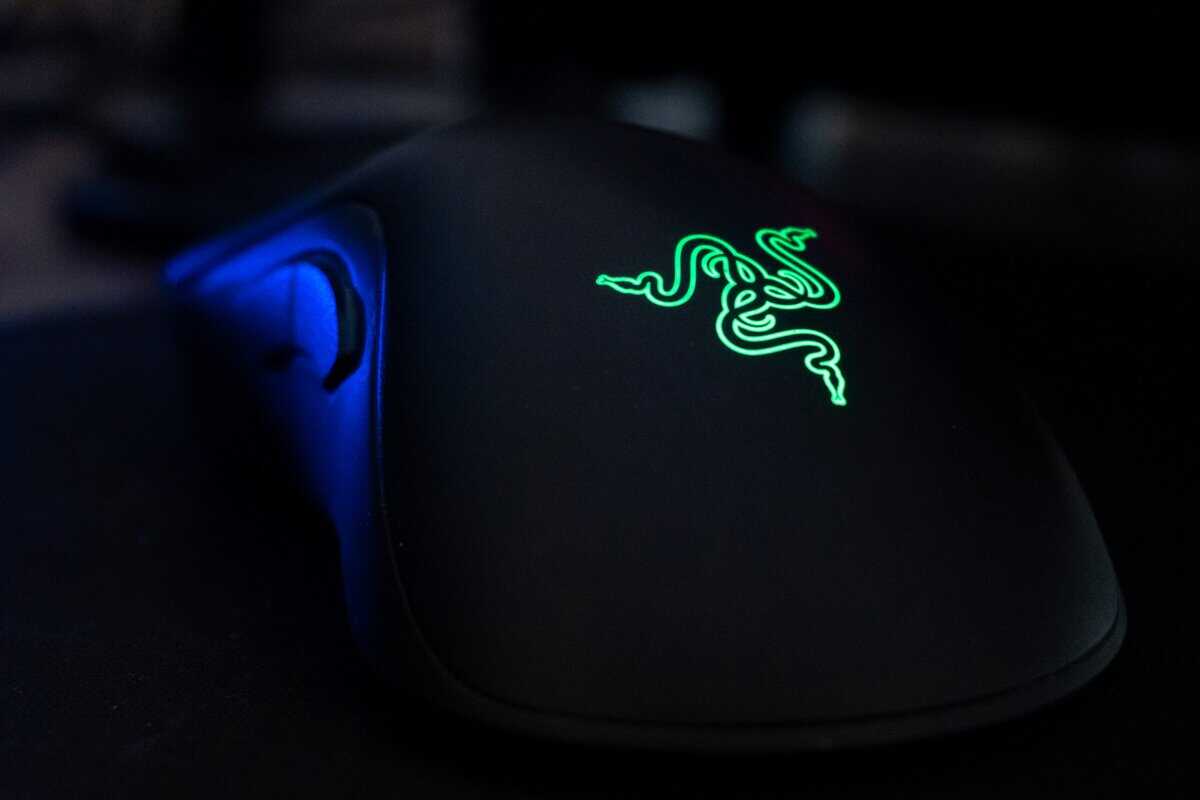
A mouse with a world-class sensor is useless if it feels cheap, creaks in your hand, or dies after a few months. The physical design—its build quality, durability, and ergonomics—is what separates a reliable gaming tool from a piece of frustrating plastic. Let’s break down what actually matters.
Solid construction starts with the shell. Most gaming mice use ABS plastic, which hits a good sweet spot between strength and low weight. A well-built mouse feels solid when you grip it, with no flexing or creaking during an intense firefight. Rubberized side grips are a common feature for control, but be aware they can wear down over time with heavy use.
Durability: From Switches to Skates
What’s inside is just as important as the outer shell. The switches under the main buttons dictate the click feel and how long the mouse will last. Brands like Omron or Kailh rate their switches for millions of clicks—a 20-million click rating is a solid baseline to look for. A higher rating generally means the switch is built to take more abuse before it starts double-clicking or failing.
Another component that’s often overlooked is the mouse feet, or “skates,” on the bottom. Low-quality skates create drag and make your aim feel sluggish and inconsistent.
The gold standard for mouse feet is 100% pure PTFE (Polytetrafluoroethylene). This material provides an exceptionally smooth and consistent glide, which is absolutely essential for accurate tracking and flick shots in FPS games. A smooth glide is just as critical as a good sensor.
Your mousepad surface also plays a huge role in how those skates perform. To get the most out of your setup, you might want to check out our guide on choosing the right gaming mouse pad to complement your new mouse.
Finding the Right Shape for Your Hand and Grip
Ergonomics isn’t just about being comfortable; it’s about control. The shape of the mouse and how you hold it directly impact your aim. There are three main shapes to consider:
Right-Handed Ergonomic: Mice like the Razer Basilisk V3 X HyperSpeed are contoured to fit the natural curve of a right hand, often with a thumb rest. They’re ideal for palm grip users who prioritize comfort during long gaming sessions.
Ambidextrous/Symmetrical: Models like the Logitech G305 have a neutral, symmetrical shape that works well for both left- and right-handed players. This versatile design is a good fit for almost any grip style.
Your grip style is the final piece of this puzzle. A palm grip user rests their entire hand on the mouse and needs a larger, ergonomic shape for support. Claw grip users arch their fingers and rest only their palm base on the back, needing a shape with a supportive rear hump. Fingertip grip players control the mouse with just their fingers and will get the most out of small, lightweight mice like the Razer Orochi V2.
Matching the mouse shape to your grip style isn’t just a suggestion—it’s the key to unlocking both comfort and peak performance.
How These Mice Perform in Different Game Genres
Specs on a box don’t win gunfights. What really matters is how a mouse feels in your hand when you’re deep in your favorite game. A great FPS mouse can be a poor choice for an MMO, so let’s break down how our picks handle specific genres.
For fast-paced shooters like Apex Legends or Valorant, performance comes down to a perfect sensor, low weight, and a shape that lets you make quick, precise adjustments. This is where a nimble mouse like the Razer Orochi V2 excels. Its feather-light 60g body makes flick shots and tracking fast-moving targets feel natural, not tiring. The accurate optical sensor guarantees no weird acceleration or jitter when you’re making those tiny, critical corrections to land a headshot.
MMO and MOBA Gaming Performance
Once you jump into a game like Final Fantasy XIV or League of Legends, the priorities change. Sensor accuracy is still important, but button access and sheer comfort for multi-hour raid sessions become the main event. Hand cramping mid-raid is a real problem with the wrong mouse.
This is the perfect scenario for an ergonomic, palm-grip mouse like the Razer Basilisk V3 X HyperSpeed. Its comfortable shape and thumb rest provide a level of support that smaller, ambidextrous mice cannot offer. The extra weight can even be an advantage here, adding stability as you click through abilities and menus instead of making twitchy aim adjustments.
While it’s not a full 12-button MMO mouse, the 9 programmable controls cover most ability rotations without feeling cramped. For players who require more extensive macro capabilities, exploring a dedicated 12-button mouse might be a better fit for their playstyle. If you’re curious about those, you can learn more about a 12-button mouse in our other guide.
Use Cases for Streamers and Content Creators
Streamers have a unique set of needs that go beyond just gaming. The ability to seamlessly control multiple computers is a massive quality-of-life improvement, saving desk space and simplifying your entire workflow. A mouse with solid multi-device Bluetooth is the right tool for this job.
For example, a streamer can use a single Bluetooth mouse to:
Play a game on their primary gaming rig.
Instantly switch to their second streaming PC to manage OBS, change scenes, or respond to chat.
Control a laptop or tablet to pull up notes or check social media without needing a separate mouse.
This completely removes the need for clunky KVM switches or multiple mice crowding your desk. All of our recommended mice, with their dual-mode wireless, deliver this flexibility. This practical feature is one of the strongest arguments for choosing a high-quality Bluetooth mouse for any modern gaming and streaming setup.
Frequently Asked Questions About Bluetooth Gaming Mice
When you’re weighing your options for a Bluetooth gaming mouse, a few key questions always surface. Let’s clear the air with some direct answers to help you lock in your decision.
Is Bluetooth Fast Enough for Competitive Shooters?
Yes, for the vast majority of players. Modern Bluetooth 5.0 and newer versions have seriously closed the latency gap. The days of Bluetooth being a laggy mess are long gone.
Of course, a professional CS2 or Valorant player splitting hairs over milliseconds might still stick with a dedicated 2.4GHz dongle or a wired connection for the absolute, final shred of responsiveness. But for the rest of us playing competitively, the difference is practically unnoticeable. As long as you choose a mouse from a reputable gaming brand with a good sensor, your shots will feel crisp and your tracking will be on point.
How Do I Troubleshoot Bluetooth Connection Stutter or Lag?
Connection issues are frustrating, but they’re almost always fixable. If your mouse starts acting up, it’s usually one of a few common culprits.
Wireless Interference: This is your biggest enemy. Routers, other wireless gear, and even USB 3.0 ports can jam your Bluetooth signal. Try moving your Bluetooth adapter to a front USB port, far from other connections. A simple USB extension cable can work wonders here.
Driver and Firmware Updates: Outdated drivers are a classic cause of performance issues. Make sure your mouse’s firmware is updated through the manufacturer’s software, and double-check that your PC’s Bluetooth drivers are current.
Power Settings: Windows can be aggressive with power-saving features, sometimes throttling your Bluetooth connection to save battery. Dive into your Device Manager, find your Bluetooth adapter’s properties, and uncheck the box that says “Allow the computer to turn off this device to save power.”
A common but often overlooked problem is a low battery. Before you start troubleshooting drivers and settings, just make sure the mouse has a decent charge. A weak battery can cause all sorts of tracking and connection problems.
Can I Use One Bluetooth Mouse for My PC, Console, and Laptop?
Absolutely, and this is one of the biggest reasons to go with Bluetooth in the first place. Many modern mice are designed specifically for multi-device control, letting you pair with and swap between two or three different systems on the fly.
Think about the practicality. A streamer can use a single mouse for their gaming PC, then hit a button to switch over to their streaming rig to manage OBS or chat. A student can use the same mouse for late-night gaming at their desk, then toss it in their bag for taking notes on a laptop in class. It’s a massive win for anyone who works and plays across multiple devices.
The process is simple: you go through the initial pairing with each device once. After that, a dedicated button on the mouse lets you jump between them instantly, no re-pairing needed. It cuts down on cable clutter and just makes your whole setup cleaner and more efficient.
At Budget Loadout, our goal is to help you build a high-performance gaming setup that respects your wallet. We provide clear, honest reviews and guides to make sure you get the best value for your money. To see more of our curated gear recommendations, visit us at https://budgetloadout.com.
Related Articles