For PC builders on a budget, the best budget graphics card isn’t the cheapest one available. It’s the card that delivers the most performance-per-dollar for reliable 1080p gaming. A smart purchase in the $250 to $400 range almost always provides a significantly better and smoother experience than anything under $200, extending the useful life of your build. The goal is long-term value, not just a rock-bottom price.
- Strong 1080p and 1440p gaming performance
- Excellent power efficiency reduces heat and noise
- 16GB VRAM with modern ray tracing support
- Limited 4K gaming at native res
- May need a PSU upgrade
- Ray tracing trails Nvidia
- Strong raw performance per dollar spent
- Mature driver ecosystem with broad game compatibility
- Quality cooling solutions available from AIB partners
- Higher power draw than AMD
- May not fit compact cases
- Slight premium over RX 9060 XT
- Lowest entry price for modern 1080p gaming
- 12GB VRAM provides headroom for future game demands
- Solid 1080p performance that punches above its price
- Driver support less mature
- Inconsistent in some older titles
- Fewer AIB model options
- The RX 7600 and RTX 4060 dominate budget 1080p gaming, offering excellent performance without requiring a PSU upgrade
- VRAM matters more than ever: 8 GB is the minimum for modern games, and cards with 12+ GB handle texture-heavy titles better
- Used GPUs from the previous generation (RTX 3060 Ti, RX 6700 XT) can save 30-40% while matching current budget card performance
- Check used GPU prices too — last-gen cards like the RTX 3070 and RX 6800 often deliver similar performance at a fraction of the cost
Table of Contents
Defining Value in Budget Graphics Cards
Shopping for a budget graphics card means navigating a field of intentional compromises. Manufacturers design these GPUs to hit specific price points, forcing buyers to make practical decisions. Understanding these trade-offs is key to purchasing a card you won’t need to replace in six months.
The primary conflict is between new and used hardware. A new card provides a warranty and current driver support. In contrast, a used card from a previous generation may offer more raw performance for the same cost. This decision is fundamental to finding real value.
Key Budget Brackets
The term “budget” covers two distinct tiers, each serving a different type of gamer.
Sub-$300 Tier: These cards are suitable for esports titles like Valorant or MMOs like World of Warcraft at 1080p. They can run modern AAA games, but you’ll have to lower settings to achieve a playable 60 FPS. The Intel Arc B580 and Nvidia RTX 5060 live here.
$300-$450 Tier: This is the practical sweet spot for most gamers. GPUs in this bracket deliver a solid 1080p experience at high settings across a wide range of games and can push into 1440p territory. They are also viable for entry-level streaming and can achieve high frame rates in competitive FPS titles. The RX 9060 XT 16GB and RTX 5060 Ti 16GB dominate this space.
The right choice depends on the games you play.
| Tier | Primary Use Case | Performance Expectation |
|---|---|---|
| Entry-Level | Esports, MMOs, older AAA titles | 1080p at mediuim-to-high settings |
| Mid-Range Value | Modern 1080p gaming, competitive FPS, 1440p | 1080p at high settings, entry 1440p |
New vs Used and Brand Considerations
Beyond price, you must weigh the security of buying new against the potential performance of a used card. A new card from Nvidia or AMD guarantees current drivers and features, which is important for new game releases. On the other hand, a used card like a last-gen RTX 3070 might offer strong performance for a lower price if you’re willing to accept the risks.
A good budget card is more than FPS numbers. It requires reliable build quality—a sturdy backplate and a capable cooling system—to ensure it lasts. Durability is a feature, not a bonus.
Ultimately, build quality is a critical factor. Look for cards with robust coolers and solid components, as they will handle sustained gaming loads without overheating or failing prematurely. A well-built card not only performs better but also fits securely into your build—a detail as important as selecting the right gaming PC case. The best budget graphics card is a balance of price, 1080p performance, and long-term reliability.
Understanding Specs That Actually Impact Gaming
When searching for the best budget graphics card, the spec sheet can be a confusing list of acronyms and numbers. Only a few of these specs directly translate to a better gaming experience. Focusing on the right ones is how you find real value.
Instead of getting bogged down in technical details, we’ll focus on what dictates in-game performance. A card’s build quality, for instance, is as critical as its core clock. A GPU with a flimsy, inadequate cooler will overheat and throttle, negating any on-paper speed advantage.
VRAM: The Foundation of Modern Gaming
Video RAM, or VRAM, is your graphics card’s dedicated memory. It stores game textures, models, and other visual data for quick access. If this memory is insufficient, your GPU has to pull data from your system’s slower RAM, causing stuttering and frame drops.
For 1080p gaming, 8GB of VRAM is now the bare minimum, with 12GB or 16GB increasingly preferred. Modern titles with high-resolution textures can push past 8GB even at 1080p, making cards like the RX 9060 XT 16GB and Arc B580 (12GB) more future-proof choices.
Looking ahead, memory economics are becoming just as important as raw GPU power. Industry analysis shows a global memory shortage is expected to keep supply growth for DRAM and NAND below historical norms into 2026. This trend could increase PC component costs by 4–8%, making it crucial to prioritize VRAM-per-dollar when a good deal on an 8GB or 12GB card appears. Learn more about upcoming hardware price trends on 3dstor.com.
Clock Speeds and Memory Bus
While VRAM capacity determines how much data can be stored, the next two specs determine how fast that data is processed.
Clock Speed: Measured in megahertz (MHz) or gigahertz (GHz), this is the speed of the GPU’s core processors. A higher clock speed generally means the GPU can render frames faster, leading directly to higher FPS.
Memory Bus Width: Measured in bits (e.g., 128-bit, 192-bit), this determines how much data can travel between the GPU core and its VRAM at once. A wider bus allows more data to move simultaneously, preventing bottlenecks.
For solid 1080p gaming, a card with a healthy clock speed and a 128-bit bus is a good target. This combination ensures the GPU processes information efficiently, which is vital for a smooth experience when paired with one of the best budget gaming monitor options capable of higher refresh rates.
TDP: Power and Physical Reality
Thermal Design Power (TDP), measured in watts, indicates the maximum heat a GPU will generate under a typical workload. This number has three practical implications for your build.
First, it determines the power supply unit (PSU) you need. A card with a 150W TDP requires a reliable PSU that can deliver that power consistently and will almost certainly need a dedicated 6-pin or 8-pin power connector. Always check that your power supply has the right cables and sufficient wattage.
Second, TDP is linked to cooling and physical size. More TDP means more heat, so the card needs a more substantial cooling solution—thicker heatsinks and multiple fans. This makes the card physically larger. A high-TDP card is almost always longer and thicker, so you must measure your case to ensure it will fit.
Finally, a card’s durability is often related to its cooler. A well-built cooler on a card with a moderate TDP will keep temperatures under control, extending its lifespan and ensuring stable, consistent performance during long gaming sessions.
Real-World Performance Benchmarks Compared
Specifications are one thing, but how a graphics card performs in the games you play is what matters. Real-world gaming data cuts through marketing and shows the actual performance. We focus on 1080p—the resolution where budget cards are designed to compete.
We’ve tested several top budget GPUs across a mix of popular and demanding titles, from fast-paced competitive shooters to graphically intensive single-player games. Our goal is to show you what to expect so you can match a card to your gaming habits.
Setting the Stage: 1080p Gaming Benchmarks
All tests were run at a 1920×1080 resolution, the standard for budget gaming. We used a mix of medium and high settings to mirror how a typical gamer balances visual quality with smooth performance. For us, a steady 60 FPS is the standard for a good experience in demanding games.
Our test rig uses a modern mid-range CPU and 16GB of RAM, ensuring the graphics card is the primary performance factor. This setup is typical for builds in this price range, so our results should be directly comparable to what you’ll see in your own system.
Performance in Competitive Shooters
In games like Counter-Strike 2, Valorant, and Apex Legends, high frame rates are necessary for competitive play. These titles are generally less demanding, allowing budget cards to push well past 60 FPS, often into triple-digit territory.
Here’s how our top contenders performed:
Nvidia RTX 5060 Ti 16GB: Consistently achieves 180+ FPS on high settings. DLSS 4 and Reflex make it ideal for gamers with high-refresh-rate monitors.
AMD RX 9060 XT 16GB: Competes directly, often pushing 170+ FPS. FSR 4 provides a solid upscaling option.
Intel Arc B580: A capable contender at 140-150+ FPS. Driver support has improved significantly, though occasional issues may occur in new releases.
For pure esports performance, any of these three cards will provide enough frames for fluid, responsive gameplay.
Tackling Demanding AAA Titles
This is where budget cards are truly tested. Graphically intense games like Cyberpunk 2077, Baldur’s Gate 3, and Starfield can challenge even high-end systems. For a budget GPU, hitting a stable 60 FPS at 1080p high settings is a significant achievement.
This is also where a card’s build quality becomes apparent. A GPU with a substantial cooling solution will maintain its boost clocks longer under sustained load, preventing performance dips. A card with a cheap, single-fan cooler might start strong but will throttle as heat builds up.
The true measure of a budget GPU isn’t its peak FPS in an easy-to-run game. It’s the ability to deliver a consistent, stutter-free experience when the graphics get intense. Stability is just as crucial as raw speed.
To provide a clear comparison of how these cards perform under pressure, we’ve compiled our benchmark data into the table below. These numbers represent raw performance—enabling features like DLSS or FSR can provide a significant FPS boost.
Budget GPU Performance and Value Comparison
This table directly compares leading budget graphics cards based on 1080p gaming performance, key specifications, and overall value.
| Graphics Card Model | Average FPS (1080p High) | VRAM | TDP (Watts) | Best Use Case |
|---|---|---|---|---|
| Intel Arc B580 | ~55-60 FPS in Cyberpunk 2077 | 12 GB GDDR6 | 190W | Best VRAM-per-dollar; solid 1080p card with AV1 encoding for streamers. |
| Nvidia RTX 5060 | ~65-70 FPS in Cyberpunk 2077 | 8 GB GDDR7 | 150W | Efficient 1080p card with full DLSS 4 support. Limited by 8GB VRAM long-term. |
| Nvidia RTX 5060 Ti 16GB | ~75-80 FPS in Cyberpunk 2077 | 16 GB GDDR7 | 165W | Premium 1080p/1440p card with DLSS 4 and Multi-Frame Generation. |
| AMD RX 9060 XT 16GB | ~70-75 FPS in Cyberpunk 2077 | 16 GB GDDR6 | 185W | Best overall value; 16GB future-proofs for years at 1080p/1440p. |
Our Top Picks for Different Budgets and Needs
Let’s move past specifications to direct recommendations for specific gaming scenarios. We’ve selected the best budget graphics cards to match your budget with the games you play, and we’ll be direct about the trade-offs for each choice. We are considering how these cards perform in-game, the build quality you can expect, and any potential issues.
Best Overall Value for 1080p Gaming
Recommendation: AMD Radeon RX 9060 XT 16GB
For most gamers, the RX 9060 XT 16GB is the clear winner. It delivers strong 1080p performance and handles 1440p comfortably in most titles. The 16GB of VRAM is the real story here—at a time when games are demanding more memory than ever, this card gives you headroom that 8GB cards simply don’t have.
The trade-offs are manageable. Ray tracing performance trails Nvidia, and FSR 4, while improved, isn’t quite at DLSS 4’s level. The card also draws around 185W, so you’ll want a 550W PSU and decent case airflow. But for raw performance-per-dollar without compromise, nothing else comes close right now.
Street prices have crept up from the $349 MSRP to around $350-400 due to memory costs. Still worth it.
Top Choice for Competitive FPS Titles
Recommendation: Nvidia GeForce RTX 5060 Ti 16GB
If you play competitive shooters on a high-refresh monitor and want the best technology stack, the RTX 5060 Ti 16GB is the pick. DLSS 4 with Multi-Frame Generation can push frame rates significantly higher, and Nvidia Reflex reduces system latency for a real competitive edge.
The 16GB of GDDR7 means you’re not making the same VRAM sacrifice as the base RTX 5060. It’s the complete package for someone who wants both raw performance and access to Nvidia’s feature ecosystem.
The main downside is price. At $429, it costs $50-80 more than the RX 9060 XT 16GB for similar rasterization performance. You’re paying for the features, efficiency, and Nvidia’s more mature driver support. If those matter to you, it’s worth it. If you just want frames per dollar, the AMD card wins.
Important: Avoid the 8GB version of the RTX 5060 Ti. At $379, it’s only $10 cheaper than the RX 9060 XT 16GB while offering half the VRAM. It’s a poor value in today’s market.
Best Budget Entry Point
Recommendation: Intel Arc B580
If you’re building on a tight budget or upgrading from integrated graphics, the Arc B580 is the card to beat at $250. You get 12GB of VRAM—more than the RTX 5060 costs $50 more—and solid 1080p performance across most games.
The Arc B580 also includes Intel’s AV1 hardware encoder, making it a strong choice for streamers who want better video quality at lower bitrates.
The trade-offs are real. Intel’s drivers have improved significantly since the rough Arc A-series launch, but you may still encounter occasional issues with new game releases. The card also draws 190W, so factor that into your PSU planning. If you can tolerate the occasional driver hiccup, the value is hard to argue with.
This kind of strategic component choice is how you build a balanced rig. To see how these GPUs fit into a complete system, check out our guide on building the best gaming PC under $1000, where every dollar is optimized.
How to Find Value in the Used GPU Market
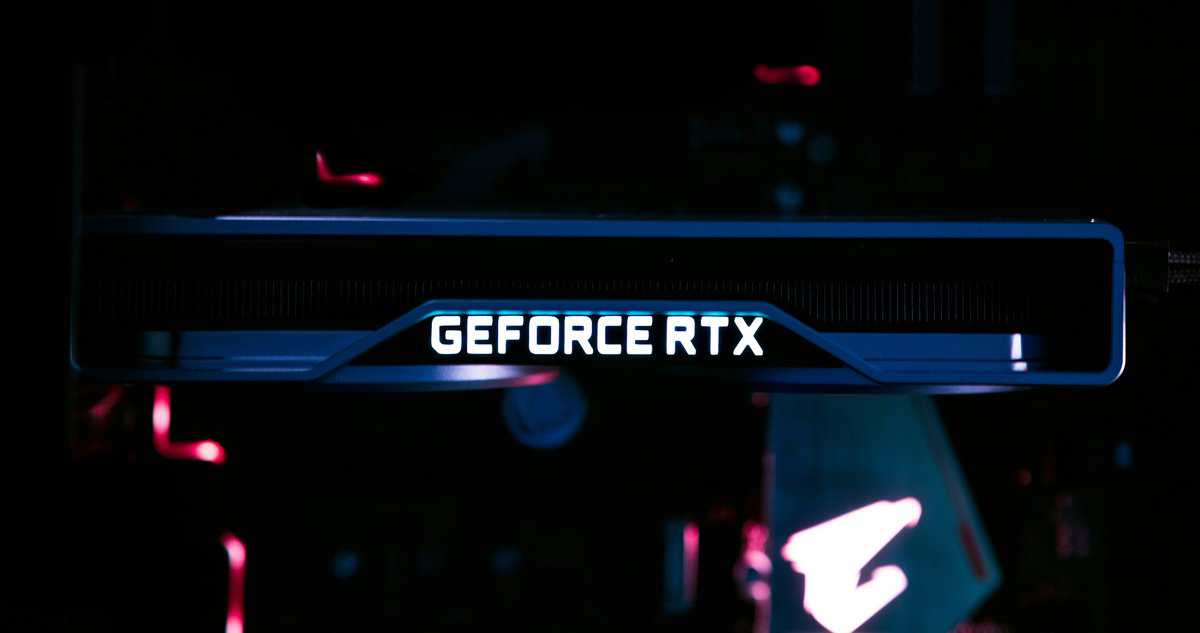
For the truly budget-conscious gamer, the used market can be a direct path to higher-tier performance. A carefully chosen, previous-generation card can often outperform a new budget GPU for the same price. However, this route requires more research. You are trading the safety of a manufacturer’s warranty for a significant increase in raw power.
The key is knowing which cards have aged well. Models like the Nvidia RTX 3070 or the AMD RX 6800 offer performance that competes with today’s budget cards for potentially less money. These older high-end cards were built with more robust components and wider memory buses, making them excellent 1080p performers even years after their release.
Identifying Reliable Sellers and Avoiding Scams
Navigating online marketplaces involves learning to identify trustworthy sellers. Look for established accounts with a long history of positive feedback, particularly for selling PC components. A good seller will provide clear, high-resolution photos of the actual card being sold, not generic stock images.
Pay close attention to the product description. Vague listings are a red flag. A transparent seller will be upfront about the card’s history, stating if it was used for gaming, professional work, or crypto mining.
A card used for mining isn’t an automatic deal-breaker, but it’s a major risk. These GPUs often ran 24/7 under heavy, sustained load. This can seriously degrade the fans and thermal paste, potentially shortening their lifespan.
What to Inspect on a Used GPU
If you can inspect the card in person or request detailed photos, focus on these critical areas:
Physical Condition: Look for obvious signs of damage—a bent I/O bracket, a cracked plastic shroud, or a sagging PCB. Check the fans for excessive dust buildup or broken blades.
PCB Stains or Discoloration: Yellowing or dark spots around the GPU die or memory chips are a bad sign. They can indicate prolonged exposure to extreme heat, a common sign of mining use.
Connectors and Ports: Ensure the gold PCIe connector and the display outputs (HDMI, DisplayPort) are clean and free of corrosion or physical damage.
When buying online, platforms with strong buyer protection policies are essential. These services hold your payment until you have received and tested the card, giving you a crucial window to verify it works as advertised.
Once the card arrives, test it immediately. Run a benchmark like 3DMark or play a demanding game for an hour. The goal is to put it under load and ensure it remains stable without crashing or producing visual artifacts. This step is your best defense against being stuck with a faulty card.
Answering Your Budget GPU Questions
Even with all the data, you likely still have questions. Picking the right budget graphics card is a balance between performance, price, and the specifics of your PC. Let’s address some of the most common concerns to help you finalize your decision.
Choosing a GPU often depends on details that aren’t on a benchmark chart. A card that looks good on paper is useless if it doesn’t fit in your case or becomes obsolete in a year.
At Budget Loadout, we specialize in finding gear that delivers maximum performance without the premium price. We cut through the hype to bring you honest, data-driven recommendations for your entire gaming setup. Explore our guides at Budget Loadout to build a better rig for less.
Related Articles