Finding a capable gaming mouse under $30 is entirely possible, but requires a value-first mindset. For this price, you can get a reliable, accurate, and durable mouse that will perform in almost any game, from competitive FPS titles to sprawling MMOs. The key is knowing which features directly impact gameplay and which are marketing noise.
- Accurate optical sensor with no prediction or acceleration
- Lightweight at 85g for quick flick shots and tracking
- LIGHTSYNC RGB customization through Logitech G HUB
- Wired-only; no wireless option
- Simple shape; small for larger hands
- Fewer buttons than MMO mice
- 12 programmable side buttons for complex ability rotations
- Adjustable DPI up to 12,400 with on-the-fly switching
- Solid build quality with textured side grips
- Heavier than lightweight FPS mice
- Side buttons take time to learn
- Laser sensor less precise for FPS
- Paracord cable and PTFE feet upgrade the glide and reduce drag
- Lightweight 77g design comfortable for extended gaming sessions
- Durable 60-million click mechanical switches outlast most competitors
- Right-handed shape may not suit all grip preferences
- RGB lighting is more understated compared to flashier alternatives
- Lightweight mice under 85g improve flick accuracy and reduce wrist fatigue during long gaming sessions
- Wired mice at this price point offer more reliable performance than wireless, with zero latency concerns and no battery hassles
- Focus on sensor quality and weight over flashy features like RGB lighting when choosing a budget gaming mouse
- The Logitech G203 is the competitive FPS pick and the Redragon M908 the MMO button-monster
- The SteelSeries Rival 3 Gen 2 is the all-rounder that does everything respectably
Table of Contents
What a Sub-$30 Gaming Mouse Gets You
Let’s set honest expectations. You will not find flagship wireless tech, ultralight magnesium frames, or hyper-polling rates at this price. Those features are reserved for mice costing three to five times as much. Forgoing those is the main trade-off for staying under $30.
Core Features to Expect
So, what should you actually look for in a gaming mouse under $30? The focus must be on fundamental performance and solid construction. Here’s what a smart purchase in this category delivers:
- A Dependable Optical Sensor: Expect a sensor that tracks accurately without built-in acceleration or prediction that can interfere with your aim. While you won’t get a top-tier sensor, the ones available are more than capable for precise aiming in games like Valorant or quick reactions in MOBAs.
- Durable Switches: Most mice in this range come with switches rated for 10 to 20 million clicks. This is a significant indicator of durability. It means the primary buttons will withstand years of intense use without failing, which is critical for long-term value.
- Solid Build Quality: The materials will be plastic, but a well-designed budget mouse will feel sturdy and won’t have significant creaking or flex. Good ergonomics and a comfortable shape are now standard, not a luxury.
The goal is to find a mouse that prioritizes a consistent sensor and physical durability over flashy, but ultimately unnecessary, features. A reliable wired connection and a solid sensor will always beat a cheap, laggy wireless mouse.
Ultimately, a sub-$30 mouse is about getting the essentials right. Whether you’re an FPS player needing pinpoint accuracy, a streamer who wants a reliable daily driver, or an MMO gamer needing extra buttons, the value available today is substantial. By focusing on these core strengths, you can find a high-performing mouse without overspending.
Mouse Specs That Truly Matter on a Budget
The side of a product box is designed to do one thing: make you spend more. It’s plastered with technical jargon and large numbers that sound impressive but often have little to do with how a mouse actually performs. Let’s cut through the noise and identify what specs actually matter, so you can find a great gaming mouse under $30 by focusing on real performance, not marketing hype.
When you see a mouse advertising a high DPI, like 12,000 or more, your marketing alarm should go off. DPI (Dots Per Inch) is just a measure of sensitivity: how fast your cursor moves across the screen. Think of it like the volume knob on a stereo; cranking it to the max doesn’t make the music sound better, it just makes it loud and distorted. Our free mouse DPI test shows the DPI your mouse actually runs at.
Most gamers, including professionals, use a DPI between 400 and 3200. A quality sensor that is stable and accurate in that range is what you want. For a budget mouse, a reliable maximum DPI of 6400 is more than enough. Anything higher is for marketing purposes.
Sensor and Polling Rate: The Real Performance Duo
While DPI gets all the attention, the polling rate is its silent, more important partner. Polling Rate, measured in Hertz (Hz), is how often the mouse reports its position to your computer. A higher number means less delay between your hand moving and the cursor reacting.
A standard office mouse likely has a 125 Hz polling rate, checking in with your PC every 8 milliseconds. A solid gaming mouse, even one under $30, should hit a 1000 Hz polling rate, reporting its position every millisecond. That small difference is significant in fast-paced shooters where a split-second matters.
The winning combo on a budget is a dependable optical sensor with a 400-6400 DPI range paired with a 1000 Hz polling rate. This setup delivers the accuracy and responsiveness needed for competitive gaming without paying for marketing fluff.
On a budget, an optical sensor is the best option. Unlike older laser sensors that could be finicky, modern optical sensors track consistently on most surfaces (especially a good cloth mousepad) without issues like jitter or unwanted acceleration. They are the reliable workhorses of the budget mouse world.
What Click Durability Actually Means
Another number you’ll see is a click rating, like “rated for 10 million clicks.” This sounds abstract, but it’s a direct signal of the mouse’s build quality and durability. It tells you the lifespan of the mechanical switches under the main buttons.
A cheap, unrated mouse might start double-clicking or fail entirely after a year of use. A mouse with switches rated for 10 or 20 million clicks is built to survive years of intense gaming, whether you’re clicking frantically in an FPS or grinding out quests in an MMO. This is a critical factor separating a smart budget buy from a disposable piece of plastic. Don’t overlook it.
Our Top Picks for the Best Gaming Mice Under $30
Now, let’s get to the recommendations. After testing a field of budget mice, we’ve pinpointed the models that deliver where it counts. For each pick, we’ll break down who it’s for, what makes it stand out, and what compromises you’re making to hit that sub-$30 price.
First, let’s look at the core specs you should expect.
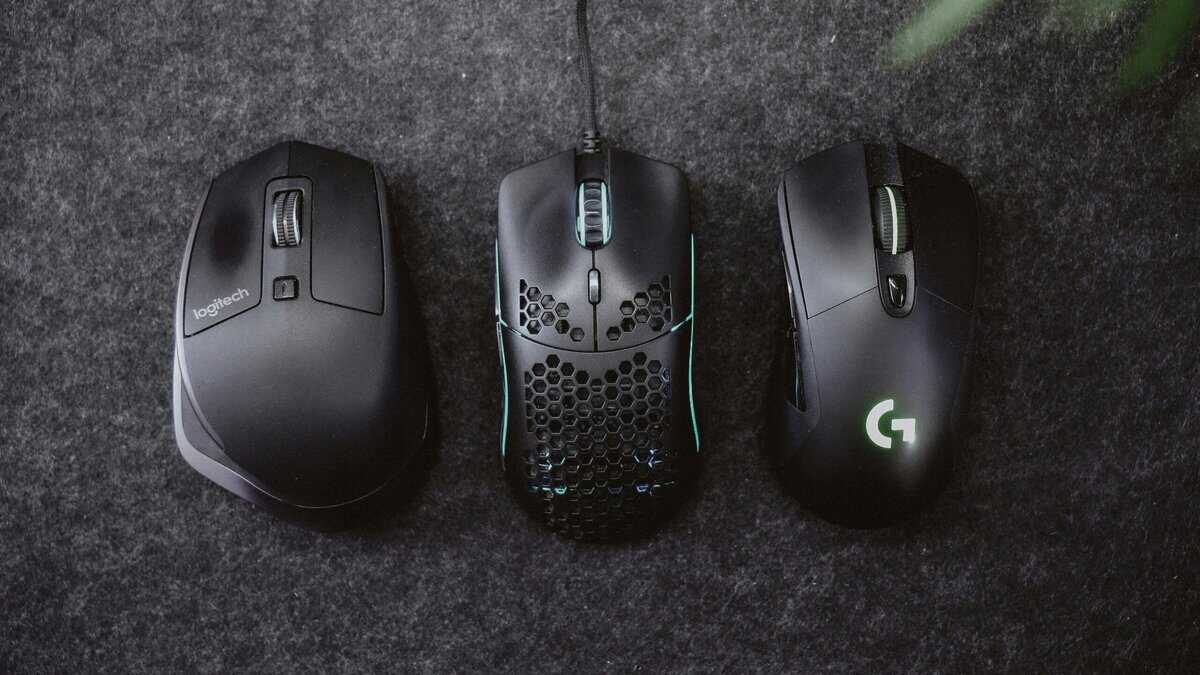
These numbers show you no longer have to settle for subpar performance on a budget. A 1,000 Hz polling rate and a solid optical sensor are now standard, which is good news for anyone who takes their gaming seriously.
Top Gaming Mice Under $30 at a Glance
This table offers a direct comparison of our top picks, highlighting the key specs that matter most for gaming performance and finding the best value for your specific needs.
| Model | Best For | Sensor DPI | Weight | Buttons | Key Trade-Off |
|---|---|---|---|---|---|
| Logitech G203 | Competitive FPS Gaming | 8,000 | 85g | 6 | Stiff, rubberized cable |
| Redragon M908 Impact | MMO & MOBA Players | 12,400 | 103g+ | 19 | Heavy and bulky for FPS |
| SteelSeries Rival 3 Gen 2 | All-Round Gaming | 8,500 | 77g | 6 | Thin cable, less ideal for large hands |
As you can see, the choice boils down to your primary use case. Are you prioritizing a flawless sensor for competitive play, a suite of buttons for complex commands, or a lightweight, balanced option for a bit of everything? Each of these mice delivers solid performance for the price, but they excel in different areas.
Best for Competitive FPS Gaming
When playing Valorant or Apex Legends, your mouse needs to be an extension of your hand. Precision, a reliable sensor, and a manageable weight are non-negotiable. This is the tool for hitting flick shots and holding tight angles.
Our top pick for this use case is the Logitech G203 Lightsync. Its gaming-grade optical sensor is known for being consistent and accurate. It tracks without prediction or acceleration, which is exactly what you need when muscle memory is everything. At 85 grams, it hits a balanced weight. It is not ultralight, but it is nimble enough for rapid movements. The build quality is solid and reliable, as expected from Logitech. The classic shape is a safe bet for most hand sizes and grip styles, especially claw and fingertip. The switches are rated for 10 million clicks, offering good durability.
The Trade-Off: The cable is the G203’s main weakness. It’s a standard rubber cord that isn’t very flexible and can create noticeable drag without a mouse bungee. This is a common compromise in this price bracket. Also, the software can be resource-heavy.
Top Choice for MMO and MOBA Players
MMO and MOBA gamers need a different type of tool. In games like World of Warcraft or League of Legends, having instant access to a dozen different abilities is a significant advantage. This is where the Redragon M908 Impact comes in. It’s built around a 12-button side panel that’s fully programmable, letting you map skills and macros to your thumb. For managing complex rotations or using items in a team fight, this layout is highly effective. The build is surprisingly sturdy for the price, with a large, ergonomic shape designed for palm grippers to stay comfortable during long raids. It even includes a weight tuning system (a feature almost unheard of under $30), so you can customize how it feels.
- 12 Programmable Side Buttons: Ideal for mapping complex ability rotations in MMOs.
- Ergonomic Palm Grip Design: Built for comfort during multi-hour gaming sessions.
- Adjustable Weight System: Lets you fine-tune the mouse’s balance and heft.
The Trade-Off: This is a heavy mouse, clocking in at over 100 grams before adding any weights. It is not built for the quick, low-sensitivity flicks common in FPS games. While its sensor is adequate for MMOs, it doesn’t have the pixel-perfect precision of our top FPS pick.
The All-Rounder for Casual Gaming and Streaming
If you jump between genres or want a dependable mouse for everyday use and streaming, you need a balanced option. This kind of mouse focuses on comfort, a good sensor, and enough features to be versatile. The SteelSeries Rival 3 Gen 2 is our pick for the best all-arounder. It has a competent optical sensor that delivers clean, 1-to-1 tracking, making it feel capable in any game.
The shape is comfortable and ambidextrous (though the side buttons are only on the left). Weighing just 77 grams, it feels light and agile. The build quality is solid, with a durable matte plastic finish that doesn’t attract fingerprints. Its switches are rated for 60 million clicks, far exceeding most budget competitors and signaling excellent long-term durability.
The Trade-Off: The main compromise is its thin rubber cable. Like the G203, it can cause some drag, but it’s a minor issue that’s easy to manage. And while the shape is very safe, gamers with larger hands who prefer a full palm grip might find it too small.
Finding the Right Fit with Grip Style and Ergonomics

A top-tier sensor is irrelevant if holding the mouse is uncomfortable. For any gaming mouse, but especially when trying to find the best gaming mouse under 30, comfort is a massive performance multiplier. A mouse that fits your hand prevents wrist strain and lets you stay focused during long gaming sessions.
Think of it like running shoes. You wouldn’t run a marathon in shoes that are the wrong size. The same logic applies here. The mouse has to feel like a natural extension of your hand for you to perform at your best.
Identifying Your Grip Style
Your grip style is the single most important factor in choosing the right mouse shape. Most gamers fall into one of three camps. Figuring out which one you belong to is the first step toward finding a mouse that feels right.
- Palm Grip: Your entire palm rests flat on the back of the mouse, with your fingers lying relaxed on the buttons. This is the most common grip, and it’s best suited for larger, ergonomically curved mice that fill your whole hand.
- Claw Grip: Your palm still touches the back of the mouse, but your fingers are arched up and ready to click, like a claw. This style offers more speed and works well with ambidextrous or smaller mice.
- Fingertip Grip: Only your fingertips touch the mouse; your palm doesn’t make contact at all. This grip offers the most agility and is perfect for small, lightweight mice you can move with precision.
Your hand size and grip style work together. A large-handed palm gripper will need a completely different mouse than a small-handed fingertip gripper, even if they play the same games.
Shape and Weight Considerations
Once you know your grip, you can filter your options. Palm grippers should look for right-handed ergonomic shapes that offer full support. Claw and fingertip grippers often do better with symmetrical, ambidextrous shapes that allow for more precise micro-adjustments. While many of the best gaming mice under $30 cater to various styles, it’s worth checking out our other budget-friendly mice recommendations to find the perfect match.
Weight is the final piece of the puzzle. If you’re playing fast-paced FPS games with low sensitivity, a lighter mouse (under 90g) is generally better because it reduces the physical strain of making large, sweeping movements. For MMO or MOBA players, a slightly heavier mouse can feel more stable and deliberate.
There’s no single “best” weight, only what’s best for your play style and physical comfort. Making the right choice here ensures your mouse is a competitive tool, not a source of fatigue.
How We Test and Evaluate Budget Gaming Mice
To find a genuinely good gaming mouse for under $30, we do more than just read the box. Our recommendations come from a rigorous, hands-on testing process designed to separate reliable performers from marketing gimmicks. We believe in providing real, practical results, not just quoting spec sheets.
We start with the fundamentals. Every mouse goes through sensor tracking tests to hunt for common flaws that can ruin your aim, like jitter, angle snapping, and unwanted acceleration. This means performing fast, sweeping motions and slow, precise adjustments to see if the sensor can keep up. Click latency is another dealbreaker; we measure the delay between a physical click and the on-screen action to ensure it feels responsive.
Real-World Gaming Scenarios
The most important part of our process is putting these mice into real games. A mouse can look good on paper but fall apart in an actual match. We put every candidate through its paces in a variety of popular games to see how it performs where it counts.
- Competitive FPS: In fast-paced shooters like Valorant and Apex Legends, we’re focused on sensor precision during chaotic firefights and the flick shots that win rounds.
- MMO & MOBA: For click-heavy games like League of Legends, we test how comfortable the mouse is over long sessions and how easy it is to access the side buttons without misclicking.
- Physical Stress Tests: We check for build quality by squeezing and pressing on the shell. Any creaks or flex is a red flag for long-term durability problems.
We then cross-reference our findings with long-term community feedback from places like Reddit’s /r/MouseReview. This helps us see how a mouse holds up after months of real-world use, giving us a clearer picture of its actual durability.
This process ensures that our final picks for the best gaming mice under $30 aren’t just cheap. They’re genuinely reliable tools that will help you play better.
Making Your Final Decision
This guide has shown that you don’t need to spend a fortune to get a great gaming mouse. It’s about knowing what to look for and where to make smart compromises. By focusing on a reliable sensor, solid build quality, and a shape that fits your hand, you can find a high-performance mouse that delivers serious value.
Let’s quickly recap the main game plan:
- For Competitive FPS: Your priorities are a flawless optical sensor and a lightweight, comfortable design. Your aim is everything, so you need a mouse that delivers consistency.
- For MMO/MOBA: The focus shifts to a versatile button layout and an ergonomic shape built for long gaming sessions. Easy access to your macros and abilities is your biggest advantage.
The best gaming mouse under $30 is the one that disappears in your hand and lets you focus on the game. Don’t chase inflated DPI numbers; chase a comfortable shape and a reliable sensor.
And if you find your budget has a little more flex, our guide to the best gaming mice under $50 is the perfect next step to see what the next tier of performance has to offer.
If you need a keyboard as well, our gaming keyboard and mouse combo guide covers the bundles worth buying.
Frequently Asked Questions
Still have a few questions before pulling the trigger? Let’s clear up some of the most common things people ask when hunting for the best gaming mouse under $30.
Is a Wired or Wireless Mouse Better Under $30?
For under $30, a wired mouse is the superior choice for any serious gaming.
A wired connection guarantees a stable, low-latency signal with zero risk of dropouts or the battery dying mid-match. While a few wireless options technically exist at this price, they make significant trade-offs in sensor quality, signal stability, and overall build quality to hit that number. Stick with wired for consistent, reliable performance.
Does Higher DPI Mean a Better Gaming Mouse?
No. A high DPI number is almost entirely a marketing tool. DPI, or Dots Per Inch, is a measurement of sensitivity: how fast your cursor moves.
Most gamers, including professionals, use settings between 400 and 3200 DPI. A high-quality sensor that tracks flawlessly at these lower, more controllable settings is far more valuable than an inflated maximum DPI you will likely never use. Prioritize sensor reliability over a big number on the box.
While your mouse is a critical piece of the puzzle, your overall gaming experience is also heavily influenced by your network. For anyone serious about competitive play, understanding things like lag and connection stability is key. You can find more information by optimizing your network for gaming.
How Important Are Programmable Buttons?
This depends entirely on the games you play.
For fast-paced FPS titles like Valorant, the standard two side buttons are usually more than enough for essentials like melee or throwing a grenade. Any more can just get in the way.
However, for MMOs like World of Warcraft or if you’re managing a complex streaming setup for beginners, having a higher count of programmable buttons (think 6+) is a huge advantage. It lets you map abilities, items, and stream commands to your thumb. Choose based on your primary use case.
At Budget Loadout, we believe you shouldn’t have to overspend to get a competitive edge. Our guides are designed to help you find high-performance gear that fits your budget. For more honest reviews and value-focused recommendations, visit us at Budget Loadout.
Related Articles