Your speed test looks fine, but a ranked match still stutters the moment someone starts a stream in the next room. A wired connection often fixes that kind of Wi-Fi hiccup. The best Ethernet cable for gaming is usually a plain Cat 6 cable that fits the route from your router to your console or PC.
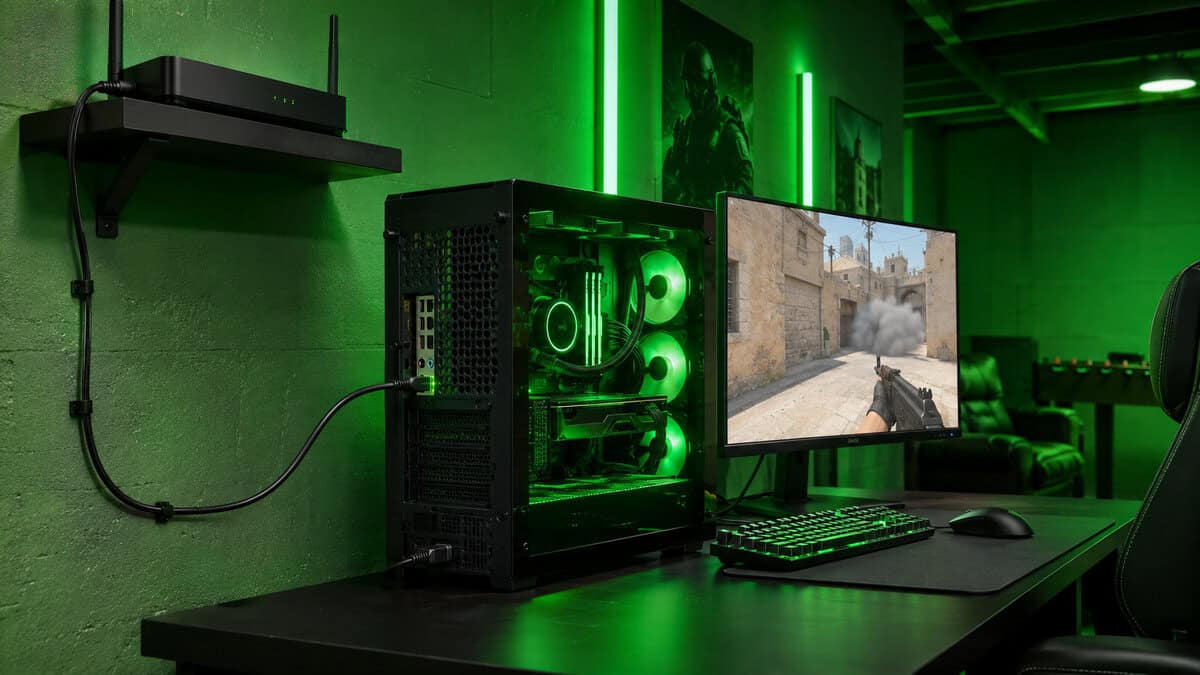
You’ll choose the right cable by its route more than by its category number. We picked three cables by where they run, from a short patch on the desk to a flat cable under a rug to a shielded cord behind a crowded TV stand.
The Cable Matters has the thickest wire of our three picks in a round patch cable. It suits a router that sits on the same desk or shelf as your PC or console.
- 24 AWG copper is the thickest wire in our lineup
- Snagless boots guard the plug clips in a tight desk grommet
- Cable Matters rates it to the TIA/EIA 568-C.2 Cat 6 standard
- A round cable is hard to hide under a rug
- No shielding is listed for runs beside power bricks
- The 10 ft length we link only suits a desk or shelf
The Jadaol is a flat cable that slides under a rug or a door and clips along a baseboard. It’s an easy way to get a wire from the router to a console in another room.
- Flat shape slides under carpet and door gaps
- Clips in the box hold it along walls and corners
- Also sold in 25 ft and 30 ft lengths for shorter routes
- Thin 30 AWG wire gives less margin on very long runs
- Route the unshielded cable away from power cords
- The 50 ft length we link is long for a nearby room
Each twisted pair inside carries its own shield against electrical noise. The slim jacket and narrow boot fit a crowded TV stand or a packed network switch.
- Individually shielded pairs repel noise from nearby power bricks
- Narrow boot fits between crowded plugs
- CM rating covers runs inside a wall
- Shielding adds nothing on a clean desk run
- Costs the most per foot of our three picks
- Thin 30 AWG wire suits short runs best
- A Cat 6 cable covers the gigabit Ethernet ports on the PS5 and Xbox Series X. Cat 7 and Cat 8 add nothing a console can use.
- A cable removes Wi-Fi drops and lag spikes between your console and the router. It can’t shorten the trip to a distant game server.
- Pick the cable by where it runs. Use a round patch cable on a desk, a flat cable under a rug and a shielded cable near power bricks.
- Measure the route along walls and furniture rather than the straight line. Leave a little slack at both plugs.
- A Switch 2 only connects by cable while it sits in its dock, with the cable running from the dock to the router.
Table of Contents
Cat 5e vs Cat 6 vs Cat 6A vs Cat 8 for Gaming
Cat 6 is the right category for gaming on a typical home setup. The category number sets how much bandwidth a cable is built for and how far it can carry faster network speeds, but it has no effect on your ping.
Cat 5e is the older baseline for gigabit Ethernet. Cat 6 adds bandwidth and carries 10-gigabit links over shorter runs. Cat 6A carries 10-gigabit links over longer runs. Cat 8 targets short and very fast links between equipment in server rooms. A console’s gigabit port has no use for the extra headroom that Cat 6A or Cat 8 adds.
If your ping still jumps around on a wired connection, our guide to getting better ping covers the router and network settings that matter more than the cable.
Picking the Best Ethernet Cable for Gaming by Port Speed
Picking the best Ethernet cable for gaming starts with the port on your console or PC. Microsoft lists the Xbox Series X Ethernet port as 802.3 10/100/1000, which means gigabit. Sony lists 1000BASE-T among the PS5’s wired networking modes, which is gigabit as well.
A gigabit port runs at full speed on any decent Cat 6 cable. If your gaming PC has a faster 2.5G port, Cat 6 still has room for it at home cable lengths.
Port speed is also why the cheapest Cat 6 cable and an expensive Cat 8 cable feel the same on a console. Both carry everything a gigabit port can send.
How an Ethernet Cable Affects Ping
Ping comes from the whole path between your console and the game server. The cable only covers the first few feet of that path.
A cable helps most by removing Wi-Fi’s weak spots. Walls, distance and other busy devices on the network can cause dropped packets and lag spikes over Wi-Fi. A wired link holds steady through all of that. A cable can’t shorten the trip to a distant server or speed up a slow internet plan.
We weigh the two connection types side by side in our Wi-Fi or Ethernet for gaming guide.
Router on the Same Desk or Shelf
For a router on the same desk or shelf as your console or PC, use a short round patch cable with thick wire. Round cable bends neatly behind a desk and tucks into a cable tray. A short run is also easy to keep tidy.
Cable Matters Snagless Cat 6
The Cable Matters Snagless Cat 6 Ethernet Cable is our pick for a desk run because it has the thickest wire of our three picks. Cable Matters builds it with 24 AWG bare copper and rates it for up to 550 MHz.
The Cable Matters Snagless Cat 6 pairs the thickest wire in our lineup with a round jacket that’s easy to route behind a desk.
Cable Matters says the cable meets Category 6 performance under the TIA/EIA 568-C.2 standard. Its snagless boots cover the plug clips, which keeps them from snapping off when you feed the cable through a desk grommet.
Cable Matters also rates it for Power over Ethernet up to PoE++, which only matters if you reuse the cable for a camera or a wireless access point later. We link the 10 ft length, though Cable Matters sells the same cable in other lengths too.
A round cable is hard to hide under a rug or a door. The listing doesn’t mention shielding either, a gap that counts only when the cable runs right beside power bricks.
How Much Length to Buy for a Desk Run
Buy a desk cable long enough to follow the route along the furniture, plus slack at both plugs. Measure from the router port down the back of the desk, along any cable tray and up to the console or PC port.
A little slack at each end lets you move the router or pull the PC forward without yanking a plug. Too much slack ends up coiled behind the desk. Our PC cable management guide covers trays and ties for tidying the extra.
Router in Another Room or Down the Hall
For a router in another room, use a long flat cable that can slide under doors and rugs and clip along a baseboard. A flat cable gets a wired connection to a console without drilling through walls.
Jadaol Flat Cat 6 With Clips
The Jadaol Flat Cat 6 Ethernet Cable with Clips uses thin 30 AWG wire, which is the tradeoff for its flat shape. Thin wire still carries a gigabit console at home lengths. The flat jacket lets the cable cross a room under rugs and doors.
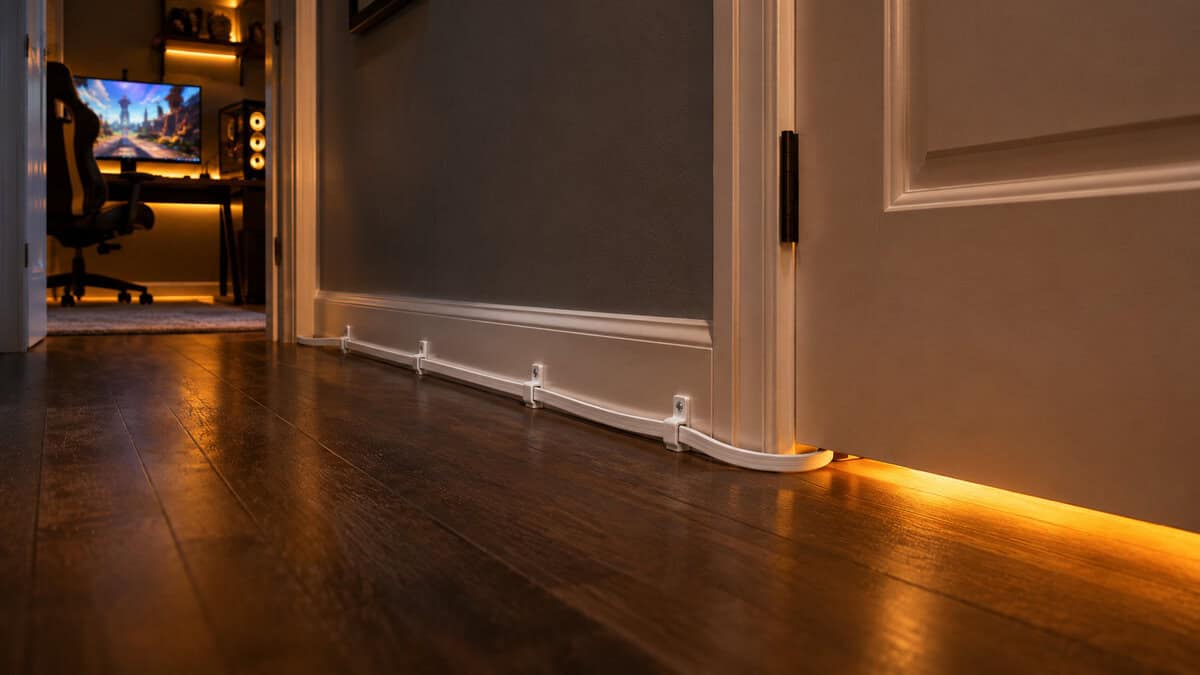
The Jadaol flat Cat 6 slides under carpet and door gaps that a round cable can’t get past.
Jadaol builds the cable with bare copper conductors and gold-plated RJ45 plugs. It rates the cable for up to 250 MHz as an unshielded (UTP) Cat 6 cable.
Clips come in the box to hold the cable along walls, around corners and along the edge of the floor. We link the 50 ft length. Jadaol also sells 25 ft and 30 ft versions if your route is shorter.
Thin Flat Wire and Long Runs
Thin flat wire handles a typical run between rooms in a home for a gigabit console. With wire gauge, a higher AWG number means thinner wire.
Thinner wire loses more signal over distance than thicker wire. For a run that stretches across a large house, a round 24 AWG cable gives you more margin. For a room down the hall, the flat Jadaol carries a gigabit link comfortably.
Buy the length that fits the route rather than the longest one available. Extra cable on a thin-wire run adds signal loss and leaves a coil to hide.
When a Cable Can’t Reach
When a cable can’t reach the console, a mesh Wi-Fi system with a wired link between its units is a good fallback. Powerline adapters carry network data over your home’s electrical wiring. MoCA adapters use the coaxial TV cable already in your walls.
Each option keeps the console off a crowded Wi-Fi band for at least part of the trip. Our best mesh Wi-Fi system guide covers mesh systems that work well for gaming.
Get our free Budget Gaming Setup Checklist
Plus one email every Thursday on what changed for budget gaming gear.
No spam. Unsubscribe any time. Privacy
Behind a TV Stand Full of Power Bricks
A shielded Ethernet cable helps most on a TV stand packed with a console, a power strip and power bricks. Shielding guards the signal against electrical noise from nearby power cables. A slim cable also fits between crowded plugs.
Monoprice SlimRun Cat 6A Double Shielded
The Monoprice SlimRun Cat 6A Double Shielded Ethernet Cable is our pick for a crowded TV stand because every twisted pair inside it carries its own shield. Monoprice calls the design S/FTP and pairs it with shielded plugs.
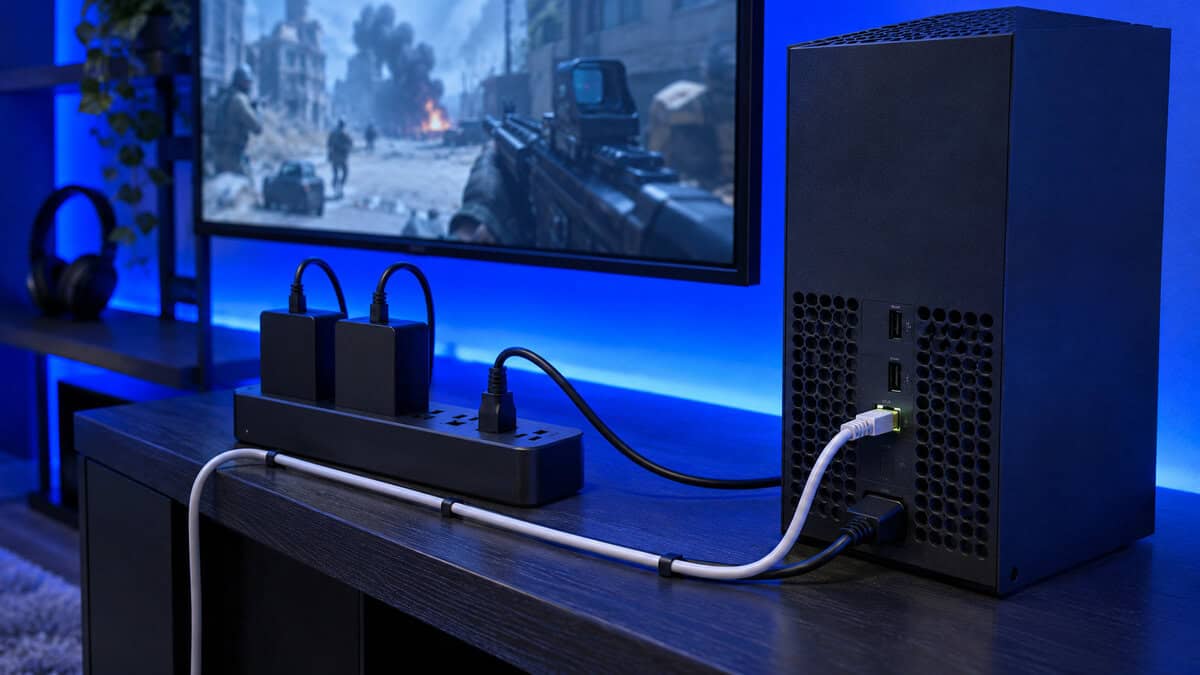
The Monoprice SlimRun shields each wire pair inside a jacket slim enough for a packed TV stand.
Shielding only pays off near a source of electrical noise. On a clean desk run, the shield adds nothing over the Cable Matters Cat 6. The SlimRun also costs the most per foot of our three picks.
The narrow snagless boot slips between other plugs on the back of a console or a network switch. Monoprice uses ultraslim 30 AWG wire and gives the cable a CM rating for in-wall use.
We link the 10 ft white version, which reaches from a TV stand to a router on a nearby shelf.
The Switch 2 Dock LAN Port
A Nintendo Switch 2 can only use a wired connection while it sits in its dock. Nintendo’s Switch 2 internet setup page says the console must be docked to connect online by wire, with the Ethernet cable running from the dock to your router.
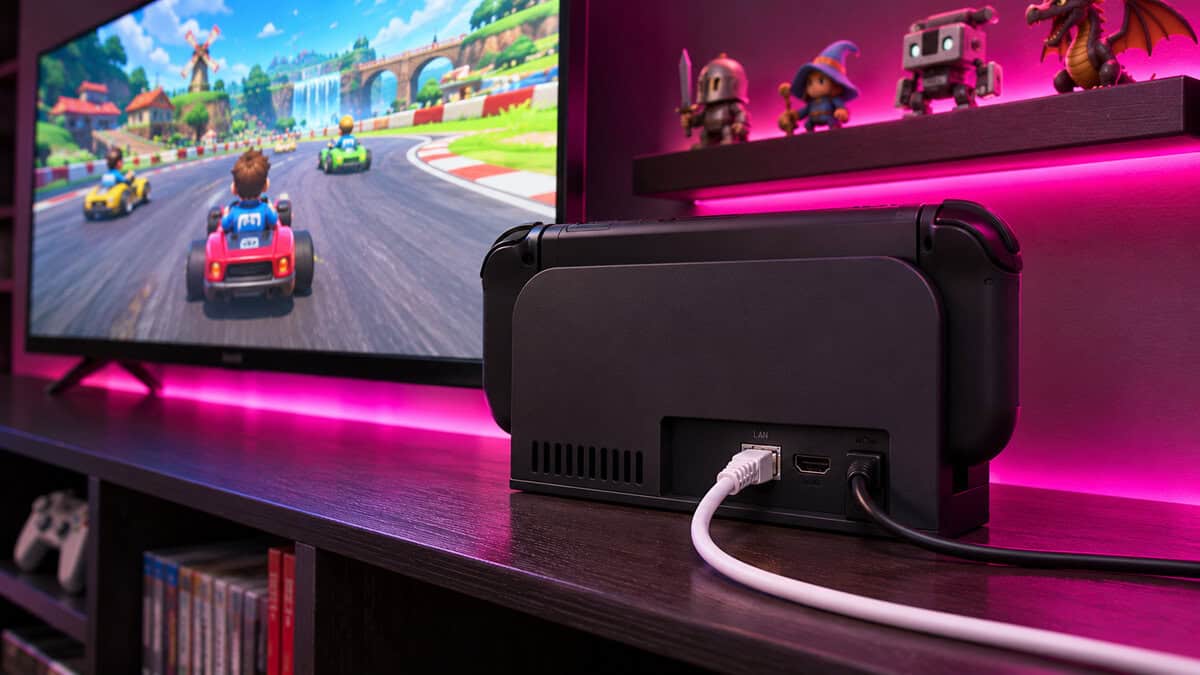
The dock usually sits on a TV stand next to the console’s power adapter, which makes it a good match for the shielded SlimRun. Once the cable is in, select Wired Connection in the Switch 2’s internet settings. Our Switch 2 dock guide covers spare and travel docks.
Room-by-Room Ethernet Cable Picks
Use the Cable Matters Cat 6 for a desk run, the Jadaol flat cable for another room and the Monoprice SlimRun for a TV stand full of power bricks.
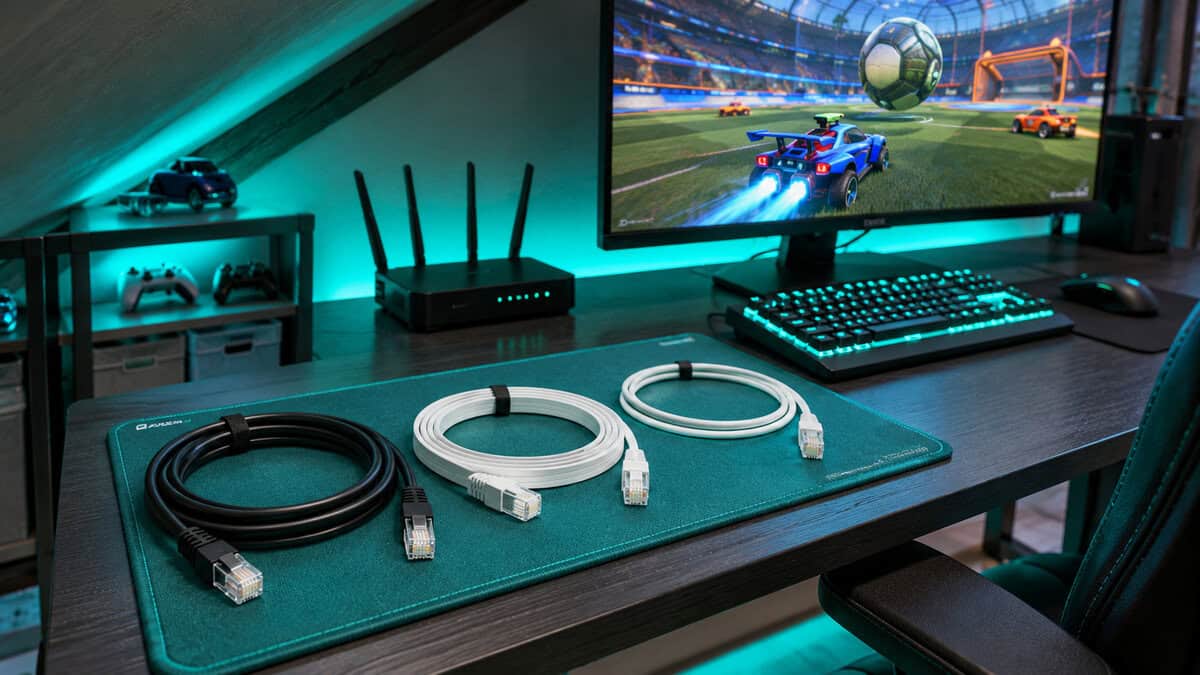
Here’s where each cable fits best and what you give up with it.
| Where the Cable Runs | The Cable | Why It Fits | What You Give Up |
|---|---|---|---|
| Router on the same desk or shelf | Cable Matters Snagless Cat 6 | Thickest wire and a round jacket that routes easily behind a desk | Hard to hide under a rug |
| Router in another room or down the hall | Jadaol Flat Cat 6 with Clips | Slides under carpet and doors and clips along the baseboard | Thin 30 AWG wire works best on a run no longer than you need |
| Behind a TV stand next to power bricks | Monoprice SlimRun Cat 6A Double Shielded | Shielded pairs and a slim jacket for a crowded stand | Costs the most per foot and the shield only helps near noise |
Two Cables for One Setup
One gaming setup can use two Ethernet cables at once. A flat Jadaol run can go from the router to a small network switch in the gaming room. Short patch cables then connect the switch to the console and the PC.
A small unmanaged switch only needs power to work. Put it where the long cable ends and keep the patch cables short.
Spec Sheet for the Three Ethernet Cables
The Cable Matters has the thickest wire, the Jadaol is the only flat cable and the Monoprice is the only one listed as shielded. Lengths and plug styles are in the product cards.
| Ethernet Cable | Category | Wire Gauge | Bandwidth | Shielding | Best For |
|---|---|---|---|---|---|
| Cable Matters Snagless Cat 6 | Cat 6 | 24 AWG | Up to 550 MHz | None listed | Desk runs |
| Jadaol Flat Cat 6 with Clips | Cat 6 (flat) | 30 AWG | Up to 250 MHz | Unshielded (UTP) | Another room |
| Monoprice SlimRun Cat 6A Double Shielded | Cat 6A | 30 AWG | Not listed | S/FTP, each pair shielded | Behind a TV stand |
Where Cat 7 and Cat 8 Fit
Cat 7 and Cat 8 cables don’t make a gaming console any faster, even though they’re easy to find. Cat 8 is built for short and very fast links between equipment in server rooms. Cat 7 isn’t a recognized TIA category, which means plugs and builds vary from brand to brand.
A gigabit port on a PS5 or Xbox Series X runs the same on Cat 6 as on Cat 8. UGREEN’s Cat 8 cables are a common example. They work fine on a console, though a gigabit port can’t use the extra headroom you pay for.
Shielded or Unshielded at Home
Unshielded Cat 6 suits most home runs. Shielded cable helps near strong electrical noise like a power strip full of adapters.
Shielding works best when the whole path is shielded, which is why the Monoprice SlimRun uses shielded plugs as well as shielded pairs. A cheap cable sold as shielded without shielded plugs gives you less protection than the label suggests.
Before You Plug In
Before you plug in a new Ethernet cable, check the port, measure the route and plan where the cable will sit. Run through these steps for a console or a gaming PC.
- Check the Ethernet port speed on your console or PC in its spec sheet or manual.
- Measure the route along walls and furniture, then add slack at both ends.
- Choose a flat cable for any stretch that goes under a rug or a door.
- Keep the cable clear of door hinges and chair wheels.
- Plug the far end straight into a router or network switch port.
- Run the console’s wired network setup once everything is connected.
Running the Wired Setup on PS5 Xbox and Switch 2
PlayStation’s internet setup page lists the PS5’s wired setup path as Settings > Network > Settings > Set Up Internet Connection > Set Up Wired LAN.
On an Xbox Series X, open Network settings and select Test network connection to confirm the wired link works. On a Switch 2, dock the console first and then pick Wired Connection in its internet settings.
If the console still shows a slow or unstable connection once it’s wired, check the router and your internet plan next.
Frequently Asked Questions
Here are quick answers on cable categories, ping and the right cable for a PS5.
Is Cat 6 or Cat 8 better for gaming?
Cat 6 is the better buy for gaming because it already covers the gigabit Ethernet ports on the PS5 and Xbox Series X. Cat 8 is built for short and very fast links between equipment in server rooms. A console runs the same on either cable. Cat 8’s extra headroom goes unused on a home gaming setup.
Is Cat 5 or Cat 6 better for gaming?
Cat 6 is the better choice for gaming, though Cat 5e still handles a gigabit console. Cat 6 is built for more bandwidth and for 10-gigabit links over shorter runs, which leaves headroom for a PC with a faster port. Plain Cat 5 is an older standard worth skipping on a new purchase.
Is Cat 6 Ethernet overkill for gaming?
No, Cat 6 isn’t overkill for gaming. It’s the sensible standard for a new cable because it covers gigabit consoles with room to spare. A plain Cat 6 cable is enough for a PS5, an Xbox Series X or a Switch 2 in its dock. Cat 6A and Cat 8 add spec a console can’t use.
Will a better Ethernet cable lower my ping?
A better Ethernet cable won’t lower ping on its own once you’re already wired. Switching from Wi-Fi to any decent cable can steady your connection by removing dropped packets and lag spikes. Ping to the game server depends on distance, your internet plan and your router. The cable only covers the first few feet of that path.
What Ethernet cable is best for gaming on a PS5?
The best Ethernet cable for gaming on a PS5 is a Cat 6 or Cat 6A cable long enough to reach your router. Sony lists the PS5’s wired port as gigabit (1000BASE-T), which Cat 6 handles easily. Use the Cable Matters Cat 6 for a short run, the Jadaol flat cable for another room or the Monoprice SlimRun behind a crowded TV stand.
Looking for more budget gaming gear? Check out Budget Loadout for the latest reviews and recommendations.
Related Articles