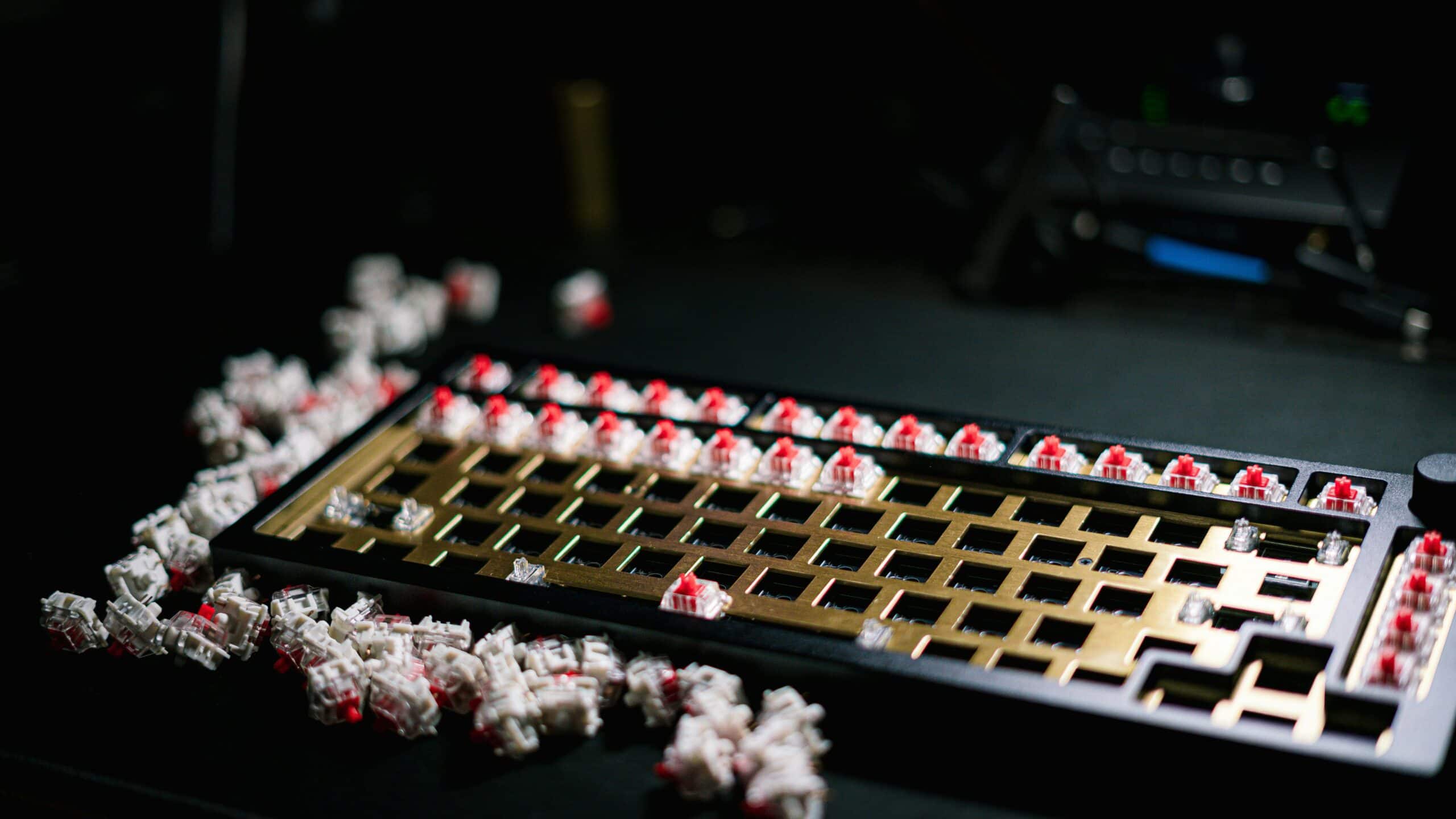
The quietest mechanical keyboard switches are a specific category: silent linear switches. They are engineered with internal dampeners that absorb sound on both the downstroke and the upstroke. Switches like the Gateron Ink V2 Silent Black and Cherry MX Silent Red are built for a smooth, nearly inaudible experience, making them a solid choice for gaming and streaming without sacrificing performance.

- Silent mechanical switches use built-in dampeners to reduce both the downstroke and upstroke noise without sacrificing the mechanical feel
- Cherry MX Silent Reds and Gateron Ink V2 Silent Blacks are top choices for quiet linear switches, offering smooth keypresses with minimal sound
- Silent tactile switches like the Akko V3 Penguin and Gazzew Boba U4 deliver a satisfying bump without the noise, ideal for gamers who need feedback
- Lubing switches, adding switch films, and installing case foam are effective DIY mods that can cut keyboard noise by up to 50%
- For competitive FPS gaming, a silent linear switch is the pragmatic choice — for MMO and strategy players, silent tactile switches offer helpful keystroke confirmation
Table of Contents
- Ink housing reduces friction for exceptionally smooth keystrokes compared to standard nylon
- Dual silicone dampeners absorb sound on both downstroke and upstroke for near-silent operation
- 5-pin design with smokey RGB-compatible housing fits most hot-swap boards
- At ~$1.05 per switch, it is the most expensive option on this list
- 60g actuation may feel heavy for typists who prefer lighter linears like 45g
- Limited color options compared to Cherry or Gateron's standard switch lineup
- Gold crosspoint contacts and Cherry's proven build quality ensure long-term reliability
- 45g actuation force provides a lighter touch compared to the heavier Gateron Ink V2
- Wide compatibility — fits virtually every mechanical keyboard on the market
- At ~$2.90 per switch it is the priciest per-unit option in this roundup
- Lacks the buttery smoothness of the Gateron Ink housing without aftermarket lubing
- Standard housing design does not diffuse RGB lighting as well as smokey alternatives
- At ~$0.32 per switch it offers the best price-to-performance ratio in this roundup
- Sharp tactile bump sits high in the keystroke for immediate feedback without mushiness
- Factory pre-lubed with 50 million keystroke lifespan and MX-compatible 5-pin design
- Tactile bump may feel distracting for competitive FPS players who prefer smooth linears
- 50gf force sits in the middle range — may feel heavy for light typists or light for heavy typists
- Akko's software ecosystem is less mature than Gateron or Cherry for custom configuration
Finding Your Ideal Quiet Mechanical Switch
Let’s be direct: a loud mechanical keyboard is a liability. That sharp “clack” gets picked up by your stream mic, annoys anyone else in the room during a late-night session, and can break your focus. For years, the only alternative was a mushy membrane keyboard.
That’s no longer the case.
Specialized silent mechanical switches are designed to solve this problem. They use integrated dampeners—not cheap O-rings you add yourself—to mute the harsh plastic-on-plastic sound of bottoming out and the key snapping back up. This guide is for gamers who need a competitive edge without the noise pollution. We’re focused on value, build quality, and how these switches perform for specific use cases like competitive gaming and streaming.
No More Mushy Compromises
The biggest myth about silent switches is that they feel sluggish. Early models had issues, but modern silent switches deliver a clean feel. You need to understand the two main types and their intended purpose:
- Silent Linear Switches: These offer a smooth, consistent keystroke from top to bottom with no bump. They’re the go-to for fast-paced FPS or action games where raw speed and minimal resistance are key.
- Silent Tactile Switches: These provide a small, noticeable “bump” at the actuation point, giving you physical feedback that your keypress registered. This is useful for nailing MMO ability rotations, typing in chat, or playing strategy games.
The tradeoff is straightforward: silent linears are typically the quietest, while silent tactiles provide more feedback at the cost of a few extra decibels. Neither will wake the neighbors, but the difference is audible. Durability is also critical; reputable switches from brands like Cherry or TTC are rated for 50 million keystrokes or more, so you can expect them to handle years of use.
Before we get into the technical details, here’s a look at our top value picks.
Top Value Silent Switches at a Glance
This table breaks down some of the best silent switches that offer good value. We’re focusing on options that deliver solid performance for gaming and streaming.
| Switch Name | Type | Feel & Use Case | Avg. Price Per Switch |
|---|---|---|---|
| Gateron Ink V2 Silent Black | Linear | Premium smooth and quiet 60g linear. Ink housing reduces friction for a buttery keystroke during gaming. | ~$1.05 |
| Cherry MX Silent Red | Linear | A reliable industry standard with a slightly firmer feel. Good all-around option for gaming and mixed use. | ~$0.60 |
| Akko V3 Penguin | Tactile | Sharp tactile bump without the loud click. Good for MMOs, RPGs, and extensive typing. | ~$0.65 |
| Gazzew Boba U4 | Tactile | A very quiet tactile with a rounded bump. A strong choice for shared spaces or quiet streaming. | ~$0.65 |
Each of these switches offers a different feel, but they all share one key trait: they let you focus on your game without making a racket. Whether you prioritize the smooth travel of a linear or the feedback of a tactile, there’s a quiet option here that will get the job done.
The Engineering Behind Truly Silent Switches
To understand why silent switches are quiet, you first have to know what makes a normal mechanical switch loud. It’s like a cabinet door without a soft-close hinge; when you let it go, it slams shut. A standard switch does the same thing on a much smaller scale.
The noise from a regular switch comes from two main sources. First, there’s the bottom-out clack—the sound of plastic hitting plastic when you press the key all the way down. Then you’ve got the upstroke return, which is the snap of the stem hitting the top of its housing as it springs back up. On top of that, some switches have spring ping, a metallic ringing from the spring vibrating inside.
This is where silent switches change the game for gamers and streamers, cutting out the noise that can ruin a stream or break your focus.
Taming the Clack and Snap
Silent switches tackle these noises with built-in dampeners. These are small pieces of silicone or rubber placed inside the switch, and they’re far more effective than old-school O-rings. O-rings only soften the bottom-out; a true silent switch is engineered for quiet from the ground up.
- Bottom-Out Dampening: A small silicone pad sits where the stem would normally slam into the bottom housing. When you press down, the stem hits this soft pad, turning a sharp clack into a dull thud.
- Upstroke Dampening: Another dampener is built into the top rails of the stem. When the key bounces back, this cushion absorbs the impact against the top housing, muffling the plastic snap.
This two-part system is what makes something like a Cherry MX Silent Red fundamentally different from a standard Red. The regular switch has no internal sound absorption, so every keypress creates two distinct plastic impacts. The silent version cushions both ends of the travel.
The goal of a silent switch isn’t just to be quiet; it’s to reduce noise without creating a mushy, unresponsive feel. Quality dampeners absorb sound energy while preserving a crisp bottom-out, a crucial element for performance in FPS or MMO gaming.
Materials and Build Quality Matter
Beyond the dampeners, the plastics and construction of the switch play a huge role. You can’t have a good silent switch without solid build quality.
Cheaper silent switches sometimes use softer, lower-grade plastics for the housing and stem. This might deaden some high-frequency noise, but it often leads to a mushy feeling and introduces stem wobble—that looseness where the keycap feels unstable. A well-built silent switch uses high-quality polymers (like POM or specialized nylon blends) that are dense enough to feel solid but are engineered to minimize acoustic resonance.
The Tradeoff for Silence
Let’s be honest, there is a small tradeoff. Those integrated dampeners slightly reduce the total travel distance of the key. We’re talking fractions of a millimeter. For most gamers, this difference is negligible and you’ll adapt to it in minutes, but some keyboard purists might notice the slightly shorter stroke.
The benefit, however, is clear: a keyboard that’s dramatically quieter. For a streamer, that means your mic won’t pick up furious key-mashing during an intense firefight. For a gamer in a shared apartment, it means you can play late into the night without waking anyone up. Understanding this engineering lets you look past marketing hype and find a switch that delivers the quiet performance you need.
Silent Linear Switches: The Best Picks for Smooth Gameplay
For fast-paced, competitive gaming, linear switches are the standard. The formula is simple: a straight, uninterrupted path from the top to the bottom of the keypress. There’s no tactile bump or audible click in the way, which allows for rapid, fluid actuations—ideal for FPS and action games where split-second reactions matter.
When you add silencing tech to that, you get speed without the racket. Silent linear switches are engineered to deliver that same smooth travel while killing the harsh clack of bottoming out and the thwack of the key returning. For a streamer, this means a much cleaner audio feed. For a late-night gamer, it means not disturbing others.
But not all silent linears are the same. The dampener design can completely change the switch’s feel, quality, and overall value. Let’s look at two top contenders that deliver on performance without a high price tag.
Gateron Ink V2 Silent Black: The Premium Pick
The Gateron Ink V2 Silent Black is one of the smoothest silent linear switches you can buy. It uses Gateron’s signature Ink housing — a smokey, semi-transparent casing made from a proprietary blend that reduces friction compared to standard nylon. Combined with internal silicone dampeners on both the downstroke and upstroke, these switches deliver a buttery keystroke with almost zero audible feedback.
At 60g actuation force, they are heavier than typical silent linears, which gives them a more deliberate, controlled feel. This makes them well-suited for gamers who want to avoid accidental keypresses during intense sessions. The 5-pin design ensures stability in most hot-swap boards, and the factory lubrication is applied consistently. At ~$37 for a 35-pack (~$1.05 per switch), they sit at the premium end of the budget spectrum, but the build quality and smoothness justify the investment for anyone serious about a silent gaming setup.
Cherry MX Silent Red: The Industry Standard
You can’t discuss silent switches without mentioning the Cherry MX Silent Red. For years, it has been the benchmark for quiet linear performance, known for its reliability and robust build quality. Cherry has a reputation for a reason; these switches are rated for over 50 million keystrokes, so they are built to last through years of intense gaming.
The feel of a Cherry MX Silent Red is a bit different from the Gateron Ink V2 Silent Black V2. It has a firmer bottom-out due to its patented dampening design. Some gamers prefer this more definitive landing because it feels closer to a standard, non-silent switch. The tradeoff is that it’s marginally louder than the quietest competitors, but still a massive improvement over any standard linear.
Cherry’s main advantage is its proven track record. The construction is consistently high-quality, with minimal stem wobble and excellent durability. You are paying a slight premium for the brand name and German engineering, but for many, that peace of mind is worth it.
Best Use Cases:
- MMO & RPG Gaming: The slightly higher 45g actuation force and firmer bottom-out can help prevent accidental key presses during complex ability rotations.
- Mixed-Use (Gaming & Typing): Its balanced feel makes it a reliable all-rounder if your gaming rig also doubles as your work or study station.
The choice between these two comes down to your preference and budget. The Gateron Ink V2 Silent Black offers superior quietness and a softer feel for less money, making it an excellent value. The Cherry MX Silent Red provides legendary durability and a firmer, more traditional feel for those willing to spend a little more for a proven product.
Silent Tactile Switches For Feedback Without the Racket
While silent linears are the quietest, they’re not for everyone. For many gamers, especially those playing MMOs, RPGs, or anyone who types a lot, that tactile bump is non-negotiable. It’s the physical confirmation that your spell went off or your message was sent.
This is where silent tactile switches come in, offering that satisfying bump without the disruptive noise of their clicky counterparts. They’re the middle ground.
Think of it this way: a silent linear is like gliding—smooth and fast. A silent tactile is like walking on packed snow; you still move quickly, but you feel each step. That feedback is useful for timing ability rotations in a game like World of Warcraft or for ensuring accuracy when typing commands in a strategy game.
For streamers, this is a huge benefit. You can engage with your chat, typing long responses without your mic picking up a hailstorm of clatter. The goal is to get that reassuring bump without the loud, high-pitched click of a traditional tactile switch like a Cherry MX Brown or Blue.

The Feel Versus the Mush
The big challenge with silent tactiles is getting the feel right. Cheaper, poorly designed options often end up feeling mushy. The tactile bump gets lost in the dampening material, resulting in a keypress that feels more like a membrane keyboard. This is the biggest tradeoff to watch out for.
A quality silent tactile switch, on the other hand, delivers a crisp, defined bump. The engineering is more complex because it has to create that tactile event while also silencing both the bottom-out and the upstroke. Top-tier switches pull this off with carefully shaped stems and precisely placed silicone dampeners that mute the sound without killing the bump. You get a clean feedback point, followed by a quiet landing.
The difference between a great silent tactile and a bad one is clarity. You should feel the bump distinctly before you feel the cushioning of the dampeners. If the two sensations blend into one soft press, the switch has failed.
Let’s be direct about the sound. Silent tactiles are almost always a touch louder than the best silent linears. The mechanism that creates the tactile bump inherently generates a bit more noise. But they are drastically quieter than standard tactile switches, trading the sharp clack for a much more subtle, low-pitched thock.
Akko V3 Penguin: The Budget Tactile Favorite
The Akko V3 Penguin has quickly become one of the most popular silent tactile switches in the enthusiast community, and for good reason. It delivers a crisp, well-defined tactile bump right at the top of the keystroke — sharp enough to feel clearly, but without the harsh snap of a clicky switch. Below the bump, the press smooths out into a clean, dampened landing.
What makes the Penguin stand out is its combination of quality and price. At ~$15 for a 45-pack (~$0.32 per switch), it undercuts most competitors while delivering factory pre-lubed smoothness and a 50gf actuation force that feels natural for both gaming and typing. The 5-pin MX-compatible design fits virtually any hot-swap board. With over 1,100 reviews and a 4.7-star rating on Amazon, the Penguin is a proven choice for anyone who wants the quietest mechanical keyboard switches with genuine tactile feedback.
Beyond the Switch: DIY Mods for Maximum Silence
Picking a quiet mechanical switch is the biggest step, but it doesn’t end there. If you want to chase a near-inaudible typing experience, a few simple DIY mods can make a huge difference. These are straightforward upgrades any gamer can tackle to reduce leftover noise.
These mods are all about tackling noise that a silent switch can’t fix on its own—like the hollow echo from inside your keyboard’s case or the rattle from loose components. By addressing these weak points, you can elevate a good silent keyboard into a great one.

Lubing Switches to Dampen Sound
If you do only one mod, make it this one. Lubricating your switches is the most effective thing you can do to improve both the sound and feel of your keyboard. It involves applying a thin layer of specialized grease to the moving parts inside each switch, and it solves two common noise problems.
First, it kills spring ping—that faint, high-pitched metallic ringing you hear as the spring inside the switch bounces back. The lube coats the spring and stops those vibrations. Second, it reduces friction between the switch stem and its housing, which gets rid of any scratchy sounds and smooths out the keypress.
The result is a much deeper, cleaner, and quieter sound profile. The harsh, high-frequency clatter is replaced with a more muted and satisfying “thock.”
Be warned: over-lubing is a common mistake. Too much lube will make your switches feel gummy and sluggish. The goal is a micro-thin layer. For budget-conscious gamers, a small jar of Krytox 205g0 or a similar alternative is a good investment that will last for hundreds of switches.
Adding Switch Films to Reduce Rattle
Ever notice a slight wobble or a tinny, high-pitched rattle when you press a key? That’s often caused by microscopic gaps between the top and bottom halves of the switch housing. Even well-made switches can have tiny manufacturing tolerances that create this noise. Switch films address this.
Switch films are tiny, paper-thin gaskets that you sandwich between the two housing halves. They fill that gap, tightening the whole assembly and eliminating play between the parts.
- Benefit: This creates a more solid, stable-feeling switch.
- Result: It dials down high-pitched housing rattle, leading to a deeper and more consistent sound across the keyboard.
For just a few dollars, a pack of switch films can make your board sound and feel more premium. This is an easy win for refining your board’s acoustics.
Using Case Foam to Absorb Vibrations
Think of your keyboard’s case as an echo chamber. Every time you press a key, vibrations travel through the circuit board and into the empty case, where they bounce around and create a hollow, resonant sound. This is especially common in budget keyboards made of thin plastic.
The solution is simple: fill that empty space with foam.
By adding a layer of sound-dampening material inside your keyboard, you absorb those vibrations before they turn into noise. You don’t need expensive acoustic foam; many builders get good results with budget materials like PE foam (the kind used for packing) or dense shelf liner.
The process is easy: open up your keyboard, cut the foam to fit snugly in the bottom of the case, and reassemble it. This one mod dramatically deepens your board’s sound signature, getting rid of that cheap hollowness and making every keystroke sound more solid. It’s one of the most impactful mods for the cost and effort.
Choosing the Right Quiet Switch for Your Gaming Style
So, what’s the verdict? It comes down to one question: what do you play?
Chasing the absolute quietest switch is a mistake if it doesn’t feel right for your main games. Be honest about your gaming habits to get the most value for your money.
Think of it like picking tires. Racing slicks are great on a dry track, but a disaster in the rain. Your switch choice follows the same logic.
For the Competitive FPS and Action Gamer
If you play fast-paced, competitive games like CS2, Valorant, or Apex Legends, every millisecond and sound is critical. You need speed, consistency, and zero distractions.
For this type of gaming, silent linear switches are the clear choice.
Their smooth travel from top to bottom means you can fire off rapid, repeated keystrokes without a tactile bump getting in your way. Switches like the Gateron Ink V2 Silent Black are purpose-built for this, delivering a nearly inaudible keypress that keeps your audio clean and your head in the game. It’s pure performance.
For the MMO, RPG, and Strategy Player
If you spend your time weaving complex ability rotations in World of Warcraft, managing armies in a strategy game, or just typing in chat, your priorities shift. You benefit from a clear, physical confirmation that a keypress registered.
This is where silent tactile switches earn their keep.
That small but distinct bump in a switch like the Akko V3 Penguin provides crucial feedback for accuracy, making sure you don’t accidentally waste an important cooldown. The trade-off is a slightly higher noise level compared to linears, but it’s a small price to pay for that extra confidence.
The core takeaway is simple: Match the switch to your mission. Don’t chase the lowest decibel number if it means sacrificing the feel you need to perform at your best.
For years, the Cherry MX Silent Red was the go-to for finding this balance. These linear switches clock in around 45 dB—a huge drop from standard switches that can easily hit 60-70 dB. They achieve this with tiny, integrated silicone dampeners that mute both the downstroke and the upstroke. Their solid build quality makes them a reliable benchmark for quiet gaming. You can find more insights about quiet switch technology on Melgeek.com.
If you’re a streamer, this choice becomes even more critical. A silent linear switch will almost completely disappear from your microphone’s audio feed, a massive win for professional sound. For more tips on optimizing your audio, check out our guide on building a great streaming setup for beginners.
Ultimately, whether you go for the stealth of a linear or the feedback of a tactile, picking the right quiet switch will upgrade your entire gaming experience.
Got Questions About Silent Switches? Let’s Clear Things Up.
Switching to silent mechanical keys can feel like a big leap, especially for gamers. A lot of myths and genuine concerns pop up. Let’s tackle the big ones with straight answers.
Are Silent Switches Actually Bad for Competitive Gaming?
No, this is a myth that comes from old, mushy dome keyboards. It’s a bad reputation that has stuck around.
Modern silent linear switches have actuation points and travel distances that are practically identical to their louder counterparts. The internal dampeners might shave a fraction of a millimeter off the total travel, but this has zero real-world impact on your reaction time in an FPS match or an MMO raid.
The only real trade-off isn’t speed—it’s feel. Some gamers prefer the hard, plastic-on-plastic clack of a standard switch. The cushioned landing of a silent switch feels different, but that’s personal preference, not a performance downgrade.
Will Lubing a Silent Switch Ruin the Feel?
Not if you do it right. In fact, a proper lube job makes a good silent switch even better.
Applying a thin layer of a medium lube, like the community-favorite Krytox 205g0, smooths out any plastic friction or spring ping that the stock switch might have. It takes a switch from “quiet” to “smooth and quiet.”
The trick is to use a light touch. Over-lubing is the real enemy. Slathering on too much thick grease will make the switch feel heavy and sluggish. A little goes a long way.
How Much Better Are Silent Switches Than Just Using O-Rings?
They’re in a completely different league. It’s not a fair comparison.
O-rings are a cheap, band-aid fix that only solves half the problem. They put a rubber cushion on the keycap stem to soften the “clack” when you bottom out. That’s it. They do nothing about the loud snap of the key returning to the top.
A true silent switch is engineered from the ground up with integrated dampeners. These bumpers absorb the impact on both the downstroke and the upstroke. This complete, two-way dampening is why they create a fundamentally quieter and more refined typing experience that O-rings just can’t touch.
At Budget Loadout, we cut through the noise to help you find gear that delivers real performance without the premium price tag. For more guides on building a value-packed setup, check out our full library of guides and reviews.
Related Articles