A good Nintendo Switch controller is a worthwhile upgrade, but spending a fortune isn’t necessary. While Nintendo’s official Pro Controller is a quality piece of hardware, it sets a benchmark, not a requirement. The market is filled with third-party options that deliver solid performance for gamers who want value—not just the cheapest piece of plastic available.
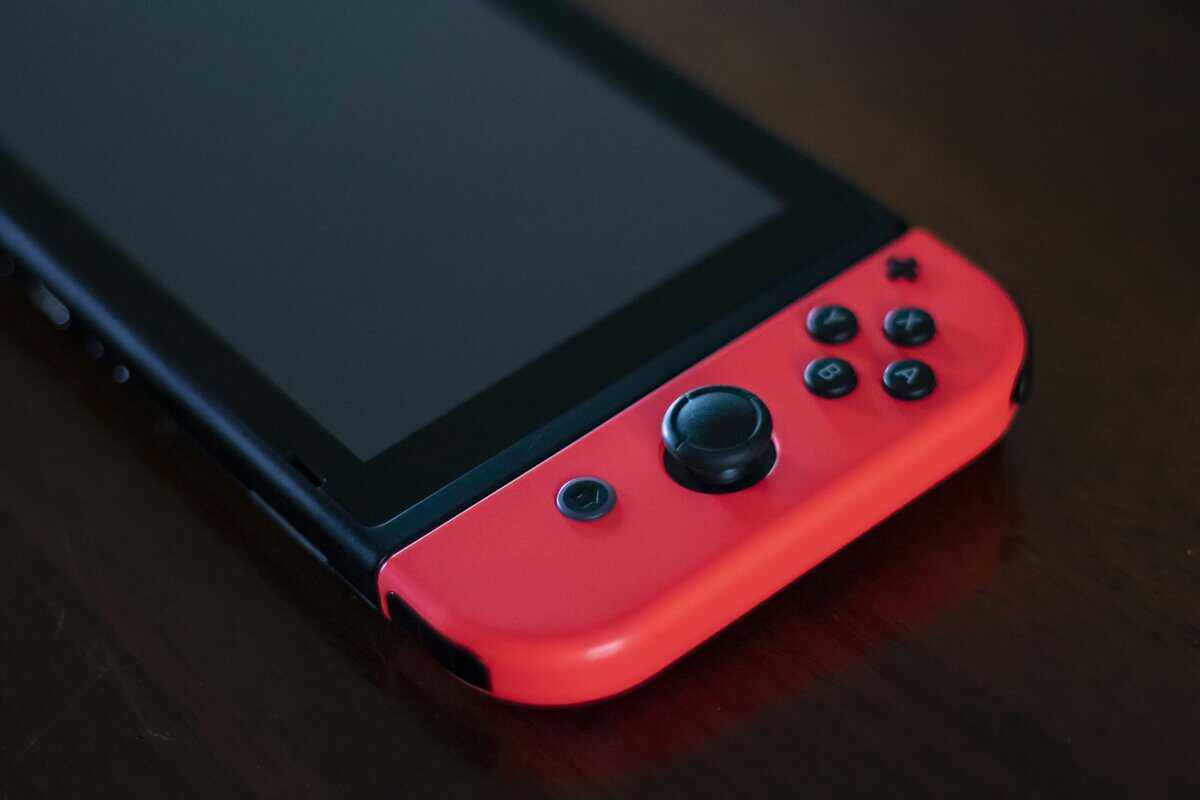
- Third-party Switch controllers from brands like PDP and PowerA deliver solid gaming performance at a fraction of Nintendo’s first-party prices
- The Pro Controller offers the most comfortable grip and best battery life, but wired third-party alternatives work great for budget gamers
- Joy-Con drift remains a concern, but newer Joy-Con 2 models use Hall effect sensors that resist this issue
- For competitive games like Smash Bros and Splatoon, investing in a controller with good D-pad and responsive buttons matters more than wireless features
Table of Contents
- Official Nintendo quality
- Hall effect analog sticks
- Versatile detached or grip play
- Premium price for a Joy-Con set
- May feel compact for larger hands
- Battery life could be longer
- Most comfortable Switch controller
- Excellent battery life
- Premium build quality
- Most expensive option in the lineup
- Analog trigger support varies by game
- D-pad may lack precision for fighters
- Very affordable
- Comfortable ergonomic design
- Fun customizable LED glow
- Wired only; no wireless
- No motion controls or amiibo support
- Build trails first-party controllers
Why Your Switch Controller Matters
Let’s be direct: the included Joy-Cons are a clever design, but they are not built for extended gaming sessions. Their small size can cause hand cramps, and the persistent issue of joystick drift is a genuine frustration. For anything beyond casual play, a dedicated gamepad is a practical upgrade. It directly affects your comfort and, more importantly, your performance in games that demand precision.
With the Switch 2 launching in June 2025, Nintendo introduced Joy-Con 2 with magnetic attachment and mouse functionality. If you already own Switch controllers, the good news is they work wirelessly with the new console.
This guide will cut through the marketing noise. We’re not going to praise flashy features you don’t need. Instead, we’ll provide a framework for finding a controller that fits your play style and your budget. The goal is to identify a gamepad that offers durability and performance for its price—a principle that applies whether you’re shopping for the Switch or looking for the best budget gaming controllers for PC.
A Practical Guide to Switch Controller Types
Navigating the world of Switch controllers can be overwhelming. You have options ranging from the small controllers included in the box to substantial pro-style pads. However, it all boils down to a handful of main categories. Identifying which one suits your needs is the first step to making a smart purchase.
Each type is built with a different kind of player in mind. Let’s break them down.
Nintendo Switch Controller Types at a Glance
This table provides a quick overview of the main controller categories. Use it as a reference to narrow down the options based on how you play, what you’re willing to spend, and which tradeoffs you can accept.
| Controller Type | Best For | Typical Price | Key Tradeoff |
|---|---|---|---|
| Joy-Con 2 | Switch 2 owners; mouse controls in compatible games | Included / $90-$100 | Only works with Switch 2; pricier than original |
| Pro Controller 2 | Serious docked gaming; best overall performance | $80-$90 | Only works with Switch 2 |
| Third-Party Wireless | Most gamers; getting a Pro Controller feel on a budget | $25-$50 | Inconsistent build quality; often lacks HD Rumble. |
| Wired Controller | Competitive FPS players; lowest budget option | $15-$30 | The cable can be restrictive for couch gaming. |
| Handheld Grip | Dedicated handheld players; long commutes | $30-$60 | Only works in handheld mode; adds bulk. |
As you can see, the choice often comes down to balancing price, features, and comfort. Now, let’s examine what those tradeoffs mean for your gaming experience.
Finding Your Fit
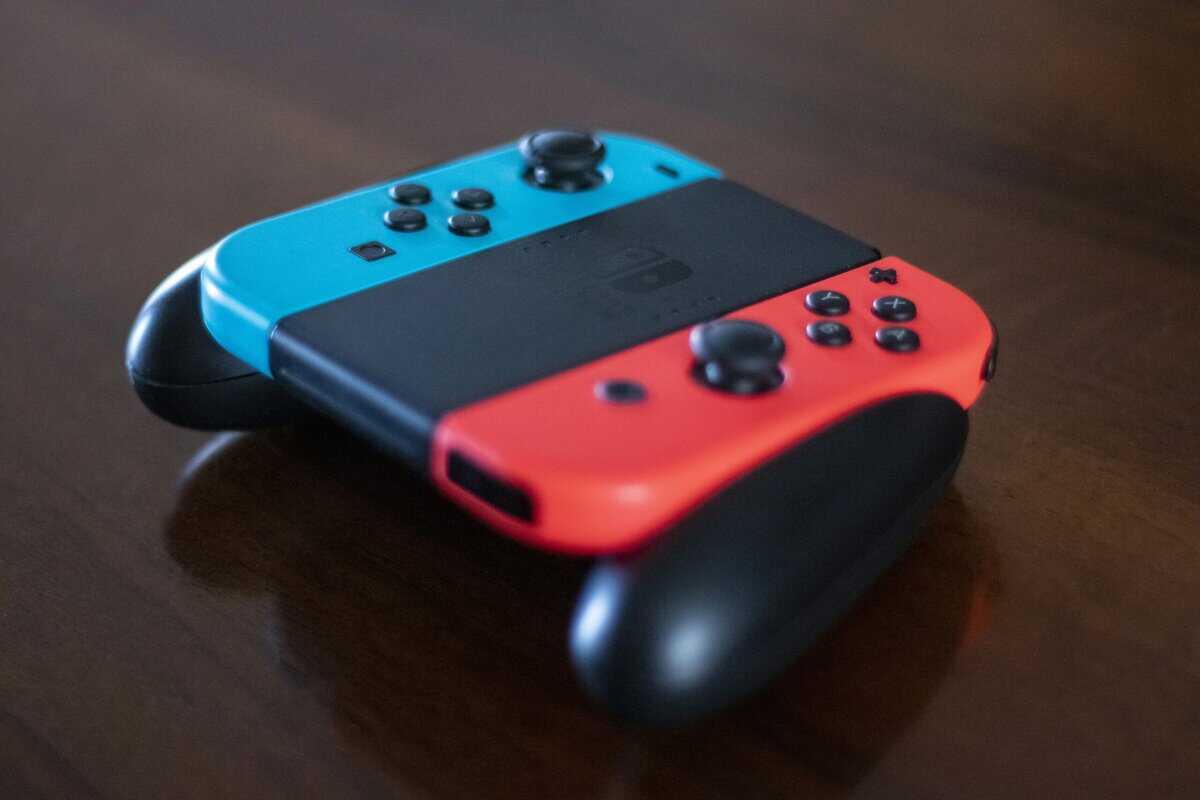
The Joy-Con 2s that come with every Switch are the default for a reason—they are versatile. You can attach them to the console for handheld play, slide them into the grip for a more traditional feel, or hand one to a friend for instant multiplayer. Their main disadvantage is comfort. For long sessions in games like Zelda or Xenoblade, they can feel cramped, and the well-documented joystick drift is a significant issue with their build quality.
For serious gamers playing on a TV, the official Nintendo Switch 2 Pro Controller is the benchmark. It has a comfortable ergonomic design, a functional D-pad, and includes premium features like HD Rumble 2. The problem is its price. A $80 price tag for a single controller is a high cost, especially for budget-conscious players.
This is where third-party controllers offer a viable alternative.
For most people, the best value is found in third-party wireless controllers. These pads often mimic the Pro Controller’s shape and deliver a similar experience for a fraction of the price, making them suitable for long RPG sessions or streaming. The main sacrifice is usually in the finer details—the rumble is typically a simple vibration instead of nuanced HD Rumble 2, and the durability and build quality can vary widely between brands.
If you’re a competitive player, especially in FPS titles where every millisecond counts, wired controllers have a key advantage: zero input lag. A wired connection is inherently faster than wireless. They also tend to be the cheapest option available, though you are tethered to your console.
Finally, we have handheld grips. These are specialized accessories that replace your Joy-Cons in portable mode, offering much better ergonomics and a more substantial feel. If you spend most of your time playing the Switch on the go, a grip can significantly improve comfort.
Features That Actually Improve Your Gameplay
Beyond the marketing, a few core features determine whether a Nintendo Switch controller is a solid investment or a waste of money. Understanding these will help you spot genuine value and avoid paying for gimmicks that don’t improve your gameplay.
For many, the most critical factor is input latency—the delay between pressing a button and the on-screen action. If you’re playing a turn-based RPG like Octopath Traveler, a few milliseconds of wireless lag is a non-issue. But in a fast-paced shooter, that same delay can be the difference between winning a firefight and seeing a respawn screen. This is why competitive players often choose a wired controller for its near-instant response.
Build Quality and Ergonomics
A controller’s physical design is as important as its internal technology. Build quality is about durability. Does the plastic shell feel hollow and cheap, or does it feel solid? Are the buttons mushy, or do they provide a tactile click? Pay close attention to the analog sticks; low-quality ones are the first component to develop drift and ruin the experience.
Then there’s ergonomics, which simply means how the controller feels over long gaming sessions.
Shape: Does the grip fit your hands, or do you have to cramp your fingers to hold it?
Weight: A controller that’s too light feels cheap, while one that’s too heavy can cause fatigue.
Button Layout: Can you reach all inputs without stretching?
The demand for better ergonomics and build quality is clear. Based on Circana’s data, the Switch 2 launch saw around 512,000 Pro Controllers sold in the U.S. in the first month alone. This means nearly one in three early buyers immediately paid a premium for a traditional gamepad, showing a clear willingness to invest in comfort and quality. You can explore more insights about gaming accessory sales data on gamefile.news.
Essential Features vs. Nice-to-Haves
For budget gamers, knowing where to compromise is key. A long battery life (30+ hours) is a convenience, but you can save money on a controller with a 15-hour battery if you are diligent about charging it. Haptic feedback is another area for savings. Nintendo’s HD Rumble 2 is detailed and immersive, but the standard vibration in most third-party pads is sufficient for the majority of games.
Extras like gyro aiming are useful for shooters like Fortnite but are less critical for MMOs or platformers. Some third-party options even include programmable back buttons, a feature usually reserved for more expensive gamepads. These can provide a competitive edge, similar to what you might find if you are shopping for a high-end PS5 Pro controller.
Ultimately, your focus should be on build quality and latency first. Once those are addressed, you can select extra features that match the games you play.
Official Nintendo vs. Third Party Controllers
The first decision when buying a new controller for your Switch is a common one: stick with official hardware or explore third-party alternatives? This choice involves a direct trade-off between guaranteed quality and potential value.
When you buy an official Nintendo controller, like the Pro Controller, you get a product designed to work seamlessly with the console. It’s the path of least resistance.
Official hardware works out of the box. You get consistent build quality, durability, and straightforward connectivity. You also get features most third-party options omit, like the nuanced HD Rumble 2 and the NFC reader for Amiibos. But that reliability comes at a premium price, and even Nintendo’s own hardware isn’t without flaws—Joy-Con drift is a persistent problem.
The Third Party Value Proposition
This is where third-party controllers provide an alternative for gamers on a budget. These controllers offer a massive variety of designs and ergonomic shapes, and they often include features you won’t find on Nintendo’s pads, like extra programmable back buttons.
Their main selling point is the price.
The Switch’s massive success has created a hyper-competitive accessories market. With such a large install base, more brands are competing for your money, which means deals are always available. You’ll sometimes see official controllers in the $70–$85 bracket, while solid wired third-party pads are available for $20–$35, and good wireless options land between $35–$55. You can find more data on the Nintendo Switch accessories market on shelftrend.com.
The biggest risk with third-party controllers is inconsistency. While brands like 8BitDo have built a reputation for quality, the broader market is filled with options that might suffer from connectivity bugs, cheap-feeling plastic, or poor analog stick accuracy. They may also have compatabilty issues with the Switch 2.
You’ll almost always have to accept a few compromises:
No Wake-from-Sleep: You will have to physically turn on your Switch instead of waking it with the controller’s home button. It’s a small inconvenience but a noticeable quality-of-life downgrade.
Basic Vibration: Most use a standard rumble motor. It provides basic feedback but lacks the detail of Nintendo’s HD Rumble.
Firmware Updates: Some may require you to plug them into a PC and run a firmware update to maintain compatibility with new Switch system software.
For many gamers, these trade-offs are worth the cost savings. This is especially true if you’re buying a second controller for local multiplayer or need a dedicated pad for specific use cases like streaming.
Controller Recommendations for Your Favorite Games
The best controller is one that feels like an extension of your hands. This is why a generic “best of” list isn’t effective. A better approach is to match a controller’s strengths to the games you play most often.
The precision needed for a competitive shooter is different from the comfort required for a sprawling RPG. A one-size-fits-all approach is not practical when seeking real value.
For Competitive FPS and Action Games
In games like Fortnite or Splatoon (FPS gaming), precision is critical. You need analog sticks that respond instantly, low input lag, and durable buttons that don’t feel mushy.
Top Priority: A wired controller is the best option to eliminate wireless lag. If you must go wireless, look for models with a stable 2.4GHz connection, which is generally more reliable for gaming than standard Bluetooth.
Key Feature: Consider controllers with Hall effect joysticks. They use magnets instead of physical contacts, which means they don’t wear down and develop stick drift. This is a smart investment in long-term durability and accuracy.
Recommendation: A no-frills, wired third-party controller often delivers the best performance-to-price ratio. The PDP REMATCH Glow or the PowerA Enhanced Wired Controller are solid starting points.
For RPGs, MMOs, and Adventure Games
When you’re settling in for a 50-hour journey in a game like The Legend of Zelda (MMO-style or RPG), comfort and battery life are the primary concerns. A controller that causes hand cramps after two hours is a poor investment.
Top Priority: Ergonomics and durability are paramount for long-haul gaming. Look for a controller with a familiar, comfortable shape similar to the official Pro Controller. A battery rated for at least 20-30 hours is ideal to avoid frequent interruptions.
Key Feature: Solid build quality is essential. The controller should feel substantial and able to withstand thousands of button presses without degrading.
Recommendation: A third-party wireless controller that mimics the Pro Controller design, like those from 8BitDo or GuliKit, offers a good balance of comfort and cost for this use case.
For Streamers and Content Creators
If you’re broadcasting your gameplay (streaming), your controller becomes part of your audio setup. Loud button clicks can be distracting for your audience, especially if you use a sensitive microphone.
Top Priority: Quiet buttons and triggers are essential. Some controllers are built with membrane switches that produce a much softer, less “clicky” sound that is less likely to be picked up by a microphone.
Key Feature: Reliable wireless connectivity is crucial. A dropped input during a live broadcast can ruin a key moment. A strong, stable connection helps your gameplay appear smooth and professional.
Recommendation: Look for reviews that specifically mention button noise. Controllers from 8BitDo are often cited as having quieter inputs compared to more budget-oriented options.
Beyond finding the perfect controller for your playstyle, you might also want to explore broader gaming and entertainment gift options to round out your entire setup.
Got Questions? We’ve Got Answers
Entering the world of third-party Switch controllers can bring up a few questions, especially when trying to maximize value. Let’s address some of the most common ones.
How Do I Pair a Third-Party Switch Controller?
Connecting a new controller is usually straightforward. From the Switch Home Menu, navigate to the Controllers icon and select Change Grip/Order.
Next, grab your new controller and locate the sync button, which is often on the top edge near the charging port. Press and hold it. The controller’s indicator lights should begin flashing, and your Switch will automatically detect and pair it within a few seconds.
Can I Use a Switch Pro Controller on My PC?
Yes, and it’s relatively simple. Steam has native support for the official Nintendo Switch Pro Controller, making it almost plug-and-play.
Open Steam, navigate to Settings > Controller > General Controller Settings, and check the box for Switch Pro Configuration Support.
After that, you can connect the controller via a USB-C cable or Bluetooth, and it should work for most games in your library.
For games outside of Steam, it’s more complicated. You will likely need a third-party tool like DS4Windows or reWASD. These programs translate the Pro Controller’s inputs into a format that Windows recognizes universally, such as an Xbox controller.
What Is the Best Way to Fix Joy-Con 2 Drift?
The most reliable solution for Joy-Con 2 drift is to use Nintendo’s official repair program. In many regions, Nintendo will repair drifting Joy-Cons for free, even if the warranty has expired.
If you prefer a DIY approach, you can try two things. First, recalibrate the analog sticks in the Switch’s System Settings. If that fails, some users have had success by carefully applying a small amount of electronic contact cleaner under the rubber flap at the base of the joystick. Be aware that this carries a risk of causing further damage if not done correctly.
Do Third-Party Controllers Support Amiibo and HD Rumble 2?
Almost never. The NFC reader for Amiibo and Nintendo’s proprietary HD Rumble 2 are premium technologies typically found only in official Nintendo hardware like the Joy-Cons and the Pro Controller.
To keep costs down, nearly all third-party manufacturers omit these features, using a standard vibration motor instead. This is one of the key trade-offs you make for a more affordable price.
At Budget Loadout, we believe a great gaming setup shouldn’t break the bank. Explore our in-depth guides and reviews to find the best value in gaming gear at https://budgetloadout.com.
Related Articles