If you’re a gamer looking for the best value, the mechanical vs membrane keyboard debate comes down to a simple tradeoff: upfront cost versus long-term performance and durability. A mechanical keyboard is a superior tool for gaming, but its higher price must be justified by its benefits. A membrane keyboard is cheaper, but that saving comes at the cost of responsiveness and lifespan.
This guide will provide a direct comparison to help you decide. We’ll examine the technology, durability, and performance differences for specific use cases like FPS and MMO gaming. We will also provide specific product recommendations for budget-conscious gamers.
- Mechanical keyboards use individual switches per key, delivering faster actuation, better durability, and a more responsive feel than membrane alternatives
- For competitive FPS gaming, a mechanical keyboard with linear red switches provides the fastest input with zero tactile resistance
- Membrane keyboards still make sense for streamers and creators who need a quiet board without spending on silent mechanical switches
- Hot-swappable mechanical keyboards offer the best long-term value — you can replace individual switches without buying a new board
- The Redragon K552 is the top budget mechanical pick for gamers, offering a durable TKL design with red switches at an accessible price
Table of Contents
- Linear red switches deliver fast, consistent actuation for gaming
- Metal top plate adds rigidity and durability beyond its price class
- Compact TKL layout saves desk space for wider mouse movements
- Red-only LED backlighting with no RGB customization
- ABS keycaps may develop shine with heavy use over time
- No wireless option — wired USB only
- Hot-swappable sockets let you change switches without soldering
- Compact 60% layout is portable and desk-friendly
- Full RGB backlighting with multiple preset modes
- 60% layout lacks dedicated arrow and function keys
- Learning curve for function layer shortcuts
- Stabilizers may need lubing out of the box for best feel
- Quiet mechanical switches keep stream audio clean
- Aluminum top case feels premium and resists flex
- Full-size layout with number pad for productivity tasks
- White-only backlighting with no RGB option
- Wired only with no Bluetooth or wireless connectivity
- Heavier than compact alternatives for desk portability
The Core Difference: How a Keypress is Registered
The entire mechanical vs. membrane debate originates from the mechanism under each keycap. This single design choice affects feel, durability, and gaming performance.
Membrane Keyboards: These use a single, continuous rubber sheet with domes under each key. Pressing a key pushes a dome down, making contact with a circuit layer below. This design is inexpensive to manufacture and naturally quiet. However, it results in a “mushy” or “spongy” feel because you have to press the key all the way down (bottom out) to guarantee a keystroke. The rubber domes also degrade over time, leading to an inconsistent feel and eventual failure.
Mechanical Keyboards: Each key has its own individual mechanical switch. This assembly consists of a housing, a spring, and a stem. When pressed, the spring provides consistent resistance, and the switch actuates (registers the press) midway through the travel. This design provides precise, tactile feedback and significantly better durability. For a gamer focused on value, a mechanical keyboard that lasts 5-10 times longer is often the more economical choice over its lifespan.
Mechanical Vs Membrane: A Direct Comparison
This table outlines the key tradeoffs. For a budget gamer, the durability and performance metrics are where the higher cost of a mechanical keyboard is justified.
| Feature | Mechanical Keyboard | Membrane Keyboard |
|---|---|---|
| Feel & Feedback | Crisp, distinct actuation; tactile, linear, or clicky feel | Soft, quiet, often described as “mushy” |
| Build Quality & Durability | High (50-100 million keystrokes); often metal-plated, rigid frame | Low (5-10 million keystrokes); typically all-plastic, flexible frame |
| Gaming Performance | High responsiveness, full N-Key Rollover (NKRO) | Slower response, limited key rollover (ghosting is common) |
| Noise Level | Varies by switch type (silent to loud) | Very quiet |
| Upfront Cost | Higher | Lower |
| Customization & Repair | Extensive (hot-swappable switches, replaceable keycaps) | Minimal to none (a single failed key often requires replacing the entire board) |
The higher upfront cost of a mechanical keyboard buys a significant increase in durability, performance, and repairability. For anyone who games for several hours a day, that initial investment is often recovered through the keyboard’s extended lifespan.
Understanding The Tech Inside Each Keyboard
The feel, sound, and performance of a keyboard are dictated by the technology under the keycaps. A mechanical keyboard uses individual mechanisms for precision, while a membrane keyboard relies on a simple, inexpensive rubber sheet.
How Mechanical Switches Work
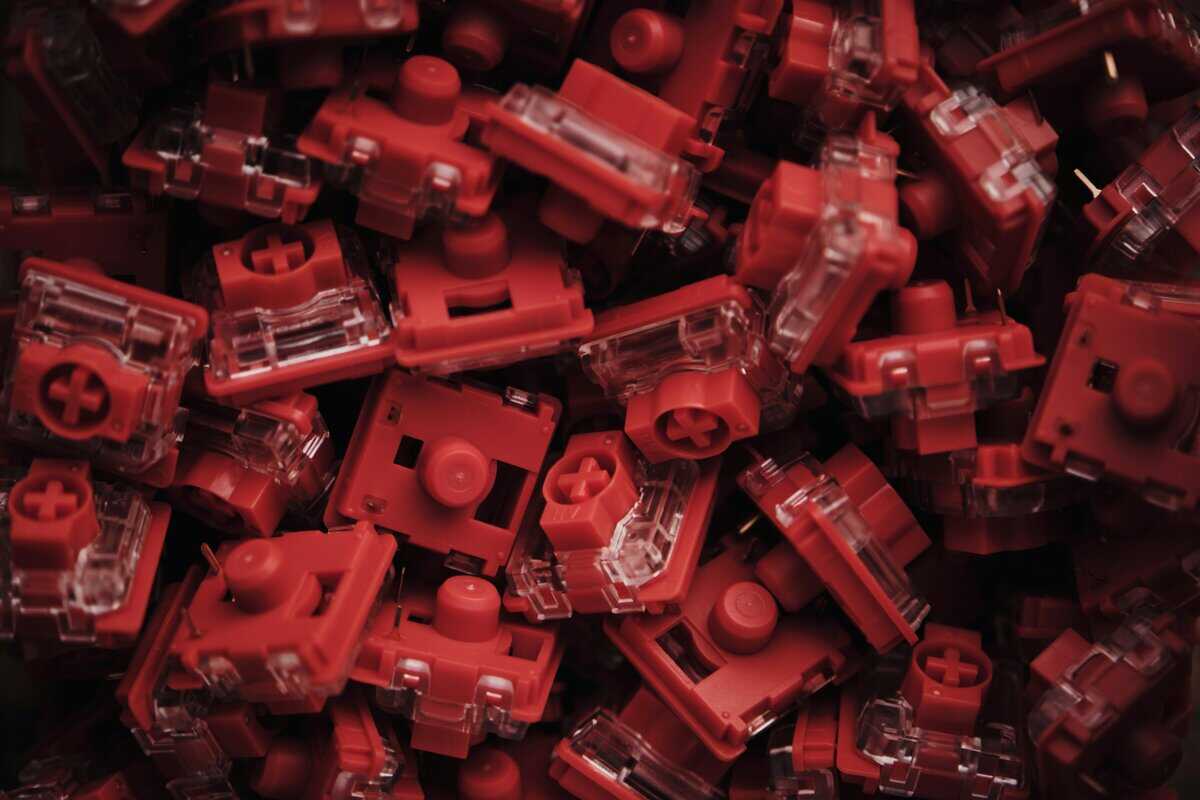
A mechanical keyboard’s defining feature is its individual mechanical switches. Each key has a self-contained unit with a spring and a stem. When you press a key, the spring provides consistent resistance, and the stem actuates a physical or optical contact point, registering the keystroke.
This design delivers a precise and consistent feel that does not degrade quickly over time. While more expensive to produce, the resulting reliability and tactile experience are advantages that simpler designs cannot match.
The Three Main Mechanical Switch Types
Mechanical switches come in three primary categories, each offering a distinct feel and sound profile. Choosing the right one is critical for matching the keyboard to your primary use case.
Linear Switches (e.g., Reds): These provide a smooth, consistent keypress with no tactile bump or audible click. They are favored by FPS gamers for rapid, repeated keystrokes where tactile feedback can be a distraction.
Tactile Switches (e.g., Browns): These offer a noticeable but quiet “bump” at the point of actuation, confirming that the keypress has registered. They are a versatile middle ground, effective for both typing and gaming, making them a popular choice for MMO players or general use.
Clicky Switches (e.g., Blues): These provide both a tactile bump and a loud, distinct “click” sound upon actuation. Many typists prefer this definitive feedback, but the noise can be disruptive in shared spaces or for streaming.
For a budget-conscious gamer, the variety of switches is a significant benefit. You can select a keyboard that is optimized for your primary game genre. To learn more, see our mechanical keyboard switches explained guide.
The Simplicity of Membrane Technology
Membrane keyboards operate on a simpler, cost-effective principle. Instead of individual switches, they use a single rubber dome sheet placed over a circuit board.
When you press a key, you compress a rubber dome. This forces a conductive material on the underside of the dome to touch the circuit below, completing the circuit and registering the keypress. This is why the design is cheap and quiet. However, it is also the source of the “mushy” feel, as you must fully bottom out the key to ensure it registers. This can lead to finger fatigue and a less precise typing and gaming experience.
The Durability Showdown: Which Keyboard Lasts Longer?
For a gamer on a budget, long-term value is more important than the initial price. In the mechanical vs. membrane keyboard comparison, durability is a primary factor determining the total cost of ownership.
The difference in lifespan comes from their construction. Mechanical keyboards use individual, spring-loaded switches engineered for tens of millions of presses. Membrane keyboards use a single rubber sheet that weakens with each press, becoming mushy and unreliable over time. One is an investment built for years of heavy use; the other is a consumable item with a finite lifespan.
Keystroke Ratings: A Clear Divide in Lifespan
Keystroke ratings provide an objective measure of durability. Standard mechanical switches are rated for 50 to 100 million keystrokes per key. In contrast, a typical membrane keyboard is rated for only 5 to 10 million keystrokes. After this point, the rubber domes degrade, resulting in a poor feel and missed inputs.
For a gamer pressing keys 10,000 times a day (a realistic figure for WASD movement, abilities, and chat), the difference is stark:
Mechanical Keyboard: A switch is rated to last 13 to 27 years.
Membrane Keyboard: The domes will likely feel inconsistent and fail within 1.4 to 2.7 years.
This means replacing a membrane keyboard up to 10 times during the lifespan of one mechanical board. The total cost of ownership heavily favors the more durable option.
Build Quality: Frame and Keycaps
Durability extends beyond the switches. The keyboard’s overall build quality is a major factor in its longevity.
Mechanical keyboards, including many budget models, typically feature a metal top plate or a full aluminum frame. This provides rigidity, preventing the board from flexing during intense gaming sessions and protecting the internal components.
Membrane keyboards are almost always constructed entirely of plastic to keep costs down. This results in a lightweight, often flimsy product that is more susceptible to damage from drops or even aggressive use.
The keycaps are another critical difference:
Mechanical Keycaps: Often made from durable PBT or double-shot ABS plastic, with legends (the letters) that will not wear off. They use a standard mount, so they can be easily replaced if they break or wear out.
Membrane Keycaps: Typically use thin ABS plastic with printed legends that fade and develop a greasy shine over time. The “WASD” keys on a gamer’s membrane board can become illegible in under a year.
The combination of a sturdier frame, more resilient switches, and superior keycaps makes a mechanical keyboard a more reliable long-term investment.
How Performance And Responsiveness Impact Gameplay
In competitive gaming, milliseconds matter. The performance difference between a mechanical and membrane keyboard provides a measurable advantage in speed and accuracy.

For gamers, two features are critical: N-Key Rollover (NKRO) and anti-ghosting. Because mechanical keyboards register each keypress independently, they can support full NKRO, allowing you to press many keys simultaneously without any of them failing to register.
Membrane keyboards, due to their single-sheet construction, suffer from “ghosting,” where certain simultaneous keypresses are not registered. This is a significant drawback in any game requiring complex inputs.
Rollover and Ghosting: The Gaming Dealbreaker
In a fast-paced shooter, you might need to crouch (Ctrl), strafe left (A), reload (R), and jump (Space) at nearly the same time. On a mechanical keyboard with NKRO, all of these commands register flawlessly.
This is where a membrane keyboard fails. Most are limited to 2-Key or 6-Key Rollover (2KRO/6KRO). If you press too many keys at once, some inputs will be ignored. Your character may fail to jump or reload, leading to an in-game death.
This limitation makes membrane keyboards a poor choice for any game that requires complex inputs, from FPS titles to MMOs with intricate ability rotations. For a serious gamer, NKRO is a baseline requirement, not a luxury.
Actuation Point: Faster Reactions Through Shorter Travel
The actuation point—the distance a key must travel to register a press—is another area where mechanical switches have a clear advantage.
Mechanical switches actuate about halfway down their travel path, long before the key bottoms out. This allows for faster command execution with less physical effort.
Mechanical Actuation: Typically registers at 1-2mm of travel with a light force of 40-60g. This allows for rapid, light-fingered inputs.
Membrane Actuation: Requires a full 3-4mm bottom-out press to guarantee registration. You must mash the key all the way down, which is physically slower.
This difference can provide a 10-20ms advantage in response time for mechanical keyboards. While small, this margin can be decisive in competitive play.
This speed is particularly beneficial in specific genres. In a MOBA like League of Legends, the shorter travel distance of a mechanical switch lets you execute ability combos faster. In FPS games, rapid movements like strafe-jumping are more efficient. The mushy, slow rebound of a membrane dome cannot keep pace. For any gamer seeking a competitive edge, the responsiveness of a mechanical keyboard is a functional upgrade. You can learn more by checking out our guide on the best switches for gaming.
Cost, Repairs, and Customization: The Real Price Tag
A keyboard’s true cost extends beyond its initial purchase price. Total cost of ownership includes repairability and adaptability—areas where mechanical keyboards offer significant long-term value over their membrane counterparts.
Membrane keyboards are cheaper upfront, typically costing $10 to $30. An entry-level mechanical keyboard starts around $40 to $80. However, this initial saving is offset by durability. A mechanical switch is rated for 50 to 100 million keystrokes, while a membrane dome is rated for 5 to 10 million. You might buy 5 to 10 membrane keyboards in the lifespan of a single mechanical one. A detailed analysis is available on how these durability numbers play out in real-world use on dev.to.
Hot-Swappable Keyboards: The Key to Long-Term Value
The single most important feature for long-term value is the hot-swappable mechanical keyboard. Once a premium feature, it is now common in budget models and provides a massive advantage over sealed membrane keyboards.
If a key on a membrane board fails, the entire keyboard is typically useless. It is a sealed unit that is not designed to be repaired.
A hot-swappable board changes this entirely. If a switch fails or feels inconsistent, you can simply pull it out and insert a new one.
Cost of Repair: A single replacement switch costs only a few cents. A pack of them can be purchased for $5-$10.
Time to Repair: The process takes less than a minute using the included tools.
Result: The keyboard’s life is extended almost indefinitely.
This repairability transforms the keyboard from a disposable electronic into a serviceable tool. For a budget-conscious gamer, this is the ultimate value proposition.
Customization as a Practical Feature
On a mechanical keyboard, customization is a practical benefit that adds long-term value. This is a level of personalization that membrane keyboards do not offer.
1. Changing Your Switch Setup
As your gaming preferences change, a hot-swappable board can adapt. A switch that was ideal for an FPS might feel wrong for a new MMO.
Start with Tactile Browns for mixed use.
If you get into competitive FPS games, swap to Linear Reds for speed.
If you start doing more writing, you could switch to Clicky Blues.
This adaptability means your initial investment is not locked into one feel. Instead of buying a new keyboard for $80, you can buy a new set of switches for a fraction of that price.
2. Durable and Replaceable Keycaps
Membrane keycaps are a common point of failure. The letters wear off, and they are not replaceable. Mechanical keyboard keycaps use a standardized mount, making them easy to replace.
When your keycaps wear out, you can replace them with a set made from durable PBT plastic. PBT resists shine, and the legends are often dye-sublimated or double-shot, ensuring they will never fade. A new set of high-quality keycaps is a much cheaper way to refresh your keyboard than buying a new one.
Which Keyboard Type Is Right For Your Setup?
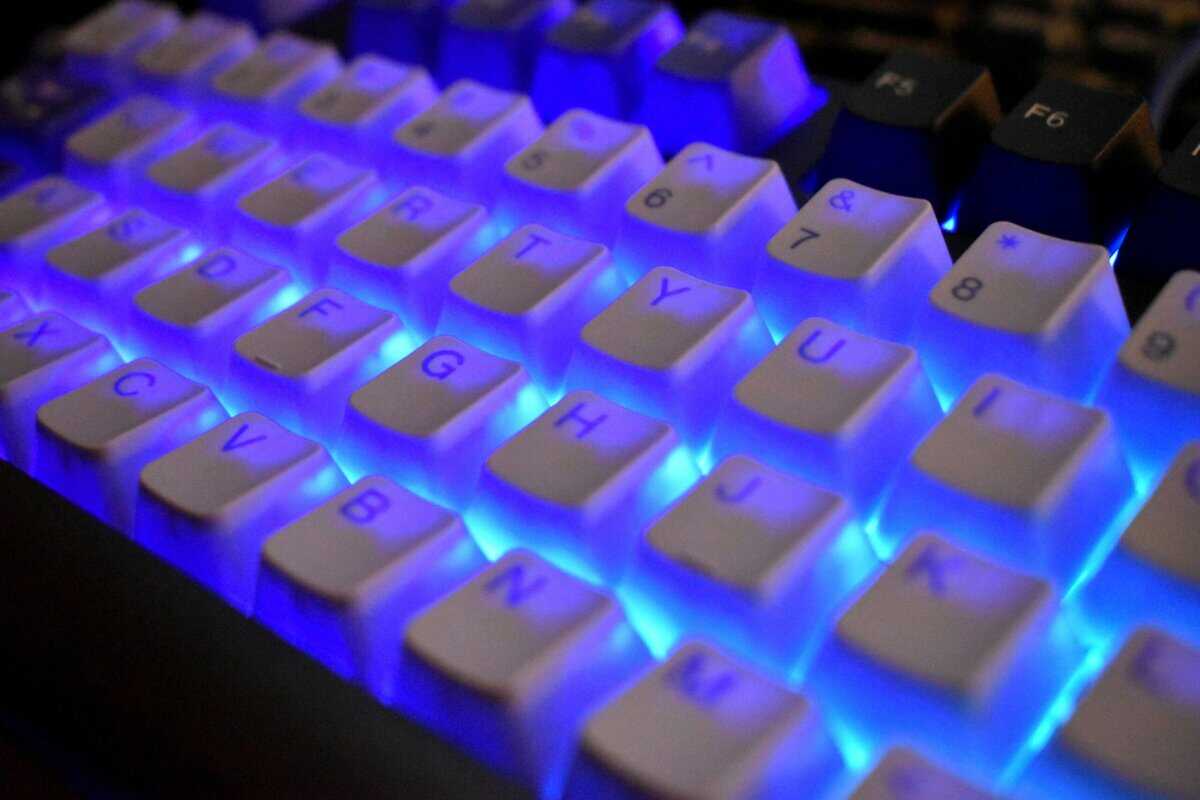
The best keyboard is the one that fits your specific needs. The ideal board for an FPS player is different from what a streamer or writer requires. For most gamers seeking value, a mechanical keyboard is a sound investment due to its superior performance and durability. However, if your budget is extremely tight or you require near-silence, a quality membrane board can be a reasonable choice.
For The Competitive FPS and MOBA Player (e.g., Valorant, Apex Legends)
In fast-paced games where speed is critical, you need a keyboard that registers every input without delay.
Recommendation: Mechanical keyboard with Linear switches (e.g., Reds).
Why It Matters: Linear switches have a smooth press with no tactile bump, allowing for the fastest possible actuation. This is critical for actions like rapid strafing in an FPS or chaining abilities in a MOBA.
Value Pick: The Redragon K552 is a tenkeyless (TKL) board with a durable build and responsive linear switches, offering excellent performance for its price.
For The MMO Gamer or Hybrid User (e.g., Final Fantasy XIV, general use)
For MMOs with complex ability rotations or for users who split their time between gaming and typing, tactile feedback is beneficial.
Recommendation: Mechanical keyboard with Tactile switches (e.g., Browns).
Why It Matters: Tactile switches provide a small bump that confirms actuation, which helps improve accuracy for both complex gaming combos and typing. They are an effective all-around choice.
Value Pick: A Keychron C1 or a Royal Kludge RK61 with brown switches offers great value. These models often include hot-swappable sockets, providing significant long-term flexibility.
A tactile switch is a safe choice for gamers who need one keyboard for multiple purposes. It provides tangible feedback that improves accuracy without the noise of clicky switches. For more options, see our guide on the best budget mechanical keyboards.
For The Streamer or Content Creator
Streamers need high-performance hardware that does not create distracting audio noise. A loud keyboard can degrade audio quality for viewers.
Recommendation: Mechanical keyboard with silent or lubed linear/tactile switches.
Why It Matters: A quiet mechanical switch provides all the performance benefits without the noise. Factory-lubed switches or specialized silent variants reduce noise significantly. A solid frame and a desk mat will also help dampen sound.
Value Pick: Look for Keychron or Royal Kludge models that advertise lubed switches. If silence is the top priority, a high-quality membrane board like the Logitech K845 offers a quiet experience with better-than-average durability for its class.
Frequently Asked Questions
Here are answers to common questions that arise when choosing between keyboard types.
Are Mechanical Keyboards Actually Better for Wrist Pain?
They can be, but they are not a cure for poor ergonomics. The main benefit is that mechanical switches actuate halfway through a keypress. Over time, users naturally learn to stop “bottoming out” the keys, which reduces the force and impact on your fingers. However, proper ergonomics, such as maintaining a straight wrist posture and correct chair height, are more important for preventing pain.
Will a Mechanical Keyboard Make Me a Better Gamer?
It will not instantly improve your skill, but it will remove a potential hardware bottleneck. A membrane keyboard can suffer from ghosting or slow response times, which can cause missed inputs. A good mechanical keyboard with N-Key Rollover ensures that your hardware is never the limiting factor. It registers every command exactly as you input it, leading to more consistent performance.
Are All Mechanical Keyboards Loud?
No. The noise level is determined by the switch type.
- Clicky Switches (e.g., Blues): These are intentionally loud and produce a sharp “click” sound.
- Tactile Switches (e.g., Browns): These provide a quiet tactile bump without an audible click.
- Linear Switches (e.g., Reds): These are the quietest type, with a smooth press from top to bottom. The only sound is the keycap bottoming out.
A keyboard with linear or tactile switches is often no louder than a standard office membrane keyboard, particularly if you use O-rings to dampen the sound.
At Budget Loadout, our goal is to help you find gear that delivers real, measurable value. Whether you land on a durable mechanical board or a quiet membrane one, our guides are here to make sure you get the best performance for your money. Check out more of our reviews and guides at https://budgetloadout.com to build your perfect setup.
Related Articles