When you’re shopping for the best budget mouse for Valorant, it’s easy to get lost in a sea of specs and marketing hype. The truth is you need to prioritize three things: a flawless sensor, a shape that fits your hand, and a weight that doesn’t hinder your movement. Everything else is secondary. For competitive play where value is key, this guide focuses on products that deliver performance without unnecessary features.
Our top recommendations for budget-conscious gamers are the Logitech G203 LightSync, known for its reliable tracking, and the Razer Viper Mini, a lightweight mouse suited for fast, precise aiming. Both provide excellent core performance for their price, making them strong choices for FPS gaming.
- A flawless sensor, comfortable shape, and low weight matter far more than flashy features or high DPI numbers for Valorant.
- The Logitech G203 LightSync (~$30) is the safest budget pick with its reliable sensor and classic egg shape for claw and fingertip grips.
- The Razer Viper Mini (61g) remains a top choice for speed-focused fingertip grippers, though its price has risen since being discontinued.
- The SteelSeries Rival 3 Gen 2 (~$35) upgrades the original with a paracord cable and PTFE feet while keeping its comfortable ergonomic shape.
- Most Valorant pros use 400-800 DPI — any mouse with a consistent sensor in that range will perform identically for competitive play.
Table of Contents
- Consistent Mercury sensor performs flawlessly at competitive DPI settings
- Classic egg shape suits a wide range of hand sizes and grip styles
- Regularly drops below $30, making it one of the best values in gaming mice
- Standard rubber cable is stiffer than paracord options on newer mice
- At 85g it is heavier than ultralight alternatives in this price range
- Side buttons sit slightly forward which may not suit all thumb positions
- Ultralight 61g weight enables fast flicks and micro-corrections
- Optical switches are faster and more durable than mechanical alternatives
- Speedflex cable reduces drag without needing a mouse bungee
- Small size may feel cramped for players with larger hands
- Discontinued by Razer so availability and pricing may vary
- Lift-off distance is slightly higher than some competing sensors
- Ergonomic shape with flared sides gives excellent palm and claw support
- Upgraded Super Mesh paracord cable and PTFE feet over the original model
- Matte texture provides a secure grip during intense sessions
- Sensor lift-off distance tracks slightly higher than some competitors
- Right-handed only shape limits it to one hand orientation
- Fewer programmable buttons (5) compared to the original Rival 3
- Industry-leading 8,000Hz polling rate for the smoothest cursor tracking
- Ultralight 53g with a solid shell — no honeycomb holes to trap dust
- HyperX 26K sensor with 650 IPS tracking handles any flick speed
- At ~$40-45 it sits at the higher end of the budget tier
- Symmetrical shape may feel less supportive for dedicated palm grippers
- HyperX software (NGENUITY) can be less intuitive than Logitech or Razer apps
Our Top Budget Valorant Picks
In a tactical shooter like Valorant, your mouse is the most important piece of gear for winning duels. A high price tag does not guarantee better aim; what matters is a quality sensor, a solid build, and a shape that fits your grip style.
The mice we’ve selected get these fundamentals right. They omit the extras seen on MMO or general-purpose mice, like numerous side buttons or excessive RGB, to focus on the core components that let you aim with confidence. While these are budget-friendly models, they are constructed to withstand the intensity of competitive gaming and should not fail after a few ranked sessions. Their build quality is a key reason they are recommended.
To give you a quick overview, we’ve summarized our top picks in the table below. This should help you compare essential specs and find the right mouse for your playstyle and budget.
If you want to explore a wider range of options, our complete guide on the best gaming mouse under $50 is a useful resource.
Top Budget Valorant Mice Comparison
A summary of our recommended budget mice, detailing key specifications, ideal grip style, and price to help you find the best fit for your playstyle.
| Mouse Model | Sensor | Weight | Ideal Grip Style | Approximate Price | Key Feature |
|---|---|---|---|---|---|
| Logitech G203 LightSync | Mercury | 85g | Claw / Fingertip | $30 – $40 | Consistent, reliable tracking |
| Razer Viper Mini | Razer Optical | 61g | Fingertip / Small Claw | ~$50 | Ultralight ambidextrous shape |
| SteelSeries Rival 3 Gen 2 | TrueMove Core | 77g | Claw / Palm | ~$35 | Paracord cable, PTFE feet, durable build |
| HyperX Pulsefire Haste 2 | HyperX 26K | 53g | All Styles (Medium/Large Hands) | ~$40-45 | 8000Hz polling, solid shell, ultralight |
Each of these mice offers a strong value proposition for Valorant players. Your choice will ultimately come down to your preferred shape, weight, and grip style, but you can be confident in the raw performance of any of them.
What Actually Matters in a Mouse for Valorant
When hunting for a budget mouse for Valorant, it’s easy to get lost in marketing terms like high DPI or proprietary software. Let’s be direct. Only three things really matter for winning gunfights: the sensor, the shape, and the weight. Get these three pillars right, and you’ll have a mouse that can compete at any level.
The sensor is the heart of the mouse, and its quality is non-negotiable. You need what’s called a “flawless” or “gaming-grade” optical sensor. This means it delivers perfect 1:1 tracking—your crosshair moves exactly how your hand moves, with no prediction, acceleration, or jitter. In a game like Valorant where tiny micro-adjustments decide headshots, this precision is essential. A cheap, low-quality sensor can “spin out” or fail to track during a rapid flick, which is a guaranteed loss in a duel.
Shape and Weight: The Real Deciding Factors
Once you’ve confirmed a mouse has a good sensor, the physical feel becomes the most important factor. The shape dictates your comfort and aim style, while the weight affects your speed and stamina. There is no single “perfect” mouse for everyone; it all comes down to how it fits your hand.
A mouse’s shape must work with your specific grip style—whether that’s palm, claw, or fingertip. The right shape feels like a natural extension of your hand, reducing strain and giving you confident control over long gaming sessions. An uncomfortable mouse will actively hinder your performance.
The goal is to find a mouse that feels so natural it disappears in your hand. This allows you to focus entirely on your crosshair placement and in-game decisions, not on fighting your equipment.
Finally, weight plays a massive role in aiming mechanics. Lighter mice, especially those under 80 grams, make it easier to execute large, fast movements (flicks) and change direction quickly. This is a clear advantage for an entry fragger clearing sites in FPS games or when you have to react to an enemy in an unexpected spot. A lighter design also means less arm and wrist fatigue over hours of play. While some users feel heavier mice offer more stability for tracking, the trend in tactical shooters has shifted heavily toward lighter models for maximum agility.
In-Depth Comparison of Budget Valorant Mice
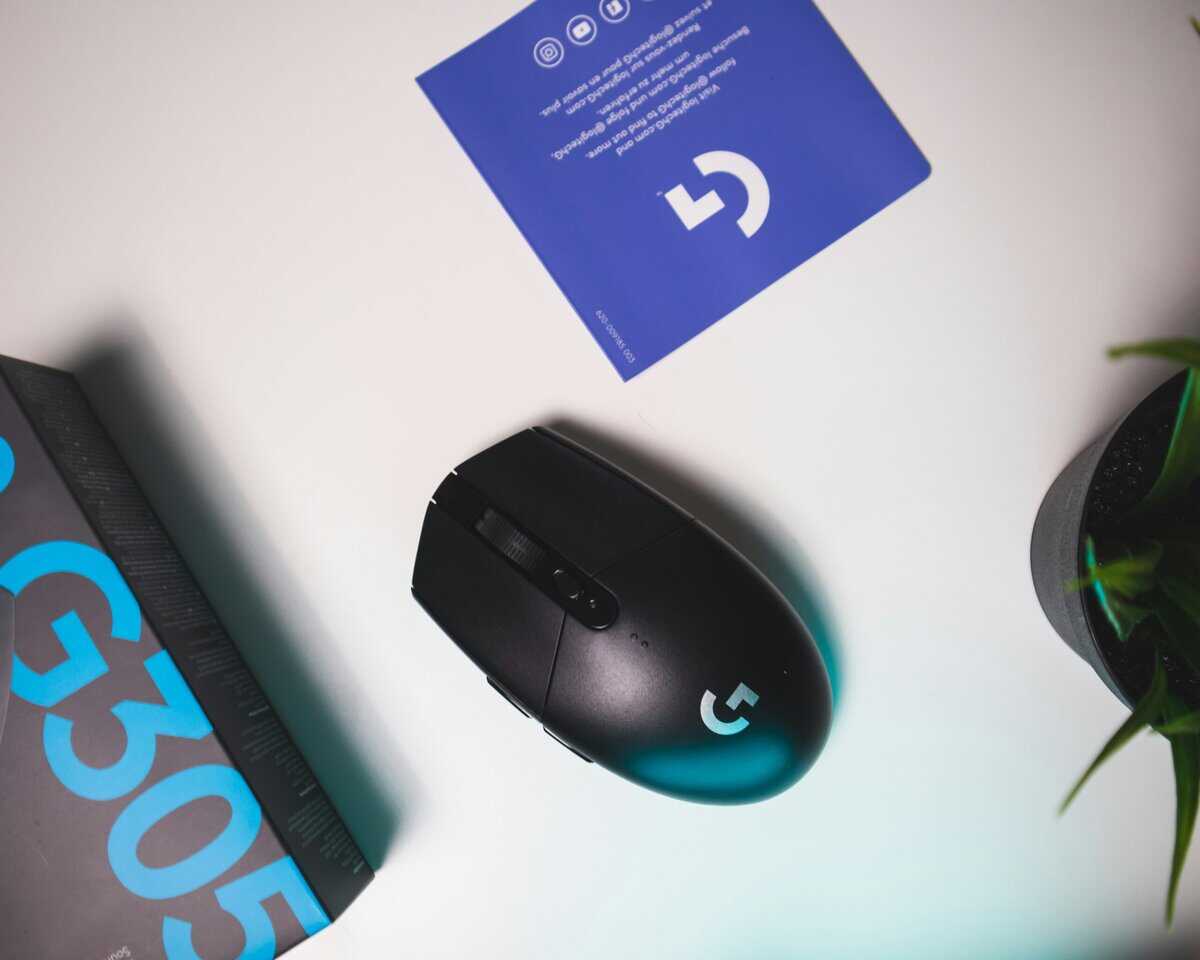
Let’s break down the top contenders for the best budget mouse for Valorant. We’re going past sensor marketing to focus on what actually matters: shape, weight, and build quality. We’ll compare the Logitech G203, Razer Viper Mini, and SteelSeries Rival 3.
The good news is that all three of these mice use reliable, gaming-grade sensors. You will not suffer from a spin-out mid-flick. The real choice comes down to how each one feels in your hand and its specific tradeoffs.
Logitech G203 LightSync
The Logitech G203 is built around its well-known “egg” shape. This classic, gently rounded design is a safe choice for a wide range of players, especially those with small to medium-sized hands using a claw or fingertip grip. For its price, the build quality is solid, with a rigid plastic shell that feels durable. It’s a reliable workhorse for FPS gaming.
The main trade-off is the cable. It’s a standard rubber cable that feels noticeably stiffer than the braided options on its competitors. If you don’t use a mouse bungee, you will feel it drag. At 85g, it’s also the heaviest of this trio, which is a factor if you want a lightweight mouse for rapid flicks.
Razer Viper Mini
The Razer Viper Mini is focused on one thing: speed. At just 61g, it is an ultralight mouse that feels nimble, making it suitable for players who rely on quick wrist adjustments and micro-corrections, common in FPS games. Its low-profile, flat shape is purpose-built for fingertip grippers, though a relaxed claw grip can also work.
The differentiator for the Viper Mini is its optical mouse switches. They feel responsive and are inherently more durable since there are no physical contacts to wear out and cause double-clicking over time.
The catch? Its small size is not for everyone. If you have larger hands or prefer a full palm grip, you will likely find it uncomfortable during long gaming sessions.
SteelSeries Rival 3 Gen 2
The SteelSeries Rival 3 occupies a middle ground. It has a safe, comfortable ergonomic shape that accommodates both palm and claw grips well, with flared sides that give your hand more support. The build quality feels tough, and its matte texture provides a secure grip. This makes it a good option for a variety of use cases, from FPS to general productivity.
Weighing 77g, it strikes a balance—it’s lighter than the G203 but more stable than the Viper Mini. The compromise here is the sensor’s lift-off distance (LOD). The Rival 3’s sensor tends to track a little higher off the pad than the others, which can sometimes cause slight cursor drift when you lift the mouse to reset your aim. For low-sensitivity players, this can be a distraction.
If you’re a tactical shooter fan who also plays CS2, these principles are universal. We’ve got more specific picks for that game in our guide to the best budget mouse for CS2.
HyperX Pulsefire Haste 2
The HyperX Pulsefire Haste 2 brings the most advanced specs in this lineup to a budget-friendly price. At just 53g, it is the lightest mouse in our roundup, and its solid shell design ditches the honeycomb cutouts of the original Haste — meaning no dust traps while still being feather-light. The symmetrical shape works well across all grip styles, with enough room for medium to large hands.
The standout feature is its 8,000Hz polling rate, which is eight times the standard 1,000Hz found on every other mouse in this guide. In practice, this means smoother cursor tracking and marginally lower input delay — a technical edge that competitive players will appreciate. The HyperX 26K sensor tracks at up to 650 IPS, handling even the fastest flicks with ease.
The trade-off is price. At around $40-45, it sits at the higher end of the budget tier. The HyperFlex 2 paracord cable and virgin PTFE skates are welcome inclusions that make it feel closer to a premium mouse than a budget one.
How Pro Standards Influence Budget Choices
Pro Valorant players do more than just define the in-game meta. Their gear choices influence the entire mouse market. When a specific shape or weight class starts to dominate tournaments, manufacturers often design more affordable versions for the mainstream market.
This gives budget-conscious players a significant advantage. You can get 80-90% of the performance of a top-tier mouse for a fraction of the cost. The key is to understand why a pro’s mouse is effective—its shape, weight, and sensor—and then find a budget model that replicates those core elements. You do not need to spend over $150 to get a competitive edge.
The Pro-Inspired Budget Strategy
Look at the mice that are common in the pro scene, like the Razer Viper V3 Pro and the Logitech G Pro X Superlight. They’re popular for their safe, ambidextrous shapes and very low weight, a combination well-suited for the rapid, precise aim that Valorant demands.
The smartest way for a budget buyer to approach this is “shape-cloning.” Find the pro mouse that fits your grip, then track down a more affordable alternative with a nearly identical physical design. You get the proven ergonomics without the premium price tag.
For example, among professional Valorant players, popular mice often share similar lightweight, ambidextrous designs. While you won’t get premium features like 4KHz polling, you can find a budget mouse with a similar shape and weight that delivers the most important ergonomic benefits. Many brands now offer models that mimic these pro-preferred shapes at a sub-$50 price point. You can dive deeper into the stats on what the pros are using over at prosettings.net.
Matching Your Mouse to Your Playstyle and Grip
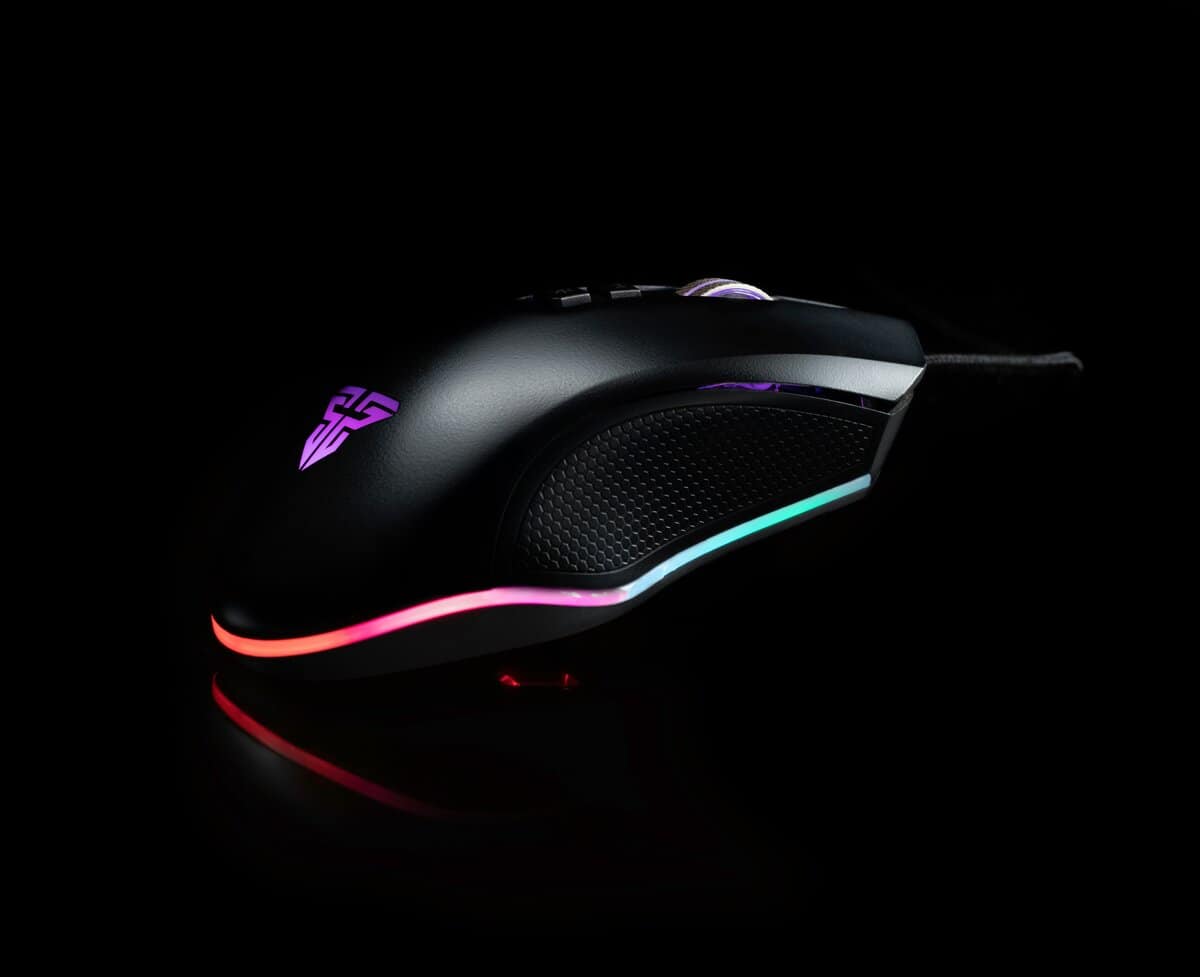
The idea of a single “best” mouse for Valorant is a myth. The right mouse is deeply personal and tied to how you play. Consider agent roles: a duelist like Jett benefits from an ultralight mouse for fast entries and sharp 180-degree flicks. On the other hand, a sentinel like Cypher holding a pixel-perfect angle needs stability for micro-adjustments, where a slightly heavier, more grounded mouse can be an asset.
You need to be honest about your tendencies. Aggressive players who are constantly entrying should prioritize lightweight designs that reduce fatigue. Methodical, anchor-style players might find that a more structured, ergonomic shape offers the stability needed to hold tight angles without accidental movements.
Finding Your Grip Style
More than anything else, your grip style will dictate what mouse feels right. The wrong shape will cause discomfort and harm your aim, regardless of the sensor. You can determine your grip by placing your hand on your current mouse as you normally would.
- Palm Grip: Your whole palm rests on the back of the mouse, with your fingers lying flat. This grip prioritizes stability and comfort, making it a natural fit for larger, ergonomic mice that fill out your hand. This is less common for high-speed FPS gaming but is excellent for general use and streaming.
- Claw Grip: Your palm touches the back of the mouse, but your fingers are arched. This is a hybrid style that provides wrist stability for large movements but uses fingertips for fine adjustments. It works well with medium-sized ambidextrous or ergo shapes.
- Fingertip Grip: Only your fingertips touch the mouse; your palm does not make contact. This grip offers the most mobility for micro-adjustments and is perfect for small, lightweight, low-profile mice that are easy to manipulate. This is a very common grip for FPS players.
Your hand size is just as important as your grip. A large, ergonomic mouse that’s a good fit for a palm gripper with large hands will feel clumsy for a fingertip gripper with small hands.
Once you know your grip and playstyle, you can narrow down your options. A good mouse should feel like an extension of your arm, letting you focus on the game. To complete that setup, the surface you use is just as critical. You can explore your options in our guide to choosing a gaming mouse pad that will get the most out of your new mouse.
Got Questions About Your Budget Valorant Mouse? We’ve Got Answers
Picking the right mouse can be confusing. Let’s address some of the most common questions for those looking for a budget option for Valorant.
Should I Go Wired or Wireless on a Budget?
For those prioritizing performance without overspending, a wired mouse is the practical choice. Modern wired mice have no input lag and are almost always lighter because they don’t need a battery. You will never have to worry about your connection dropping or the battery dying mid-game.
While high-end wireless mice from top brands are flawless, budget wireless technology is a common place for manufacturers to cut corners, which can introduce latency or connection stutters. A good wired mouse gives you pro-level performance for a fraction of the cost, making it the smart pick for competitive play.
How Much DPI Do I Really Need for Valorant?
You do not need a high DPI for Valorant. It is mostly a marketing metric. The vast majority of professional Valorant players use a DPI between 400 and 800. Any mouse with a reliable sensor in that range will perform identically for your purposes.
A higher max DPI (like 16,000 or 25,000) does not make a mouse more accurate at lower settings. What matters is sensor consistency and tracking precision at the DPI you actually use. All three mice in this guide have sensors that perform flawlessly in the 400-1600 DPI range that competitive players rely on.
Can I Use an Ergonomic Mouse for Valorant?
Yes. Both ergonomic and ambidextrous shapes can be effective for Valorant. The right choice comes down to what feels most natural for your hand and grip style.
Ergonomic mice, like those based on the classic Razer DeathAdder shape, are contoured to fit a specific hand. They offer good support and are often preferred by palm grippers. Ambidextrous mice are symmetrical, offering more freedom for micro-adjustments, which is why they are popular with claw and fingertip grippers in FPS games. Neither shape provides an inherent advantage—the best one is the one that gives you effortless control.
Find more hype-free guides to build your perfect gaming setup at Budget Loadout. Explore our reviews and recommendations.
Related Articles