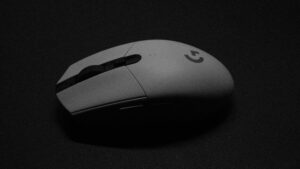
In the optical vs laser mouse debate, the verdict is clear for gamers: a modern optical mouse is the better choice for virtually any gaming setup. The reason is simple—it delivers the reliable, 1:1 tracking you need to build consistent muscle memory, especially on the cloth mousepads that dominate the gaming scene.
This guide will break down why optical sensors are the standard, detail the technology trade-offs, and give you direct, value-focused product recommendations for specific use cases and budget tiers.
- Modern optical sensors deliver flawless 1:1 tracking on cloth pads, making them the clear winner for gaming
- Laser mice read too deep into surfaces, causing jitter and acceleration that hurts competitive play
- High DPI numbers are a marketing gimmick — most pros play between 400-1600 DPI regardless of sensor type
- The only real use case for a laser mouse is gaming on glass or reflective surfaces without a mousepad
- Budget optical mice like the Logitech G203 and Razer Cobra offer top-tier sensor performance under $40
Table of Contents
Why Optical Is the Standard for Gamers
When you’re trying to land a critical headshot, consistency is everything. The core difference between these two technologies comes down to the light source. An optical mouse uses an LED, while a laser mouse uses a laser diode. That distinction creates a significant performance gap for gamers.
An optical mouse’s LED shines a light on the top layer of your mousepad, illuminating the weave of the fabric. Its sensor captures thousands of low-resolution images every second to track movement. This method produces raw, unfiltered tracking data, which is exactly what you need for pixel-perfect aim in an FPS like Valorant or precise unit control in an MMO.
The biggest advantage of an optical sensor is its tracking stability on standard mousepads. It provides a direct, predictable feel without the random acceleration or jitter that can compromise aim with a laser sensor.
A laser mouse, on the other hand, uses a much more powerful beam that digs deeper, reading microscopic imperfections on a surface. This is why it can track on surfaces like glass or a glossy desk where optical mice fail. But for gaming, this is a distinct disadvantage.
On a cloth pad, a laser sensor can pick up too much information. It interprets tiny, irrelevant details in the fabric’s texture as actual movement, which introduces subtle tracking errors. This creates that “floaty” or inconsistent feeling that completely undermines muscle memory.
Quick Comparison: Optical vs. Laser Sensor
Here’s a high-level look at how these two sensor types stack up in the areas that matter most to gamers.
| Feature | Optical Mouse | Laser Mouse |
|---|---|---|
| Accuracy | Consistent 1:1 tracking on pads | Prone to minor jitter/acceleration |
| Best Surface | Cloth and hard mousepads | Glossy surfaces, glass, desks |
| Gaming Focus | FPS, MOBA, any competitive title | Casual gaming, non-gaming use |
| Build/Durability | High-quality sensors are proven and reliable | Sensor can be sensitive to dust; overall durability depends on mouse build |
For a dedicated gaming setup, the choice is straightforward. Optical wins where it counts: accuracy on the surfaces gamers actually use.
This technology has been around for a while; optical mice started replacing ball mice in the late 1990s. Early models offered around 400-800 DPI and could capture up to 1,500 surface images per second—a massive leap that led to them capturing over 70% of the market by 2003. You can learn more by checking out the evolution of the optical mouse on ReportPrime.com.
How Each Mouse Sensor Technology Works

To make a smart call in the optical vs. laser mouse debate, you have to know what’s happening under the hood. The core difference is how each sensor “sees” the surface. This single distinction explains nearly every performance trade-off between them, from tracking accuracy to which mousepads they’ll work on.
An optical mouse uses a Light Emitting Diode (LED) to light up the surface. This light, usually red or infrared, hits your mousepad at an angle, creating tiny shadows across its texture. A small CMOS sensor—a tiny, low-res camera—snaps thousands of images of that surface every second. By comparing these snapshots, the mouse’s processor determines the direction and speed of your hand, turning it into cursor movement.
The Optical Sensor Method
This approach is straightforward and, on the right surface, highly effective.
Illumination: An LED lights up the top layer of a surface, like the fibers in a cloth mousepad.
Imaging: The CMOS sensor takes a quick picture of that illuminated texture.
Analysis: The processor compares thousands of these images per second to calculate movement.
It’s a proven, battle-tested technology built for pure reliability.
How a Laser Sensor Works Differently
A laser mouse uses a more intense and focused light source: a vertical-cavity surface-emitting laser (VCSEL). Instead of just lighting up the surface, this laser beam penetrates it, reflecting off microscopic imperfections an LED can’t see.
The core trade-off is this: An optical mouse reads the surface texture, while a laser mouse reads into the surface texture. This is why laser mice can track on tricky surfaces like glass, but it’s also the root cause of problems for gamers.
Because a laser sensor gathers so much detailed data, it’s more likely to pick up “noise.” On a cloth mousepad, it might interpret the depth of the fabric weave or tiny dust particles as intentional movement.
This over-sensitivity leads to problems you’ll feel in-game, like jitter (a shaky cursor during slow movements) or subtle acceleration (where the cursor moves farther than you expect during a fast flick). For a competitive gamer, those issues are dealbreakers. Your muscle memory depends on perfect, 1:1 tracking.
The surface you use is critical, and you can find the right one for your setup in our guide on choosing a gaming mouse pad. For gamers seeking value, the solid reliability and superior performance of optical sensors on standard mousepads make them the clear winner.
In-Depth Sensor Showdown for Gaming
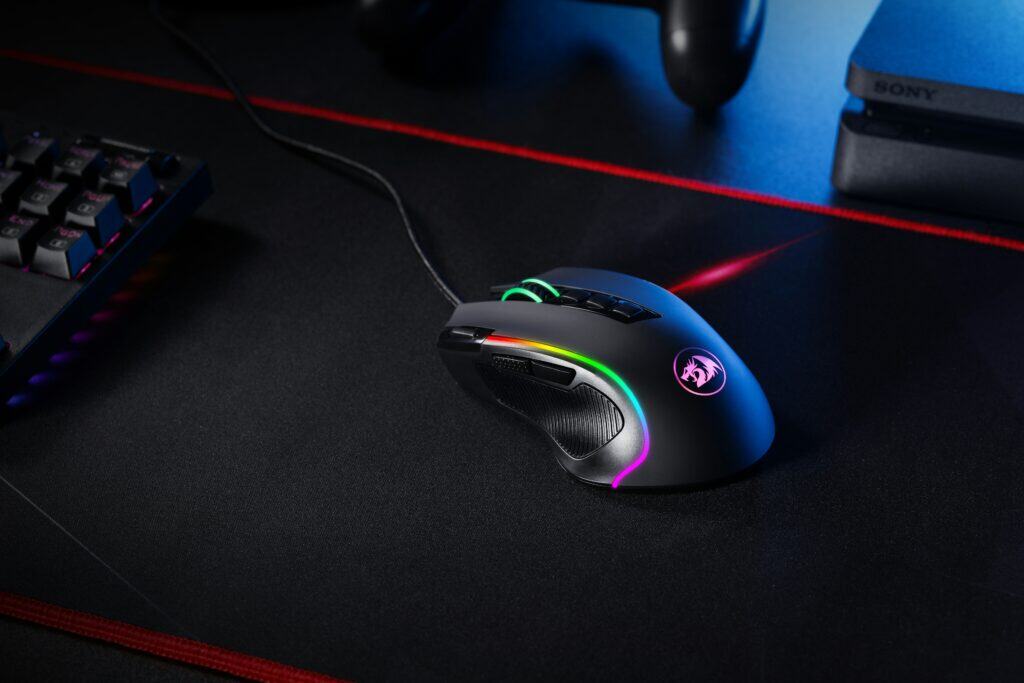
This is where the real fight is. When comparing an optical vs. laser mouse, we need to look past marketing and focus on metrics that directly impact in-game performance. It’s not about which tech is newer, but which one holds up when the pressure is on.
For anyone trying to build a solid setup without overspending, understanding these differences means your money goes toward genuine aim improvement, not just a bigger number on the box.
Tracking Accuracy and Raw Input
The single most important job of a gaming mouse sensor is to deliver flawless “raw input.” This means the cursor’s movement on your screen is a perfect 1:1 copy of your hand’s movement—no prediction, no angle snapping, no software “helping” you out.
This is where modern optical sensors dominate. On a standard cloth mousepad, a good optical sensor provides the raw, unfiltered data needed to build reliable muscle memory. When you practice a flick shot in an FPS, you have to know the outcome was based on your input alone.
Laser sensors, on the other hand, can introduce their own subtle acceleration. Because they read so much microscopic detail from the surface, they often use internal processing to smooth out the data. This can feel like the cursor is moving a tiny bit farther or faster than you intended, especially during rapid swipes—a critical flaw for competitive play.
The DPI Myth
Marketers love plastering high DPI figures on laser mouse packaging, often pushing past 20,000 DPI. Let’s be clear: this is one of the most misleading specs in gaming. DPI is a sensitivity measurement, not an indicator of accuracy.
For gamers, extremely high DPI isn’t just unnecessary—it’s often a liability. Cranking up the DPI, especially on a laser sensor, can amplify the microscopic flaws it reads on your mousepad. This results in noticeable jitter or a shaky cursor during slow, precise aiming.
Most professional FPS players use settings between 400 and 1600 DPI. They get faster turning speeds by adjusting in-game sensitivity, not by maxing out the mouse’s DPI. An optical mouse that’s perfectly stable at 1600 DPI is far more valuable than a laser mouse that jitters at 16,000 DPI.
Lift-Off Distance: The FPS Gamer’s Edge
Lift-Off Distance (LOD) is the height where the sensor stops tracking when you lift the mouse off the pad. If you’re a low-sensitivity FPS player who constantly lifts and repositions your mouse, a low LOD is a massive advantage.
Optical Sensors: Generally have a very low and consistent LOD, usually around 1-2mm. When you lift the mouse, the cursor stops dead. This prevents accidental crosshair drift during a firefight and is a requirement for serious FPS gameplay.
Laser Sensors: Often struggle here, with a higher and more variable LOD. The sensor might keep tracking even when lifted 3-4mm or more, causing your aim to shift unintentionally as you reset your hand. This is disruptive and frustrating.
Detailed Performance Metrics: Optical vs. Laser
This table cuts through the noise and shows which sensor type wins in the categories that matter for gaming.
| Performance Metric | Optical Sensor Advantage | Laser Sensor Disadvantage | Verdict for Gamers |
|---|---|---|---|
| Tracking Accuracy | Delivers 1:1 raw input with no unwanted acceleration. Perfect for muscle memory. | Can introduce subtle acceleration due to over-reading surface details. | Optical wins. Its raw input is the standard for competitive gaming. |
| DPI Behavior | Stable and jitter-free at common gaming settings (400-3200 DPI). | Prone to jitter at ultra-high DPI settings, which are mostly for marketing. | Optical wins. Stability at usable DPIs is more important than a high number. |
| Lift-Off Distance (LOD) | Consistently low LOD (1-2mm) prevents cursor drift when repositioning the mouse. | Higher and more variable LOD can cause unwanted aim movement. | Optical wins. This is a critical advantage for low-sensitivity FPS players. |
| Surface Compatibility | Optimized for cloth and hard plastic mouse pads. Struggles on glass. | Can track on almost any surface, including glass, due to deeper scanning. | Laser wins, but this is only useful for non-gaming, on-the-go scenarios. |
| Power Consumption | Modern optical sensors are efficient, offering longer battery life in wireless mice. | Higher power draw can reduce battery life by up to 30% in wireless models. | Optical wins. Better battery life is a quality-of-life win for wireless gamers. |
The verdict is clear. While laser sensors have a niche, for any serious gamer, a modern optical sensor delivers a more stable, reliable, and accurate experience.
Power, Durability, and Surface Tradeoffs
Laser mice first hit the market in 2004, promising double the DPI of opticals and the ability to track on surfaces like glass where LED sensors failed. This versatility came with a cost. The higher power draw of a laser can drain a battery up to 30% faster than a modern optical sensor.
As for build quality, the sensor technology itself doesn’t directly affect the durability of the mouse shell or buttons. However, high-end optical sensors in today’s top gaming mice are battle-tested and known for long-term reliability. A quality mouse from a reputable brand will feature durable switches and a solid shell regardless of sensor type.
Sensor specs on paper don’t mean a thing if they don’t translate to consistency in the games you play. For a gamer on a budget, matching the right sensor to your favorite genre isn’t just a small optimization—it’s how you ensure every dollar spent directly improves your performance.
FPS Titles (Valorant, Apex Legends)
For first-person shooters, your aim is everything. In games like Valorant, CS2, and Apex Legends, you live or die by your ability to land precise shots, execute clean flicks, and track targets without stutter. For this reason, a high-quality optical sensor is a requirement.
The consistent, 1:1 tracking from a good optical sensor means your crosshair moves exactly where your hand does, with zero unwanted acceleration or jitter. That raw consistency is the bedrock of muscle memory. Plus, the low lift-off distance (LOD) on optical mice is a huge advantage for low-sensitivity players who constantly lift and reset their mouse. A laser mouse becomes a liability in a competitive FPS. If you’re shopping for a specific model, see our guide on the best budget mouse for CS2.
MMO and MOBA Games (World of Warcraft, League of Legends)
In MMOs like World of Warcraft or MOBAs like League of Legends, raw aiming precision takes a slight step back from FPS-level demands, but sensor accuracy is still critical. You still need to click on small targets, dodge skill shots, and manage units without your cursor skipping. Once again, a reliable optical sensor is the best choice.
For these genres, other features become just as important:
Ergonomics: Comfort during multi-hour raids or marathon ranked sessions is crucial.
Button Layout: Accessible side buttons for abilities and macros can change your gameplay efficiency. If you play these games, check out our guide on choosing a 12-button mouse for MMOs and other games.
A laser mouse offers no benefit here and only introduces potential tracking issues. Stick with a proven optical model and focus on a shape and button layout that works for you.
Streamers and Variety Gamers
If you’re a streamer or a casual player who hops between many titles, an optical mouse is the clear winner. It delivers the best all-around package of performance, reliability, and value. It works perfectly on the cloth and hybrid mousepads that are standard for any gaming setup, giving you a dependable experience no matter what you’re playing.
From a value perspective, the choice is clear. Optical sensors deliver top-tier gaming performance without the unnecessary cost or tracking quirks of laser counterparts. They are the durable, dependable workhorses of the gaming world.
Value-Focused Gaming Mouse Recommendations
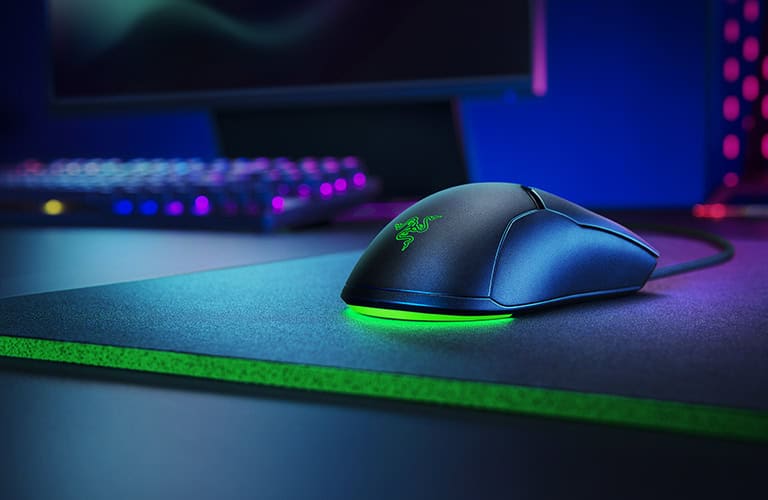
We’ve established that for gaming, optical sensors are the way to go. Now, let’s turn that theory into actual gear. “Value” isn’t just the cheapest option; it’s the sweet spot where performance, durability, and price meet. These picks focus on mice with proven optical sensors, solid construction, and a reputation for reliability.
Entry-Level Value (Under $40)
If you’re building your first real gaming setup, this tier offers a massive performance jump without a high cost. The mission is simple: get a reliable optical sensor in a shell that can take a beating.
Recommendation: Logitech G203 LightSync
The Logitech G203 is a go-to budget option for a reason. It uses a dependable optical sensor that delivers the clean, 1:1 tracking you need for both shooters and casual play. Its classic shape is comfortable for a wide range of hand sizes and grips. Crucially, its build quality is superior to many other mice in this bracket. The switches are durable, and the body feels solid, avoiding a cheap plastic feel. It’s a workhorse that nails the fundamentals. For more options, see our guide to the best gaming mice under $50.
Mid-Range Performance ($40 – $70)
This is the sweet spot for most gamers. In this price range, you get access to the same top-tier optical sensors the pros use, lighter designs, and features that provide a real competitive edge.
Recommendation: Razer Cobra
The Razer Cobra features a high-end, flawless optical sensor in a light and compact frame. At just 61 grams, it’s ideal for FPS players who use low sensitivities and need to make fast swipes without fatigue. It also has optical mouse switches, which are faster and more durable than traditional mechanical ones. The combination of a top-tier sensor and a featherlight build makes this a solid choice for competitive FPS players who want value. Despite its low weight, the build quality is solid.
The real value of the Cobra is getting a pro-grade sensor and an ultralight design at a mainstream price. It’s a prime example of performance-per-dollar.
Niche Laser Pick (For Specific Needs)
We’ve been clear that optical is best for gaming. But there’s one specific situation where a laser mouse might make sense: if you’re a casual gamer who refuses to use a mousepad and plays on a glass desk.
Recommendation: Logitech MX Anywhere 3S
To be honest, this is an office mouse, not a gaming mouse. But it’s a direct recommendation for that one use case. The MX Anywhere 3S uses Logitech’s Darkfield laser sensor, one of the few technologies that can track reliably on clear glass. Just know the trade-offs: you will sacrifice the perfect tracking, low lift-off distance, and raw stability that competitive gaming demands. For laid-back games or productivity, though, it’s a versatile tool.
Final Verdict: Is a Laser Mouse Ever Worth It for Gaming?
After breaking down the tech, performance, and gameplay, the verdict is decisive. For the overwhelming majority of gamers—well over 99%—a modern optical mouse is the only logical choice. It delivers the flawless tracking, reliability, and value needed to compete.
The debate over optical vs. laser was settled in the gaming world years ago, for one simple reason: optical sensors work better where it counts.
The Undisputed Choice for Gaming
The case for optical sensors is built on a foundation that directly translates to better in-game performance on the cloth mousepads most gamers use.
Flawless Tracking: Top-tier optical sensors provide true 1:1 raw input. That means zero unwanted acceleration, angle snapping, or smoothing—the junk that pollutes aim and wrecks muscle memory.
Low Lift-Off Distance (LOD): Optical mice almost always have a lower and more consistent LOD. For any FPS player who constantly lifts their mouse to reset, this is a non-negotiable feature.
Cloth Pad Stability: These sensors are built to read the woven fabric of standard mousepads. They see the texture without picking up microscopic “noise” from the fibers below, which causes jitter in laser mice.
When you buy a good optical mouse from a reputable brand, you’re paying for reliability and a durable build. Your gear will not be the thing holding you back.
The core takeaway is simple: Optical sensors provide the stable, predictable foundation required for all forms of competitive gaming. Laser sensors, by design, introduce variables that gamers spend years trying to eliminate from their setup.
The One Niche Scenario for a Laser Mouse
So, is there ever a time to buy a laser mouse for gaming? There is exactly one, very specific exception.
If you are a strictly casual gamer who never touches competitive FPS titles, and you must play on a glass or highly reflective desk without a mousepad, then a laser mouse is your only real option. Models like the Logitech MX series are built for this exact scenario, prioritizing surface versatility above all else.
But that choice comes with massive trade-offs. You will sacrifice the raw accuracy and low lift-off distance critical for serious gaming. For anyone building a dedicated setup, the solution is simple and cheap: buy a decent mousepad and a superior optical mouse. Your aim will thank you.
Frequently Asked Questions About Mouse Sensors
Even after diving into the details, you probably still have a few questions. Let’s tackle the common ones that pop up when you’re trying to invest your money wisely.
Are all optical sensors the same?
Not at all. The performance gap between a cheap office sensor and a top-tier gaming one is massive. A basic mouse is fine for web browsing but would fall apart with the fast, precise flicks needed in a game.
High-end gaming mice use advanced optical sensors, like the PixArt PAW3395, engineered for flawless 1:1 tracking, high-speed swipes, and zero prediction. An older or more budget-friendly gaming sensor, like the PAW3370, is still highly capable but might have a slightly lower max speed. The key for a value-conscious gamer is to find a mouse with a reputable, gaming-grade optical sensor, even if it’s not the absolute latest model.
Do pro gamers use laser mice?
The answer is a resounding no. The overwhelming majority of professional esports players, especially in FPS titles, use optical mice exclusively. Their careers are built on perfect muscle memory and absolute consistency—two things high-end optical sensors deliver without fail.
Pro gamers need their gear to provide raw, unfiltered input. The chance that a laser sensor might introduce jitter or acceleration on a cloth mousepad is a risk they are not willing to take. In a controlled tournament environment where everyone uses a high-quality mousepad, the surface versatility of a laser mouse offers zero benefit.
Is a laser mouse better for office work?
This is the one area where a laser mouse has a practical advantage. For office work or general productivity, a laser mouse can be the better tool due to its surface versatility. If you work from a wooden desk, a glossy conference table, and a granite countertop all in the same day, a laser mouse is more likely to track on all of them without a mousepad.
Its ability to read microscopic surface details makes it an excellent choice for professionals on the move. While it doesn’t have the stability needed for competitive gaming, that flexibility is a valuable feature for everything else.
Beyond mouse mechanics, many gamers also worry about maintaining eye health during long sessions. For tips on reducing digital eye strain, you might explore finding the best blue light blocking glasses.
Looking for more budget gaming gear? Check out Budget Loadout for the latest reviews and recommendations.
Related Articles