- Hot-swappable with pre-lubed Gateron G Pro switches
- Mac and Windows compatible with included keycaps
- Solid build quality with USB-C wired connection
- Wired only, no wireless option
- ABS keycaps may feel less premium than PBT
- No rotary knob or media controls
- Tri-mode wireless with up to 200 hours battery life
- Gasket-mount design with satisfying creamy sound
- 75% layout may not suit those who want true TKL
- Brand is less established than Keychron or Razer
- Wireless latency may not satisfy pro-level FPS gamers
- Durable metal-reinforced frame for the price
- 18 RGB backlight modes with per-key lighting
- ABS keycaps with a clacky, louder sound profile
- Wired only with no wireless option
- Software is basic compared to premium brands
Picks and availability last verified: October 12, 2026
- TKL keyboards cut the numpad to free desk space for mouse movement, the top layout choice for FPS and action gamers
- Match your switch type to your genre: linear for FPS speed, tactile for MMO feedback, clicky for typing-heavy use
- PBT keycaps and hot-swappable sockets are the two budget features that matter most for long-term value
- Three top picks by playstyle: Keychron V3 for FPS, Epomaker TH80 Pro for MMO, Royal Kludge RK87 for streaming
- TKL keyboards free up roughly 4 inches of desk space compared to full-size, that extra room directly translates to lower mouse sensitivity and better aim in FPS games
Table of Contents
What Is a TKL Keyboard and Why Do Gamers Choose It
The K552P won’t win any awards for premium feel, the keycaps are ABS and the sound profile is clacky. But for under $41, you get a reliable, hot-swappable mechanical keyboard that handles gaming and typing just fine. It is the best entry point for gamers who want to try a mechanical TKL without a significant investment.This modification creates a more compact, symmetrical look for a gaming setup.The primary reason gamers prefer the TKL layout is for the ergonomic and performance advantage that comes with extra mouse space. In fast-paced FPS games like Valorant or Apex Legends, many players use low mouse sensitivity for precise aiming, which requires large, sweeping arm movements. A full-size keyboard can physically block these movements, forcing an awkward arm angle.The TKL layout solves this by providing several extra inches of desk real estate. This allows for a more natural posture, reducing shoulder strain during long gaming sessions while enabling unrestricted aim.The Trade-Off for Desk Space
The main compromise is the loss of the dedicated number pad. For gamers who play MMOs or complex flight simulators, that numpad is often used for binding dozens of abilities or actions. Similarly, if your gaming PC also serves as a workstation for heavy data entry, you will feel its absence.For most gamers and streamers, however, the numpad is unused space. The TKL keyboard provides a functional middle ground, keeping the arrow and function keys that are often removed on smaller layouts like 60% keyboards.The TKL form factor isn’t just about minimalism; it’s a strategic choice. It prioritizes essential gaming keys and ergonomic comfort over functions that most players and streamers rarely touch.
Comparing Keyboard Layouts: Full-Size vs. TKL vs. 60%
Choosing a keyboard layout is about balancing desk space with the features you use. Your decision directly impacts gameplay, from aiming in an FPS to managing hotkeys in an MMO. Each size has clear, practical trade-offs that suit different gaming styles.Full-Size: The MMO and Productivity Workhorse
The full-size keyboard is the traditional, do-it-all option. Its defining feature, the dedicated number pad, is essential for a few specific use cases.For MMO players, that numpad is a command center. Binding complex macros and abilities to those keys in games like World of Warcraft or Final Fantasy XIV makes managing rotations more efficient. If your PC doubles as a workstation for data entry, the numpad is non-negotiable.The downside is its large footprint. The extra width forces your mouse hand further out, which can be less ergonomic over long sessions and physically block the wide mouse movements needed in other games.TKL: The Versatile Sweet Spot
The TKL keyboard is a popular compromise for good reason. By removing the numpad, it frees up a critical 3 to 4 inches of desk space, a significant gain for any gamer using low mouse sensitivity. For ideas on how to make the most of that extra room, see our guide to gaming desk setup ideas.This layout is the standard for many FPS players. In games like CS2 or Overwatch, where precise aim demands large, fluid arm movements, the TKL provides the necessary room without removing core functionality. You still have a function row for media controls and in-game commands, plus the essential arrow and navigation keys.The TKL layout is a pragmatic choice for the gamer who plays a variety of genres. It provides the ergonomic benefits needed for competitive shooters without the steep learning curve of more compact layouts.Even on budget models, the build quality can be solid because the simpler chassis requires less material than a full-size board. The only real trade-off is the numpad, which is only a deal-breaker for a specific group of gamers and professionals.
60%: The Minimalist Competitor
The 60% keyboard takes compactness to an extreme. It removes the numpad, function row, arrow keys, and the entire navigation cluster, leaving only the main block of letters and numbers.This layout has one primary function: maximizing mouse real estate. For competitive players who need every possible inch for aiming, the 60% is the ultimate solution. Its small size also makes it highly portable for LAN events.The trade-offs are steep. Accessing arrow keys or function commands requires holding down a modifier key (like Fn) and pressing another key. This “layer” system has a significant learning curve and can feel clumsy for everyday tasks or games that rely on those dedicated keys. You can learn more about this layout in our guide to the best 60% keyboards to see if the compromise is right for you.To make the choice easier, here’s a direct comparison of how these layouts stack up for different types of gamers.Keyboard Layout Trade-Offs for Gamers
| Layout | Best For (Use Case) | Primary Advantage | Key Trade-Off |
|---|---|---|---|
| Full-Size | MMO players, data entry, and productivity. | Dedicated numpad for extensive macros and hotkeys. | Large desk footprint restricts mouse movement. |
| TKL | FPS players and versatile gamers. | More mouse room for aiming without losing essential keys. | No dedicated numpad. |
| 60% | Hardcore FPS competitors and minimalists. | Maximum desk space for unrestricted mouse movement. | Steep learning curve; no dedicated F-keys or arrows. |
Essential Features of a High-Value TKL Keyboard
When shopping for a TKL keyboard on a budget, it’s easy to get lost in technical specifications. To find a board that offers real value, focus on the components that directly impact feel, performance, and durability. These are the core features that separate a smart purchase from a keyboard you’ll replace in a year.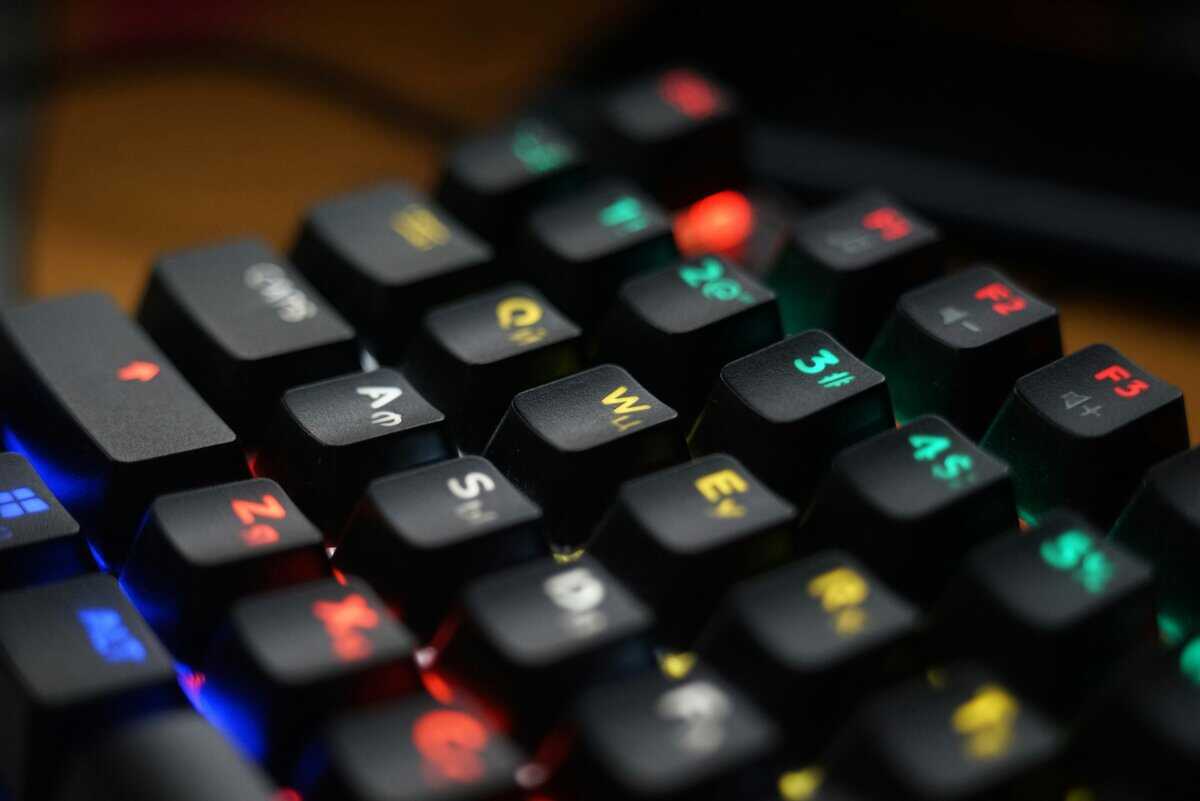
Choosing the Right Switches for Your Games
The three main categories of switches are linear, tactile, and clicky. Each is built for a different purpose and preference.- Linear Switches (e.g., Cherry MX Red): These offer a smooth, consistent press from top to bottom, with no bump or click. Their speed and light actuation force make them ideal for fast-paced FPS gaming where double-tapping and rapid key presses are common.
- Tactile Switches (e.g., Cherry MX Brown): Tactiles provide a noticeable “bump” in the middle of the press, confirming key activation without a loud click. That feedback is useful for MMO or RTS players who need precision to avoid accidentally using an ability.
- Clicky Switches (e.g., Cherry MX Blue): Known for their distinct “click” sound and tactile bump, these switches offer the most feedback. They can feel satisfying for typing, but the noise is a significant drawback for streaming, as most microphones will pick it up.
Build Quality and Materials
A keyboard’s lifespan is directly tied to its build quality. While aluminum cases are usually outside a budget price range, a well-made plastic frame can be durable. The test is simple: look for boards with minimal flex when you try to twist them. Durability is a key factor.Keycaps are the other critical component. Most budget keyboards come with ABS (Acrylonitrile Butadiene Styrene) keycaps. They are inexpensive but are known for developing a shiny, oily texture over time. The better option is PBT (Polybutylene Terephthalate) keycaps, which have a textured, matte finish and are far more resistant to wear. Finding a budget TKL with stock PBT keycaps is a significant advantage in terms of value.A keyboard with a solid plastic frame and PBT keycaps will almost always outlast a flimsy board with more RGB lighting. Prioritize a durable foundation over aesthetics.
Key Features With Long-Term Value
Beyond switches and materials, two other features offer significant long-term value, even on a budget-friendly board.Hot-swappable sockets are a key feature for longevity. This allows you to change mechanical switches without soldering. If a switch fails or you want to try a different feel, you can pull the old one out and push a new one in. It extends the life of your keyboard and provides customization options usually found on more expensive models.Connectivity is the other major consideration. A wired connection will always provide the most reliable, lag-free performance for competitive gaming. However, some budget wireless options are now dependable. When considering a wireless TKL, features like reliable Bluetooth and a comfortable typing experience are important.The Best Budget TKL Keyboards for Different Gamers
Finding the right budget TKL keyboard isn’t about buying the cheapest option available. It’s about matching the hardware to your use case. A good board for a competitive FPS player might feel wrong to an MMO enthusiast, and a streamer has audio considerations that other gamers don’t.This is a list of situational recommendations for three common gamer profiles. Each pick focuses on features that matter for that playstyle, with an honest look at the trade-offs at this price point. “Budget” here means a smart investment in performance and durability, not just a low price tag.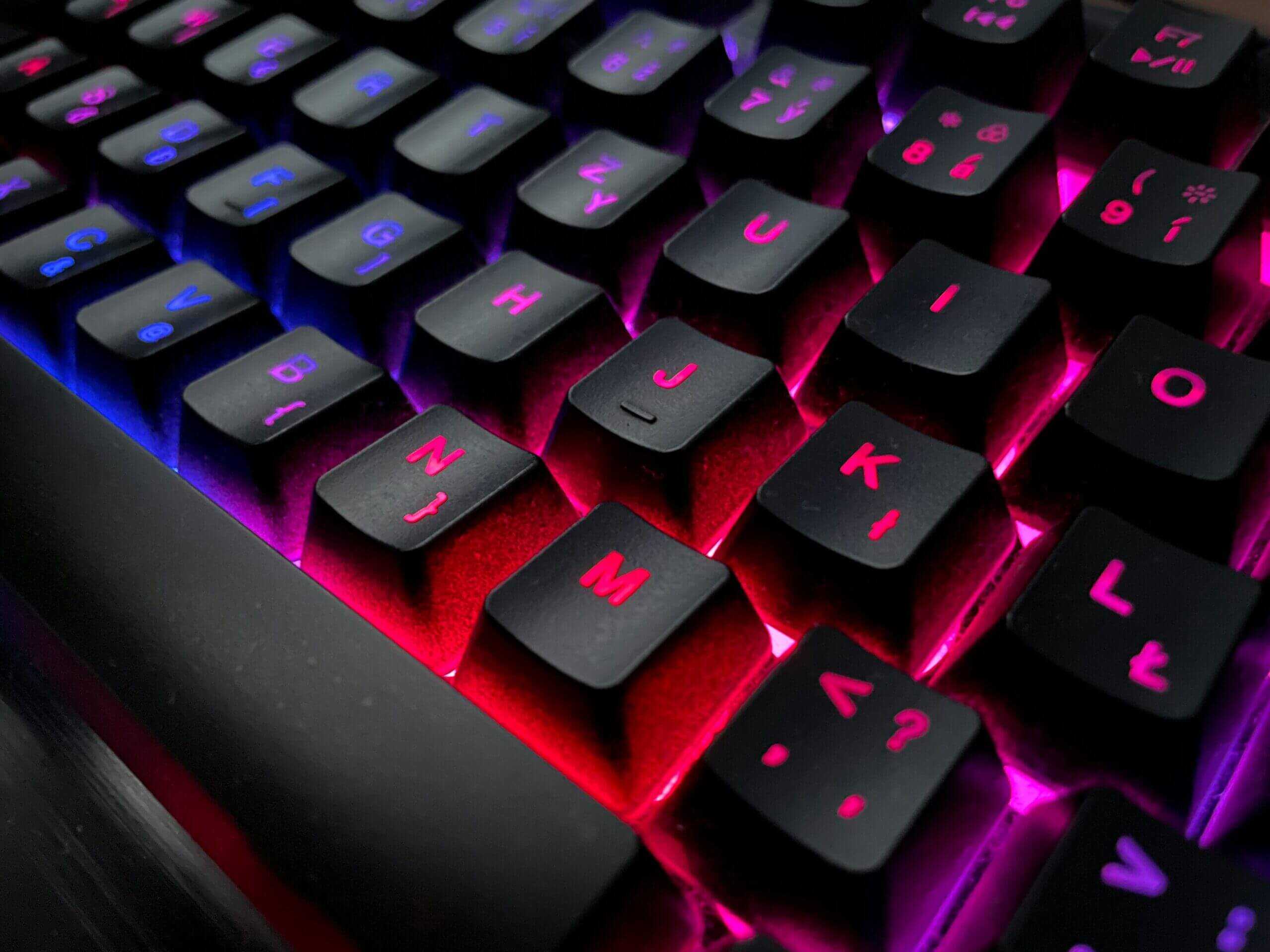
For the Competitive FPS Player: Keychron C1
Use Case: Fast-paced shooters like CS2, Valorant, and Apex Legends where responsiveness and a stable platform are critical.When it comes to FPS gaming, speed and stability are key. The Keychron C1 delivers both with a robust build that feels like it belongs in a higher price bracket. Its gasket-mounted design provides a solid, dampened typing feel, which reduces case ping and vibrations, distractions you can’t afford in a clutch moment.The build quality is a major factor. The heavy-duty plastic case has almost no flex, giving it a secure feel on your desk that rivals more expensive boards. This stability is crucial; it ensures the keyboard stays put during frantic mouse swipes.When split-seconds matter, you need a keyboard with fast, linear switches and a frame that won’t budge. The C1’s solid construction and hot-swappable sockets offer a high-performance foundation you can upgrade over time.
- Primary Strength: Excellent build quality and a gasket-mount design provide a stable, premium-feeling platform.
- Ideal Switches: Linear switches like Gateron Pro Reds for smooth, fast actuation. Since it’s hot-swappable, you can always upgrade later.
- Key Trade-Off: The stock ABS keycaps on the fully assembled version are functional, but they will develop a greasy shine over time. Upgrading to a PBT set is a worthwhile future investment.
For the Wireless Gamer: AULA F87
Use Case: MMOs like World of Warcraft or strategy games where precise ability activation and durability for long sessions are more important than raw speed.MMO and strategy gamers need precision and reliability. You’re managing complex skill rotations and numerous keybinds where a single misclick can be a problem. The AULA F87 is a good fit, delivering a satisfying tactile experience and durable components.Its biggest advantage is that it often ships with quality PBT keycaps and reliable tactile switches out of the box. This means you get a board with a textured feel that resists the oily buildup seen on cheaper ABS caps. The distinct tactile bump from switches like the Epomaker Flamingo gives clear feedback that a key has been pressed, which is crucial for nailing combos in Final Fantasy XIV or managing units in Age of Empires IV. The build quality is a dense, well-constructed plastic, offering good durability for the price. For more options like this, check our guide on the best budget mechanical keyboards.- Primary Strength: High-quality stock PBT keycaps and reliable tactile switches provide a solid out-of-the-box experience.
- Ideal Switches: Tactile switches are ideal here for confident, precise keystrokes without accidental presses.
- Key Trade-Off: The software for customizing lighting and macros can be less intuitive than offerings from major brands. It’s functional but may require patience to set up.
For the Budget Gamer: Redragon K552P
Use Case: Broadcasting gameplay on platforms like Twitch or YouTube, where keyboard noise and desk aesthetics are important factors.For streamers, a keyboard is more than a gaming tool, it’s part of your on-screen presence and audio environment. The Redragon K552P is a versatile keyboard that balances gaming performance with features that make a streamer’s life easier, particularly its multi-device wireless connectivity.The K552P’s main benefit is how quiet it can be when paired with the right switches. Choosing linear or silent tactile switches is necessary if you want to keep your microphone from picking up loud, distracting clicks during your broadcast. Its clean aesthetic and customizable RGB also look professional on camera. The inclusion of both Bluetooth and 2.4GHz wireless helps reduce cable clutter and allows you to easily switch between a gaming PC and a separate streaming machine. While a wired connection is always best for competitive gaming, the 2.4GHz connection is reliable enough for most titles.- Primary Strength: Versatile wireless connectivity and a quiet profile (with linear switches) make it ideal for a clean, mic-friendly setup.
- Ideal Switches: Opt for linear switches (like RK Reds) to minimize the noise that your stream audience will hear.
- Key Trade-Off: The stabilizers on the larger keys can be inconsistent. They are functional, but you might notice a slight rattle that an enthusiast would want to modify.
Proper Care and Maintenance for Your Keyboard
A budget TKL keyboard is only a good investment if it lasts. Protecting your gear from dust, grime, and spills is the best way to extend its life and ensure it performs reliably.Consistent, simple maintenance is more effective than an occasional deep clean.Start with a weekly wipe-down. Disconnect your keyboard and use a can of compressed air to dislodge any loose dust or debris between the keys. Finish by wiping the keycaps and frame with a slightly damp microfiber cloth to remove finger oils.For a more thorough clean every few months, you will need to remove the keycaps. A keycap puller is a necessary tool to avoid damaging the keycaps or the switches underneath.Routine Deep Cleaning Steps
A proper deep clean doesn’t take long and makes a significant difference in how your TKL feels and looks. This is how you prevent sticky keys.- Remove Keycaps: Use a wire keycap puller to gently lift each cap straight up. To make reassembly easier, lay them out in the same order they came off the board.
- Clean the Keycaps: Soak the keycaps in a bowl of warm water with a drop of dish soap for about 30 minutes. Rinse them thoroughly and let them air dry completely before putting them back on.
- Clean the Frame: With the keycaps off, use compressed air to clear out anything left on the keyboard plate. For stubborn gunk around the switches, use a small brush or a cotton swab with isopropyl alcohol.
Never submerge the main keyboard body in water. The internal electronics, like the PCB, are sensitive to liquid and will be permanently damaged.
How to Handle Spills
Accidents happen. A quick response is what separates a minor issue from a dead keyboard. The moment a liquid hits your TKL, unplug it immediately.Flip the keyboard upside down to drain as much liquid as possible. If you spilled anything other than water, like soda or coffee, you will need to do a full deep clean once it’s dry to remove the sticky residue.Let the keyboard air dry for at least 24-48 hours before plugging it back in to test it. Do not rush this step.Want more mouse room than a TKL gives? Our 65% keyboard guide covers the compact alternative.
Got Questions About TKL Keyboards? We’ve Got Answers
Even after weighing the pros and cons, you might still have questions. Here are answers to some of the most common ones gamers have when considering a switch to a tenkeyless keyboard.Are TKL Keyboards Good for Typing and Work?
Yes, TKL keyboards are excellent for typing and most professional work. They retain all the essential keys you’re used to, the full alphabet, the function row, and the navigation cluster (arrow keys, Page Up/Down, etc.). The core typing experience is 100% identical to a full-size board.
The only thing you lose is the dedicated ten-key numpad. Unless your job involves heavy numerical data entry, like an accountant or data analyst, you probably won’t notice its absence. In fact, many people find the TKL layout more ergonomic because it allows your mouse to sit closer to your body, which can reduce shoulder strain.
Is a Hot-Swappable Feature Worth It on a Budget Keyboard?
Yes. On a budget-conscious board, hot-swappable sockets are one of the best features you can get for long-term value. It means you can remove and replace mechanical switches without soldering.
If one switch starts failing after a year of heavy use, you can just pop it out and replace it for a few dollars. Without hot-swap, you’d have to buy a new keyboard. It also gives you the freedom to experiment. You might start with linear switches for FPS games but want to try tactile ones later for typing. Hot-swap lets you do that without buying another board, extending the useful life of your initial purchase.
A hot-swappable TKL keyboard is a smart long-term investment. It turns a potential replacement into a cheap, minor repair and opens the door for future customization.
Will I Miss the Numpad for Gaming?
This depends entirely on what you play. For the majority of games, the answer is no, you won’t miss it.
FPS, MOBA, and Action Games: In titles like Call of Duty, League of Legends, or Elden Ring, the numpad is rarely used. The extra mouse space you gain from a TKL is a direct performance advantage for aiming.
MMOs and Simulators: This is where it gets tricky. If you are a heavy player of complex games like EVE Online or flight simulators, you might be one of the few who rely on the numpad for binding dozens of commands. If that’s you, switching to a TKL will require rethinking your control scheme.
Examine your main game library. If you primarily play shooters and action games, the TKL layout is a functional upgrade.
At Budget Loadout, we provide hype-free guides and reviews to help you find the best value in gaming gear. Discover our curated lists and make your next upgrade a smart one. Learn more at Budget Loadout.
Related Articles