A bare desk or a worn-out office pad is an overlooked bottleneck in your setup. A proper gaming mouse pad isn’t a luxury; it’s a foundational component that provides consistent sensor tracking and predictable friction. This consistency is what allows you to build the muscle memory required for better in-game performance.
- Hybrid surface suits both speed and control playstyles
- Stitched edges prevent fraying over time
- Non-slip rubber base stays firmly in place
- Slightly pricier than basic cloth pads
- May feel different from traditional cloth at first
- Surface texture may take a short break-in period
- Generous 460 x 400mm surface for low-sens play
- Consistent cloth glide works with any mouse sensor
- Firm rubber base prevents sliding during gameplay
- Cloth surface can absorb moisture over time
- May feel a bit pricier compared to budget alternatives
- No stitched edges on this version
- Proven micro-woven cloth surface trusted by pros
- Excellent price-to-size ratio for budget gamers
- Non-slip rubber base keeps it steady
- Thinner 2mm profile may not mask desk imperfections
- No stitched edges means edges may fray eventually
- Cloth surface can show wear with heavy daily use
- A large mousepad (at least 15×17 inches) prevents running out of space during low-sensitivity gaming and improves consistency
- Cloth pads offer more control and stopping power, while hard pads provide faster glide speeds — choose based on your game type
- Thickness of 3-4mm is ideal for comfort and preventing the pad from compressing unevenly during intense mouse movements
- Stitched edges are worth prioritizing — they prevent fraying and significantly extend the pad’s lifespan over months of daily use
Table of Contents
Why Your Mouse Surface Matters
For competitive games ranging from Valorant to League of Legends, a dedicated gaming surface is non-negotiable. A bare desk has microscopic imperfections that cause mouse sensors to skip, stutter, or lag. A quality gaming surface is engineered to eliminate this inconsistency, providing a uniform texture that your mouse sensor can read accurately every time.
This isn’t just a niche opinion; it’s a market trend. The gaming mouse pad industry is projected to hit $2 billion by 2030 as more players recognize the competitive and ergonomic advantages. Investing in a proper surface is one of the most cost-effective upgrades you can make.
Here’s a breakdown of what a good gaming mouse pad provides:
Improved Sensor Accuracy: It provides a consistent surface for optical and laser sensors to track without error. This reduces random skips during critical flick shots.
Enhanced Muscle Memory: Predictable friction is essential. It lets your brain learn exactly how much force is needed to move your crosshair a specific distance, making your aim more reliable and repeatable.
Increased Comfort: Quality materials reduce friction on your wrist, which can lower fatigue during long gaming or streaming sessions.
Better Durability: A pad protects your desk from wear and saves your mouse feet from being damaged by a rough surface.
Choosing Your Surface: Cloth vs. Hard Pads
The most critical choice for a gaming mouse pad is the surface material. It directly defines the balance between glide and stopping power. For budget-conscious gamers, understanding the tradeoffs between cloth and hard surfaces is key to getting the best value.
Cloth pads are the standard for a reason. They offer a comfortable surface with good stopping power. The texture creates enough friction to help you stop your mouse precisely, which is critical for tactical FPS games like Valorant where holding a tight angle and landing a specific headshot is the goal.
However, cloth pads exist on a spectrum:
Control Pads: These have a rougher, more textured weave. This increases friction for deliberate, high-precision movements where you cannot afford to overshoot. This is ideal for tactical shooters and players who need maximum stability.
Speed Pads: These use a smoother, silk-like weave to reduce friction. This is better for games like Apex Legends or MMOs that demand fast, consistent tracking on moving targets or quick cursor movements across the screen.
If you want to step up without overpaying, the Razer Strider Large (~$20) is one of the most-used pads in the pro scene. Its hybrid weave surface delivers a smooth, consistent glide that works for both speed and control playstyles. The stitched edges prevent fraying, and the non-slip rubber base keeps it locked down during intense sessions.
The primary tradeoff with cloth is build quality and durability. The weave can wear down over time, humidity can make the glide feel inconsistent, and they absorb dirt and oils. Regular cleaning is necessary to maintain performance.
The Case for Hard Surface Pads
Hard surface pads, usually made from plastic or polycarbonate, offer a different experience. Their main benefit is extremely low friction. Your mouse glides with minimal effort, which some players find helps reduce fatigue over long sessions.
This near-effortless glide is suited for fast, reactive flicks. The glide is also highly consistent since hard surfaces are not affected by humidity and can be wiped clean in seconds. In terms of build quality, a good hard pad can outlast several cloth pads, offering better long-term value despite a higher initial cost.
For a premium cloth option, the Logitech G640 (~$20) is a solid entry point. Its consistent cloth surface provides a balanced glide that pairs well with any gaming mouse. The rubber base grips firmly to your desk, and the generous 460 x 400mm size gives you plenty of room for low-sensitivity play.
The biggest tradeoff with hard pads is the lack of stopping power. The slick surface is unforgiving, and it’s easy to overshoot your target until you develop the necessary muscle memory. They also cause significantly more wear on mouse feet.
Here’s the bottom line: a worn-out pad or a bare desk actively sabotages your consistency. The surface you choose should complement your mouse and your playstyle, and pairing it with the right hardware is essential. If you’re hunting for a new mouse to go with your pad, you can check out our recommendations in the guide to the best gaming mouse under $50.
To make this decision a little easier, let’s break down the practical differences side-by-side.
Surface Showdown: Cloth vs. Hard Mouse Pads
This table compares the real-world tradeoffs between cloth and hard surfaces for different gaming styles and priorities.
| Attribute | Cloth Surface (Control/Speed Weave) | Hard Surface (Plastic/Polycarbonate) |
|---|---|---|
| Primary Feel | Soft and forgiving with noticeable friction. | Rigid and slick with minimal friction. |
| Best For | Precise stopping power (Control), smooth tracking (Speed). | Fast, reactive flicks and effortless gliding. |
| Ideal Games | Valorant, CS2 (Control), Apex Legends, MMOs (Speed). | Arena shooters like Quake, fast-paced battle royales. |
| Mouse Feet Wear | Very low wear and tear. | High wear; expect to replace feet more often. |
| Durability | Lower; wears down over time, susceptible to fraying. | Higher; resists wear but can be scratched. |
| Maintenance | Requires deep cleaning; absorbs spills, dirt, and oils. | Easy to wipe clean in seconds. |
| Consistency | Can be affected by humidity and wear. | Extremely consistent glide, unaffected by environment. |
| Portability | Good; can be rolled up for travel. | Poor; rigid and cannot be bent or rolled. |
Ultimately, the choice between cloth and hard surfaces comes down to personal feel and the games you pour the most hours into. There’s no single “best” option—just the right one for your setup.
How to Select the Right Size and Thickness
The right mouse pad size is determined by your playstyle, not your desk size. The most important factor is your mouse sensitivity (DPI). Low-DPI players use large, sweeping arm movements to aim—a common technique in tactical shooters like Valorant or CS2. For this style, a large surface is required to avoid running off the edge mid-flick.
This is why large or extended pads, often around 900x400mm, have become standard for many competitive FPS gamers. They provide ample real estate for arm movements.
Finding Your Ideal Pad Dimensions
Conversely, high-DPI players in genres like MMOs or MOBAs rely on small, precise wrist movements. An extended mat is unnecessary if you only use a few square inches of space. If you’re looking for something that covers your entire setup, you could also explore different types of desk mats that serve a similar purpose.
Here’s a quick rundown on sizes:
Large/Extended (800mm+ wide): Necessary for low-DPI arm aimers in FPS titles. Streamers also favor them because they create a clean, unified surface for both the keyboard and mouse. Our guide to building a streaming setup for beginners shows how this simple choice can improve your desk’s appearance.
Medium (350-450mm wide): A versatile size for mid-to-high DPI players who use a hybrid of wrist and arm aiming.
Small (under 300mm wide): Only recommended for pure high-DPI wrist aimers or for setups with very limited desk space.
Does Mouse Pad Thickness Matter?
Yes, but it’s more about comfort and stability than raw performance. Thinner pads, around 2-3mm, provide a firmer, more direct connection to the desk. The tradeoff is they are less forgiving if your desk surface isn’t perfectly flat.
Thicker pads (4-5mm) offer more wrist cushioning, which helps reduce fatigue during long gaming sessions. Their extra padding can also compensate for minor bumps or imperfections on your desk, creating an even surface. The only tradeoff is a slightly softer feel that some players find mushy. For a budget gamer, a thick pad is a practical way to make an uneven desk feel more premium.
Essential Features Versus Expensive Gimmicks
When buying on a budget, every dollar should go toward features that improve performance. For a gaming mouse pad, this means focusing on build quality over aesthetics.
Two features are critical for durability and usability. First, stitched edges. Without them, the cloth surface will eventually peel away from the rubber base through fraying. Stitched edges lock the layers together and can significantly extend the pad’s lifespan.
Second, a non-slip rubber base is mandatory. During intense gameplay, you make fast, forceful mouse movements. A pad that slides, even slightly, can cause you to miss a shot. A textured rubber base ensures the surface stays anchored to your desk.
The SteelSeries QcK Large (~$15) has been the go-to budget pad for esports pros for over 15 years. It checks both boxes with a non-slip rubber base and a micro-woven cloth surface optimized for both optical and laser sensors. It lacks stitched edges, which means the edges may fray over time, but for this price point it remains the gold standard for getting started.
What to Prioritize and What to Avoid
Once those two fundamentals are met, you can evaluate add-ons that increase the price. Features like RGB lighting and built-in wireless charging are becoming more common, but their value is questionable for a player focused on performance per dollar.
RGB lighting offers zero competitive advantage. It may fit a specific aesthetic for a stream setup, but it will not improve your aim. It can, however, easily double the cost of an otherwise identical pad.
Your money is better spent on a higher-quality surface weave, better stitching, or a thicker, more comfortable pad. These features directly impact how the mouse feels and performs.
You will also find pads with integrated Qi wireless charging. While reducing cable drag by 25% is a real benefit for wireless mouse users, these pads remain a niche, premium product. Tech integrations are becoming more common as the esports scene grows, but for most gamers, core build quality and durability are what matter.
Ultimately, your goal is to find a mouse pad with a durable build and a consistent surface. Extra tech and lighting should be secondary to the pad’s primary function: providing a reliable foundation for your mouse.
Maintaining and Replacing Your Mouse Pad
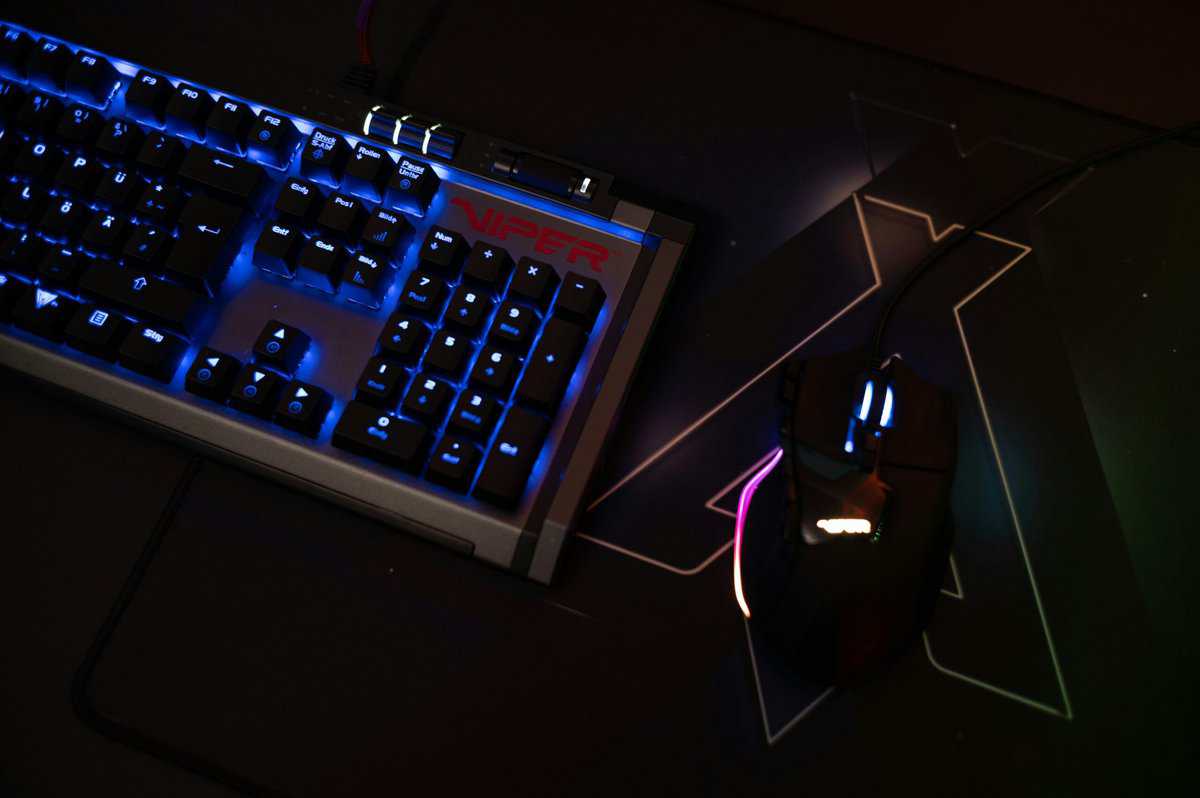
A gaming mouse pad is a tool that wears out over time. Dust, skin oils, and food crumbs get trapped in the weave of cloth pads, creating inconsistent friction that negatively affects aim. Hard pads collect grime and can get scratches that interfere with the mouse sensor.
Regular cleaning is the most effective way to extend your pad’s life and maintain a consistent glide. The surface you practice on needs to feel the same as the one you use for competitive play to build reliable muscle memory.
Simple Cleaning for Better Performance
You do not need special equipment to clean your pad. The process is straightforward and varies slightly by material.
Cloth Pads: Use a small amount of mild soap and warm water. Gently scrub the surface with your hands or a soft brush, rinse thoroughly, and then let it air dry completely. Do not put a cloth pad in a machine dryer. The heat will damage the rubber base and warp the pad.
Hard Pads: These are much simpler to clean. Wipe the surface with a microfiber cloth and a small amount of water or a gentle cleaning solution. This takes only a few seconds and removes any residue affecting the glide.
A clean surface is about performance, not just hygiene. A dirty pad creates unpredictable friction spots, which is the exact problem a gaming mouse pad is designed to solve.
Knowing when to replace the pad is also important. Over time, the weave on a cloth pad wears down, creating a smooth “dead zone” in the center where the glide feels different. On hard pads, visible scratches create similar inconsistencies.
If you notice frayed edges, worn patches on the fabric, or an uneven glide that wasn’t there before, your pad is likely hindering your performance. Replacing a worn-out $20 pad every one to two years is a smart, low-cost investment in your gameplay consistency.
Commonly Asked Questions
Here are answers to a few common questions to help you choose the right mouse pad for your setup.
Does a Gaming Mouse Pad Really Improve Aim?
Yes, it provides a tangible improvement. A quality gaming mouse pad gives your mouse’s sensor a consistent, predictable surface, which is critical for building the muscle memory needed for accurate aim. A bare desk or a generic office pad has microscopic flaws that cause tracking errors, leading to missed shots.
A good pad also provides controlled friction, allowing you to execute fast flicks and stop precisely. This directly translates to more reliable aim.
Are Expensive Gaming Mouse Pads Worth The Money?
For most budget-conscious gamers, no. While premium pads costing $50 or more may use specialized materials like glass or hybrid fabrics, the performance gain is minimal for the average player. Excellent performance can be found in the $15-$30 price range.
Focus on the fundamentals: a quality surface weave, stitched edges for durability, and a non-slip base. These three features deliver most of the performance of a high-end pad at a fraction of the cost. Save the extra money for components where it will make a larger impact.
How Do I Know If I Need a Speed or Control Pad?
This depends on the games you play and your personal preference. There is no single “best” choice, only the right tool for your specific use case.
Speed Pads have a smooth, low-friction surface. This is useful for large, sweeping mouse movements. They are often preferred by players in fast-paced games like Apex Legends or Overwatch, where tracking fast-moving targets is a primary skill.
Control Pads have a rougher, more textured weave that creates more friction and stopping power. This allows for very precise, small adjustments. It is the preferred surface for many tactical FPS players in games like Valorant or CS2, where holding tight angles and landing pixel-perfect shots is critical.
If you’re unsure which direction to go, pro players and gaming influencers often share their setups, which can help you see what works at higher levels of play. Your mouse pad should feel like an extension of your mouse. Pairing them correctly is important, and our broader guides on gaming mice can help you match your new surface with the right hardware.
At Budget Loadout, we believe a high-performance setup shouldn’t break the bank. Explore our guides to find the best value in gaming gear at Budget Loadout.
Related Articles