Your gaming PC is the engine, but the right desk accessories for gaming are what create a functional command center. They directly impact your performance, comfort, and focus. This guide covers practical, high-impact gear that solves real problems for budget-conscious gamers who prioritize value.
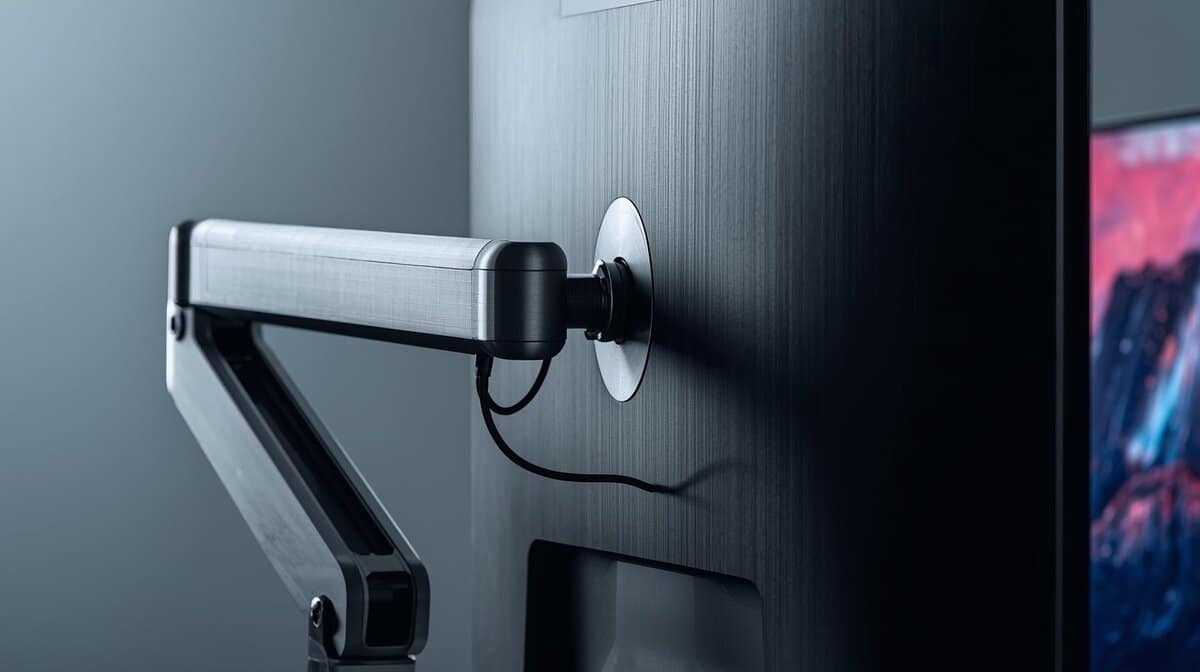
- Supports up to 32" monitors with ease
- Both clamp and grommet mounting included
- Gas-spring arm for smooth one-hand adjustment
- Plastic cable clips feel lightweight
- Clamp may mark softer desks
- Assembly instructions could be clearer
- 2 USB charging ports built in
- Lifetime warranty from a trusted brand
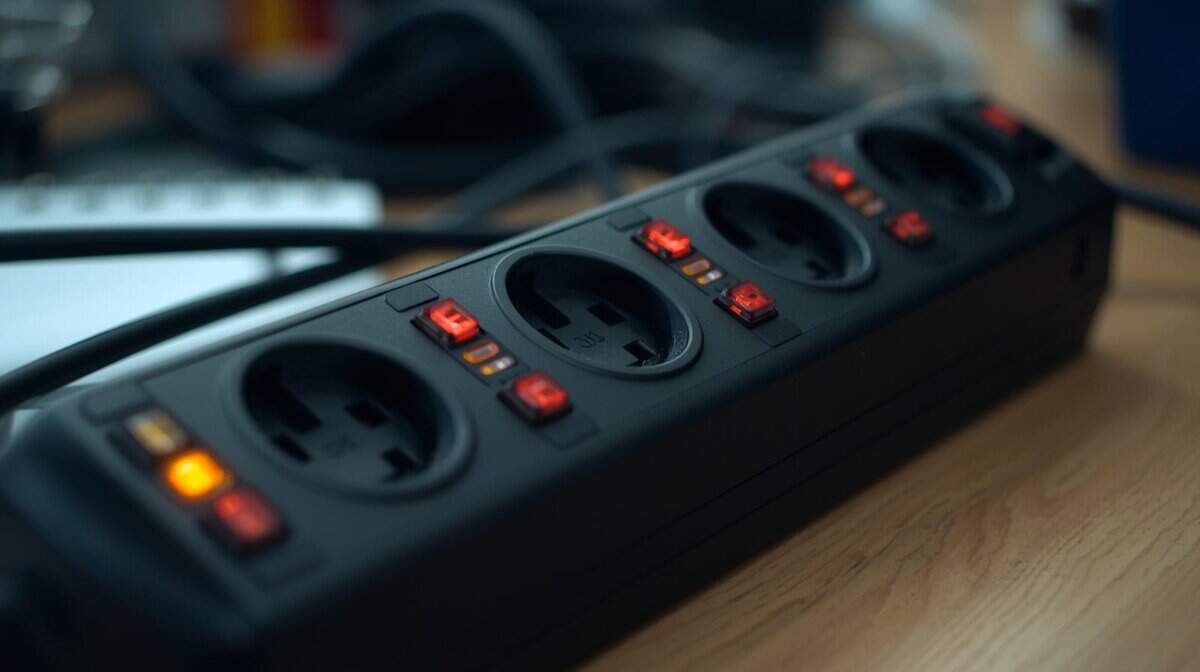
- Six outlets may not suffice for large setups
- Cord may feel short for some
- No individual outlet switches
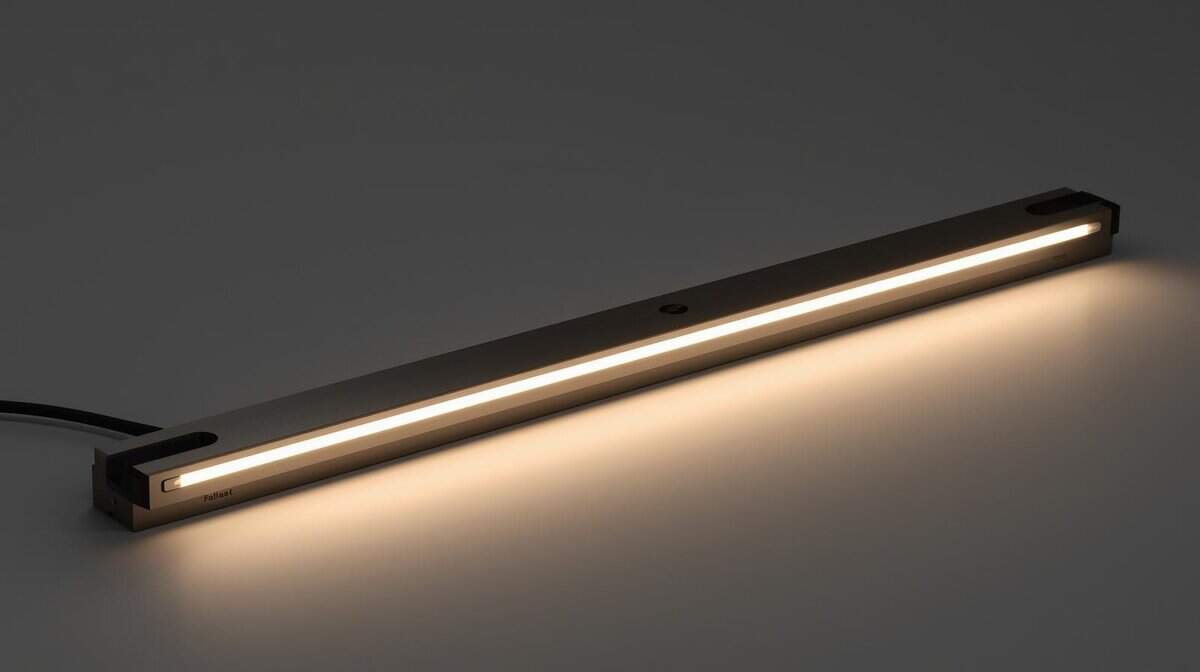
- Auto-dimming adapts to room lighting
- Asymmetric optics prevent screen glare
- Wireless remote for easy adjustment
- Plastic build; less premium than BenQ
- USB cable may feel short
- Auto-dimming adjusts slowly to light changes
- A monitor riser or laptop stand improves ergonomics by raising your screen to eye level, reducing neck strain during long sessions
- The HUANUO monitor arm frees more desk space per dollar than any other accessory here
- The Tripp Lite surge protector is cheap insurance for a full battlestation of gear
- The Quntis light bar cuts eye strain without taking up any desk real estate
- Upgrade in order of daily contact: monitor arm first, lighting second, everything else after
Table of Contents
Building Your Battlestation Beyond the PC
The objective is not to accumulate flashy, unnecessary items. It’s about strategic selection—choosing accessories that offer a tangible return on investment. A well-configured setup makes a noticeable difference, whether you’re aiming for precision in an FPS, managing rotations in an MMO, or maintaining audience engagement during a stream.
This is a mainstream pursuit. The global market for gaming accessories is projected to grow by $3.11 billion by 2029, supported by a community of over 3 billion gamers. This growth indicates a clear trend: gamers are investing in equipment that completes their experience.
The core principle is straightforward: build a smarter, more effective gaming space. Each accessory should address a specific issue, whether it’s cable clutter, wrist strain, poor audio quality, or insufficient mouse space.
Why Your Desk Setup Actually Matters
A carefully planned battlestation is more than an aesthetic choice. The right equipment provides critical support that you’ll appreciate during long sessions and competitive matches.
Improved Performance: A large desk mat provides a consistent, smooth surface for accurate mouse tracking, which is essential for any fast-paced game.
Enhanced Comfort: Ergonomic gear is not just a marketing term. It reduces physical strain, allowing for longer, more comfortable play sessions without subsequent discomfort.
Better Organization: A clean, organized desk minimizes distractions and prevents critical errors, like snagging your mouse cable during a crucial moment.
Budget Accessory Recommendations
The “Value Tier” is suitable for getting started and solving immediate problems. The “Mid-Tier” offers a significant improvement in quality and durability, often making it the wiser long-term investment.
This table provides a general idea of what to expect for your money. The goal is to find the balance between price and performance, ensuring you get features that improve your gaming experience without overspending.
| Accessory | Value Tier | Mid-Tier | Key Feature To Prioritize |
|---|---|---|---|
| Monitor Arm/Stand | Basic fixed-height riser or a very simple gas-spring arm. | Sturdy single-monitor gas-spring arm with good articulation. | Smooth Adjustability & Stability |
| Desk Mat | Standard cloth surface, maybe with stitched edges. | Large size, stitched edges, and potentially a specialized surface. | Consistent Surface & Size |
| Cable Management | Velcro ties, simple adhesive clips, or a basic sleeve. | J-channel raceways or a flexible cable spine. | Ease of Access & Capacity |
| USB Hub | Unpowered 4-port hub for low-power devices. | Powered 4-7 port hub with a reliable adapter. | Stable Power Delivery |
Fine-Tuning Your Surface and Screen
Let’s begin with two of the most impactful upgrades: your mouse surface and monitor placement. Addressing these directly influences your aim, comfort, and the overall functionality of your setup. Both a quality desk mat and a monitor arm offer immediate, tangible benefits by reclaiming space and improving your posture.
A large desk mat gives your mouse a consistent, predictable surface. For FPS players who use a low DPI setting, this is non-negotiable, as it provides the necessary surface area for wide, sweeping arm movements without running out of room. As a secondary benefit, it protects your desk from scratches. The build quality is evident in the stitching and surface material; poorly made mats fray quickly.
The primary choice is between cloth and hard surfaces. Hard pads are designed for maximum speed, but their slickness can be a drawback for games requiring precise stops. A quality cloth mat offers a good balance of speed and control, making it a reliable choice for most gamers. You can check out our guide on the best budget gaming mouse pads for durable options.
Reclaim Your Space and Save Your Neck
A monitor arm is an upgrade you will likely wish you had made sooner. By removing the bulky stock stand, you free up a significant amount of usable desk space. This is critical for placing your keyboard and mouse in their most natural positions.
More importantly, an arm provides complete control over your screen’s position. You can set the ideal height and distance to reduce neck and eye strain, which makes a considerable difference during extended gaming sessions.
You’ll generally encounter two types:
Basic Static Arms: These are fixed mounts. They are functional and affordable but lack the on-the-fly flexibility of more advanced models. Their build quality is usually simpler, with fewer adjustment points.
Gas-Spring Arms: These offer smooth, effortless movement. You can push, pull, tilt, and rotate your monitor with minimal effort, making them ideal if your setup is used for work, gaming, and media consumption. Durability here depends on the quality of the gas spring mechanism itself.
The global market for gaming peripherals is expected to exceed $20 billion by 2025, with monitors accounting for 49% of that revenue. As screens get larger and heavier, a sturdy monitor arm with a strong clamp, correct weight capacity, and proper VESA compatibility is essential. You can discover more insights about these market trends on Omdia.
For a budget-friendly starting point, the HUANUO HNSS6 (~$35) supports monitors up to 32 inches and includes both clamp and grommet mounting options.
Solving Cable Clutter and Power Problems
The tangled wires behind your desk are more than an aesthetic issue—they are a performance liability. A snagged mouse cord during a competitive match can be the difference between winning and losing. Fortunately, resolving this does not require expensive or complicated equipment.
Managing your cables involves using practical, low-cost tools to create a clean and functional setup. The goal is not just to bundle wires but to route them out of sight. It’s a small effort that eliminates distractions and potential gameplay interruptions.
Effective cable management relies on a few inexpensive and durable components:
J-Channel Raceways: These are adhesive troughs that stick to the underside of your desk, routing your main wiring off the floor. The build quality is determined by the adhesive’s strength and the plastic’s rigidity.
Velcro Ties: These are highly practical. More forgiving and reusable than zip ties, velcro straps allow you to bundle cables and easily make adjustments when adding or removing gear.
Cable Sleeves: For the main group of wires running from your PC, a neoprene sleeve creates a single, clean tube. It is a significant improvement over a tangled collection of individual cables.
Protecting Your Gear and Peripherals
Beyond organization, proper power management is a non-negotiable part of any serious setup. Your PC and peripherals are a significant investment and must be shielded from power surges. A quality surge protector is your first line of defense.
Do not simply buy the cheapest power strip. Look for one with a joule rating of at least 1,000 to 2,000 joules. This rating indicates how much energy it can absorb before failing. It is a small price for significant protection.
The Tripp Lite TLP606USBB (~$25) delivers 1,000 joules of protection with six outlets, two USB charging ports, and a lifetime warranty backed by $20,000 in equipment insurance—solid protection from a trusted name without overpaying.
A powered USB hub is another smart addition, especially for multiple peripherals. Cheap, unpowered hubs split a single port’s power across devices, often leading to signal dropouts for your mouse, keyboard, or headset.
A powered hub includes its own power adapter, guaranteeing every connected device gets stable power and a reliable data connection. This is especially critical for streamers running a mic, webcam, and a Stream Deck simultaneously.
Improving Immersion with Smart Audio and Lighting
Building an immersive battlestation is about more than aesthetic RGB lighting. The most effective upgrades are those you feel—subtle but significant improvements to audio and lighting that make long sessions more comfortable and engaging.
These upgrades do not have to be expensive. These are functional accessories that solve real problems, from protecting your equipment to preventing eye strain.
For your audio setup, simple organization is the first step. A basic headset stand or an under-desk hook gets your headphones off the desk, safe from spills. It is a small, practical investment to protect a much larger one. Look for a stand with a solid, weighted base for durability.
Functional Lighting and Audio Fidelity
Let’s discuss audio quality. If your motherboard’s onboard audio sounds flat or lacks power, an external DAC/amp is a significant upgrade. A DAC (Digital-to-Analog Converter) converts the digital audio from your PC into a cleaner analog signal for your headphones. It cleans up interference and provides more power, revealing details in game audio that were previously unheard.
For streamers who need to balance game audio, a microphone, and voice chat, the next step is a simple audio mixer for your PC. It provides tactile control without requiring you to switch applications.
The most effective lighting accessories for gamers prioritize function over flair. Their primary job is to reduce eye strain, not just to look good on stream.
When it comes to lighting, the goal is comfort. A monitor light bar, for instance, sits atop your screen and illuminates your desk without creating glare on the display. This is useful for late-night gaming.
The Quntis Monitor Light Bar (~$45) offers auto-dimming, a wireless remote, and asymmetric optics that prevent screen glare—delivering about 80% of the premium BenQ experience at half the price.
Another effective and budget-friendly technique is bias lighting. By attaching an LED strip to the back of your monitor, the soft glow it creates reduces the harsh contrast between a bright screen and a dark room, which helps reduce eye fatigue. Both are simple, durable solutions that deliver a tangible benefit.
Ergonomics for Endurance and Comfort
Long gaming sessions should not result in a sore back or aching wrists. This is not about purchasing expensive “ergonomic” products; it’s about using smart, affordable accessories that promote better posture, prevent strain, and maintain comfort.
A simple wrist rest is an effective first step. It keeps your wrists in a neutral position, reducing the tension that builds from repetitive key presses or holding a mouse. For an MMO player executing ability rotations for hours or an FPS gamer using a claw grip, this small addition can make a significant difference.
Choosing the Right Support
The material of a wrist rest affects its function and durability.
Gel Rests: These feel soft and conform to your wrists. The tradeoff is durability; the fabric can wear out, and leaks are possible over time.
Foam Rests: Memory foam provides firm, consistent support. The downside is that it can trap heat and may develop permanent indentations after prolonged use.
Wooden Rests: These are extremely durable and easy to clean. While they offer no cushioning, they enforce a perfectly flat wrist posture, which many find is the best long-term solution for preventing strain.
Another underrated accessory is a footrest. If your feet do not sit flat on the floor, a footrest provides needed stability. It helps align your hips and spine, which is fundamental to good posture.
Ergonomics is a system. A monitor arm sets your screen height, a chair supports your back, and accessories like wrist rests and footrests complete the setup, ensuring your entire body is properly aligned for long sessions.
This focus on physical well-being is a growing part of the gaming market. North America holds a 39.66% share of the gaming accessories market, where ergonomic gear is increasingly popular. You can read the full research on gaming accessory trends to see how comfort influences purchasing decisions.
While many gamers consider “gaming” chairs first, it is important to understand the actual differences. Our guide on gaming chairs vs. office chairs explains what truly matters.
Common Questions About Desk Accessories for Gaming
Even with a plan, questions arise when selecting gear. Here are answers to some common inquiries to help you finalize your setup.
What Accessory Gives the Best Return on Investment?
For most gamers, a quality monitor arm offers the most significant and immediate upgrade. It frees up a large portion of prime desk real estate. More importantly, it allows for precise ergonomic adjustments to your screen height and angle, reducing neck and eye strain.
A close second is a large desk mat. It provides a massive, consistent surface for your mouse—essential for accuracy in FPS games—while also protecting your desk. Both are relatively inexpensive upgrades with daily benefits.
If you’re experiencing specific discomfort, this decision tree can help identify the cause and the appropriate ergonomic solution.
As the flowchart indicates, identifying the problem begins by tracing the pain. Wrist pain often points to an improper keyboard or mouse angle, while posture issues usually relate to screen height and chair support.
Is RGB Lighting Worth It for a Budget Setup?
To be direct: functional lighting is always worth it. Purely aesthetic RGB is a luxury that should only be considered after core needs are met. Before spending money on decorative RGB strips, invest in a monitor light bar or bias lighting. These accessories are designed to reduce eye strain in a dark room—a practical benefit.
If you have disposable income and enjoy the aesthetic, then it can be a fine addition. From a value perspective, prioritize lighting that serves an ergonomic purpose. The build quality on cheap RGB strips is often poor, with weak adhesive and inaccurate colors, so be cautious with low-cost options.
Do I Really Need a Powered USB Hub?
If your setup consists of only a keyboard and mouse, you can likely manage without one. However, as you add more gear—especially for a streamer with a webcam, microphone, and Stream Deck—a powered USB hub becomes essential.
An unpowered hub splits a single port’s limited power, which can cause peripherals to disconnect or function incorrectly. A powered hub provides each port with its own dedicated, stable power source, ensuring reliable operation for all devices. The quality of the hub’s power adapter and internal components determines its reliability, so avoid the cheapest available models.
At Budget Loadout, we provide clear, direct advice to help you find the best value in gaming gear. For more guides and reviews that cut through marketing hype, visit us at Budget Loadout.
Related Articles