Finding the best budget gaming mouse pad is a functional upgrade that delivers a more consistent and reliable aiming experience than many expensive component tweaks. This guide skips the marketing hype to focus on what actually makes a difference in your gameplay, whether you’re playing competitive FPS titles, MMOs, or just need a reliable surface for your streaming setup.
- The textured cloth surface FPS aim routines are built on
- Dense non-slip rubber base stays planted mid-firefight
- The most proven track record in the category
- Unstitched edges fray sooner with heavy wrist contact
- Cloth soaks up spills without a coating
- Plain black look if you want desk flair
- Faster glide suits high-sensitivity and fast-paced play
- Thick foam hides desk imperfections
- Same large footprint as the QcK for an easy comparison
- Less stopping power than a pure control surface
- Edges are not stitched at this size
- Surface picks up dust visibly
- Extended format fits keyboard and mouse together
- Stitched edges resist fraying
- Massive review base at a bargain price point
- Surface is smoother than a dedicated control pad
- Thinner than premium extended pads
- Branding is strictly utilitarian
- Control pads with textured cloth surfaces are the go-to for FPS gamers, offering precise stopping power and consistent tracking
- Speed pads with smooth surfaces suit fast-paced games and high-sensitivity players who need the mouse to glide effortlessly
- Size matters more than brand. An extended or large pad of at least 15×17 inches prevents running out of space during low-sensitivity gameplay (MMO players have their own sizing math, covered in our best MMO mousepad guide)
- Thickness and a grippy rubber base matter more than branding, and stitched edges are the cheapest durability upgrade you can buy
- A good mouse pad costs less than a fast-food meal but noticeably improves your mouse tracking and comfort for years
Table of Contents
Why Your Mouse Pad Is a Smarter Upgrade Than You Think
It’s common to treat a mouse pad as an afterthought. Gamers will spend hundreds of dollars on a new GPU or CPU for a marginal frame rate increase, all while their mouse scrapes across a worn-out, generic desk surface. This overlooks a fundamental part of the system, the surface your mouse’s sensor relies on to perform its job.
Think of it this way: your high-performance gaming mouse is like a race car, but its sensor is useless without good “tires” to grip the road. The mouse pad provides a consistent, predictable surface for the sensor to track every movement. A dirty or low-quality pad creates inconsistent friction and tracking errors, which translate directly into missed shots and frustrating gameplay. For budget-conscious gamers, this is about getting value, not just the cheapest option available.
The Real-World Performance Boost
A modest investment in a proper gaming mouse pad can offer a more tangible boost to your performance than spending hundreds more on other parts. The key is understanding the three pillars of a good budget pad:
- Surface Material: This determines the balance between speed and control, a critical choice based on the games you play. For an FPS player, control is paramount; for an MMO player, speed might be more useful.
- Practical Size: You need enough room for your aiming style without running off the edge during a critical moment. Build quality and durability are tied to this. A cheap, small pad won’t last.
- Build Quality & Durability: Features like stitched edges are not optional. They prevent the surface from fraying and significantly extend the pad’s lifespan, ensuring your investment holds up.
This guide focuses on these practical elements. For those just starting, optimizing your entire workspace is important; our guide on building a solid streaming setup for beginners covers other essential gear.
A complete gaming setup is more than just your mouse and keyboard. While a quality pad is a smart upgrade for precision, don’t neglect your posture and comfort. It’s worth exploring the benefits of investing in gaming chairs to complete your performance-focused environment.
Choosing Your Surface: Control vs. Speed
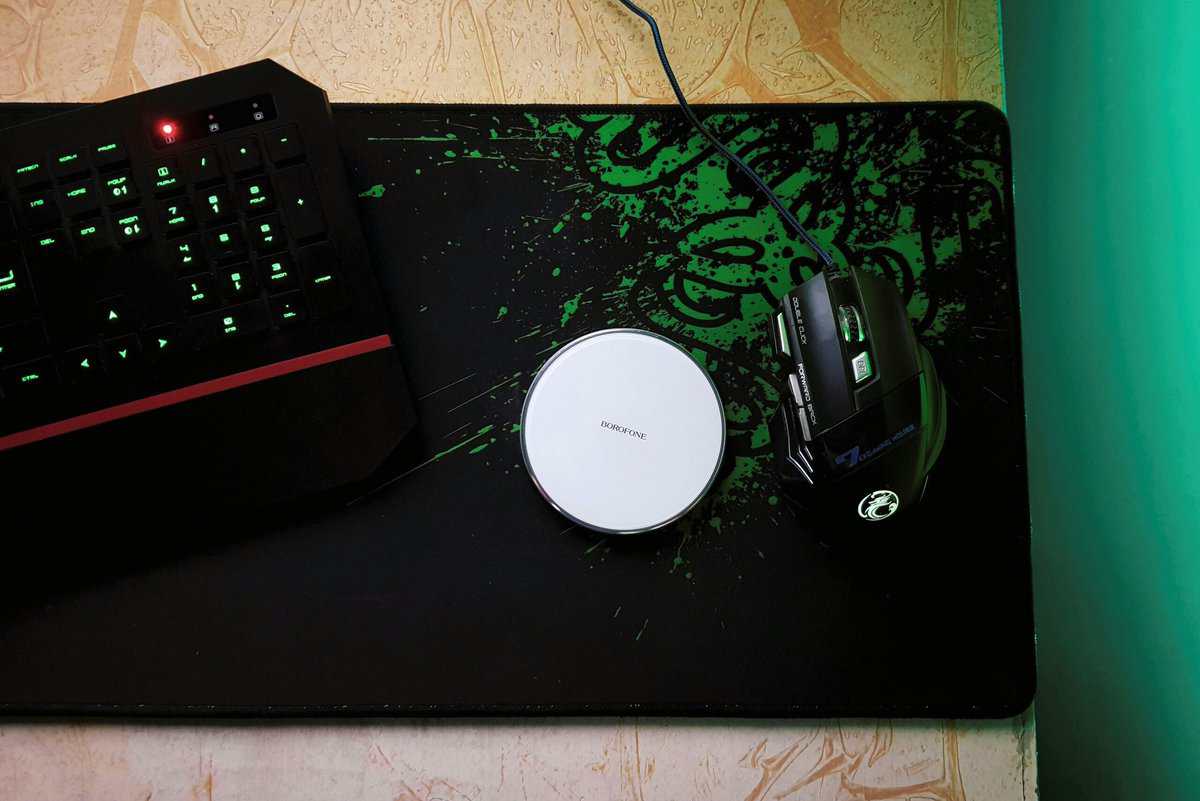
The most critical choice when picking a budget gaming mouse pad is the surface. This comes down to a fundamental trade-off between control and speed. There is no single “best” option; the right pad depends on the games you play, your aiming style, and your mouse sensor.
Think of it like choosing tires for a car. A soft cloth pad is like a set of performance street tires, giving you predictable grip for precise stops and micro-corrections. A hard pad is the equivalent of a racing slick, built to minimize friction for maximum acceleration and fast glides.
Control Pads: The FPS Standard
A control pad is almost always made from a tightly woven cloth fabric. That texture creates a noticeable amount of friction, giving you a tactile, connected feeling as your mouse moves. The main benefit is stopping power. When you need to snap your crosshair onto a target and halt it perfectly, the surface gives you the resistance to do it without overshooting. The SteelSeries QcK Large is the pad this whole category gets measured against.
This is why control pads are the standard for tactical FPS players. In games like Valorant or CS2, a single pixel can determine the outcome of a round. The ability to make small, deliberate adjustments is crucial. The tradeoff is that large, sweeping motions require more physical effort. For FPS gaming, the build quality of the weave is essential for long-term consistency.
Speed Pads: For Fast-Paced Action
A speed pad is all about minimal friction. These are often made from hard materials like plastic or polycarbonate, creating a smooth glide. The purpose is to let your mouse move as quickly and effortlessly as possible. This makes them a practical choice for high-DPI MOBA and RTS gamers who need to move their cursor across the entire screen instantly. The durability of these hard surfaces is often high, but they can wear down mouse feet faster. On the cloth side, the Razer Gigantus V2 leans this direction while keeping some control-pad manners.
This lack of friction comes at a cost. With less resistance, stopping your mouse precisely on a small target becomes more difficult. For players who rely on low-sensitivity aiming, a slick surface can feel uncontrollable and lead to inconsistent aim, making it a poor choice for most FPS use cases.
Hybrid Pads: A Compromise
The final category is the hybrid pad. These attempt to balance the friction of a control pad with the smooth glide of a speed pad, often using unique fabric weaves or coated cloth.
A hybrid can be a functional compromise if you play a wide variety of genres. A streamer, for example, might find a hybrid performs well enough in a fast-paced battle royale but is still precise enough for navigating broadcast software. The catch is that they rarely master either extreme. You won’t get the lockdown stopping power of a true control pad or the effortless glide of a hard speed surface. Their build quality can vary, with coatings sometimes wearing down over time.
Finding the Right Size for Your Desk and Playstyle
Don’t get bogged down by generic labels like “small” or “large.” Picking a mouse pad size is a practical decision that directly impacts how you aim and how comfortable your setup feels. The right size comes down to two simple things: your aiming style and the actual space you have on your desk.
If you’re an FPS player who uses low DPI, you make large, sweeping arm movements to track targets. The last thing you want is to run out of real estate mid-fight. For that style of play, a massive extended or XXL desk mat is a necessity. It provides an uninterrupted surface so you never have to lift your mouse at a critical moment.
On the other hand, if you’re a high-sensitivity wrist aimer or have limited desk space, a standard medium pad is sufficient. There is no performance gain from a giant mat if your mouse never leaves a small area. Sticking to a smaller size saves money and keeps your setup from feeling cluttered.
Matching Size to Your Gaming Profile
The best budget gaming mouse pad is the one that fits you, not just your desk. Low-sensitivity aiming demands physical space, while high-sensitivity aiming is about making precise movements in a smaller zone. If you want the whole desk covered, the Amazon Basics Extended XXL does it for less than most standard pads.
Let’s break down the common use cases.
Mouse Pad Size Guide for Different Gamers
| Size Category | Typical Dimensions (Inches) | Best For |
|---|---|---|
| Medium | ~14″ x 11″ | High-sensitivity wrist aimers (MOBA/RTS) or very limited desk space. |
| Large | ~18″ x 16″ | Hybrid aimers or those wanting extra room without a full desk mat. |
| Extended | ~36″ x 12″ | Low-sensitivity arm aimers (FPS) and a unified keyboard/mouse surface. |
| XXL/Desk | 48″ x 24″ or larger | Covering the entire desk for maximum aiming space and a clean aesthetic. |
As you can see, even the largest pads do not need to be expensive. The key is to buy what you will actually use.
- Low-Sensitivity Arm Aimers (FPS Gaming): You need all the surface area you can get. An extended desk mat (36×12 inches or bigger) is the correct choice. This ensures you never have to reset your mouse position during a clutch firefight. A bigger pad is also a good match if you’re looking for the best gaming mice to pair it with for ultimate precision.
- High-Sensitivity Wrist Aimers (MMO & MOBA Gaming): Your movements are small and quick. A standard medium-sized pad (around 14×11 inches) provides plenty of room and won’t take over your desk.
- Hybrid Aimers and Streamers: If you jump between genres or want a clean, unified look for your keyboard and mouse, a large or extended pad is a practical all-around choice. This use case benefits from the aesthetic and desk protection an extended pad provides.
Ultimately, it’s simple. Measure your desk, think honestly about how you aim, and pick the size that fits. A pad that’s too small will actively hurt your performance, but one that’s too big is just wasted money and desk space.
How to Spot a Good Budget Mouse Pad
When you’re shopping for a gaming mouse pad on a budget, you’re looking for value, not just the absolute cheapest product. This is where you learn to tell the difference between a smart purchase and something that will fall apart in six months. Build quality in the budget world isn’t about exotic materials; it’s about smart, durable design choices that last.

There are two features that are non-negotiable. First, the pad must have stitched edges. Without them, the cloth surface will inevitably start to peel away from the rubber base after a few months of friction from your arm. That fraying looks bad and creates an uneven surface that will compromise your aim. Good durability starts here.
Second, a dense, non-slip rubber base is a must. A mouse pad that slides around your desk during a firefight is worse than useless. It’s a liability. A quality base grips the desk and stays put, ensuring your aim is dictated by your hand, not a wandering pad. This is a key indicator of build quality.
Why Thickness and Base Matter More Than You Think
The thickness of a mouse pad plays a role in both comfort and performance, especially if your desk isn’t perfectly flat. Most budget pads fall between 2mm and 4mm.
- Thin Pads (2mm): These give you a more direct, firm connection to the desk for a faster feel. The tradeoff is they offer almost no cushioning and won’t hide any bumps or imperfections on your desk surface.
- Thick Pads (3-4mm): A thicker pad is more comfortable on your wrist during long gaming sessions. That extra cushioning can also absorb minor inconsistencies in your desk, giving you a perfectly flat tracking surface. For most gamers, 3mm is the sweet spot for a balance of comfort and a stable feel.
The base material is just as critical. A cheap, porous rubber base will have a weak grip and can harden and crack over time. A good budget pad uses dense, high-quality rubber that feels substantial and locks itself to your desk. This is a sign of good durability and build quality.
A good budget mouse pad might lack the ultra-refined weave of a premium artisan model, but its job is to deliver 90% of the core performance for 20% of the price. If it has stitched edges, a solid base, and a consistent surface, it will last for years and be a genuinely smart investment.
How to Keep Your Mouse Pad in Fighting Shape
Even the best budget mouse pad is useless if it’s caked in dust, skin oils, and spilled drinks. Over time, that grime builds up and creates inconsistent friction, which is a death sentence for your aim. One spot will feel fast, another slow, and your muscle memory is compromised.
The good news is that most budget pads are cloth, and a simple deep clean every few months can restore its original glide. Maintaining your gear is a key part of long-term value.
The Only Way to Wash Your Pad (Don’t Use a Machine)
First things first: never put your mouse pad in a washing machine. The aggressive tumbling and high heat will damage the rubber base, cause the edges to fray, and can make the cloth surface peel away from the rubber. This will ruin its build quality.
The only safe way is by hand. You already have everything you need: a sink or bathtub, some mild dish soap, and a soft cloth.
- Fill a sink or tub with cool water. Hot water is the enemy; it can weaken the adhesive holding the pad together.
- Add a tiny drop of mild dish soap. Just enough to make the water slightly soapy.
- Submerge the mouse pad. Let it soak for about 5-10 minutes to help loosen dirt.
- Gently scrub the surface. Using a soft microfiber cloth or your hands, work the soapy water into the surface with light, circular motions.
- Rinse it completely with cool water. Keep rinsing until there are no suds left. Soap residue will leave the pad feeling sticky.
- Air dry it. Lightly pat the pad with a towel to remove excess water, then lay it flat or hang it up to dry. It needs to be 100% dry before use, which can take 24-48 hours. Be patient.
A clean surface is a predictable surface. Taking 10 minutes to wash your pad every few months is one of the easiest ways to maintain aiming consistency without spending more money. It protects your investment and your in-game performance.
If you’re curious about the principles behind cleaning delicate fabrics, the logic is similar to professional upholstery cleaning methods, where the goal is to lift dirt without damaging the material. Stick to mild soap. Harsh chemicals like bleach or degreasers will destroy the pad’s surface weave.
Making the Right Choice for Your Budget
Let’s pull all this together. The best budget gaming mouse pad isn’t the cheapest one; it’s the one that gives you the most performance and build quality for your dollar. Your decision comes down to a few key trade-offs.
First, you have to decide between a control or speed surface. This depends on the games you play most. If you are deep into tactical FPS games like Valorant, you will benefit from the stopping power of a control pad. If you’re a fast-paced MMO or MOBA player, the easy glide of a speed pad might be better.
Finalizing Your Decision
Second, pick a size that fits your aim style and desk space. Low-DPI arm aimers need an extended mat. High-DPI wrist aimers can save money and stick with a standard size.
Third, confirm the pad has durable stitched edges and a solid non-slip base. These are non-negotiable for longevity and good value. Of course, pairing a great pad with the right mouse is just as important; you can see our top picks for the best gaming mouse under $50 to round out your setup.
Ignore flashy features like RGB lighting. They add cost but offer zero performance benefit. That’s money that could have gone into a better surface or more durable construction, the things that actually matter.
Got Questions? We’ve Got Answers.
Stepping into the world of mouse pads can bring up a few questions, especially when you’re trying to find value on a budget. Let’s tackle some of the most common ones.
How Long Should a Budget Mouse Pad Last?
A quality budget mouse pad should last for 1-2 years of regular gaming. The single biggest factor in its lifespan is the build quality. A pad with anti-fray stitched edges will outlast one without them. That stitching is what stops the cloth surface from peeling away from the rubber base. Good durability depends on it.
How you treat it also matters. Cleaning your pad regularly to remove sweat, oils, and dust will preserve its glide and prevent the surface from wearing down prematurely.
Are Hard Pads Better Than Cloth Pads for Gaming?
Neither is “better”. They serve different functions. Cloth pads offer more friction and stopping power, making them suitable for tactical FPS games where precision is key. Hard pads provide a fast, slick glide that’s useful for high-speed games like MOBAs where you’re moving across the screen quickly.
The reason you see so many cloth pads in the budget space is simple: the material is inexpensive to produce and versatile. For most gamers, especially if you play a mix of genres, a cloth pad hits a functional sweet spot between control and speed.
The trade-off is clear: a cloth pad gives you more control over micro-adjustments and stopping your mouse precisely. A hard pad prioritizes the speed of large, sweeping movements. Your primary game genre should be the deciding factor.
Does Pad Thickness Actually Matter?
Yes, it affects both comfort and performance. A thicker pad (around 3-4mm) provides more cushion for your wrist, which makes a real difference during long gaming sessions. It can also smooth over minor bumps or imperfections on your desk, giving your mouse sensor a perfectly flat surface to track on.
A thin pad (2mm) gives you a firmer, more direct feel with the desk. The tradeoff is it offers almost no cushioning and will telegraph every little bump on your desk’s surface, which can interfere with tracking. For most people, 3mm is the ideal middle ground for a budget gaming mouse pad.
Is a Bigger Mouse Pad Always Better?
Bigger helps until it stops fitting your desk. Low-sensitivity players genuinely need the sweep room of a large or extended pad, and an extended surface also keeps your keyboard level with your mouse.
If you play at high sensitivity, a standard pad does the same job in half the space, so buy for your sensitivity and desk, not for the biggest number.
Do Expensive Mouse Pads Make You Aim Better?
Not directly. A pad cannot aim for you, and past the budget tier you are mostly paying for refinements like premium weaves and RGB trim.
What a good budget pad does deliver is consistency: the same friction on every swipe, a base that does not creep, and a surface your sensor tracks cleanly. Consistency is what lets your own muscle memory improve.
At Budget Loadout, our goal is to help you build a high-performance setup without overspending. Explore our other guides for more value-focused recommendations at Budget Loadout.
Related Articles