Finding the best budget gaming controllers for PC isn’t about grabbing the cheapest option. For most gamers, the goal is a controller that delivers 80% of the performance of a premium model for a fraction of the cost. Real value is about smart compromises, not just a low price tag.
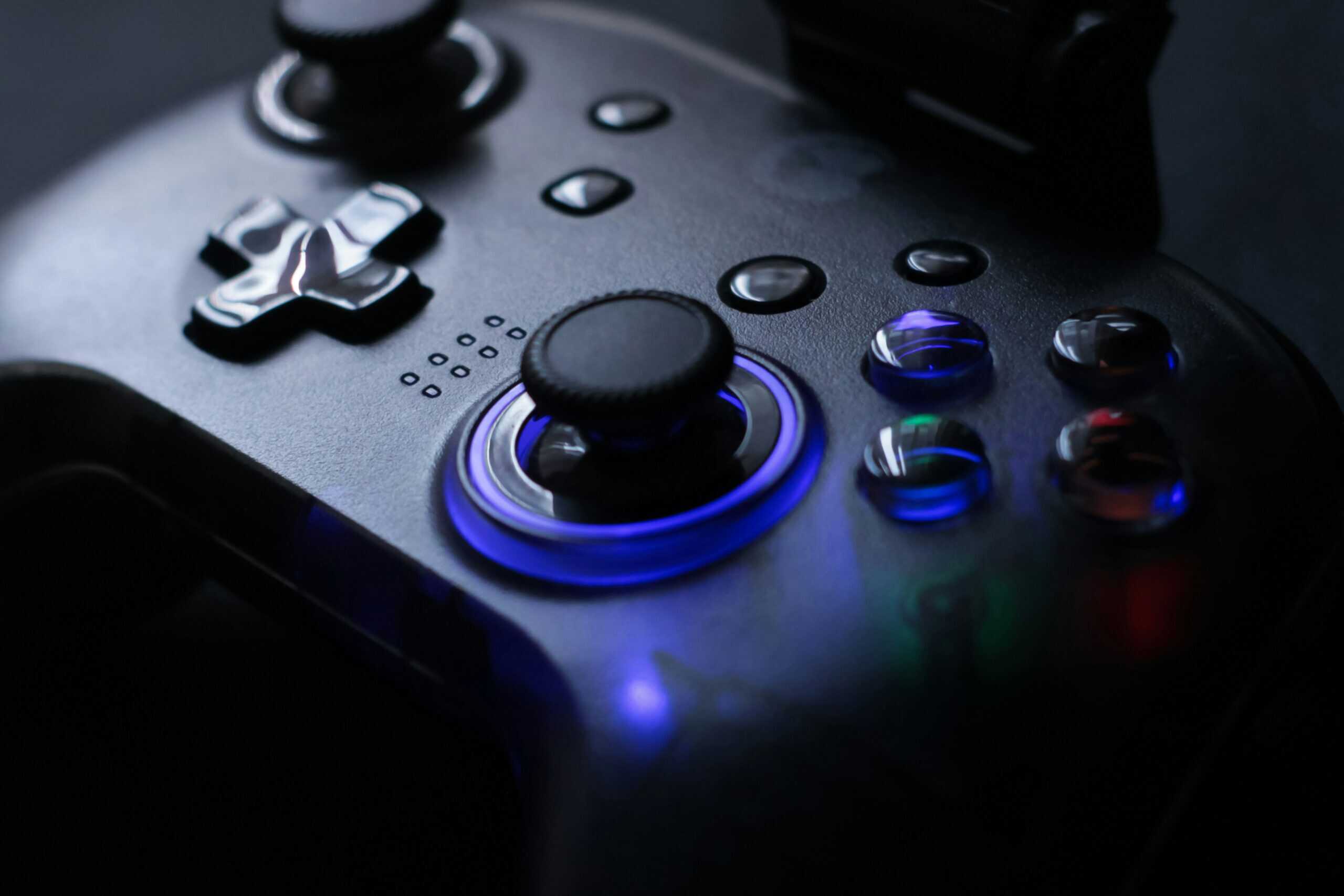
- Hall Effect joysticks provide drift-free precision at a budget price point
- Tri-mode connectivity works seamlessly across PC, Switch, and mobile devices
- Responsive 2.4G wireless with low enough latency for competitive gaming
- Smaller form factor may feel compact for gamers with larger hands
- No analog triggers, digital triggers limit racing game depth
- Bluetooth mode introduces slightly more latency than the 2.4G dongle
- Hall Effect sticks eliminate drift, a major upgrade over the original Ultimate C
- Ergonomic shape with textured grips stays comfortable during marathon sessions
- Analog triggers provide graduated input for racing and flying games
- 2.4G wireless only, no Bluetooth for mobile device flexibility
- No official iOS support limits its use to PC and Android platforms
- Slightly heavier build compared to the ultralight GameSir Nova Lite
- Wired connection eliminates latency and battery anxiety entirely
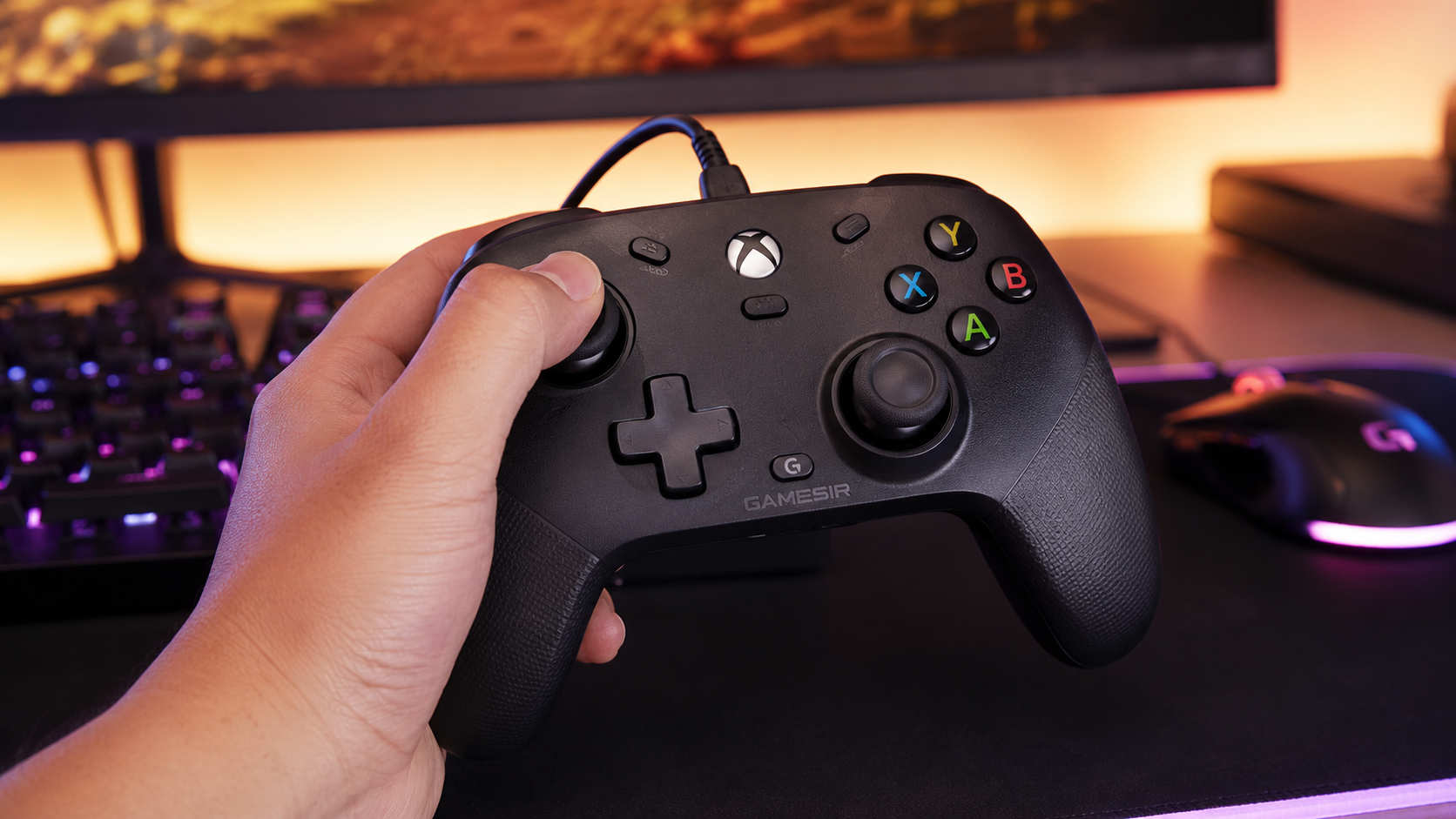
- Officially licensed with two mappable back buttons and a 3.5mm jack
- Massive long-running review history for a budget pad
- Traditional potentiometer sticks rather than Hall Effect
- The cable limits couch distance
- No wireless option at all
- Hall Effect joysticks eliminate stick drift, making budget controllers last as long as premium options
- 2.4G wireless dongles provide lower latency than Bluetooth, use the dongle for competitive gaming and Bluetooth for casual play
- Steam Controller Configuration unlocks advanced features like gyro aiming and radial menus on any controller, adding premium functionality for free
- The GameSir Nova Lite is the best overall, the 8BitDo Ultimate 2C the ergonomic alternative, and the PowerA Wired the plug-in value pick
- The two wireless picks use Hall Effect sticks, the single most important budget-controller feature; the wired PowerA trades that for zero latency
Table of Contents
What Actually Matters in a Budget PC Controller
A good budget controller nails the fundamentals: responsive inputs, a solid feel, and components that sidestep common failures like stick drift. It’s the difference between a reliable tool and one that becomes e-waste in six months. This guide focuses on the core elements that matter, helping you understand which trade-offs are worth making.
To make an informed choice, you need to know what to look for. Here’s what separates a worthwhile investment from a cheap disappointment.
| Feature | Why It Matters for Budget Gamers | Key Tradeoff |
|---|---|---|
| Connectivity | Determines input lag. A wired connection is foolproof, but a good 2.4GHz wireless dongle offers freedom without noticeable latency for most games. | Bluetooth is a common cost-cutting measure but often introduces unacceptable lag in budget models. Stick to wired or 2.4GHz for serious gaming. |
| Joystick Type | This is crucial for longevity. Old-school potentiometers wear out and cause stick drift. Hall Effect joysticks use magnets, have no physical contact, and effectively eliminate the problem. | Hall Effect sticks might add a few dollars to the price, but they save you from buying a new controller when the joysticks inevitably fail. |
| Build Quality | This refers to the durability of the plastic shell, buttons, and triggers. A controller should feel solid, not hollow or creaky when gripped during a tense moment. | Budget models cut costs on premium plastics and textured grips, but the core construction should still feel sturdy and reliable enough for regular use. |
| Software Support | Good software lets you remap buttons and tweak deadzones, which is essential for tailoring the controller to your playstyle, especially in competitive games. | Cheaper controllers often skip proprietary software, forcing you to rely on Steam’s built-in configuration tools, which can be less intuitive. |
The Rise of Hall Effect Joysticks
The single biggest improvement for budget controllers has been the adoption of Hall Effect joysticks. In the competitive PC gaming space, the GameSir Nova Lite has become a top contender, selling for a fraction of what an official pad costs. What makes it stand out is its use of Hall Effect sticks, a technology now found in 35% of mid-range controllers, to finally solve the dreaded stick drift that plagued older gamepads. This feature delivers longevity and precision, making it a practical choice for gamers on a budget who demand reliability. You can find more insights on this trend over at Accio.com. We break the whole drift-proof field down in our best hall effect controller guide.
The real test of a budget controller isn’t how it feels on day one. It’s whether the analog sticks still work accurately after 500 hours in Elden Ring or Apex Legends. This is where build quality and component choice show their true value.
Ultimately, your controller is just as crucial to your setup as your keyboard or mouse. For those who care about the tactile feel of their entire loadout, you might also be interested in our guide on the quietest mechanical keyboard switches to create a less disruptive gaming environment.
Head-to-Head Comparison of Top Budget Controllers
Choosing the right budget PC controller means looking past the spec sheet and into how it actually performs in-game. A controller can list all the right features, but what really counts is how it feels and responds during an intense session. Here, we put top contenders like the GameSir Nova Lite and the 8BitDo Ultimate 2C to the test in real-world scenarios to see where they shine and where they cut corners.
We’ll break down how each controller handles different genres, from the frantic firefights of first-person shooters to long, exploratory RPGs. This is a direct, honest take on the feel, build quality, and overall value. It’s about understanding the trade-offs so you get the most performance for your money.
The All-Rounder: GameSir Nova Lite
The GameSir Nova Lite gained attention by including one critical feature in an affordable package: Hall Effect joysticks. This is its primary advantage, promising a permanent fix to the stick drift that has rendered countless budget controllers useless.
In practice, the sticks feel smooth and consistent. In a racing game like Forza Horizon 5, steering inputs are precise enough for making subtle adjustments through tight corners. The tension is adequate, enough resistance to prevent accidental nudges but not so stiff that it feels sluggish. For an FPS like Apex Legends, this provides reliable aim control, though you won’t get the snappy return-to-center feel of a premium gamepad.
The build quality is functional, but it’s clear where costs were cut. The plastic shell is lightweight and feels somewhat hollow. While it doesn’t creak or flex under normal pressure, it lacks the dense, premium feel of pricier options. The face buttons are membrane-based, resulting in a soft, slightly mushy press that works fine but isn’t particularly satisfying.
The Nova Lite is a textbook example of a smart compromise. GameSir invested in the longevity of the joysticks, the component most likely to fail, while saving money on the shell and button switches. It’s a durable workhorse, not a luxury item.
Its D-pad is a highlight, offering a tactile clickiness that feels good in platformers and retro games where precise directional inputs are needed. The biggest downside, however, is the lack of dedicated software. You must rely on Steam’s controller configuration for any remapping or adjustments.
The Ergonomic Pick: 8BitDo Ultimate 2C
8BitDo has built a reputation on quality, and the Ultimate 2C is their attempt to bring that experience to a lower price point. Its main strength is immediately obvious: its ergonomics. The controller has a comfortable, familiar shape similar to a modern console gamepad, and the textured grips provide a secure hold during long sessions.
This focus on comfort makes it a strong choice for RPGs and MMOs. After a few hours in Final Fantasy XIV, the Ultimate 2C remains comfortable, keeping hand fatigue at bay. Its Hall Effect analog sticks are a standout upgrade over the original Ultimate C, providing drift-free precision that should last the lifetime of the controller.
However, this is also where the compromises are evident. To reach its price, 8BitDo removed features from its pricier models. The Ultimate 2C features Hall Effect sticks, eliminating the stick drift issue that plagued traditional potentiometer-based controllers at this price. It includes analog triggers adequate for racing games. The main compromise is the plain feature set: no back buttons, no companion software, and no dock in the box.
The build quality feels a step up from the Nova Lite, with denser plastic and tighter seams. The face buttons have a more defined, satisfying press, and the D-pad is perfectly functional for most genres, though not as crisp as what GameSir offers.
The Wired Workhorse: PowerA Wired Controller
Not everyone needs wireless. The PowerA Wired Controller is the officially licensed answer for the desk gamer: plug the USB cable into the PC and every latency and battery question disappears. It has been on the market for years, and its review history dwarfs both wireless picks combined.
The feature set is smarter than the price suggests. Two mappable back buttons put jump or reload under your middle fingers in games like Elden Ring or Rocket League, dual rumble motors carry real feedback, and the 3.5mm audio jack turns the controller into a headset hub, something wireless pads at this price skip.
The honest tradeoff is the sticks. These are traditional potentiometer sticks, not Hall Effect, so heavy daily use will wear them the way that technology has always worn. For a second controller, a couch-guest pad, or a first gamepad that lives plugged in at a desk, the tradeoff is easy to accept.
Core Feature Comparison of Leading Budget PC Controllers
This table offers a straightforward look at the key specifications and features of our top budget contenders, helping to clarify where each controller focuses its efforts.
| Controller Model | Connectivity | Joystick Type | Key Features |
|---|---|---|---|
| GameSir Nova Lite | 2.4GHz Wireless, Bluetooth, Wired | Hall Effect | Anti-drift joysticks, Clicky D-pad, Multi-platform support |
| 8BitDo Ultimate 2C | 2.4GHz Wireless | Potentiometer | Superior ergonomics, Analog triggers, Plug-and-play simplicity |
The comparison makes the choice clear. The Nova Lite prioritizes future-proof joysticks for long-term durability, while the Ultimate 2C bets on immediate comfort at the risk of eventual stick degradation.
Situational Recommendations
So, which one is the best budget gaming controller for PC? The honest answer depends entirely on what you play.
- For FPS and Action-Adventure Gamers: The GameSir Nova Lite is the logical choice. The reliability of Hall Effect sticks means your aim won’t be ruined by drift after hundreds of hours of heavy use in games like Call of Duty or Apex Legends.
- For RPG, MMO, and Casual Gamers: The 8BitDo Ultimate 2C is more comfortable for long, laid-back gaming sessions. If you aren’t playing competitively and value ergonomics above all else, its shortcomings are much less of an issue for games like The Witcher 3 or an MMO.
- For Latency Purists and Desk Setups: The PowerA Wired Controller removes every wireless variable. If the PC lives on a desk and the controller never leaves it, the cable is a feature, not a flaw.
- For Racing and Simulation Fans: All three controllers include analog triggers suitable for racing games. The Nova Lite’s Hall Effect joysticks give it a durability advantage for the steering inputs that racing demands, making it the safer long-term choice for simulation enthusiasts.
- For Streaming and Content Creation: A reliable controller is essential for a smooth broadcast. The Nova Lite’s durability makes it the safer long-term investment, preventing on-stream hardware failures. For a streamer, consistent performance is key.
Ultimately, all three controllers are intelligently designed for their price point. They skip premium finishes and deep software suites to deliver solid core performance where it matters most. Your decision comes down to a simple question: do you prioritize the long-term durability of the Nova Lite or the immediate comfort of the Ultimate 2C?
Durability and Latency: Where Budget Controllers Live or Die
A low price tag is a trap if the controller dies in six months or feels laggy. For a budget PC controller, long-term durability and input latency are the two factors that separate a good value from junk. These specs determine if your money is well-spent and if the controller can keep up when a game gets intense.
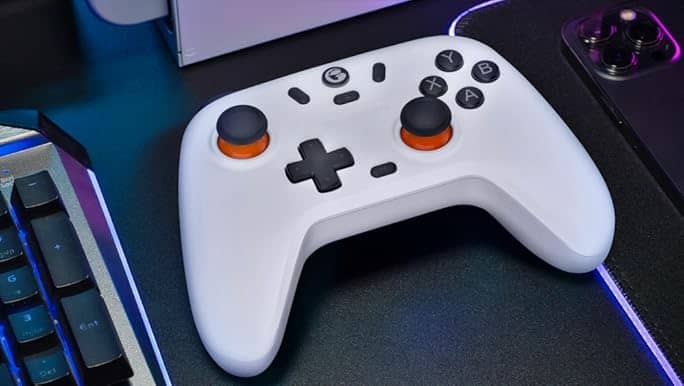
We’re going to break down the build quality of the best models, focusing on the materials and construction. At the same time, we’ll cut through the marketing language about latency to show you what it really means for your gaming.
Build Quality and Expected Lifespan
Durability in a budget controller isn’t about premium materials; it’s about smart design choices that focus on the parts most likely to break. The plastic shell, button mechanisms, and analog sticks all contribute to how long a controller will survive daily gaming.
The controller’s shell is its first line of defense. Most budget options use ABS plastic, which is adequate. What matters is the execution, look for controllers with tight seams that don’t creak or flex when gripped hard. A hollow, lightweight feel is often a red flag, suggesting thin plastic and a weak internal structure that’s more likely to crack after a drop.
The buttons and triggers are the next potential weak point. Budget controllers usually rely on rubber membrane switches under the face buttons, giving them a softer, quieter press. While they lack the satisfying “click” of a mechanical switch, a well-made membrane system can handle millions of presses. The real issue is often the analog sticks, which is why the shift to Hall Effect joysticks is such a significant win for budget gamers. They eliminate physical contact points, making them virtually immune to stick drift.
A controller’s lifespan is a practical calculation. If a Hall Effect controller lasts three years while a slightly cheaper potentiometer model fails in one, the small upfront premium delivers significantly better long-term value.
Understanding Latency: Wired vs. 2.4GHz Wireless
Input latency, or lag, is the delay between pressing a button and the action happening on-screen. For PC gaming, the two most common connection types on budget controllers are a wired USB cable and 2.4GHz wireless via a dedicated dongle.
- Wired Connection: This is the standard for speed. A direct USB connection provides a stable and fast signal, with input lag often measuring under 5 milliseconds. This is imperceptible to humans.
- 2.4GHz Wireless: A good 2.4GHz connection is very close to wired performance. Quality budget models can achieve latency figures between 8 to 15 milliseconds. While technically slower, this delay is still negligible for almost every game and player.
The trade-off is freedom versus absolute stability. A 2.4GHz connection removes the cord but means you have to manage battery life and accept a small risk of signal interference from other wireless devices.
When Latency Actually Matters
How much you should care about latency depends on what you play. Not every game demands split-second reflexes, and knowing this can prevent you from overspending on performance you won’t notice.
If you’re a competitive FPS player in Valorant or Apex Legends, every millisecond can matter. That tiny delay from a wireless signal could, in theory, be the difference in a gunfight. In that scenario, a wired connection is the safest bet for the lowest possible input lag.
For a casual gamer exploring Elden Ring or building in Cities: Skylines, a 15ms latency is completely unnoticeable. The convenience of a wireless controller is a bigger benefit than the imperceptible performance gain from a wire. Even in fast-paced action games like Hades, a solid 2.4GHz connection feels perfectly responsive.
Ultimately, picking the right connection is about matching the controller to your gaming habits. The best budget gaming controller for PC is one that fits its performance to how you play, ensuring you only pay for the speed you need.
Which Budget Controller Is Right for Your Favorite Games?
Finding the best budget gaming controller for PC isn’t about crowning a single winner. It’s about matching the hardware to the games you play. A controller that is perfect for one genre can feel clumsy in another.
This isn’t about brand loyalty. We’re going to break down how a D-pad’s design impacts combos in a fighting game, or why joystick tension is critical for landing shots in a shooter. Making the right choice means you get a tool that feels like an extension of your hands, not a cheap piece of plastic you’re fighting against.
For FPS and Action Games
In fast-paced shooters like Apex Legends or action titles like Hades, precision and responsiveness are critical. Your focus should be on the analog sticks and triggers.
- Analog Sticks: You need sticks with consistent tension and a minimal dead zone out of the box. This lets you make fine aiming adjustments without your crosshair feeling floaty. Controllers with Hall Effect joysticks are the clear winner, since their magnetic design means your aim won’t degrade over time from stick drift.
- Triggers: Look for smooth, analog triggers. This gives you nuanced control for aiming down sights or feathering the throttle in a vehicle. Digital, clicky triggers are a significant handicap in these genres.
Don’t overlook the build quality. A controller with a solid, grippy texture will prevent your hands from slipping during a tense firefight, keeping your inputs steady.
For RPGs and MMOs
When you’re settling in for a long session in Elden Ring or an MMO like Final Fantasy XIV, comfort is the priority. A controller’s ergonomics can be the difference between a long gaming session and quitting early because of hand cramps.
The ideal controller for these games has a familiar, contoured shape that fits well in the hands. Button placement is also crucial, you need face buttons and shoulder buttons you can reach easily without constantly shifting your grip. Since these games are less about twitch reflexes, minor differences in latency are completely unnoticeable.
For long gaming sessions, ergonomics trump almost every other spec. A controller that feels good to hold for three hours is a better investment than one with slightly faster inputs that makes your hands ache after one.
Pairing a comfortable controller with the right audio makes these worlds even more immersive. If you’re building out your setup, check out our guide on the best gaming headsets under $50 to complete the experience without breaking the bank.
For Fighting Games and Platformers
For genres like Street Fighter 6 or classic 2D platformers that depend on precise, rapid-fire directional inputs, the D-pad is the most important component. A mushy, inaccurate D-pad will lead to missed inputs and frustration.
So, what makes a D-pad good?
- Tactile Feedback: You want a distinct click or bump for each direction. This confirms your input and helps avoid accidental diagonal presses.
- Pivot Quality: The central pivot needs to be solid, letting you roll your thumb smoothly for motions like a “quarter-circle forward” without it feeling loose.
While hardcore players might prefer fighting sticks, a high-quality D-pad is sufficient for most people. The “feel” can be subjective, but a model known for crisp, reliable inputs is always a safe bet.
For Racing Sims and Streaming
In racing sims, analog control is essential. The ability to apply partial throttle through a corner or gently feather the brakes is necessary. This makes analog triggers a must-have. A controller with simple on/off digital triggers will make driving feel jerky and unnatural.
For streamers, the biggest concern is reliability. A controller that disconnects or develops stick drift mid-broadcast can ruin a segment. This makes models with a stable 2.4GHz wireless connection and durable parts like Hall Effect sticks a smarter long-term investment. Your gear needs to be a dependable tool, and a budget controller that prioritizes build quality will serve a streamer far better than one with flashy but flimsy features.
Practical Setup Guide and Software Essentials
Getting a new controller to feel right isn’t always a simple plug-and-play process. This is especially true with budget models that often skip dedicated software. However, a few key setup steps can turn a decent controller into one that feels dialed in for your games. Let’s walk through the essentials to get you connected, configured, and customized.
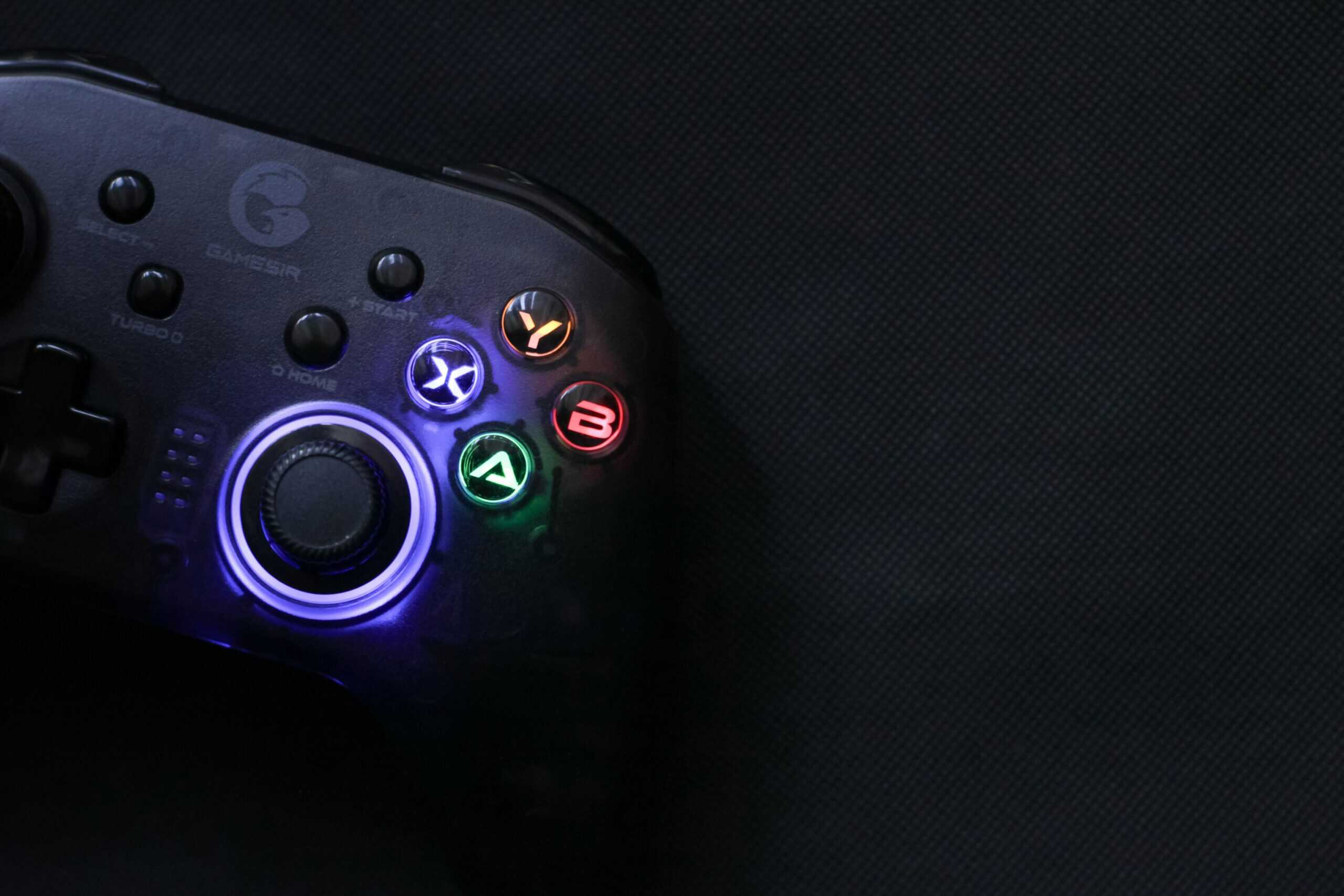
Whether you chose a wired or wireless model, getting it connected is the first step. After that, we’ll cover the software tools that unlock your controller’s potential.
Connecting Your Controller
Getting your PC to recognize your hardware is usually straightforward, but wireless connections need extra attention to ensure a stable, low-latency link.
- Wired Controllers: This is as simple as it gets. Plug the USB cable into an open port on your PC. Windows should automatically recognize it and install any necessary generic drivers.
- 2.4GHz Wireless Controllers: Plug the included USB dongle into your PC. Most will pair automatically, but if not, look for a small pairing button on both the controller and the dongle. For the best signal, use a front USB port or a short USB extension cable. This creates a clear line of sight and avoids interference from other electronics plugged into the back of your PC.
- Bluetooth Controllers: Bluetooth is not recommended for serious gaming due to potential input lag. If you must use it, pair it through your PC’s Bluetooth settings. Put your controller in pairing mode, then find and select it from the list of available devices in Windows.
Once connected, you can confirm it’s working by typing “Set up USB game controllers” into the Windows search bar and opening the utility. You should see your controller listed.
The most common wireless issue is signal interference. If your controller feels laggy or disconnects, moving the 2.4GHz dongle even six inches away from the PC case using an extension cable can solve 90% of connectivity problems.
Unlocking Potential with Steam Controller Configuration
For any budget gaming controller for PC, Steam is your most powerful tool. Its built-in configuration support is excellent and can make a controller without its own software feel fully featured.
Inside Steam, navigate to Settings > Controller > General Controller Settings. Here, you can enable support for different types of controllers (Xbox, PlayStation, etc.). Once enabled, you can customize everything on a per-game basis. Right-click any game in your library, go to Manage > Controller Layout, and you’ll find a powerful set of tools to:
- Remap Every Button: Assign any action to any button. This is useful for games with awkward default control schemes.
- Adjust Joystick Dead Zones: This lets you fine-tune the “dead zone”, the small area around the stick’s center where movement isn’t registered. Making it smaller can make aiming feel more responsive, while making it larger can fix minor stick drift.
- Customize Trigger Actuation: For analog triggers, you can set how far you need to press them before they register an input. This is useful for tuning throttle and brake sensitivity in racing games.
These tools are also valuable for content creators. If you’re building out your first broadcast setup, a well-configured controller ensures your gameplay looks smooth. For more tips, check out our guide on creating a streaming setup for beginners that covers all essential gear.
Rocket League players have their own needs, covered in our best controller for Rocket League guide.
Got Questions About the Best Budget Gaming Controllers for PC?
Shopping for a budget controller can bring up many questions. Getting clear, direct answers is key to buying something you won’t regret. Let’s tackle the most common questions gamers have.
Can I Just Use My Console Controller on My PC?
Yes, you can. Official Xbox and PlayStation controllers (DualShock 4 and DualSense) work on PC. Xbox pads have native plug-and-play support in Windows. PlayStation controllers might require Steam’s controller settings or a tool like DS4Windows to work in all games.
The real question is whether you should. An official console controller often costs double what a good budget PC cFor long-term durability, they are the single most important feature in a modern controller. This isn’t just marketing. Traditional joysticks use potentiometers, which rely on physical parts rubbing against each other. Over time, friction wears them down, causing stick drift, when your character moves without input.
Are Hall Effect Joysticks Actually a Big Deal?
Hall Effect sticks use magnets to detect movement, so there are no physical contact points to wear out. They do not degrade in the same way.ontroller. For that price, you can find dedicated PC pads with superior features like Hall Effect joysticks. You’re paying a premium for a brand name and console-specific tech you won’t use on your PC.
Do I Really Need a Controller with Extra Paddles on the Back?
For most gamers, the answer is no. Back paddles are a pro-level feature that lets you map face button actions (like jump or reload) to the back of the controller. This allows you to perform these actions without taking your thumb off the right analog stick, which is an advantage in competitive shooters.
However, controllers with paddles almost always cost more than a true “budget” controller. If you’re a casual player or mostly play single-player games, the standard button layout is sufficient. Focus on core build quality and stick technology first. Extra buttons are a luxury, not a necessity.
Is It Better to Go Wired or Wireless?
This comes down to your setup and what you play.
Wired: This is the most reliable option. It provides the lowest possible input lag and you never have to worry about charging a battery. For competitive gaming where every millisecond counts, a cable is still the best choice.
2.4GHz Wireless: This offers the freedom of a wireless connection with latency so low (under 15ms) that over 99% of gamers will never notice it. The only real downsides are managing battery life and the small chance of signal interference.
At Budget Loadout, our goal is to help you find gear that delivers maximum value for every dollar. We cut through the hype to focus on what actually improves your gaming. For more honest reviews and practical guides, visit us at Budget Loadout.
Related Articles