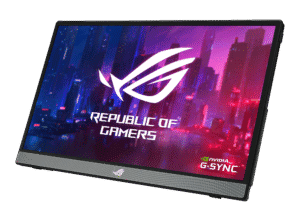
The KOORUI 27-Inch 4K Monitor is the budget pick that punches above its weight. It offers a dual-mode feature: UHD 160Hz for immersive gaming or FHD 320Hz for competitive shooters. Its Fast IPS panel covers 95% DCI-P3 and supports HDMI 2.1 for 4K 120Hz console gaming.
At ~$300, the KOORUI matches the ASUS on price while adding the unique dual-mode capability. The stand is more basic (tilt only), but the panel quality and feature set make it an excellent value. If you want 4K HDMI 2.1 gaming on a strict budget, this is a great choice.
- HDMI 2.1 monitors unlock 4K at 120Hz and VRR, making them essential for PS5 and Xbox Series X owners
- Several quality HDMI 2.1 monitors are now available under $300, bringing next-gen features to budget shoppers
- IPS panels offer the best color accuracy and viewing angles, while VA panels provide deeper blacks for dark-room gaming
- Investing in an HDMI 2.1 monitor now future-proofs your setup for the entire current console generation
- Check that your GPU and console both support HDMI 2.1 output — without matching ports on both ends, you won’t get 4K at 120Hz
- True 4K at 160Hz for sharp, smooth visuals
- Fast IPS panel with 1ms response time for competitive play
- 95% DCI-P3 and HDR400 for vibrant, accurate colors
- 27" at 4K means small UI elements without scaling
- Needs a powerful GPU to drive 4K at high frame rates
- Stand is basic — height adjustable but no swivel
- 132% sRGB color gamut for vibrant, accurate colors
- 160Hz with HDMI 2.1 and FreeSync/G-Sync support
- Ergonomic stand with height, tilt, and swivel
- Slightly pricier at ~$360 than comparable options
- HDR400 is still entry-level HDR
- Less established brand than ASUS or LG
- True 4K at 160Hz for sharp, smooth visuals
- Fast IPS panel with 1ms response time for competitive play
- 95% DCI-P3 and HDR400 for vibrant, accurate colors
- 27" at 4K means small UI elements without scaling
- Needs a powerful GPU to drive 4K at high frame rates
- Stand is basic — height adjustable but no swivel
Why an HDMI 2.1 Monitor Is a Worthwhile Investment
The primary benefit of HDMI 2.1 is its ability to transmit significantly more data than older standards. For PS5 or Xbox Series X users, this breaks the 4K 60Hz ceiling imposed by previous HDMI versions, enabling a true 4K at 120Hz gaming experience. This is the main reason to upgrade.
Key Gameplay Advantages
An HDMI 2.1 monitor improves the feel and responsiveness of gameplay, not just the resolution.
Smoother Gameplay: Variable Refresh Rate (VRR) synchronizes the monitor’s refresh rate with the console or PC’s frame output. This function virtually eliminates screen tearing and stutter.
Faster Response: Auto Low Latency Mode (ALLM) automatically engages the monitor’s “game mode,” which reduces processing to minimize input lag for more responsive controls.
Higher Fidelity: Increased bandwidth supports uncompressed 4K video at 120Hz, providing visuals that are both sharp and fluid. For a detailed comparison of resolutions, our guide on 1080p vs 4K can help clarify which is right for your setup.
To understand the practical difference, a direct comparison of specifications is useful. The table below outlines the key distinctions between the standards.
HDMI 2.1 vs HDMI 2.0 Feature Breakdown
| Feature | HDMI 2.0b | HDMI 2.1 | What It Means For Gamers |
|---|---|---|---|
| Max Bandwidth | 18 Gbps | 48 Gbps | Allows for uncompressed 4K 120Hz with HDR, eliminating visual compromises. |
| Max Resolution/Refresh | 4K @ 60Hz | 4K @ 120Hz+ | Unlocks the full performance potential of the PS5, Xbox Series X, and modern GPUs. |
| Variable Refresh Rate (VRR) | Not supported | Native Support | Eliminates screen tearing for a smoother, more consistent visual experience. |
| Auto Low Latency Mode (ALLM) | Not supported | Native Support | Automatically reduces input lag, making games feel more responsive to player input. |
While HDMI 2.0b was sufficient for the previous generation of hardware, HDMI 2.1 is engineered for the demands of modern, high-framerate gaming. The upgrade provides a fundamentally smoother and more responsive experience.
Understanding The HDMI 2.1 Features That Matter
A monitor’s specification sheet can be dense with technical jargon. Only a few of these features deliver a tangible advantage in gaming. It is important to focus on the core technologies that justify the cost.
The foundation of HDMI 2.1 is its significant bandwidth increase, from 18Gbps in HDMI 2.0 to 48Gbps. This additional capacity is what enables high-resolution, high-framerate gaming without resorting to compression that degrades image quality. This bandwidth is the pipeline for features like 4K at 120Hz.
The Core Trio of Gaming Features
For gamers, three key technologies are central to the HDMI 2.1 standard. They work in tandem to deliver smoother, more responsive, and visually coherent gameplay, which is particularly important for consoles like the PS5 and Xbox Series X.
Variable Refresh Rate (VRR): This is the most critical feature for smooth gameplay. VRR matches the monitor’s refresh rate to the console’s or GPU’s real-time frame output, which eliminates the screen tearing that occurs when framerates fluctuate.
Auto Low Latency Mode (ALLM): A straightforward and effective feature, ALLM instructs the monitor to automatically enable its “Game Mode.” This bypasses non-essential image processing to reduce input lag, resulting in more direct and responsive controls.
Fixed Rate Link (FRL): This is the underlying signaling technology that enables HDMI 2.1’s high bandwidth. It replaces the older TMDS system from HDMI 2.0 and is necessary for transmitting the large data volumes required for 4K 120Hz with HDR.
Consider this use case: while playing an MMO and entering a crowded city, your console’s framerate may drop from 120 FPS to 95 FPS. Without VRR, you would see a distracting horizontal tear across the screen. With VRR, the monitor adjusts its refresh rate instantly, and the gameplay remains smooth. This is an essential feature, particularly when searching for the best monitor for Xbox Series X, as that console heavily utilizes VRR.
What About Display Stream Compression (DSC)?
You may also encounter Display Stream Compression (DSC) on a specification sheet. DSC is a visually lossless compression algorithm that allows a monitor to display resolutions and refresh rates that exceed the native bandwidth of its physical connection.
It is a method for transmitting more data through the existing connection without a perceptible loss in image quality. For an HDMI 2.1 monitor, DSC is most relevant for PC gamers aiming for refresh rates above 120Hz at 4K, such as 144Hz or higher.
For most console and PC gamers targeting 4K at 120Hz, DSC is a background technology that functions automatically. It is not a feature you need to seek out, but its presence indicates a modern display controller capable of handling high-bandwidth signals.
Ultimately, understanding these core features allows you to look past marketing claims. A true HDMI 2.1 monitor offers the full 48Gbps bandwidth and has native support for VRR and ALLM. These are the non-negotiable features that provide a genuine upgrade for modern gaming.
Top HDMI 2.1 Monitor Recommendations for Value
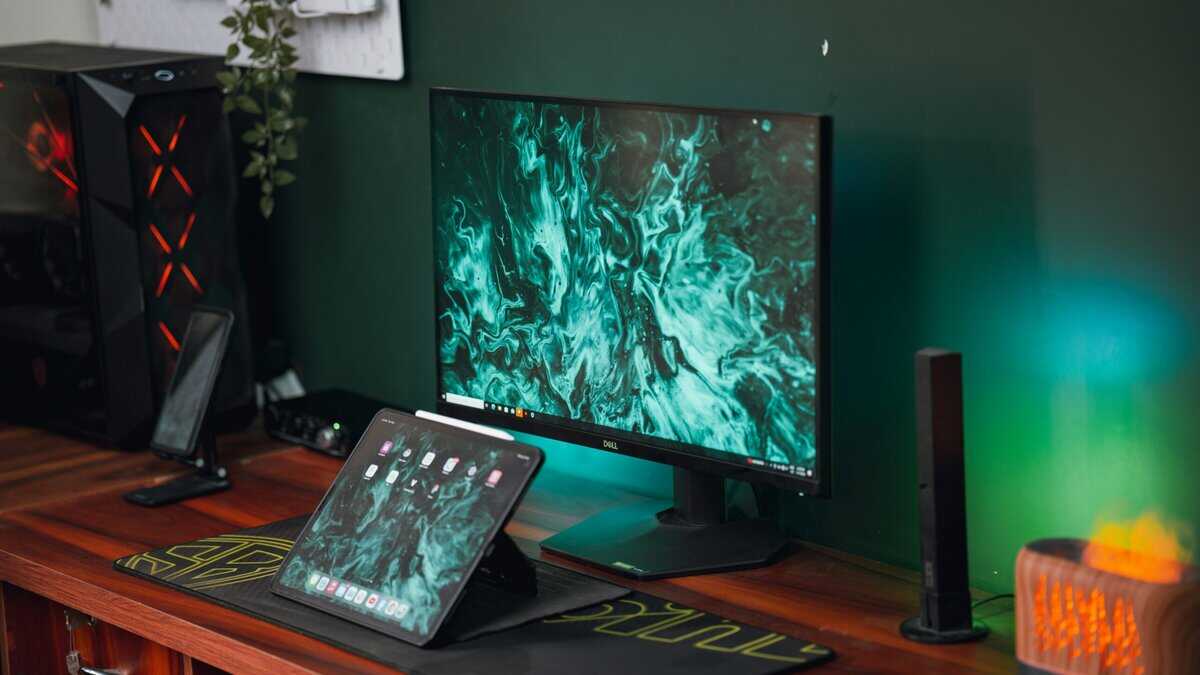
Finding an HDMI 2.1 monitor that delivers strong performance without an excessive price tag can be challenging. We have identified models that provide the best real-world performance for the cost. Our selections prioritize a balance of panel quality, speed, and build quality. These are not the cheapest options available, but they represent smart investments for gamers seeking reliable and durable equipment.
Best Overall Value: KOORUI G2741L
The KOORUI G2741L is a 27-inch 4K gaming monitor that delivers 160Hz refresh rate with HDMI 2.1 support, making it ideal for both PC and console gaming at 4K 120Hz. Its Fast IPS panel provides excellent color accuracy (95% DCI-P3) with a 1ms response time. NVIDIA G-Sync Compatible and AMD FreeSync Premium ensure smooth gameplay across both GPU brands.
At ~$300, the G2741L hits the sweet spot for value. It includes HDR support (DisplayHDR 400), height-adjustable stand with tilt, swivel, and pivot, and Extreme Low Motion Blur Sync for competitive gaming. If you want a no-compromise 4K HDMI 2.1 monitor without breaking the bank, this is the one to get.
The primary tradeoff is its HDR performance. Although it supports HDR, its peak brightness is insufficient to make highlights impactful compared to more expensive displays. Despite this, the G2741L’s combination of clarity, speed, and practical features is difficult to beat for the price.
Runner-Up: KTC 27-Inch 4K Monitor
For PS5 or Xbox Series X gamers who want a larger screen, the KTC 27-Inch 4K is the natural step up. Its 32-inch 4K IPS panel runs at 144Hz, and its two HDMI 2.1 ports deliver the full 48Gbps bandwidth required for 4K at 120Hz on current-generation consoles.
The KTC 27″ shares a lot of DNA with our top pick, the G2741L, and that consistency is a strength. The build quality is solid, with a sturdy stand offering height, tilt, swivel, and pivot adjustments. It also includes a built-in KVM switch and USB-C connectivity, making it a practical choice for gamers who also use their monitor for work. Color accuracy is strong at 90% DCI-P3, and the panel produces clear, vibrant images across genres.
The primary tradeoff is the same as its smaller sibling. HDR performance is limited to DisplayHDR 400, so highlights will not have the punch of more expensive displays. The additional screen size also makes pixel density slightly lower than a 28-inch alternative. For console gamers who prioritize immersion and screen real estate, however, the KTC 27″ delivers exactly where it counts.
For those wanting to dig deeper into 4K options, check out our guide on the best budget 4K gaming monitors.
Budget Pick: KOORUI 27-Inch 4K Monitor
For buyers who want full HDMI 2.1 capability at the lowest possible price, the KOORUI 27-Inch 4K is difficult to beat. This 27-inch 4K monitor runs at 144Hz with a confirmed full 48Gbps HDMI 2.1 bandwidth, meaning console gamers get true 4K at 120Hz without compression or compromises. It supports both FreeSync Premium and is G-Sync Compatible, covering every platform.
MSI built a genuinely adjustable stand into this monitor, with height, tilt, swivel, and pivot adjustments. That is uncommon at this price point. The Rapid IPS panel delivers a 1ms response time and solid color coverage at 95% DCI-P3, and USB-C connectivity with 90W power delivery adds flexibility for laptop users.
The tradeoffs are straightforward. At 27 inches, the screen is noticeably smaller than our other recommendations, which may feel limiting for gamers accustomed to larger displays. HDR performance tops out at DisplayHDR 400, and the out-of-the-box calibration benefits from some manual adjustment. These are reasonable compromises given the price savings, and the monitor still delivers every core HDMI 2.1 feature that matters for modern gaming.
Value HDMI 2.1 Monitor Comparison
This table provides a side-by-side comparison of our recommended monitors, focusing on the specifications most relevant to budget-conscious gamers.
| Model | Best For | Panel Type | Resolution & Refresh Rate | Key Trade-Off |
|---|---|---|---|---|
| KOORUI G2741L | Overall PC & Console Value | IPS | 4K @ 160Hz | HDR400 is entry-level for HDR content. |
| KTC 27-Inch 4K | Color-Accurate 4K Gaming | IPS | 4K @ 160Hz | Slightly higher price than the ASUS and KOORUI. |
| KOORUI 27-Inch 4K | Strict Budget Gaming | IPS | 4K @ 160Hz | Basic stand with tilt-only adjustment. |
This table clarifies the choices. Each monitor provides the core 4K 144Hz experience, butt he decision depends on which feature you are willing to compromise on: HDR brightness, screen size, or pixel density. Your budget and primary use case will determine the most suitable option.
How To Choose The Right Monitor For Your Games
Selecting the right HDMI 2.1 monitor is about matching the display’s strengths to your specific needs. The ideal monitor for one game genre can be unsuitable for another. Your choice should be guided by your primary use case, not just a list of specifications.
Consider this a long-term investment. You need a display with characteristics that align with the games you play most frequently.
For Competitive FPS and Battle Royale Gamers
If you primarily play fast-paced shooters like Call of Duty: Warzone, Counter-Strike 2, or Apex Legends, your main priority is speed. In these games, every millisecond counts.
Focus on these specifications:
Lowest Possible Input Lag: This is non-negotiable. The monitor must translate your inputs to the screen with minimal delay.
Highest Refresh Rate: While 120Hz or 144Hz is the baseline, higher refresh rates provide a tangible advantage in motion clarity.
Fast Pixel Response Times: A low response time, such as 1ms GtG, is critical to minimize motion blur and ghosting, ensuring targets remain clear during rapid movements.
A 27-inch 4K monitor is often the optimal size for this use case, as it provides sufficient detail while allowing you to view the entire screen without excessive head movement.
For RPG, MMO, and Adventure Gamers
When playing immersive, visually rich games like Elden Ring, Baldur’s Gate 3, or World of Warcraft, the priority shifts from raw speed to visual fidelity and immersion.
The objective here is not just to see the game but to be fully absorbed by it. This requires prioritizing panel quality and size over the absolute fastest response times, which are less critical in slower-paced gameplay.
Key features for this use case include:
Superior Color Accuracy and Contrast: Look for an IPS panel with a wide color gamut, such as 95% DCI-P3 or better, to ensure vibrant colors. A high contrast ratio is also important for discerning details in dark environments.
Larger Screen Size: A 32-inch monitor provides a more cinematic experience and enhances immersion.
Effective HDR Performance: Many monitors claim HDR support, but performance varies. Aim for a display with a peak brightness of at least 400 nits to make lighting and special effects impactful.
For Streamers and Content Creators
Streamers require a versatile monitor that excels at gaming while also serving as a production tool for managing software like OBS, chat windows, and video editing timelines.
For this role, connectivity and color accuracy are paramount. A suitable monitor for streaming needs multiple inputs to accommodate a gaming PC and potentially a dedicated streaming rig. More importantly, it must provide accurate color reproduction so that edited videos and graphics appear as intended to the audience.
The build quality should include a versatile, highly adjustable stand to facilitate integration into a complex desk setup with multiple screens and other equipment.
A Practical Buyer’s Checklist Before You Buy
To avoid common purchasing mistakes, use this checklist before finalizing your decision. This is not about finding a “perfect” display but ensuring the monitor you choose is compatible with your existing hardware and meets your practical needs.
Reviewing these points will help you avoid buyer’s remorse.
Hardware and Cable Compatibility
First, verify that your hardware can support HDMI 2.1.
For PC gamers, this requires a graphics card with a full-specification HDMI 2.1 port, typically an NVIDIA RTX 30-series GPU or newer, or an AMD RX 6000-series GPU or newer. For console players, you need a PlayStation 5 or an Xbox Series X|S. Using an HDMI 2.1 monitor with older hardware will limit you to HDMI 2.0 performance, meaning you will have paid for features you cannot use.
Second, you must use a certified Ultra High Speed HDMI cable. To achieve the full 48Gbps bandwidth necessary for 4K at 120Hz, this specific cable type is required. Using an older “High Speed” cable will result in signal dropouts, a black screen, or being locked to lower resolutions and refresh rates. The cable is a critical component, not an afterthought.
Avoiding Misleading Marketing Terms
The monitor market is filled with ambiguous terminology. A significant issue with early “HDMI 2.1” monitors was that many did not support the full bandwidth of the specification.
Be cautious of these red flags:
“HDMI 2.1 Ready” or “HDMI 2.1 Capable”: This is marketing language. It often indicates that the port supports some minor features like ALLM but lacks the full 48Gbps bandwidth. You may be limited to a 24Gbps or 32Gbps port, which requires Display Stream Compression (DSC) to achieve 4K 120Hz.
Vague VRR Support: The specifications should explicitly state support for HDMI Forum VRR (for consoles) and either FreeSync or G-Sync Compatibility (for PC). A generic “Adaptive Sync” label does not guarantee flawless operation with your hardware.
A true HDMI 2.1 monitor offers the full 48Gbps bandwidth and is transparent about its feature set. If a manufacturer is not clear about the port’s bandwidth, consider it a warning sign. Always consult detailed reviews from reputable sources to confirm the actual specifications.
Build Quality and Practical Features
Finally, consider the physical monitor itself. A high-quality panel is of little use if it is attached to a flimsy, non-adjustable stand.
Confirm these practical details:
Stand Adjustability: Look for height, tilt, and swivel adjustments. Good ergonomics are essential for preventing neck strain during long gaming sessions.
VESA Mount Compatibility: If you plan to use a monitor arm, check for standard 100x100mm VESA mounting holes. This provides greater flexibility for your setup.
Warranty and Dead Pixel Policy: Review the manufacturer’s warranty, paying close attention to their policy on dead or stuck pixels. A company with a comprehensive policy typically has greater confidence in its product’s build quality.
Frequently Asked Questions About HDMI 2.1 Monitors
Adopting a new display standard often raises questions. Here are answers to some of the most common inquiries to help you make an informed decision.
Do I Really Need An Ultra High Speed HDMI Cable?
An older cable cannot handle the data throughput. Using one will result in signal instability, a black screen, or your hardware defaulting to a lower resolution and refresh rate. Do not compromise the performance of a high-end monitor with an inadequate cable.
Will My Old PS4 Benefit From An HDMI 2.1 Monitor?
An HDMI 2.1 monitor provides a performance upgrade only when connected to a PS5, an Xbox Series X|S, or a modern PC with a compatible GPU. It offers future-proofing but does not unlock new capabilities on legacy hardware.
Is DisplayPort Better Than HDMI 2.1 For PC Gaming?
However, HDMI 2.1 is the only connection that supports 4K at 120Hz from a PS5 or Xbox Series X. For a multi-platform gamer, the ideal monitor includes both. This allows for optimal performance on PC via DisplayPort and full-specification support for consoles via HDMI 2.1 without needing to swap cables.
The best setup provides options. Having both a DisplayPort 1.4 and an HDMI 2.1 port ensures you are equipped for top-tier performance on any platform you own.
What Is Display Stream Compression And Do I Need It?
For the average gamer, you do not need to seek out this feature. Its presence is an indicator of a modern, capable panel designed to handle high-bandwidth signals without compromising image quality.
At Budget Loadout, we believe building a great gaming setup shouldn’t be confusing or expensive. Visit us at https://budgetloadout.com for more straightforward reviews and guides to get the best value for your gear.
Related Articles