The core difference between a gaming chair and an office chair is straightforward: gaming chairs are built for reclined entertainment, while office chairs are engineered for upright work. Your choice depends on how you spend your time at the desk. One prioritizes aggressive styling and relaxed postures for gaming; the other focuses on dynamic support to maintain focus during tasks.
- Office chairs generally offer better long-term ergonomics with features like adjustable lumbar support, seat depth, and tilt mechanisms designed for all-day comfort
- Gaming chairs prioritize a racing-style aesthetic and high backrests, but often lack the adjustability that prevents back pain over time
- For the same budget, a quality office chair typically delivers better build quality and longer-lasting comfort than a gaming-branded alternative
- If you sit more than 6 hours a day, prioritize adjustable lumbar support and seat depth over flashy design: your back will thank you in a year
- Gaming chairs can still work well for shorter sessions and streaming setups where the bold aesthetic adds to your on-camera presence
Table of Contents
Gaming Chair vs Office Chair: The Bottom Line
Choosing the right chair is a long-term investment in your comfort and health. While both claim to support you through hours of sitting, their design philosophies are fundamentally different.
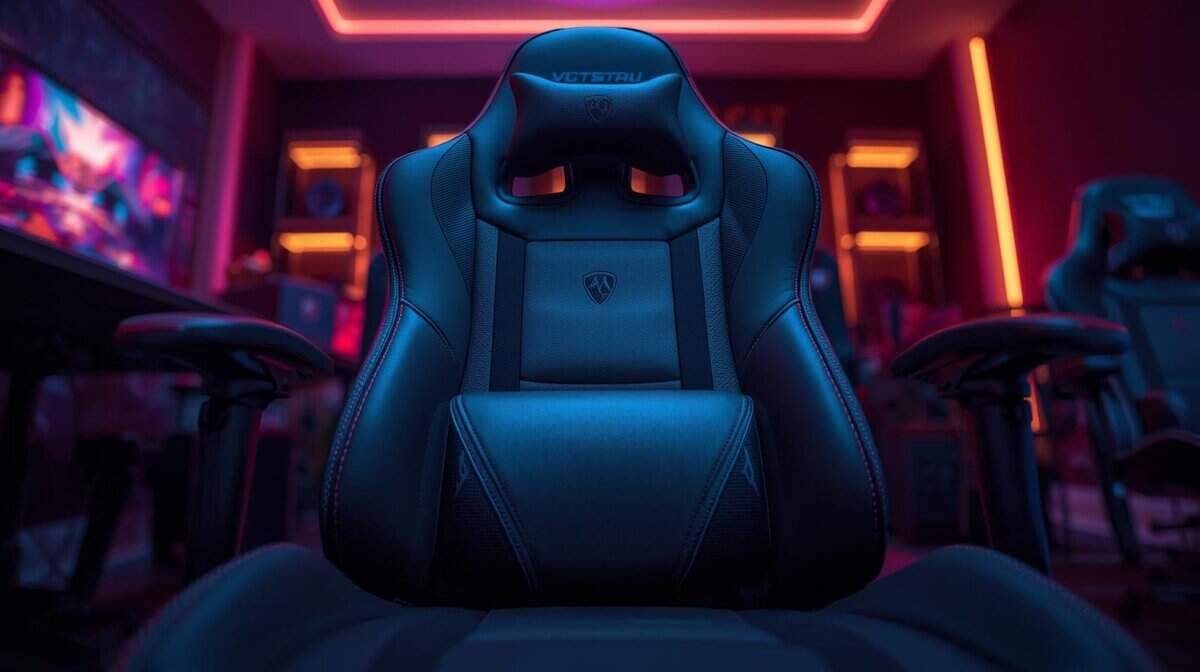
A gaming chair, with its racing-style bucket seat, is designed to support a static, reclined posture. It’s effective for leaning back during an MMO session or watching media. Its features, like deep recline angles and detachable pillows, are built for leisure. The build quality often features a steel frame and PU leather, offering decent durability for its price point.
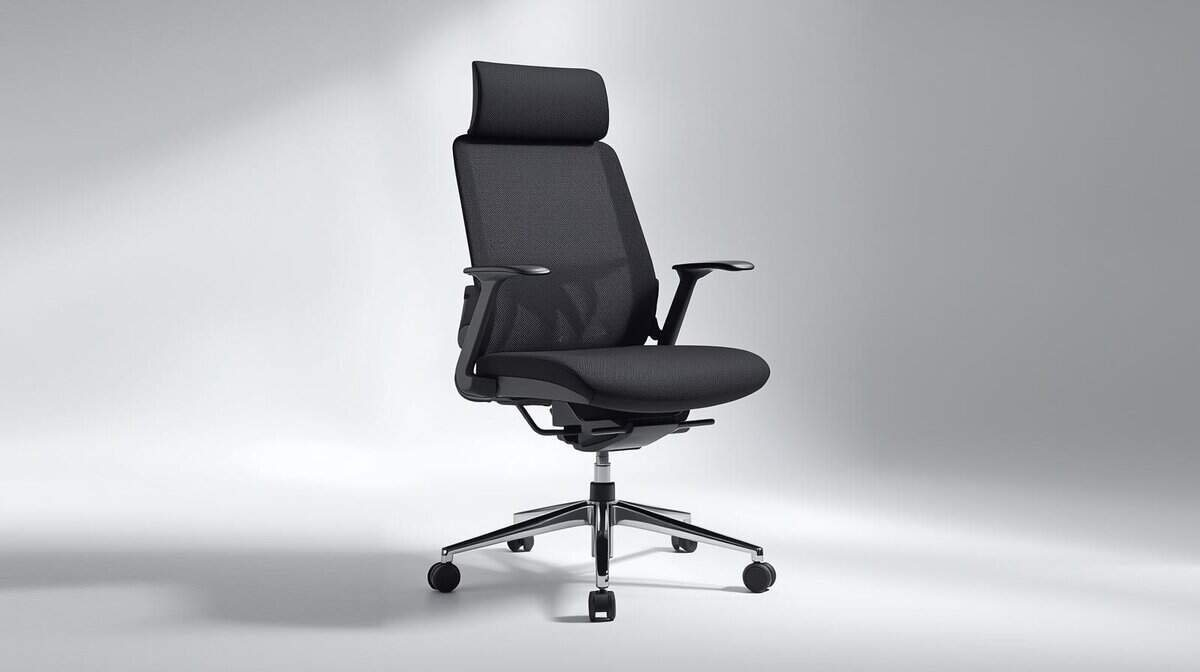
In contrast, a good ergonomic office chair is a tool for productivity. Its design encourages subtle movements and helps you maintain a healthy, upright posture while you’re focused on a task. Features like synchronous tilt, adjustable lumbar support, and waterfall seat edges are engineered to reduce fatigue over a long workday. Durability comes from materials like breathable mesh and reinforced nylon bases, designed for daily use.
For anyone on a budget, this is the core trade-off. You aren’t just choosing an aesthetic; you’re choosing a support system built for a specific activity. This guide cuts through the marketing to help you decide which one offers better value for your specific needs.
Core Differences At a Glance
This table provides a direct comparison of what you typically get with each type of chair. These are the fundamental differences that will impact your day-to-day use.
| Factor | Typical Gaming Chair | Typical Office Chair |
|---|---|---|
| Primary Design Goal | Immersive, reclined comfort for entertainment and gaming. | Upright, dynamic support for productivity and tasks. |
| Ergonomic Focus | External pillows, fixed backrest, and deep recline. | Integrated adjustable lumbar, synchronous tilt, seat depth. |
| Key Features | High backrest, bucket seat, 100°+ recline, 3D/4D armrests. | Breathable mesh, waterfall seat edge, adjustable components. |
| Build & Durability | Steel frame with PU leather; provides solid initial durability. | Nylon/aluminum base with mesh/fabric; built for long-term daily use. |
| Best For | FPS/MMO gaming, streaming, media consumption. | Work-from-home, studying, prolonged desk work. |
Ultimately, one is designed for escape, and the other is a tool for focus. Identifying your primary activity is the key to making a practical purchase.
Ergonomics and Design Philosophy: What Are They Built For?
Beyond aesthetics, the real distinction in the gaming chair vs. office chair debate is their core design philosophy. Each is engineered for a different posture, and understanding this is critical to making the right choice.
Gaming chairs draw inspiration from racing car seats, built to support a static, reclined position. The signature bucket seat, tall backrest, and side bolsters are designed to hold you firmly in place. This is functional for long, immersive sessions where you’re leaning back with a controller, common in MMOs or single-player titles.
This design also explains the large, detachable lumbar and neck pillows. They offer passive support, filling the gaps in your posture when you’re locked into one position for hours. For streamers who need to maintain a consistent on-camera posture, this static support is often sufficient, especially as part of a well-planned streaming setup.
The Office Chair’s Focus on Dynamic Movement
Ergonomic office chairs are built for the opposite scenario. They are engineered to support an active, upright posture, anticipating that you’ll constantly shift, reach, and lean in to type. The purpose is to keep your spine aligned through that movement.
The features on a good office chair reflect this:
- Dynamic Lumbar Support: Unlike a static pillow, this is often a curved, integrated piece that moves with your back, providing consistent support.
- Waterfall Seat Edge: The curve at the front of the seat reduces pressure on the back of your thighs, which is important for circulation during an eight-hour workday.
- Breathable Materials: Mesh backs are common because they allow for air circulation to keep you cool, a practical benefit over the PU leather used on many gaming chairs.
The key takeaway is this: Gaming chairs prioritize static comfort for leisure and immersion. Quality office chairs are engineered to support dynamic movement during focused work. One cradles you; the other adapts to you.
Adjustability and Features That Actually Matter
It’s easy to get lost in marketing terms. The practical approach is to ignore flashy feature lists and focus on adjustments that will make a difference in your daily use.
Gaming chairs often highlight obvious features like “4D” armrests that move in multiple directions and deep recline angles. A recline of 135 degrees or more is a genuine benefit for relaxing between matches or watching videos, a level of leisure comfort you won’t find in a standard office chair.
An office chair at the same price, however, invests in more subtle, work-focused mechanisms. It might only have 2D armrests, but it will likely have a synchronous tilt mechanism. This is a significant ergonomic feature. It means the backrest and seat tilt together in a balanced ratio, keeping your hips and spine aligned as you lean back. It’s designed to support you while you’re actively working, not just resting.
Prioritizing Your Daily Habits
The trade-off is clear. Are you buying a chair for active, focused work, or for relaxed, immersive play?
An office chair’s adjustable seat depth, the ability to slide the seat pan to fit your leg length, is critical for proper ergonomic support. It’s a feature on most decent office chairs but is almost nonexistent on gaming chairs due to their restrictive bucket-seat design.
Ultimately, a chair’s usefulness depends on how well you can adjust its settings for your body. To get the fundamentals right, it’s worth reviewing how to improve posture at your desk.
A gaming chair’s deep recline is for intentional rest. An office chair’s synchronous tilt is for continuous, active support during work. One is for downtime, the other for uptime.
For features gamers need, racing-style models make up a large portion of the market because their back support and deep recline are built for long sessions. The market for these purpose-built chairs has grown because they can reduce strain in ways a basic office chair can’t.
If you’re juggling remote work and serious gaming, a budget gaming chair often provides a more versatile feature set than a bare-bones office chair at the same price. For an FPS gamer, 4D armrests that can be lowered out of the way for wide mouse movements are a significant plus. For a hybrid worker managing spreadsheets, adjustable seat depth and dynamic tilt are non-negotiable for long-term comfort.
Understanding Build Quality and Long-Term Durability
A chair’s style may catch your eye, but its underlying construction determines its lifespan. When comparing a gaming chair to an office chair, build quality separates a short-term buy from a practical investment.
Gaming chairs almost always feature a full steel frame wrapped in PU leather. The steel provides a solid, heavy foundation that feels sturdy. The trade-off is the PU leather. While easy to clean, it does not breathe well and can show wear like cracking or peeling after a couple of years of heavy use.
Office chairs in the same price range often use a reinforced nylon or aluminum base. They may feel lighter, but these materials are engineered for the daily stress of an eight-hour workday. Upholstery is typically a breathable mesh or a durable fabric, which holds up better to friction and provides better temperature regulation than PU leather.
What to Inspect Before You Buy
The small components reveal a chair’s true durability. A well-built chair, whether for gaming or work, feels solid and operates smoothly without excessive noise or wobbling.
Pay close attention to these three parts:
- Gas Lift: The cylinder controlling the chair’s height should move smoothly. A Class 4 gas lift is the standard for quality chairs, capable of supporting more weight reliably.
- Casters (Wheels): Look for larger, quieter wheels, preferably with a polyurethane coating that won’t scratch hard floors. Small, cheap plastic casters are a red flag for overall build quality.
- Base: A five-point base is standard. A metal base will always outlast a plastic one in terms of long-term durability and stability.
The demand for better chairs is growing, driven by remote workers and gamers. Projections show the ergonomic chair market expanding significantly, fueled by demand for adjustable features. This competition is beneficial for budget-conscious buyers, as it means better durability and features are becoming available at lower price points.
The right chair is the foundation of your setup. Just as a good chair prevents back pain, pairing it with other ergonomic gear, like the best budget gaming mouse pad, can improve your long-term comfort and performance.
Which Chair Wins for Your Specific Use Case
If a gaming chair is the right call for your setup, our guide to the best budget gaming chairs covers the top value picks worth buying.
The “gaming chair vs. office chair” debate is only relevant when applied to your situation. The best chair is the one that fits how you use your desk. Let’s look at common scenarios to find the right fit.
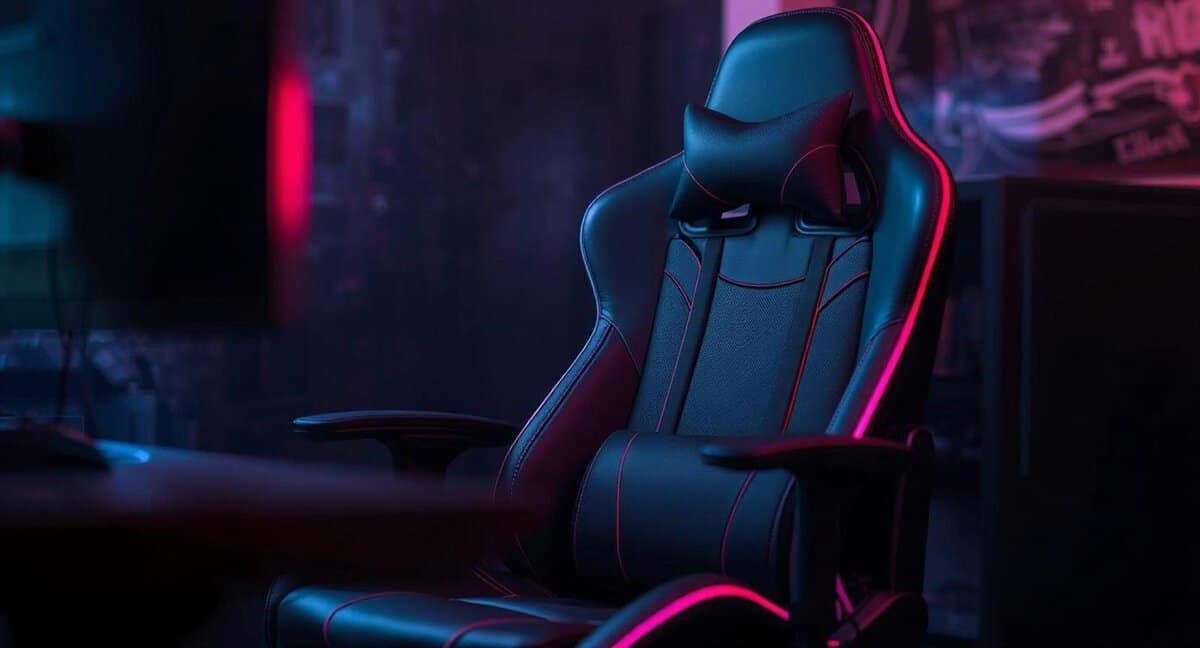
The Dedicated Gamer and Streamer
If your desk time is primarily for gaming, long sessions in an MMO, competitive FPS matches, or streaming, a gaming chair is the logical choice. Its design supports the leaned-back, relaxed posture common during entertainment. The high backrest and neck pillow provide head support when you’re focused on the action, a feature most office chairs lack.
For streamers, the distinct aesthetic contributes to an on-camera brand, and the steel frame creates a stable platform. The deep recline is useful for relaxing between intense matches without leaving the setup. If you go this route, pick a chair built to last, a racing-style model like the E-WIN Knight Series pairs a heavy-duty steel frame and 4D armrests with a 10-year frame warranty, the kind of durability a flimsy big-box chair can’t match over years of daily sessions. This pairs well with a proper screen; our guide on the best budget gaming monitor can help complete your station.
The Hybrid Worker and All-Rounder
This is the most common trade-off. If you split your day between remote work and a few hours of gaming, an ergonomic office chair is usually the smarter long-term investment. Its entire design is geared toward supporting a healthy, upright posture for hours, which is critical for preventing chronic strain.
It won’t have the extreme recline of a gaming chair, but a good office chair’s synchronous tilt moves with you, providing active support that is better for your back during focused work. For a hybrid schedule, prioritizing the tool that supports your health during the longest portion of your day is the most sensible approach.
A gaming chair is built for leisure, a specialized tool for entertainment. An office chair is a productivity tool, designed for the rigors of all-day work. For hybrid use, prioritize the activity that takes up the most time and most impacts your physical health.
The “all-rounder”, like a student juggling homework, casual gaming, and web browsing, also gets more practical value from an office chair. Its understated design fits better in multi-use spaces, and its focus on proper posture provides a healthier foundation for varied activities.
If you decide the office chair is the right call for all-day use, it is worth buying a real ergonomic one rather than a generic task chair. A full-mesh model like the Sunaofe Morph brings an auto-tracking lumbar system, an adjustable headrest, and breathable mesh built for eight-plus-hour sessions, the kind of posture support that pays off over a long workday. It sits in the premium tier rather than the budget end, so it is the pick when long-term comfort matters more than saving money up front.
If the office side wins for you, our best ergonomic chair for gaming guide has the picks.
Got Questions About Your First Chair? We’ve Got Answers
Choosing a proper chair can be confusing. Here are answers to some of the most common questions that arise when making a final decision.
Are Gaming Chairs Actually Bad for Your Back?
Not inherently, but they are designed for a specific posture. Gaming chairs support a static, reclined position, effective for immersive play, but not ideal for focused, upright work.
If you’re typing for eight hours a day, the fixed bolsters and detachable pillows on a gaming chair do not provide the dynamic support your spine needs. Over time, that static position can lead to strain. For long-term spinal health during task-heavy work, a quality office chair with integrated, adjustable lumbar support is a more practical investment.
Can a Gaming Chair Be Good for Office Work?
It can function for short periods, but it’s the wrong tool for a full workday. The prominent side bolsters on the seat and backrest can feel restrictive, preventing natural posture shifts throughout the day.
Furthermore, the high-density foam padding is often too firm for all-day comfort in an upright position. If you require one chair for both activities, look for a gaming model with a more subdued design, minimal bolsters, and highly adjustable armrests to improve its versatility.
Should I Buy a High-End Office Chair or a Gaming Chair?
If you work from home and spend more than six hours a day on professional tasks, a quality ergonomic office chair is the clear winner. Its superior adjustability, build quality designed for daily use, and better warranty offer greater long-term value for your health and finances.
However, if your time is split more evenly between work and gaming, or leans heavily toward entertainment, a quality gaming chair will provide more comfort and features tailored to that relaxed, reclined posture.
At Budget Loadout, we believe the best gear is what fits your actual needs and budget. For more practical, no-hype guides to building your ideal setup, check out our other reviews at Budget Loadout.
Related Articles