For the best cheap gaming earbuds, models like the SteelSeries Tusq and HyperX Cloud Earbuds II prove you don’t need a huge budget to get a competitive edge. They deliver a direct, zero-latency wired connection that is essential for fast-paced play, giving you clear positional audio without the lag that compromises many affordable wireless buds.
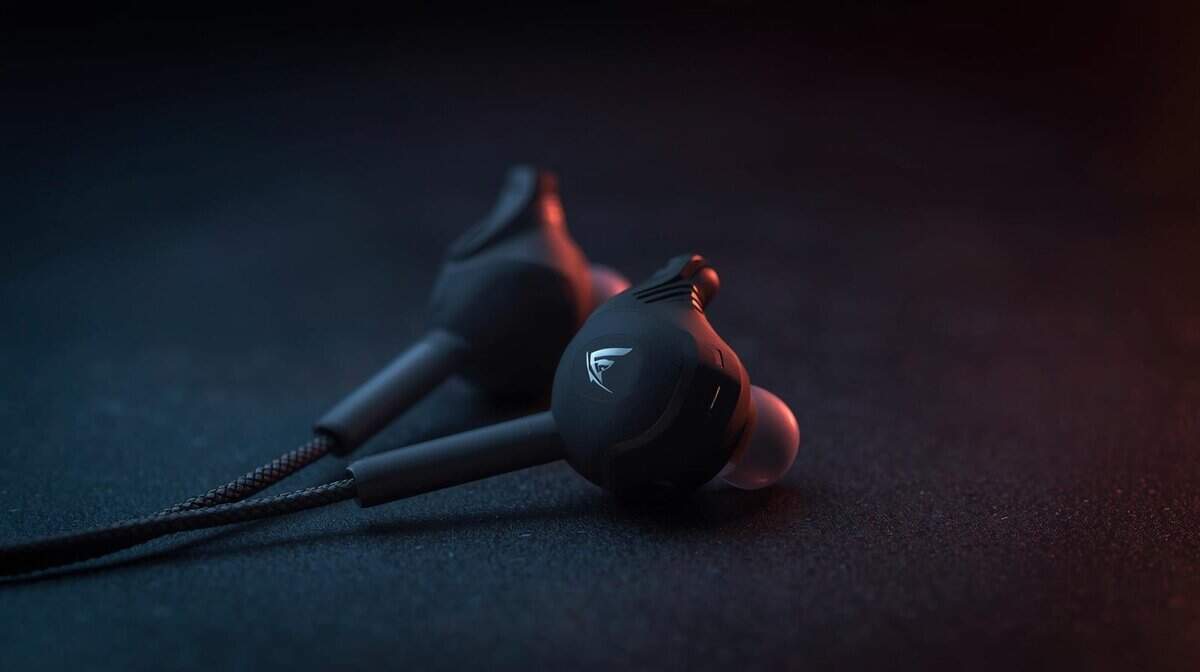
- Detachable boom microphone delivers noticeably clearer voice chat than in-line alternatives
- Over-ear hook design keeps earphones secure during intense gaming sessions
- SteelSeries gaming pedigree with a premium dynamic driver for balanced audio
- Over-ear hooks may take some adjustment for first-time users
- Single dynamic driver rather than a hybrid setup for audiophile-level detail
- 90-degree angled plug prevents awkward cable bending on handheld devices
- Hard-shell carrying case protects earbuds during travel
- 14mm drivers deliver full, immersive sound for single-player and casual gaming
- In-line mic is adequate for casual chat but may not satisfy competitive players
- Slightly bulkier ear tips compared to traditional earbuds
- Limited EQ customization without a companion app
- Gaming earbuds are a lightweight, portable alternative to bulky headsets, ideal for console gaming, mobile play, and travel
- Wired earbuds deliver the lowest latency for competitive gaming, while wireless models with low-latency modes now come close for casual play
- Look for earbuds with inline or boom microphones that offer clear voice chat, because built-in mics on cheap wireless earbuds are often poor
- Comfort and fit matter most for long sessions, and silicone ear tips in multiple sizes ensure a secure seal that also improves bass response and noise isolation
Table of Contents
Why Smart Gamers Are Ditching Bulky Headsets
Staring at a wall of overpriced gaming headsets can be a frustrating experience. This guide gets straight to the point, helping you find the best gaming earbuds that don’t sacrifice the features that actually matter for winning: clear audio, a functional microphone, and a build that lasts.
We’ll cut through the marketing hype to show you why a solid pair of budget earbuds is often a more practical choice than a clunky, overpriced headset. For many players, especially those who prioritize comfort and portability, earbuds just make more sense.
The Earbud Advantage
Unlike over-ear headsets that can get hot and heavy during long sessions, in-ear models are lightweight and far less intrusive. This makes them suitable for a marathon raid in an MMO like Final Fantasy XIV or for streamers who need to maintain a clean on-camera look without a massive headband. Their small size also makes them a practical travel companion for gaming on a laptop, Steam Deck, or Nintendo Switch.
More importantly, the best cheap gaming earbuds almost always use a wired 3.5mm connection. This is their single biggest strength.
Key Takeaway: A wired connection delivers zero-latency audio. You hear footsteps, reloads, and other crucial in-game cues the exact moment they happen, a non-negotiable advantage in fast-paced FPS titles where a single millisecond can decide the outcome.
Making Smart Trade-offs
Choosing budget-friendly gear doesn’t mean you have to settle for a poor experience. It’s about making intelligent trade-offs. You might pass on features like active noise cancellation or wireless connectivity, but in return, you get lag-free performance and save money.
This guide focuses on what truly impacts your gameplay:
- Audio Clarity: The ability to pinpoint an enemy’s location by sound alone.
- Microphone Quality: Ensuring your team communication is understandable.
- Build & Durability: Getting a product that can withstand daily use.
For gamers who find traditional headsets uncomfortable or overpriced, a quality pair of earbuds is a strong alternative. While you can explore options in our guide to the best gaming headsets under $50, this article will show you that a well-chosen set of earbuds can deliver a superior experience for many gaming scenarios, from competitive PC matches to casual console sessions.
What Actually Matters in Budget Earbuds
When you’re hunting for the best cheap gaming earbuds, product pages throw a wall of technical jargon at you. To make a smart choice, you need to know which specs genuinely impact your in-game performance and which are just marketing noise. We’ll break down the essentials: latency, microphones, drivers, and build quality, so you can evaluate any pair with confidence.
Understanding these elements is all about seeing the trade-offs. You’ll learn why one feature might be a must-have for an FPS player but entirely optional for someone who sticks to MMOs or just wants to stream casually.
The Wired vs. Wireless Latency Debate
For competitive gaming on a budget, this isn’t a debate. It’s a verdict. A wired 3.5mm connection is non-negotiable for anyone serious about FPS games like Valorant or Apex Legends. The reason is simple: zero latency. Audio signals travel instantly through a cable, ensuring you hear an enemy’s footstep the exact moment it happens.
In contrast, affordable wireless earbuds run on Bluetooth, which always introduces a delay between the action on-screen and the sound in your ears. Even a so-called “low-latency” mode on budget wireless models can still lag by 40-60ms, more than enough to get you eliminated in a high-stakes firefight. This instant audio feedback is why wired earbuds dominate the budget gaming space.
The Honest Trade-off: With wired earbuds, you sacrifice the convenience of roaming freely for a significant competitive edge in reaction time. For budget-conscious gamers, this is the smartest trade you can make.
Microphone Clarity for Team Communication
A poor microphone can sabotage an entire match. In the world of budget earbuds, you’ll run into two main types: in-line mics and detachable boom mics.
In-line Microphones: These are the small mics built into the earbud cable. They’re discreet but are known for picking up background noise and the sound of the cable rubbing against your shirt. They are sufficient for a casual chat but can frustrate teammates in an intense game.
Detachable Boom Microphones: This is a considerable step up. A boom mic places the microphone capsule right next to your mouth, which results in a clearer, more isolated voice signal. It’s the better choice for anyone who relies on voice chat for competitive callouts.
If clear comms are a top priority, find a pair that includes a boom mic. For streamers or anyone needing better audio, investing in one of the best budget USB microphones is the logical next step, but a good boom mic is a solid place to start.
Drivers and Soundstage Explained
The driver is the tiny speaker inside each earbud that produces the sound. Manufacturers often boast about large driver sizes (like 10mm or 14mm), but size alone doesn’t guarantee better audio. What’s more important is how the driver is tuned.
For gaming, you want drivers tuned for a balanced sound profile that emphasizes positional audio cues. This creates a wide soundstage, meaning your ability to perceive the direction and distance of in-game sounds. In an RPG like The Witcher 3, a wide soundstage makes the world feel more immersive. In an FPS, it’s what helps you pinpoint an enemy reloading just around the corner. Budget earbuds often have to compromise here, but the best models still manage to deliver clear directional audio.
Build Quality and Durability
Finally, look at the physical construction. Even the best-sounding earbuds are useless if they fall apart after a few months. Keep an eye on these durability indicators:
- Cable Material: Braided cables are generally tougher and more resistant to tangling and fraying than standard rubber-coated ones.
- Strain Relief: Look for reinforced rubber or plastic where the cable meets the 3.5mm jack and the earbuds themselves. This is a common point of failure.
- Included Accessories: A carrying case or pouch is a plus, as it protects the earbuds from getting crushed in a bag. Multiple ear tip sizes (silicone or foam) don’t just improve comfort; they ensure a secure fit and better sound isolation.
A Head-to-Head Comparison of the Best Gaming Earbuds
Let’s move from theory to reality and break down some of the top contenders in the budget gaming earbud space. This isn’t just a feature list; it’s a direct comparison of how these models actually perform in-game. We’ll get into their sound, mic clarity, build quality, and comfort to help you weigh the specific trade-offs each one makes.
The point is to match the right earbuds to your playstyle. An FPS veteran needs something different than an MMO guild leader or a casual streamer, and the right choice often hinges on these small but crucial differences.
SteelSeries Tusq Gaming Earphones
Think of the SteelSeries Tusq brings a gaming-brand pedigree to the budget earbud space. It’s a wired in-ear headset that pairs a premium dynamic driver with a dual microphone system, something you rarely see at this price point. It’s a straightforward, wired earbud that puts performance ahead of flashy extras. That’s why it’s a go-to recommendation for gamers on a budget who just need something that works without fuss.
Its main advantage is the dual dynamic drivers. This setup uses one driver for highs/mids and another just for bass, which keeps the audio from turning into a muddy mess. In-game, this means the deep rumble of an explosion won’t drown out the high-pitched clink of an enemy reloading nearby.
Sound and Microphone Performance
For FPS gaming, the Tusq delivers respectable positional audio thanks to its premium dynamic driver. Its soundstage isn’t as wide as pricier models, but it’s clear enough to distinguish left from right and give you a solid sense of enemy proximity in games like CS2. The sound is fairly balanced, avoiding the over-the-top bass that can hide important audio cues. This makes it a functional choice for both competitive FPS matches and more immersive MMOs.
The dual microphone system is where the Tusq really shines at this price. The detachable boom mic picks up your voice clearly on Discord, while the built-in in-line mic works for quick mobile calls. The boom mic is a significant upgrade over earbuds that rely solely on in-line microphones, reducing background noise and cable rub shirt and other ambient room noise. For streamers or highly competitive players, it’s a noticeable step down from a dedicated boom mic.
Build Quality and Durability
SteelSeries built the Tusq with an over-the-ear hook design and lightweight construction, which keeps the earphones stable during intense gaming sessions. The build quality feels more refined than most competitors in this price range. The flat, tangle-resistant cable is another practical touch that helps prevent fraying over time. Still, the strain relief at the 3.5mm jack is standard, so you’ll want to be reasonably careful with it. The overall build quality is solid for the price.
Key Differentiator: The detachable boom microphone is the Tusq’s standout feature at this price. It delivers clearer voice chat than any in-line-only earbud in this range, making it an excellent choice for competitive gaming and team communication.
HyperX Cloud Earbuds II
The HyperX Cloud Earbuds II is purpose-built for gamers on the move, especially those on a Nintendo Switch, Steam Deck, or mobile device. Everything about its design is focused on portability, from the 90-degree angled plug to the included hard-shell case.
The large 14mm drivers are tuned for a punchy, engaging sound. This makes them especially effective for immersive single-player adventures and action-packed mobile games where atmospheric audio and big sound effects are key.
Sound and Microphone Performance
In action-heavy titles, the Cloud Earbuds II performs well. The bass is prominent but doesn’t get out of control, giving weight to in-game action without overwhelming the mids and highs. The soundstage is surprisingly wide for an earbud, which helps in open-world games like Elden Ring by making the environment feel more expansive. It’s a solid choice for casual streaming where audio immersion matters.
Unlike the Tusq, it relies solely on an in-line mic without a boom option. The in-line mic offers decent clarity for casual team chat but falls short compared to the Tusq’s detachable boom for serious voice communication. The multi-function button on the mic is a useful touch for controlling music or taking calls between gaming sessions.
Build Quality and Durability
HyperX is known for solid build quality, and these earbuds are no exception. The hard-shell carrying case is a huge value-add, offering excellent protection you rarely see included with budget audio gear. The red, flat cable is designed to resist tangles and feels tough enough to survive being tossed in a backpack. The durability is a key selling point.
Key Differentiator: The focus on a complete, durable package for mobile and handheld gaming sets it apart. The combination of a 90-degree plug, robust cable, and a protective hard case makes it the most travel-ready option.
Final VR500 Gaming Earphones
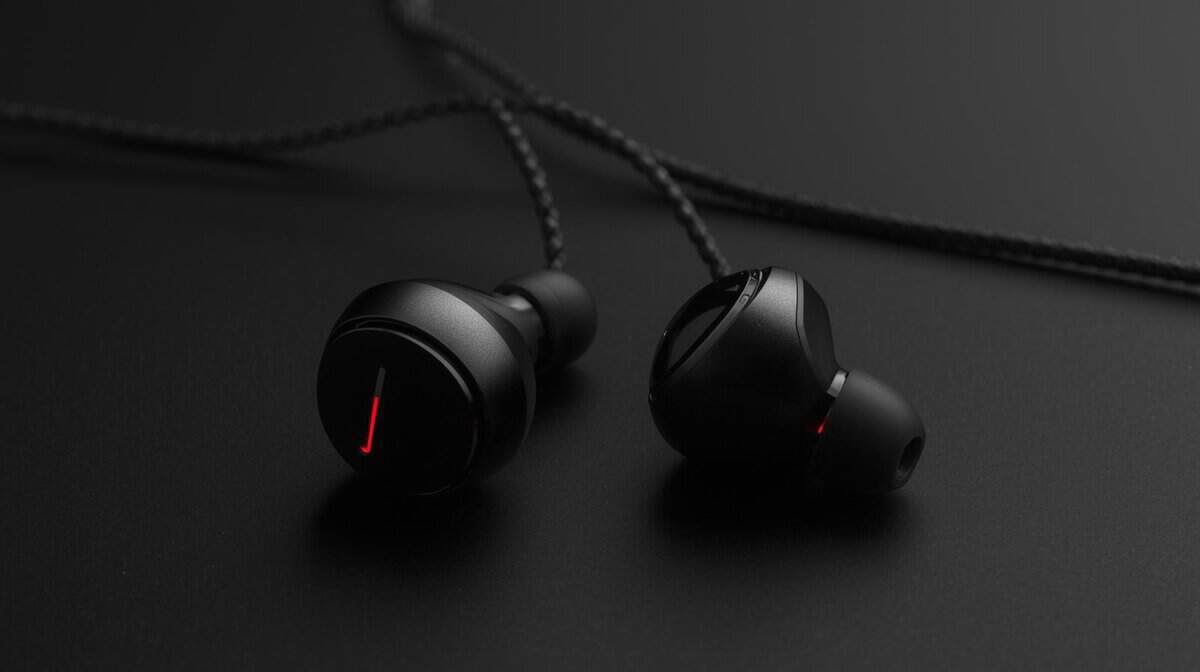
The Final VR500 takes a completely different path. It strips away every non-essential feature to focus on one thing: surgically precise spatial audio. Developed by a respected Japanese audio brand, these earbuds are engineered for gamers who demand absolute clarity in positional cues.
You won’t find any in-line controls or fancy materials here. The design is minimalist, with lightweight ABS resin housings and a standard, thin cable. The entire budget went into the custom-tuned dynamic drivers inside.
Sound and Microphone Performance
This is where the VR500 dominates the competition. Its soundstage is exceptionally accurate. In tactical shooters like Valorant or Rainbow Six Siege, these earbuds let you pinpoint the exact location of footsteps, reloads, and other faint sounds with uncanny precision. The sound is neutral and analytical, not “fun” or bass-heavy, which is exactly what competitive FPS players need to gain an edge.
The VR500 does include a basic in-line microphone with a single function button for calls and playback control. However, its audio focus is clearly on listening rather than communication, so the mic is functional but unremarkable compared to models that emphasize voice quality.
Build Quality and Durability
The build is functional but not rugged. The thin, standard cable is prone to tangling and feels less durable than the cables on the SteelSeries or HyperX models. The durability is questionable for rough use. These earbuds are designed for careful use at a desk, not for being thrown into a bag for travel.
Key Differentiator: Unmatched spatial audio accuracy for competitive gaming. For players who prioritize hearing every single in-game detail above all else, the VR500 delivers a level of precision that is simply not found in other budget earbuds.
Budget Gaming Earbuds Feature Breakdown
To make this even simpler, here’s a direct breakdown of how these top budget gaming earbuds stack up. This table cuts through the noise and compares the key specs, ideal use cases, and durability notes for each model.
| Model | Key Feature (e.g., Boom Mic) | Best For | Durability Notes |
|---|---|---|---|
| SteelSeries Tusq | Detachable Boom Mic + In-Line Mic | All-around gaming with clear voice chat | Lightweight over-ear hook design keeps earphones secure during gaming. Build quality is solid for the price with a detachable cable design. |
| HyperX Cloud Earbuds II | 14mm Drivers & Hard Case | Handheld and mobile gaming (Switch, Steam Deck) | Excellent durability for travel; the included hard case is a major asset for longevity. Built to last. |
| Final VR500 | Precision Spatial Audio | Competitive FPS and VR gaming | Functional but delicate. The thin cable requires careful handling to avoid damage. Not built for rough use. |
As you can see, the “best” option really depends on what you value most. Are you looking for an all-rounder, a travel-friendly tank, or a pure audio tool for competitive play? Each of these earbuds carves out a specific niche, offering a lot of value if it aligns with your needs.
Choosing the Right Earbuds for Your Gaming Platform
Where you game is just as important as how you game. The right pair of cheap earbuds for a PC rig isn’t necessarily the best choice for a Nintendo Switch on the bus. We need to break down what each platform demands to make sure you’re getting gear that actually works for your setup.
Your decision should really come down to three things: connectivity, how much your mic matters, and portability. A simple mismatch, like forgetting your PC needs an audio splitter, can turn a good pair of earbuds into a frustrating paperweight. Let’s make sure that doesn’t happen.
Recommendations for PC Gamers
PC gaming is all about communication and custom setups. Whether you’re coordinating with your squad on Discord or broadcasting to an audience, your microphone’s performance is critical. This is where most budget earbuds stumble, and it’s almost always because of the in-line mic.
While an in-line mic is fine for basic callouts, it’s known for picking up the rustle of your cable and other sounds in the room, which will drive your teammates nuts. If you’re serious about team games like Valorant or League of Legends, you absolutely want earbuds that come with a detachable boom mic. It is the single biggest audio upgrade you can make in this price range. For streamers, even a budget boom mic is a significant step up.
The other classic PC problem is connectivity. Many desktop towers have separate jacks for your headphones and microphone. Most gaming earbuds, however, cram everything into a single 3.5mm plug.
The fix is a PC audio splitter cable, sometimes called a Y-splitter. It’s a cheap but vital accessory that separates the single plug into two, letting you connect both the headphones and mic properly. Some earbuds thankfully include one in the box, but many don’t, so double-check the product page before you buy.
The PC Gamer’s Priority: Microphone clarity is key. A model with a boom mic will serve you infinitely better for competitive play and streaming. And don’t forget to budget a few extra bucks for a splitter if one isn’t included.
Best Earbuds for Console Gaming (PS5, Xbox, and Switch)
Console gaming is a much more streamlined experience, and your audio should be, too. For a PlayStation 5, Xbox, or a docked Nintendo Switch, the solution is simple: plug and play. Every modern controller has a 3.5mm headphone jack built right in, making pretty much any wired gaming earbud instantly compatible.
For console players, the focus usually shifts from mic clarity to pure audio immersion. When you’re diving into a single-player epic like God of War or getting lost in the world of Elden Ring, you want earbuds that deliver a wide soundscape and impactful audio. Look for models with larger drivers, 10mm or more, as they can produce a richer, more atmospheric sound that really brings these worlds to life.
Build quality is also a bigger deal here. Console gamers tend to be a bit rougher on their gear. Look for earbuds with a durable, braided cable and solid strain relief at the plug to withstand the occasional tug or drop. If you’re an aspiring content creator, a good mic still matters; check out our guide for building a streaming setup for beginners to see how audio fits into the whole picture.
Picking Earbuds for Mobile and Handheld Gaming
For gaming on your phone, a Steam Deck, or a Nintendo Switch, your priorities completely change. It’s all about portability, a secure fit, and durability. You need earbuds that can be shoved in a pocket, stay in your ears while you’re on the move, and survive being tossed into a backpack.
Here’s what to look for:
- Secure Fit: A good selection of ear tip sizes is essential. A proper seal doesn’t just improve sound quality and bass; it’s what keeps the earbuds from falling out during your commute.
- Durable Build: A flat, tangle-resistant cable is a huge quality-of-life win for mobile use. An included carrying pouch or hard case is even better, offering crucial protection on the go. The build quality needs to stand up to daily abuse.
- 90-Degree Plug: An L-shaped or angled 3.5mm plug is far less likely to snag or bend than a straight one. This is ideal for handheld devices where the jack is often on the bottom edge, right where your hand rests.
The microphone is less of a concern here unless you’re deep into team-based mobile games like PUBG Mobile. For most mobile and handheld gaming, a standard in-line mic is perfectly fine for occasional use. The real test is whether the earbuds can stand up to the abuse of daily travel.
Making Your Final Decision: A Simple Checklist

Trying to weigh the trade-offs is the hardest part of picking the right budget earbuds. To cut through the noise, this checklist boils it all down to a few direct questions. Answering them honestly will point you straight to the pair that actually fits your setup.
This isn’t about finding a “perfect” product, and that doesn’t exist at this budget. It’s about finding the one with the right compromises for your budget and the games you play.
Your Personal Buying Filter
Before you hit that “buy” button, run through these points. Each question forces you to decide what really matters for your in-game experience, helping you ignore the features you won’t use and focus on the ones you will.
- What game genres are you playing most? If your answer is competitive shooters like Valorant, then spatial audio accuracy is your top priority. For immersive RPGs or MMOs, a wider, more atmospheric soundstage might be more important.
- Is a detachable boom mic a must-have? Be realistic. If you’re constantly making callouts in team-based games, a boom mic is non-negotiable for clarity. If you’re mostly a solo player, a basic in-line mic is more than enough.
- How critical is long-term cable durability? If you’re gaming on the go with a Switch or Steam Deck, you need a tough, tangle-resistant cable and a reinforced plug. For a stationary PC setup, a more delicate cable might be an acceptable trade-off for slightly better audio quality. A solid build quality is always a plus.
- What is your absolute maximum budget? Settle on a hard number. This forces you to choose between a slightly better microphone or a sturdier build, making you identify which feature delivers the most practical value for you.
The Final Verdict
After putting them all head-to-head, the SteelSeries Tusq consistently comes out as the top value pick for most budget-conscious gamers. It simply strikes the best overall balance of performance, quality, and price.
Its dual-driver system delivers clearer, more separated audio than most single-driver competitors, giving it an edge in both competitive and immersive games. While its in-line mic is a compromise, the sturdy aluminum build and tangle-resistant cable offer better durability than many rivals. It’s the most capable all-rounder that confidently handles any genre you throw at it without demanding a premium price.
Got Questions? We’ve Got Answers
Stepping into the world of gaming earbuds can bring up a lot of questions. Let’s tackle some of the most common ones head-on so you can make a choice you feel good about. Getting these last few details right makes all the difference.
Are Wired Earbuds Really Better Than Wireless for Gaming?
For budget gaming where every millisecond counts, the answer is yes. Wired earbuds deliver zero-latency audio, which means you hear what’s happening in-game the exact moment it happens. This is a significant advantage in competitive shooters where reaction time is everything.
On the other hand, affordable wireless earbuds almost always have a noticeable audio delay because of their Bluetooth connection. In the budget tier, a wired connection is simply the most reliable and responsive option for any serious gamer.
Do I Actually Need a Boom Mic on My Earbuds?
This really boils down to how you play. If you spend most of your time in team games that demand constant, clear communication, like calling out positions in Valorant or leading a raid in an MMO, then a boom mic is a huge advantage. It does a far better job of isolating your voice and filtering out background noise than a standard in-line mic.
For solo players or anyone who rarely uses voice chat, an in-line mic will get the job done just fine. It’s a classic trade-off between crystal-clear communication and convenience.
The Bottom Line: A boom mic is a significant upgrade for team communication, while an in-line mic is sufficient for casual use. Figure out your primary gaming style to avoid paying for a feature you won’t use.
How Do I Make Sure My Gaming Earbuds Last?
Durability in budget gear often comes down to a mix of smart design and how you treat it. Build quality is a common compromise at this price, so it helps to know what to look for and how to care for your purchase.
Reinforced Cable Joints: Take a close look at where the cable meets the 3.5mm plug and the earbuds themselves. This is the single most common point of failure.
Braided Cables: A braided cable is generally more resilient to tangles, kinks, and the wear and tear of daily use compared to a standard rubber-coated one.
Proper Storage: To really extend their lifespan, always use an included carrying case or pouch. Whatever you do, avoid wrapping the cable tightly around your controller or phone. That puts a ton of stress on the internal wires and is the fastest way to break them.
Will Cheap Gaming Earbuds Work with a PS5 or Xbox?
Yes. Pretty much any pair of wired gaming earbuds that uses a standard 3.5mm jack will work perfectly with modern consoles. You just plug them directly into the headphone port on your PS5 DualSense or Xbox controller.
That single connection handles both game audio and your microphone input, making it an incredibly straightforward and effective solution for console gaming. No special adapters, no complicated setup, just plug them in and get to playing.
At Budget Loadout, we’re dedicated to helping you find the best gear without breaking the bank. For more hype-free reviews and practical guides, visit us at Budget Loadout.
Related Articles