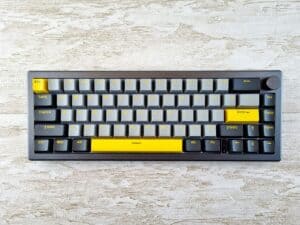
The best switches for gaming aren’t about what’s most expensive, it’s about what fits your playstyle. For fast-paced FPS games, you’ll generally want fast, smooth linear switches. If you’re playing MMOs or other games that demand precise inputs, responsive tactile switches are often a better fit. The key is to match the switch’s feel to your primary gaming style.
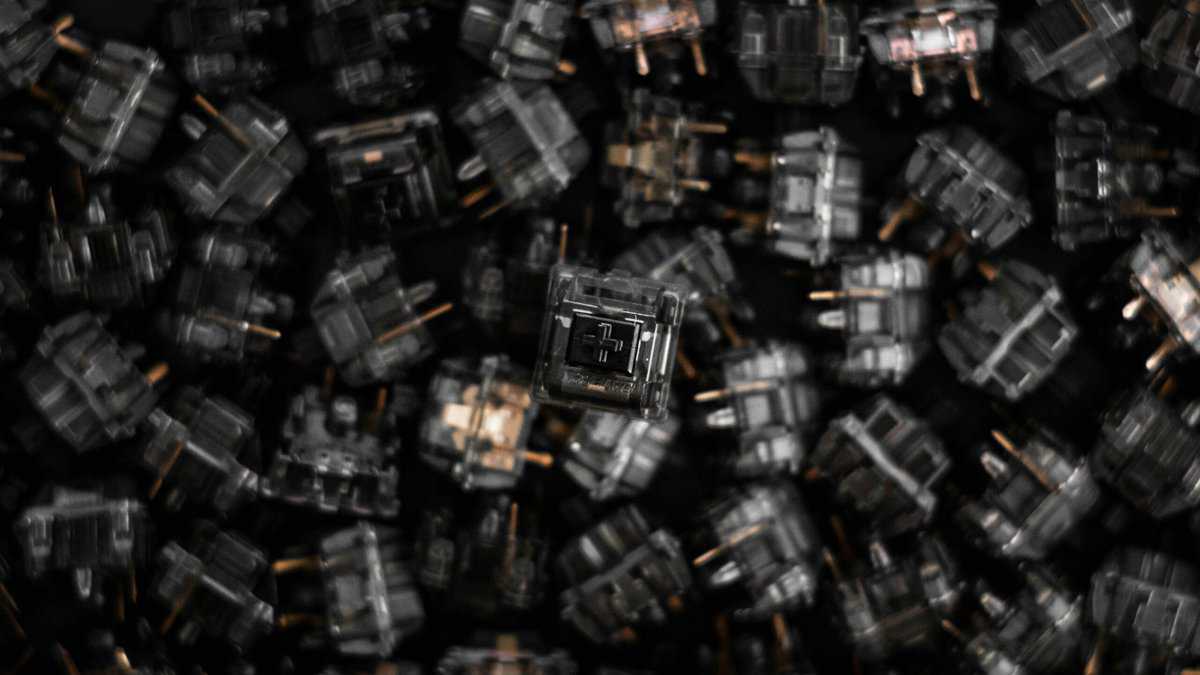
- Factory pre-lubed for a smooth, consistent keystroke
- 50g actuation hits the sweet spot for gaming and typing
- Upgraded housing reduces wobble over older Gateron models
- Linear feel takes adjusting from membrane
- Factory lube varies between batches
- Trails premium switches in smoothness
- Pronounced tactile bump that feels crisp without being heavy
- Ultra-light 36g actuation for rapid keypresses
- Quality polycarbonate housing with minimal stem wobble
- Light bump may feel too subtle
- Factory lube varies across batches
- Higher-pitched sound than some prefer
- Rounded tactile bump feels smooth through the keystroke
- 5-pin design adds stability in hot-swap boards
- Unique bump profile distinct from standard tactile switches
- Bump may feel too subtle for some
- 55g is heavier than many linears
- Less widely available
- Linear switches like Cherry MX Reds are preferred by most competitive gamers for their smooth, uninterrupted keypress and faster actuation
- Tactile switches provide a noticeable bump that helps with typing accuracy, making them the best all-rounder for gaming and work
- Clicky switches are the loudest option and can be distracting on voice chat, avoid them if you stream or play in shared spaces
- Switch feel is highly personal, so try a switch tester before committing to a full keyboard, what works for pros may not work for you
- Hot-swappable keyboards let you test multiple switch types without committing, the smartest investment if you are still discovering your preference
Table of Contents
Finding the Right Gaming Switches: A Direct Approach
Trying to find the right gaming switch can feel like a deep dive into a rabbit hole of specs and marketing jargon. But it really boils down to one simple question: what do you value most when you play? Are you chasing that split-second advantage in a chaotic shooter, or do you need absolute confidence that your keystrokes are landing during complex ability rotations in an MMO? This guide cuts through the noise and gives you a direct answer.
Forget the abstract numbers for a minute. Let’s think about it like this: a linear switch is like a finely tuned gas pedal, it’s smooth, direct, and built for pure speed. This makes it a suitable match for FPS players who need to spam strafe keys and react instantly without any physical bump getting in the way.
A tactile switch, on the other hand, gives you a small but noticeable “bump” you can feel right when the keypress registers. That piece of feedback is useful for strategy games or MMOs, confirming that you’ve successfully fired off an ability without having to slam the key all the way down.
To make this even clearer, let’s break down the main types in a quick table.
Quick Guide to Gaming Switch Types
This table gives you a snapshot of how each switch type feels, sounds, and what kind of games it typically excels in.
| Switch Type | Feel | Sound Level | Best For Gaming Genre |
|---|---|---|---|
| Linear | Smooth, consistent press with no bump. | Quiet | FPS, Racing, Action games requiring rapid, repeated inputs. |
| Tactile | A noticeable “bump” at the actuation point. | Moderate | MMOs, MOBAs, RPGs, and typing. A good all-rounder. |
| Clicky | A tactile bump plus a distinct “click” sound. | Loud | Typing-heavy games or players who want audible feedback. |
Ultimately, the best switch is the one that feels like a natural extension of your hands, but this gives you a solid starting point for figuring out which direction to go.
Choosing Your Path: Speed vs. Feedback
This decision tree helps you visualize which switch type lines up with your personal gaming priorities.
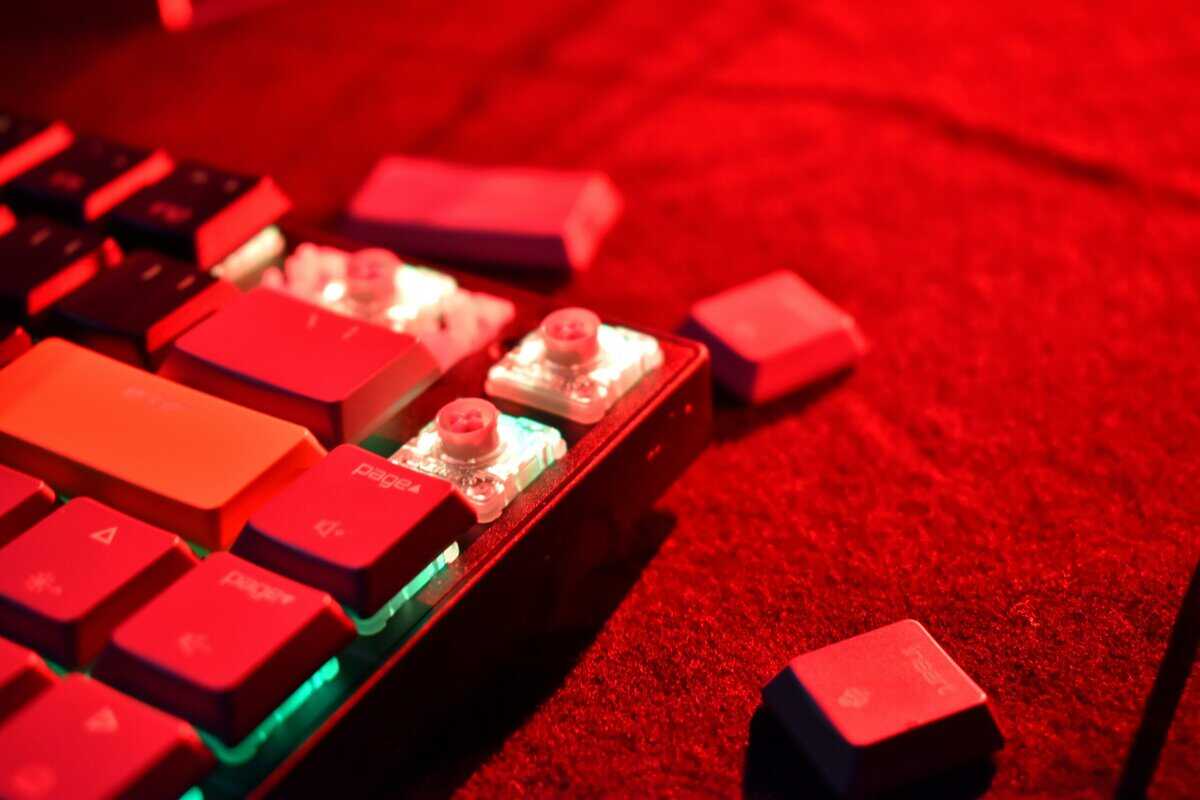
As you can see, your primary goal, whether it’s raw speed, deliberate feedback, or a balance of both, points directly to a specific category of switch.
The best switches for gaming are the ones that feel invisible, letting your actions flow into the game without a second thought. The goal is to find one that complements your playstyle, offers solid build quality for long-term durability, and fits comfortably within your budget.
Understanding Switch Mechanics for Gamers
To find the right switches, you first have to get a feel for what makes them tick. These aren’t just specs on a product page; they’re the elements that translate the press of a key into an action on screen. Getting a grip on these concepts is how you see past the marketing hype and pick something that actually helps you play better.
The first thing to understand is actuation force, measured in grams (g). This is simply the amount of pressure it takes to register a keypress. A lighter switch, maybe in the 35-45g range, needs just a soft touch, which can reduce finger fatigue during long gaming sessions. On the flip side, a heavier switch of 60g or more demands a more deliberate press, which is great for preventing accidental ability triggers.
Think of it like the trigger on a controller. A hair-trigger is useful for firing a pistol as fast as you can, but a heavier one gives you the precision needed to hold a steady aim.
Speed vs. Control: The Key Tradeoffs
Next up are travel distance and the actuation point. Travel distance is how far the key can be pushed down in total. The actuation point is the specific spot along that path where the keyboard actually registers the input. A short actuation point, like 1.2mm, means the switch fires almost instantly. This raw “speed” is often chased after by competitive FPS players where a millisecond can decide a fight.
But a hair-trigger switch comes with a clear downside. If you also type a lot on your gaming rig, you may find yourself making more typos. In an MMO, it could mean burning a five-minute cooldown because your finger rested just a little too heavily on a key. It’s a direct tradeoff between pure speed and intentional control.
For a deeper dive, check out our mechanical keyboard switches explained guide.
The best switch isn’t just the fastest one on the market. It’s the one that strikes the right balance of speed, control, and feedback to make your inputs feel consistent and reliable for the games you actually play.
Why Durability and Build Quality Matter
Finally, don’t overlook build quality and durability. A switch’s lifespan is rated in millions of keystrokes, most decent switches today are rated for 50 to 100 million presses. This ensures your keyboard feels the same on day one as it does two years from now. Better materials, like quality plastics and sturdy internal parts, don’t just add to the lifespan; they also make the keypress feel more stable and less wobbly.
A well-built switch delivers a consistent feel every single time you press it, which is critical for building muscle memory. This is especially true for budget-conscious gamers who need their gear to last. Durability is a huge factor in the overall value of a keyboard. A switch that feels good out of the box but gets mushy or inconsistent after a year is not a smart buy.
Linear vs Tactile vs Clicky: The Gaming Showdown
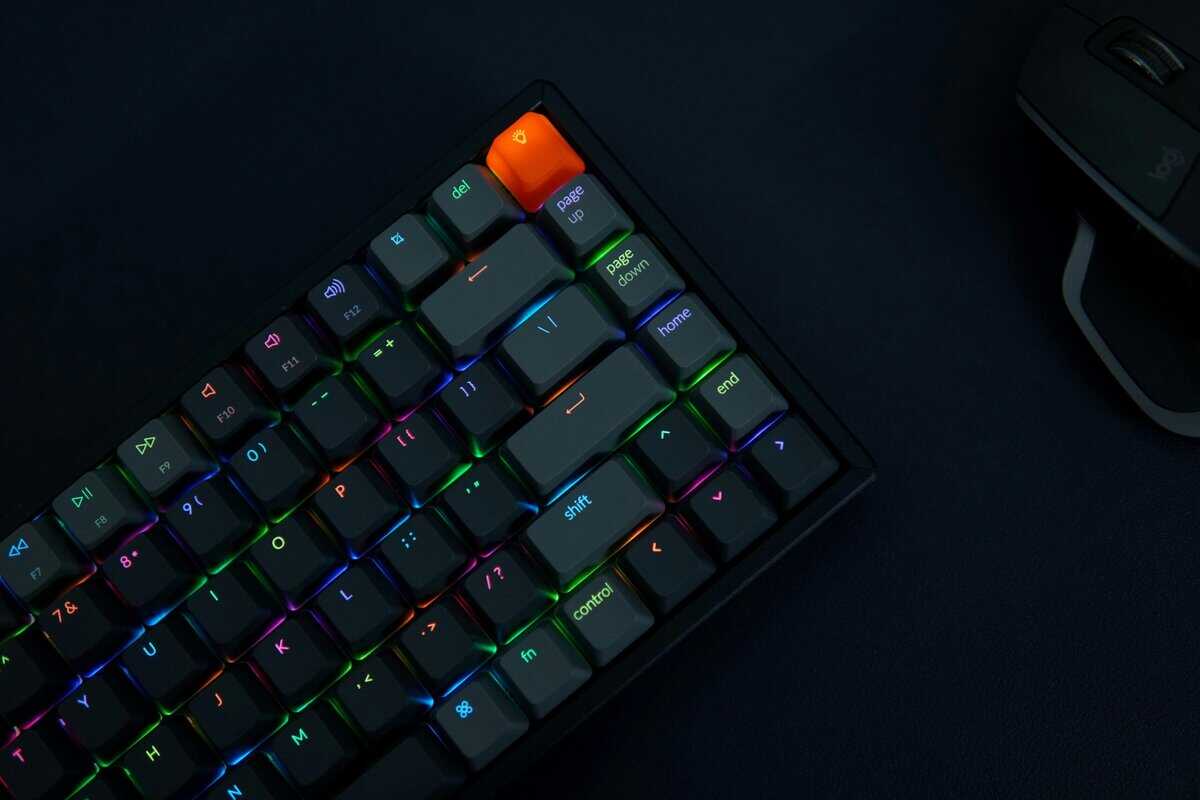
This is the big one. The central choice you’ll make when hunting for the best switches for gaming really boils down to this showdown. Every mechanical switch falls into one of three camps, linear, tactile, or clicky, and each offers a feel that directly changes how you interact with your games.
Let’s break down the real-world trade-offs to figure out which one is right for you.
Linear: The Choice for Pure Speed
Imagine pressing a key and feeling nothing but a smooth, straight shot all the way down. No bump, no click. Just a clean, uninterrupted path. That’s a linear switch.
Their simple, frictionless design makes them the primary choice for games that demand rapid, repeated inputs. Think about a fast-paced shooter like VALORANT or Apex Legends, where you’re constantly tapping A and D to strafe. A linear switch makes that feel completely seamless.
Because there’s no tactile event to overcome, your fingers can move faster and with less resistance, which can feel more responsive in critical moments. The downside? That lack of feedback can lead to accidental keypresses if you rest your fingers heavily on the keys. It takes some getting used to.
- Best Use Case (FPS): In shooters where split-second reactions matter, the smooth travel is beneficial. It allows for instantaneous changes in movement and faster double-taps because there’s no physical bump slowing you down.
- Build Quality Note: High-quality linear switches are prized for their smoothness. Cheaper ones can feel scratchy or grainy, which undermines their main benefit. Look for switches known for a consistent, buttery feel, often made from materials like POM plastic that self-lubricate over time. Durability ratings of 50 million keystrokes or more are a good indicator of solid construction.
For an in-depth look at one of the most iconic brands that pioneered these types, you can learn more about what makes Cherry MX switches a benchmark in the industry.
Tactile: The All-Rounder for Control
Now, add a small, noticeable bump partway through the keypress. That’s a tactile switch. That little bump is your physical confirmation that the key has been registered. It’s subtle but effective.
This feedback is a massive advantage in games that rely on ability cooldowns and precise inputs. In an MMO like World of Warcraft or a MOBA like League of Legends, accidentally hitting your ultimate can be disastrous. The tactile bump gives you the confidence that you’ve activated an ability without having to mash the key to the bottom, which helps prevent misclicks.
The trade-off is a slight reduction in raw speed compared to linears. That bump, while helpful, creates a tiny moment of resistance that can make rapid-fire presses feel a little slower. For most gamers, though, this is a trade worth making for the added control.
- Best Use Case (MMO/MOBA): For games with complex skill rotations, the tactile bump confirms that an ability has been cast, preventing missed inputs during crucial moments without requiring you to bottom out the key.
- Build Quality Note: A good tactile switch has a crisp, well-defined bump. Cheaper tactiles can feel mushy or indistinct. Look for switches with a lifespan of at least 50 million keystrokes and consistent bump feel across all keys.
Clicky: The Loud Outlier
Take a tactile switch, then add a mechanism that produces a sharp, audible “click” sound to go along with the bump. That’s a clicky switch. It provides the most feedback possible, you feel the bump and hear the click.
While that sound is satisfying for typing, it comes with clear disadvantages for gaming. That sharp “clack” is easily picked up by your microphone, which is a major annoyance for teammates on voice chat and a non-starter for streaming.
Furthermore, the reset point on many clicky switches is higher than the actuation point, which can make rapid, successive keypresses feel less responsive than on a linear or tactile switch.
- Best Use Case (Streaming/Multiplayer): Honestly, there isn’t a strong one. The noise is disruptive for streamers and anyone in a shared space. They are generally not recommended for multiplayer gaming due to microphone pickup.
- Build Quality Note: If you must use a clicky switch, ensure it has a high durability rating (50M+ keystrokes) and a consistent click mechanism, as cheaper versions can lose their distinct sound over time.
Top Switch Recommendations for Every Budget

Knowing the theory is one thing, but actually picking a switch and spending money is another. This is where we cut through the noise and give you direct, practical recommendations. The goal here is simple: find the best value. We’re looking for switches that deliver reliable, consistent performance without forcing you to empty your wallet.
We’ve broken our picks into three tiers to match your budget and what you actually care about. Each choice is tied to a specific gaming use case, helping you find the right switch for how you play.
Budget-Conscious Champions
You don’t need to spend a fortune to get a good gaming experience. These switches perform well above their price tag, offering solid performance and durability that make them smart picks for any gamer focused on value.
The Gateron G Pro 3.0 Yellow is a standout linear switch. It’s smooth and consistent, with a light actuation force that’s well-suited for fast-paced FPS games where you’re constantly spamming keys. Its build quality is impressive for the price, rated for 100 million keystrokes, so it’s built for longevity.
If you prefer some feedback, the Akko V3 Fairy Linear Silent is a top contender on the tactile side. It gives you a satisfying bump to confirm each keypress without being harsh or loud, making it ideal for MMO or MOBA players who need to avoid hitting the wrong ability in a chaotic team fight. It’s also rated for a durable 60 million keystrokes.
Mid-Range All-Stars
Stepping up to the mid-range gets you a noticeable upgrade in smoothness, sound, and overall feel. These switches hit the sweet spot for gamers who want a more refined experience and are willing to invest a little more to get it.
For a top-tier linear, the Kailh Box V2 Red feels exceptionally stable and smooth right out of the box. Its unique “box” stem design cuts down on key wobble, making it a strong choice for competitive players who demand consistency. It even has an IP56 rating for dust and water resistance, adding to its long-term durability.
On the tactile front, the Gateron G Pro 3.0 Brown (V2) delivers a sharp, snappy bump that leaves no doubt you’ve pressed the key. This switch is good for gamers who want clear, unambiguous feedback with every press. It’s a capable all-rounder for both gaming and typing, with a robust build that feels premium.
Spending a bit more in this tier often translates to a better out-of-the-box experience. You get less scratchiness and a more pleasant sound without needing to immediately resort to modifications like lubing.
Enthusiast-Grade Performers
This is the top shelf, for those who want the best available feel. The in-game performance gains are minimal compared to the mid-range options, but the improvement in feel, sound, and build quality is significant. This is less about gaining a competitive edge and more about the enjoyment of using top-tier hardware.
The Gateron Oil King is a linear switch widely praised for its exceptional smoothness and deep, satisfying sound profile. It comes factory-lubed to a high standard, providing a buttery-smooth keypress that is hard to beat. For streamers or anyone who cares about keyboard acoustics, this is a premium choice.
For a top-tier tactile experience, the ZealPC Zealio V2 is a classic in the keyboard community. It features a crisp, “rounded” bump that is very satisfying without feeling harsh, making it a favorite for those who crave a refined tactile feel. The build quality is excellent, though you’re definitely paying a premium for the name and the experience.
Value-Focused Switch Recommendations
To make it even simpler, this table breaks down our top picks, showing you exactly where each switch shines and who it’s for. Think of it as your cheat sheet for finding the right switch for your budget and playstyle.
| Switch Name | Category | Type | Key Feature | Best For |
|---|---|---|---|---|
| Gateron G Pro 3.0 Yellow | Budget | Linear | High durability (100M keystrokes) | Fast-paced FPS gaming where rapid inputs are critical. |
| Akko V3 Fairy Linear Silent | Budget | Tactile | Satisfying bump with great value | MMO/MOBA players who need to avoid accidental key presses. |
| Kailh Box V2 Red | Mid-Range | Linear | Superior stability and wobble reduction | Competitive gamers who prioritize consistency and a smooth feel. |
| Gateron G Pro 3.0 Brown | Mid-Range | Tactile | Sharp, distinct tactile feedback | All-around gaming and typing for those who want clear feedback. |
| Gateron Oil King | Enthusiast | Linear | Unmatched smoothness and deep sound | Streamers and enthusiasts who value premium feel and acoustics. |
| ZealPC Zealio V2 | Enthusiast | Tactile | Refined, crisp “rounded” bump | Tactile purists seeking the best possible feel, regardless of cost. |
Ultimately, each of these switches offers good performance for its price. Whether you’re building your first mechanical keyboard or hunting for that “endgame” feel, these recommendations provide a solid starting point that won’t let you down.
Thinking Beyond Speed, Sound, and Durability
Okay, so we’ve covered the core specs. But finding the right switch goes deeper than that. The materials, the sound it makes, and even its potential for a few simple tweaks, these are the details that separate a decent switch from one that feels like a true extension of your hands. This is where you find long-term satisfaction.
Build quality is the foundation. Switches are made from different types of plastic, and that choice directly impacts how a keypress feels and how long it’ll last. For instance, you’ll often see enthusiasts praise switches using POM (Polyoxymethylene) plastic for the stem. That’s because the material is naturally slick, creating a smoother keystroke that gets better over time. A high-quality housing also prevents annoying key wobble, making every press feel stable and direct.
A cheap, poorly made switch might feel fine on day one, but give it a few months of intense gaming, and it can develop scratchiness or start actuating inconsistently. Spending a little more on switches known for solid construction is a smart play for any gamer who needs their gear to be reliable.
The Importance of Sound and Feel
The sound of a switch is just as important as how it feels under your finger. You’re going to be hearing these clicks and clacks for hundreds, maybe thousands of hours. You better like what you hear. Watching online sound tests is a good starting point, but throw on a pair of headphones to really catch the subtle differences.
Keep in mind that a sound test only tells part of the story. The keyboard case, the keycaps, and even the mat on your desk will change the final sound. Use those videos as a general guide to figure out if you prefer a deep “thock” or a sharper “clack.”
If your main goal is staying quiet for a stream or late-night gaming sessions, you’ll want to prioritize switches engineered for silence. For a full breakdown of the best options, check out our guide on the quietest mechanical keyboard switches to see how you can minimize noise without giving up performance.
Unlock a Premium Feel with Simple Mods
Here’s a secret: you don’t have to buy expensive, enthusiast-grade switches to get a premium experience. One of the most effective and wallet-friendly mods out there is switch lubing. It’s as simple as it sounds, applying a thin layer of specialized lubricant to the switch’s internal parts.
The process is pretty straightforward, but it completely transforms a switch:
- Reduces Scratchiness: Lube creates a buttery-smooth contact surface between the stem and the housing, killing any gritty or sandy feeling.
- Improves Sound: It dampens high-pitched, plasticky noises and brings out a deeper, more satisfying sound profile.
- Enhances Consistency: A properly lubed set of switches will feel identical across the entire board, eliminating any outliers.
This one simple mod can make a set of budget-friendly switches feel and sound like they belong on a keyboard that costs three times as much. Beyond the feel and sound of your switches, don’t forget about the other parts of your setup that support those long gaming sessions. For example, reading an ultimate guide to blue light glasses for gamers can offer real insights into protecting your eyes during extended play. Taking care of these details ensures your setup is not just high-performing, but comfortable for the long haul.
If you prefer a bump you can feel, our best tactile switches guide covers that family in depth.
Answering Your Top Gaming Switch Questions
We’ve covered a lot of ground, but there are always a few lingering questions that come up right before you pull the trigger. Let’s tackle them head-on so you can make your final choice with confidence.
Are Optical Switches Actually Better for Gaming?
The short answer? Not in the way most marketing suggests. Optical switches use a beam of light to register a keypress, which technically makes them faster by cutting out the “debounce delay” you get with traditional metal contacts. But we’re talking about a nanosecond-level advantage that is physically impossible for any human to notice.
Their real-world benefit is durability. With no metal parts to wear down, they can last for over 100 million keystrokes. The trade-off is that you have far fewer options for feel and sound compared to the massive world of mechanical switches.
Go for opticals if you’re focused on longevity. Stick with mechanicals if you want a wider selection and a more tailored feel.
The real-world difference in response time between a top-tier mechanical and an optical switch is negligible for human perception. The choice comes down to durability versus variety.
How Much Should I Spend on Good Gaming Switches?
You absolutely do not need to break the bank. You can find excellent, value-focused switches that deliver strong performance for around $0.30 to $0.50 per switch. This is the sweet spot, and it’s where most gamers should be looking.
Mid-range options that offer a more refined feel or unique materials usually land between $0.50 and $0.75. Spending more than that gives you diminishing returns on performance. At that point, you’re paying for a premium sound and feel, not a competitive edge.
Will New Switches Make Me a Better Gamer?
No. A fresh set of switches won’t magically boost your K/D ratio or improve your aim. What they will do is remove equipment as an excuse and let your existing skill shine through more consistently.
The right switch provides comfort and reliability. It cuts down on errors from accidental presses and reduces finger fatigue during those marathon gaming sessions. Think of it less as a shortcut to victory and more as optimizing your gear to accurately reflect your true abilities. It just makes sure your hardware isn’t holding you back.
At Budget Loadout, we believe the best switches for gaming are the ones that deliver reliable performance and durability without the premium price tag. For more guides on building a high-value setup, check out our reviews at Budget Loadout.
Related Articles