A PS5 pro controller is a high-performance gamepad designed for serious customization and competitive play. Officially, Sony’s model is the DualSense Edge, but the term applies to any controller offering upgraded components and features—like replaceable thumbsticks and programmable back buttons—that aren’t available on the standard model.
It’s a tool that provides more control and durability than the controller that came with your console.
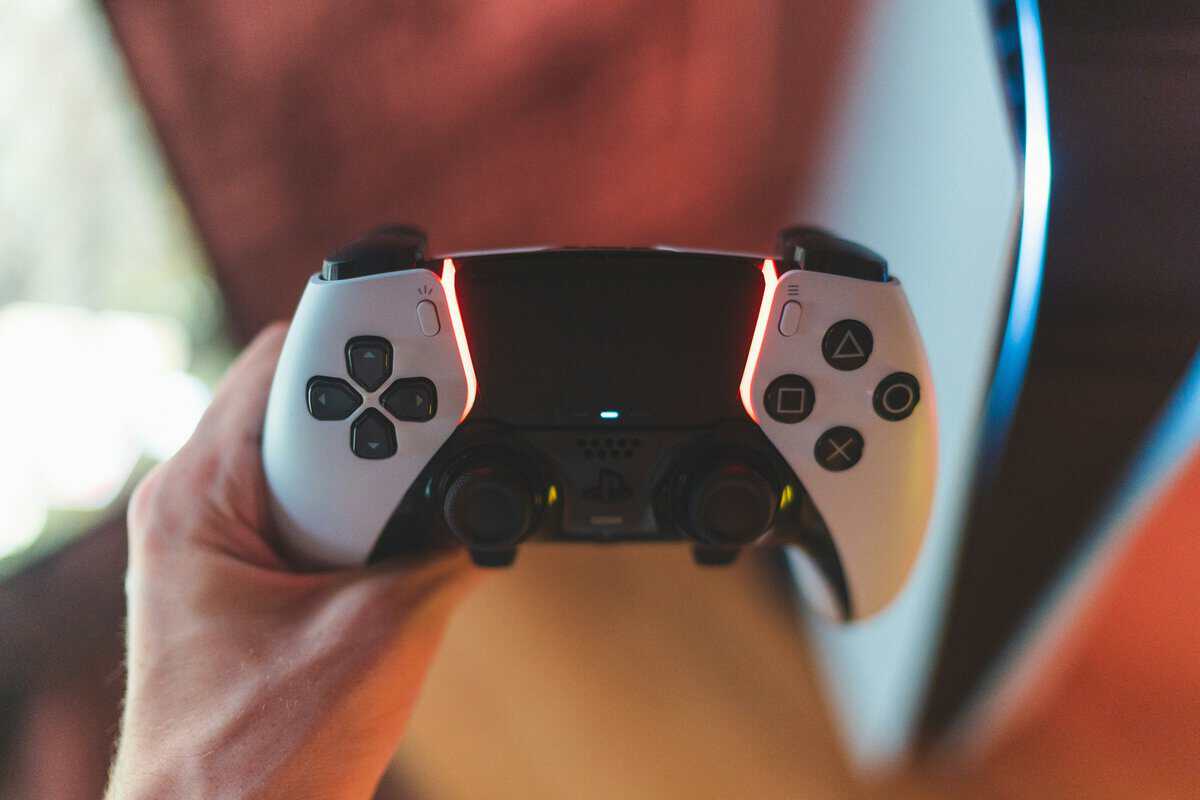 DualSense Edge held in hand with colorful ambient lighting” class=”wp-image-1926″/>
- The DualSense Edge offers swappable stick modules, back buttons, and custom profiles, but costs as much as a new game at $200
- For competitive PS5 gamers, back paddles and adjustable trigger stops provide real performance advantages in shooters
- The standard DualSense controller at $70 delivers excellent haptics and adaptive triggers that many gamers never outgrow
- Third-party PS5 controllers offer some premium features at lower prices, but none match the full DualSense Edge customization suite
- The DualSense Edge is best suited for competitive gamers who want back buttons and hair triggers — casual players won’t notice enough difference to justify the price
Table of Contents
What a “Pro” PS5 Controller Actually Delivers
A “pro” controller isn’t just a cosmetic upgrade; it’s a specialized tool built for performance, personalization, and durability. The objective is to provide tangible hardware advantages for players, especially in fast-paced or complex games. This is about functional improvements that directly impact gameplay, not just aesthetics.
The entire concept is to give gamers more command over their experience. This is achieved by adding hardware features that can provide a clear edge.
Core Benefits for Dedicated Gamers
The value of a PS5 pro controller comes down to three key enhancements. These features separate it from the stock model and justify the higher cost for players who prioritize their setup.
Replaceable Stick Modules: Stick drift is a common point of failure for modern controllers. The DualSense Edge addresses this with modules you can swap yourself for around $20. This is a significant advantage, saving you from purchasing an entirely new $70 controller.
Programmable Back Paddles: These buttons allow you to map crucial actions like jumping or reloading. For FPS gamers, this means performing complex maneuvers without taking your thumbs off the analog sticks, which is a functional benefit in a firefight.
Adjustable Triggers and Sensitivity: You can shorten the trigger pull distance for faster weapon firing in shooters or fine-tune stick sensitivity for more precise aiming. The controller’s response can be tailored to specific preferences.
In practice, a pro controller adapts to your playstyle. It is an investment in a more responsive and durable piece of hardware, a critical consideration for any gamer who takes their setup seriously.
Key Features That Define the DualSense Edge
The DualSense Edge earns its “pro” designation through tangible hardware upgrades. These are functional tools designed to give you more control and extend the controller’s lifespan. Let’s break down what you get for the price.
The most practical features are the ones you can physically modify. These parts directly solve common frustrations with standard controllers, offering both a performance benefit and long-term value.
Swappable Sticks and Back Paddles
The most significant feature is the swappable stick modules. Stick drift is a prevalent issue that often requires buying a new controller. With the Edge, a drifting stick module can be replaced in minutes for a fraction of the cost of a new gamepad.
Equally important are the remappable back paddles. For anyone serious about competitive FPS titles, these are a major advantage. You can map actions like ‘jump’ or ‘reload’ to these paddles, allowing you to perform these actions without moving your thumbs from the analog sticks. This helps maintain aim during critical moments in games like Call of Duty or Apex Legends.
A PS5 pro controller like the Edge is built on adaptability. Instead of learning the controller’s limitations, you make the controller conform to your playstyle. That could mean faster inputs in an FPS or more efficient ability access in an MMO.
Adjustable Triggers and Build Quality
Another key upgrade is the adjustable trigger stops. A simple switch physically shortens the trigger pull distance. In a shooter, a shorter pull means a faster shot, offering a small but meaningful edge in reaction time. For racing games, you can switch back to a full trigger pull for more precise throttle control.
The overall build quality is solid. It has more weight and uses materials that feel more durable than the standard DualSense. While the shorter battery life (rated for 4-8 hours) is a notable trade-off, the durability of other components is a primary selling point. The metal-coated sticks, for instance, are designed to outlast standard plastic ones. For many gamers, long-term durability outweighs the inconvenience of more frequent charging.
A Head-to-Head Value Comparison
Let’s be direct: the price of the DualSense Edge is significant. It is a considerable investment compared to the standard DualSense controller, and the initial cost is a major factor for many. But that price doesn’t represent the full value proposition.
For a specific type of gamer, this PS5 pro controller isn’t just an upgrade—it’s a more economical choice in the long run.
The Real Cost Over Time
The value of the Edge is less about the upfront cost and more about future savings. When stick drift occurs on a standard DualSense, the solution is often a $70 replacement. With the Edge, you replace the faulty thumbstick module for $20.
For heavy users who go through controllers frequently, these savings can accumulate. What starts as an expensive purchase can become a sound investment. The Edge is designed to be maintained, not discarded.
This breakdown highlights the core upgrades that deliver long-term value: the swappable sticks, back paddles, and adjustable triggers. Each one addresses a common issue for gamers.
At roughly $200, the Edge costs about 2.5x more than a standard controller. However, its modular design can reduce long-term replacement costs by 40-50% due to the inexpensive thumbstick replacements. And while its battery life is shorter at just 4-6 hours, its triggers are rated for over 1.5 million cycles, making it a workhorse for anyone playing 20+ hours a week.
DualSense Edge vs. Standard DualSense Feature Comparison
To see the value proposition clearly, here is a side-by-side comparison. This focuses on how each feature translates into gameplay and long-term durability.
| Feature | Standard DualSense | DualSense Edge (Pro) | Value Implication |
|---|---|---|---|
| Upfront Cost | Approx. $70 | Approx. $200 | High initial investment for the Edge. |
| Repairability | Entire controller replacement for stick drift. | $20 swappable stick modules. | Significant long-term savings for heavy users. |
| Back Paddles | None. | Two included (half-dome and lever). | Competitive advantage by keeping thumbs on sticks. |
| Trigger Adjustments | None. | 3-stop adjustable travel distance. | Faster inputs for FPS, reduced finger fatigue. |
| Custom Profiles | None. | Multiple onboard profiles with Fn button. | Instantly switch layouts between games or roles. |
| Build & Durability | Standard plastic construction. | Heavier, more robust feel. Rated for 1.5M cycles. | Designed for intense, long-term use. |
| Battery Life | 6-12 hours | 4-6 hours | The biggest trade-off; requires more frequent charging. |
The conclusion is straightforward. For casual players, the standard DualSense is sufficient and the more economical choice. But for dedicated FPS competitors, streamers, or anyone whose primary hobby is gaming, the DualSense Edge offers a return on investment through performance, customization, and repairability.
While the Edge is a top-tier choice for PS5, gamers on other platforms can explore our guide on the best budget gaming controllers for PC for other value-focused options.
How It Performs in Different Game Genres
A spec sheet only tells part of the story. A PS5 pro controller’s worth is demonstrated during gameplay—how its hardware translates into a tangible advantage.
For certain genres, the upgrades on a pro model deliver a clear, practical edge beyond comfort.
First-Person Shooters (FPS)
In fast-paced shooters like Apex Legends or Call of Duty, milliseconds matter. This is where back paddles provide a distinct advantage. Mapping actions like jumping, sliding, or reloading to the paddles allows you to perform these moves without taking your right thumb off the aim stick. This means your crosshair can remain on target during chaotic firefights. Combined with trigger stops set to their shortest pull, you can fire your weapon faster, providing a small but critical edge in reaction time. A high-performance controller pairs well with an appropriate display; see our guide on the best monitor for PS5 to complete a competitive setup.
RPGs and MMOs
For complex games like Final Fantasy XIV, a pro controller can streamline commands. Instead of managing awkward button combinations during a difficult encounter, you can map frequently used abilities or entire macros to the back paddles. This turns a sequence of button presses into a single, instant action, simplifying combat rotations and allowing you to focus more on strategy.
Streaming and Multi-Game Setups
For streamers, the ability to switch between custom profiles on the fly is a significant quality-of-life feature. You can have one profile tuned for an FPS and another for a story-driven game, switching between them instantly without navigating menus. This is particularly useful for variety streamers who play multiple titles in a single broadcast. Some users report these profile shortcuts can reduce setup time between games by up to 30%. The controller’s durable build also makes it a versatile option for households where one console is used for different games and users.
Exploring Smart Third-Party Alternatives
The official DualSense Edge has a high price point. For those wanting pro-level features without the premium cost, several third-party manufacturers offer compelling alternatives. These controllers often provide similar features, like back paddles or adjustable triggers, for a lower price.
However, there are trade-offs. The build quality may not match Sony’s official hardware, with less premium plastics or buttons that may not feel as responsive over time. Compatibility can also be an issue; a major PS5 system update can sometimes cause problems for unofficial hardware.
Modification Kits: The DIY Upgrade
Another option for the budget-conscious gamer is modifying a standard DualSense controller. Companies sell DIY kits that allow you to install features like programmable back paddles yourself. This is the most cost-effective method for getting pro features, but it requires opening the controller, which will void the warranty.
The decision involves a trade-off between cost, convenience, and reliability. A third-party controller is a plug-and-play solution with some risks, while a mod kit is a budget-friendly project for those comfortable with DIY.
Ultimately, choosing an alternative depends on your priorities. Are you willing to accept potential compromises on build quality for a lower upfront cost? Or does a DIY project to upgrade your existing controller sound more appealing? For more breakdowns on value-driven hardware, you can explore our full range of guides for gaming controllers.
The Final Verdict: Is a Pro Controller a Smart Purchase for You?
Should you buy a PS5 pro controller? The answer depends on your gaming habits. It’s about determining if the investment aligns with how you play.
The core trade-off is clear: you pay a premium upfront for enhanced performance, deep customization, and improved long-term durability.
Who Should Buy It (And Who Should Pass)
If you are a competitive player, a dedicated streamer, or someone who has worn out standard controllers, the investment becomes more logical. The ability to swap a stick module instead of buying a new controller can save money over the console’s lifespan.
For casual gamers or those on a tight budget, the standard DualSense remains the more sensible financial choice. It delivers the core PS5 experience without the high price.
Still, the launch of the official DualSense Edge confirmed a significant market for premium, repairable hardware.
A PS5 pro controller is a tool for dedicated players who will use features like back paddles in FPS matches, build custom profiles for different genres, and benefit from the long-term savings of its repairable design.
Got Questions About PS5 Pro Controllers?
Moving to a pro controller can bring up some questions. Here are answers to some of the most common ones.
Does a Pro Controller Actually Make You Better at Games?
No, but it can remove physical limitations. A pro controller won’t improve your game sense or strategy, but it can help you execute actions more effectively. Back paddles and trigger stops let you perform actions faster without taking your thumbs off the analog sticks. This means you can jump, slide, or reload while keeping your aim on a target, a small change that can make a significant difference in fast-paced games.
Can You Use the DualSense Edge on a PC?
Yes, the DualSense Edge is fully compatible with PC. You can connect it with a USB-C cable for a wired connection or pair it via Bluetooth for wireless play. This makes it a versatile option for gamers who use both a PS5 and a PC.
How Easy Is It to Swap the Stick Modules?
The process is straightforward. You slide a release latch on the back of the controller to remove the front faceplate. From there, you lift a small lever to release the stick module. The entire swap takes less than a minute.
For more value-focused gaming and streaming gear guides, visit Budget Loadout to build your ideal setup without overspending. Find our latest recommendations at https://budgetloadout.com.
Related Articles