Cherry MX switches are a popular choice for mechanical keyboards among gamers, streamers, and typists. They offer consistent performance and can handle 50 million presses before showing significant wear, reflecting their build quality.
You can choose from three distinct feel profiles, smooth linear, subtle tactile, or clicky, to match your playstyle and environment.
- Cherry MX switches are the industry standard for mechanical keyboards, known for consistent quality and a 100-million keypress lifespan
- Cherry MX Reds (linear) are the most popular gaming switch for their smooth, fast actuation, while Browns (tactile) are the best all-rounder
- Cherry MX Blues provide satisfying clicky feedback but are loud enough to annoy teammates on voice chat, best for solo typists
- Budget alternatives from Gateron and Kailh now rival Cherry MX quality at half the price, but Cherry remains the benchmark for durability and consistency
- Cherry MX switches command a premium price, but budget alternatives like Gateron and Outemu offer nearly identical performance for a fraction of the cost
Table of Contents
Quick Cherry MX Overview
Getting familiar with actuation force, travel distance, and noise levels will help you zero in on the switch that feels right. Below, you’ll find a visual and statistical snapshot to guide your decision.
Below is a quick comparison of each switch category, summarizing actuation force, total travel, and ideal applications.
| Switch Type | Actuation Force | Total Travel | Typical Use |
|---|---|---|---|
| Linear | 45 cN | 4.0 mm | FPS and MMO |
| Tactile | 55 cN | 4.0 mm | Typing and Streaming |
| Clicky | 50–60 cN | 4.0 mm | Feedback and Commentary |
Understanding Cherry MX Switch Mechanics
Cherry MX switches are known for consistent, repeatable feedback. Imagine a tiny piston under each keycap, activating at just the right point. At their core, each switch relies on three precision parts: the stem, the spring, and the housing.
- Stem: Guides travel and limits side-to-side movement.
- Spring: Sets actuation force (45–60 cN) and returns the key.
- Housing: Shapes sound, protects internals, and adds durability.
Thanks to tight manufacturing tolerances and reinforced housings, Cherry MX switches maintain uniform performance, press after press, better than most rubber-dome options.
Performance And Longevity
Cherry introduced the MX line in the mid-1980s with a 50+ million press rating. Modern MX designs often rate for 100 million actuations, but expect a price premium for those higher specs.
Precision manufacturing means minimal variation key-to-key, important for FPS gamers who need exact inputs, or typists chasing WPM records.
Use cases:
- Gaming (FPS/Action): Smooth linears let you fire rapidly.
- Typing/Programming: Tactile bumps confirm inputs.
- Streaming/Shared Spaces: Silent variants reduce background noise.
Check mechanical keyboard switches explained for a deeper dive into Cherry MX builds and budget-friendly options.
Comparing Cherry MX Switch Types And Variants
Cherry MX switches come in linear, tactile, and clicky profiles. Each affects the actuation curve, sound, and responsiveness.
- Linear (Reds and Speed Silvers): 45 cN, 2.0 mm activation, 4.0 mm travel, low noise, good for FPS.
- Tactile (Browns and Clears): ~55-65 cN with a gentle bump at 2.0 mm, balanced for gaming and typing.
- Clicky (Blues and Greens): 50–60 cN, bump plus click at 2.2 mm, louder feedback suited for commentary.
Inside each switch, a precise stem, calibrated spring, and tough housing deliver consistency through 50+ million keystrokes.
In shared or live environments, clicky switches can distract. Budget-conscious gamers often choose tactile Browns or silenced linears for feedback without excessive noise.
Comparison Of Cherry MX Switch Types
| Switch Style | Feel | Actuation Force | Actuation Travel | Sound Level |
|---|---|---|---|---|
| Linear | Smooth | 45 cN | 2.0 mm | Low |
| Tactile | Bump | 55 cN | 2.0 mm | Moderate |
| Clicky | Click | 50–60 cN | 2.2 mm | High |
Choosing Switches for Gaming, Typing, and Streaming
Picking the right switch affects accuracy and fatigue. Fast linear switches benefit FPS players, while MMO and typing sessions often call for a tactile bump.
Cherry MX stems and housings are built to last, surviving over 50 million presses. That consistency matters during long sessions, whether you’re gaming or working.
For example, MX Reds and Speed Silvers offer smooth linear travel, ideal for FPS. But they can feel too smooth for MMO hotkeys or typing. MX Browns provide a bump at 2.0 mm for better control.
Balancing Feel and Sound
Live streaming magnifies every click. MX Blues deliver clear feedback, but their volume can distract.
“The bump of Browns gives me confidence in my macros without the loud click,” says streamer AlexD.
If noise is a concern, MX Silent Reds or lightly lubed Browns offer noticeably quieter operation while maintaining durability.
Matching Switches to Your Role
- FPS Pros prefer Speed Silvers for 1.2 mm actuation and quick resets.
- MMO Players favor MX Browns for tactile cues and quieter operation.
- All-Day Typists often choose MX Clears at 65 cN for firm feedback and less fatigue.
| Variant | Feel | Actuation Force | Ideal Use |
|---|---|---|---|
| MX Red | Smooth Linear | 45 cN | FPS Gaming |
| MX Brown | Tactile Bump | 45 cN | MMO & Typing |
| MX Blue | Clicky Feedback | 60 cN | Commentary & Stream |
Check the quietest mechanical keyboard switches for low-noise options.
Quality switches cost more up front but avoid frequent replacements, offering better value long term.
Maintenance And Durability Insights
Taking care of your Cherry MX switches extends their service life. Durable housings and consistent spring tension mean fewer surprises down the line.
Regular cleaning prevents dust from affecting actuation points. A quick wipe of housings and stems helps maintain smooth travel.
- Use isopropyl alcohol and compressed air to remove debris
- Apply a thin layer of switch lube on stem rails every 3–6 months
- Swap to anodized or PBT keycaps to reduce surface wear
FPS gamers who press keys rapidly may need more frequent check-ups. A brief lube session balances sound and feel with minimal effort.
This routine helps switches stay closer to their 50 million actuation spec.
Key Maintenance Steps
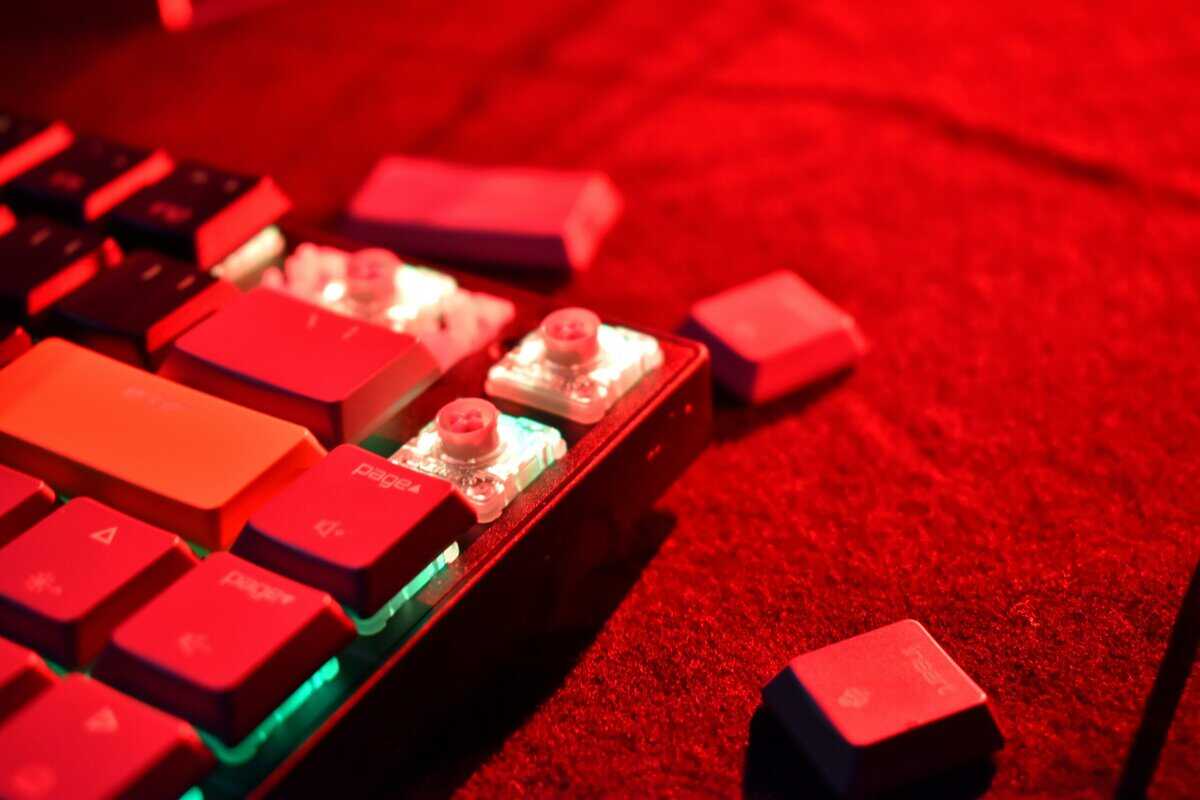
- Remove keycaps with a puller to avoid damage
- Clean housings and springs separately in soapy water
- Dry components fully before reassembly to prevent corrosion
“A quick lube session every six months can cut stem wobble noticeably,” says a veteran builder.
| Task | Interval | Benefit |
|---|---|---|
| Cleaning | 3 months | Prevents debris build-up |
| Lubing | 6 months | Maintains smooth actuation |
| Keycap Swapping | 12 months | Reduces wear and shine |
Signs Of Wear And Replacement
If you notice uneven travel or increased noise, a switch may near its 50–80 million cycle rating.
Spring fatigue shows as a mushy bottom-out; housing damage like cracks or discoloration indicates it’s time for parts replacement.
Budget-conscious gamers should compare the cost of rebuild kits versus new switches. Higher-quality components offer better durability and resale value.
- Evaluate lube costs against performance gains
- Swap keycaps after six months to minimize wear
Following these steps can extend the life of your switches by years.
Budget Friendly Alternatives And Buying Guidance
Savvy gamers know you don’t need to spend a fortune for reliable switch feel. Affordable brands like Gateron, Kailh, Outemu, and TTC offer durable housings and springs around 45–55 cN.
- Gateron Reds/Browns: Smooth press and tactile bump, with more stem wobble than Cherry MX.
- Kailh Box: Reinforced housing for durability, though actuation can feel different.
- TTC Gold Pink: Thicker springs for crisp bottom-out at a lower price.
You can find these switches in keyboards under $60.
Evaluating Switch Brands
Lower prices carry trade-offs. Plastics may be softer, affecting sound dampening and wear. Spring tension can vary by ±5 cN, so batches might feel inconsistent.
| Brand | Housing Material | Actuation Force | Longevity Rating |
|---|---|---|---|
| Cherry MX | Nylon | 45 cN | 50 M presses |
| Gateron | POM | 45–55 cN | 50 M presses |
| Kailh Box | Nylon + Box | 50 cN | 50 M presses |
| TTC | PC | 55 cN | 40 M presses |
Durable housings and tighter spring tolerances matter more for long-term reliability than the lowest price.
Spotting Good Deals
- Check user reviews for switch wobble and consistency
- Look for PBT keycaps and metal backplates in specs
- Verify the listed spring force matches your preference
See gaming keyboards under $50 for boards with solid build quality.
Focusing on housing type, spring force, and actuation point helps budget-focused gamers choose boards that stay reliable session after session.
DIY Swap Kits And Warranties
To test different springs and housings, order a switch tester. Many kits include extra springs, and some vendors offer up to a one-year limited warranty on defects.
A small upfront investment reduces buyer’s remorse.
FAQ
What Sets Cherry MX Apart?
Cherry MX switches maintain tight tolerances and consistent feedback for 50 million presses, outperforming rubber domes and generic clones.
Which Cherry MX Variant Suits My Play?
• FPS players usually choose Red or Speed Silver for low actuation force.
• MMO and streamers often use Brown for tactile feedback without loud clicks.
How Do I Clean And Lube Switches?
• Remove keycaps and blow out dust with compressed air.
• Every 3–6 months, apply a thin coat of switch-specific lube.
• Reassemble carefully to avoid debris.
Where Can I Find Budget-Friendly Options?
• Look for OEM deals and seasonal sales at reputable retailers.
• Avoid knockoffs under $20.
• Prioritize PBT keycaps and keyboards with metal backplates.
Check out Budget Loadout for more value-focused insights.
Explore in-depth guides on keyboards, mice, headsets, and webcams for maximum value per dollar.
Related Articles