A 60% keyboard is a mechanical keyboard stripped down to its essentials for gaming. It removes the number pad, the function row (F1-F12), and dedicated arrow keys to maximize desk space.
For gamers, that extra space is the primary advantage. It creates a large area for your mouse, allowing for the wide, sweeping movements necessary for precise aim in FPS games.
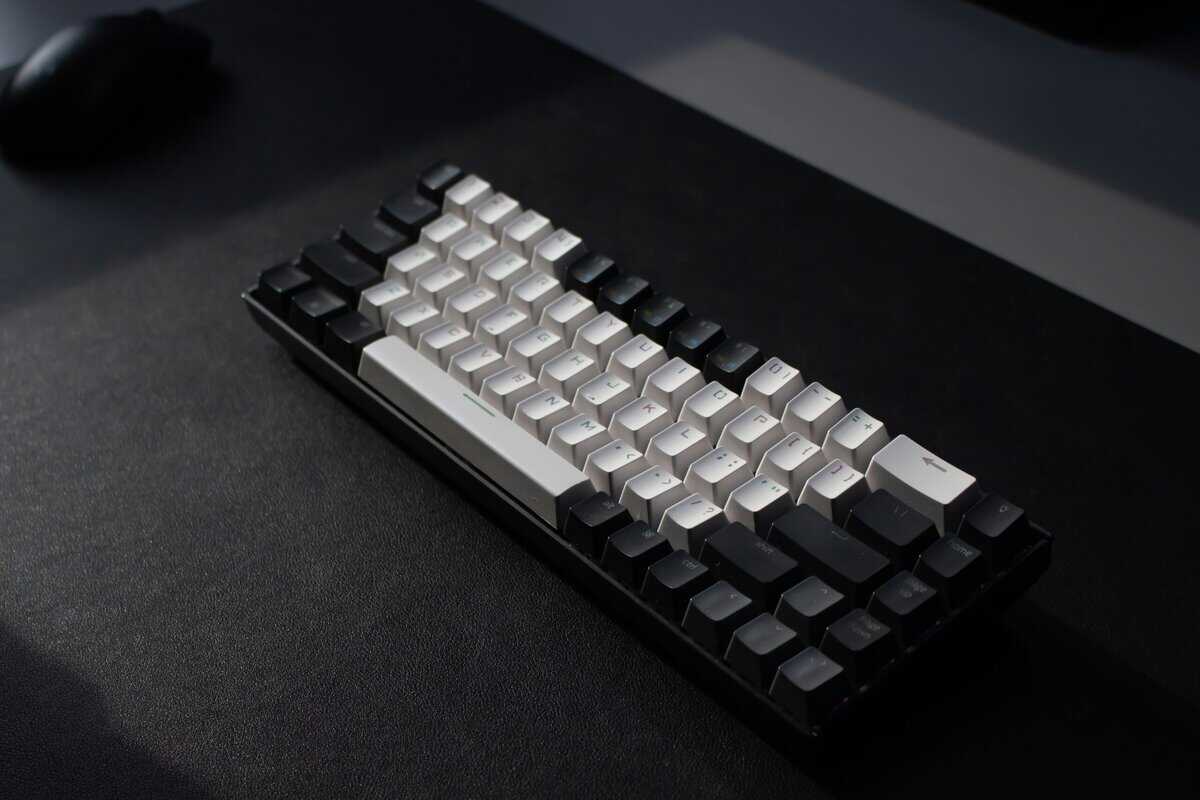
- A 60% keyboard removes the numpad, function row, and arrow keys to maximize mouse space — ideal for low-sensitivity FPS gamers
- Arrow keys and F-keys are still accessible through a function layer (Fn + key), but the learning curve takes 1-2 weeks
- Hot-swappable switches are a must — they let you customize your typing feel without soldering
- The Royal Kludge RK61 (~$40 wireless) and Redragon K630 Dragonborn (~$40 wired) are the best budget 60% options right now
- If you frequently use arrow keys or F-keys for non-gaming tasks, a 65% layout is a better compromise than going full 60%
Table of Contents
- Hot-swappable sockets let you try different switches easily
- Tri-mode wireless: Bluetooth, 2.4GHz, and USB-C
- Smooth stock stabilizers for the price
- No dedicated arrow or function keys takes some adjustment
- Stock keycaps could feel a bit thin compared to PBT upgrades
- Wireless mode may introduce slight latency for competitive FPS
- Hot-swappable switches let you customize your typing feel
- USB-C wired connection ensures zero input delay
- Pro Driver software supports macros and full key remapping
- Wired only — no wireless option for portable setups
- Brown switches may feel too light for heavy typists
- ABS keycaps are serviceable but not as durable as PBT
What Is a 60% Keyboard and Why Do Gamers Use It?
A full-size keyboard is like a cargo van—it has room for everything but isn’t built for performance. A 60% keyboard is the track car. It removes about 40% of the keys, leaving only what is necessary for core gaming and typing.
This minimalist design is its key feature. By removing the numpad, function row, and navigation keys, the 60% layout frees up significant room for your mouse. If you play FPS titles like Valorant or Apex Legends with low mouse sensitivity, this is a tangible benefit. It prevents your mouse from hitting the side of your keyboard during a critical flick shot.
The Competitive Edge of a Compact Layout
The main benefit is performance and ergonomics. With more physical space, you can make large, uninterrupted mouse movements, which leads to more consistent aim. The smaller frame also allows you to position your hands closer together, a posture many find more comfortable during long gaming sessions.
The advantages extend beyond aiming. A 60% keyboard is more portable, fitting easily into a backpack for travel to a tournament or a friend’s house. Its clean, minimalist appearance also contributes to a less cluttered and more focused gaming setup.
Keyboard Layouts Compared for Gaming
To put the size of a 60% board into perspective, let’s see how it stacks up against other common layouts. The difference in desk space is immediately obvious.
| Layout Type | Key Count (Approximate) | Primary Advantage for Gamers |
|---|---|---|
| Full-Size (100%) | 104 keys | Has a dedicated number pad for binds and macros. |
| Tenkeyless (TKL) | 87 keys | Removes the numpad for more mouse room. A popular choice. |
| 65% Layout | 68 keys | A compact middle ground that keeps dedicated arrow keys. |
| 60% Layout | 61 keys | Maximum mouse space by removing all non-essential keys. |
This comparison makes it clear: if your top priority is unrestricted mouse movement for FPS games, the 60% layout is designed for that purpose.
The Real Pros and Cons of a 60% Keyboard
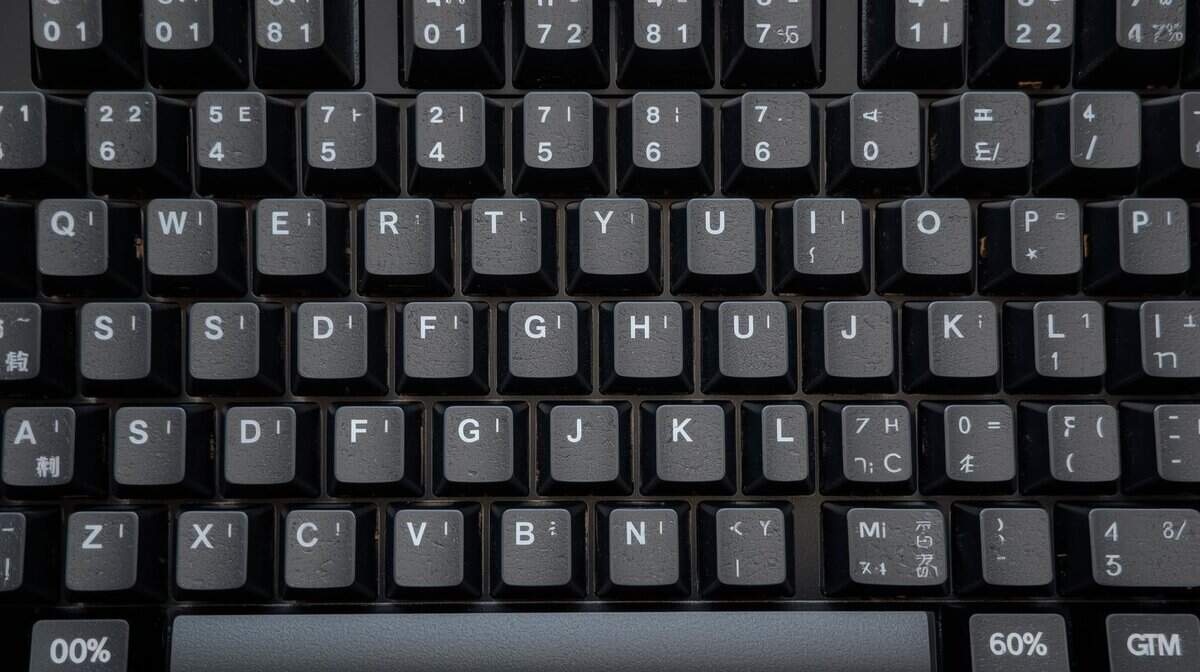
Switching to a 60% keyboard is a specific choice. It is a specialized tool, and like any specialized tool, it has significant advantages and disadvantages. It’s important to understand what you gain and what you give up.
The primary benefit is improved ergonomics and a large amount of extra space for your mouse. This is the main reason competitive gamers choose this layout.
By removing nearly half the keyboard, you open up a large area for your mouse hand. This allows for lower sensitivity settings and the large, sweeping arm movements that build consistent muscle memory for aiming. Your hands also sit closer together in a more natural position, which can reduce shoulder strain during long sessions.
Gaming Performance: The Gains
For certain genres, the benefits of a 60% keyboard are immediately apparent. The extra desk space is a direct performance upgrade.
FPS Gaming (Valorant, CS2, Apex Legends): This is the ideal use case for a 60% layout. Unrestricted mouse movement is critical for quick 180-degree flicks and precise target tracking. You won’t have to worry about your mouse hitting the side of your keyboard during a clutch fight.
Battle Royale (Warzone, Fortnite): Similar to tactical shooters, these games require instant reactions and 360-degree awareness. Having more room to move your mouse provides an edge when an opponent appears from an unexpected angle.
The build quality of a good budget board is also a major factor. A solid case with minimal flex keeps the keyboard stable during intense firefights, providing a reliable platform for your inputs. Durability is important; a board that can withstand the pressure of competitive play is a practical investment.
Gaming Performance: The Tradeoffs
This minimalist design comes with functional costs, especially for other types of games. The removed keys are often used for important in-game functions.
The biggest hurdle is retraining your muscle memory. The keys you’ve used for years—arrows, F-keys, Delete—are no longer in their dedicated spots. This adjustment period can be frustrating and initially impact your performance.
Consider MMO or MOBA players. They rely on the function row for abilities and macros. While you can still access these keys using a function (Fn) layer, it requires a two-key combination (like Fn + 1 for F1). That small extra step can be the difference between casting a spell on time and missing the opportunity.
MMO/RPG (World of Warcraft, FFXIV): These games can have dozens of keybinds. Losing the F-row and numpad can feel restrictive until you spend significant time remapping keys and getting comfortable with Fn layers. A larger keyboard is almost always the more practical choice here.
Streaming and Content Creation: If you broadcast your gameplay, the lack of keys becomes more pronounced. Hotkeys for starting a stream, switching scenes in OBS, or muting a mic are usually mapped to the F-row or numpad. A 60% board forces you into less convenient key combos or requires an external device like a Stream Deck. The noise from certain switches can also be a problem for your microphone; you can learn about finding the quietest mechanical keyboard switches to keep your stream’s audio clean.
Beyond Gaming: Productivity and Daily Use
The challenges continue outside of gaming. Using a 60% keyboard for tasks like coding, data entry, or video editing involves a steep learning curve. Navigating a spreadsheet without dedicated arrow keys is awkward at first.
Similarly, common shortcuts that rely on keys like Home, End, or Delete now require an Fn combination. This can slow down your workflow until the new muscle memory is established. A durable build with quality keycaps can make this learning process less painful, as a solid board is more satisfying to use daily.
Ultimately, you must decide if the gaming benefits are worth the potential decrease in productivity.
What to Look for in a Budget 60% Keyboard
The market for budget keyboards can be misleading. Many cheap options use RGB lighting to distract from mushy switches and flimsy frames. To find a keyboard that offers good value, you must focus on the components that affect performance and durability.
A good budget 60% keyboard is not just about the lowest price. It’s about finding a board with a solid foundation that gets the fundamentals right—something you can rely on and even upgrade later.
The Non-Negotiable Feature: Hot-Swappable Switches
If there is one feature you should not compromise on, it’s a hot-swappable PCB (Printed Circuit Board). This means you can remove the mechanical switches from the keyboard and install new ones without soldering. This is like changing tires on a car—you can swap them for a different feel or replace a faulty one without buying a new vehicle.
For budget-conscious buyers, this offers two major advantages:
Future-Proofing Your Purchase: Your preference in switches might change. You could start with clicky blue switches and later decide you want quiet linear reds. A hot-swap board allows you to make that change for the cost of new switches, not a new keyboard.
Easy Repairs for a Longer Lifespan: A single dead switch can make a keyboard unusable. On a hot-swap board, you can pull out the faulty switch with a simple tool and insert a replacement in seconds. This feature significantly extends the life of your investment.
This turns a simple budget purchase into a long-term platform. To understand how different switches can change your gaming experience, see our guide for a full mechanical keyboard switches explanation.
Build Quality and Materials
A keyboard’s durability starts with its frame. While you won’t find premium aluminum cases at this price point, look for a thick, rigid plastic case that doesn’t creak or flex under pressure. A flimsy frame feels cheap and can negatively affect the sound and feel of your keystrokes.
Pay attention to the keycaps. Most inexpensive keyboards use thin ABS (Acrylonitrile Butadiene Styrene) plastic keycaps. They are cheap to produce but quickly develop a greasy shine on frequently used keys, and the legends can wear off over time.
A more durable option is PBT (Polybutylene Terephthalate). PBT keycaps have a textured, matte finish that resists shine and withstands wear. Finding a budget board with stock PBT keycaps is a significant advantage for long-term value.
Stabilizers and Connectivity
Stabilizers are the plastic parts under larger keys—like the spacebar, shift, and enter—that prevent them from wobbling. Rattly stabilizers are a clear sign of a low-quality keyboard, creating a distracting noise.
A keyboard with smooth, pre-lubricated stabilizers will feel and sound more refined, even if it’s a budget model. This detail has a large impact on the user experience and indicates thoughtful manufacturing.
Software and Programmability
Do not overlook the keyboard’s programmability. The ability to remap keys and create macros is important for a 60% keyboard, as it helps compensate for the lack of physical keys. Good software allows you to customize function layers, reassign keys to fit your workflow, and control RGB lighting.
Look for keyboards that support open-source firmware like QMK or VIA for the highest level of customization. However, proprietary software is acceptable as long as it is stable and easy to use. This functionality transforms the keyboard from a static device into a flexible tool you can tailor to your needs.
Recommended Budget 60% Keyboards
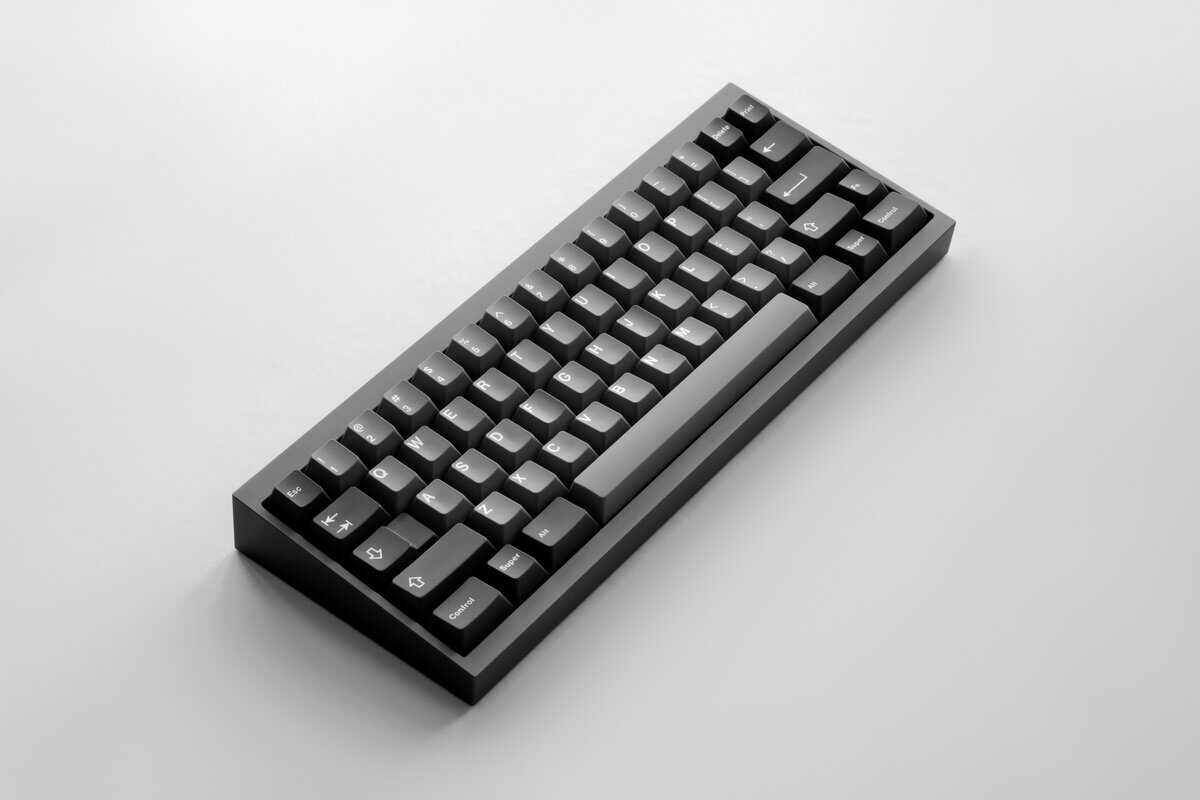
Entering the budget 60% keyboard market doesn’t require settling for a poor experience. Instead of a long list, here are two recommendations that consistently perform well for their price.
Each is chosen to represent a different priority, so you can select the board that fits your needs. This is a direct look at what each one does well and where corners were cut to meet its price point.
Royal Kludge RK61: The Versatile All-Rounder
The Royal Kludge RK61 is a popular starting point for good reason. It is a feature-rich board that offers flexibility rarely seen at this price, making it an excellent choice for gamers who value options.
Its main feature is its triple-mode connectivity, offering wired (USB-C), Bluetooth, and 2.4GHz wireless. For gamers, the 2.4GHz connection is critical. It provides a low-latency experience that is nearly indistinguishable from a wired connection, allowing for a clean, wire-free desk setup without sacrificing competitive performance. The RK61 is also fully hot-swappable, letting you change switches without soldering. This is a significant advantage for long-term ownership. Its build quality is adequate for the price, featuring a plastic case that is sturdy enough for regular use.
The Tradeoffs: To reach this price, the RK61 makes some compromises. The stock keycaps are typically double-shot ABS, which will develop shine over time, and the stabilizers can be rattly out of the box. However, these are addressable issues for users willing to make minor modifications.
Redragon K630 Dragonborn: Speed on a Budget
The Redragon K630 Dragonborn delivers a snappy gaming experience at a budget-friendly price. Its hot-swappable Brown switches provide a satisfying tactile bump without the loud click, making it a solid choice for both gaming sessions and late-night typing.
The 61-key layout gives you all the desk space you need for wide mouse sweeps, and the RGB backlighting is fully customizable with 11 preset modes. Redragon’s Pro Driver software lets you program macros and remap keys, adding a layer of personalization that’s rare at this price.
Build quality is solid for ~$40, with a sturdy plastic frame and doubleshot keycaps. The USB-C wired connection ensures zero latency — no worrying about wireless interference during competitive matches. If you want a reliable 60% keyboard that just works out of the box, the K630 Dragonborn is a strong contender.
Getting the Hang of the 60% Workflow
The biggest challenge with a 60% keyboard is retraining your muscle memory. The first few days can be frustrating. These strategies can help you move past the initial awkwardness.
The key is learning to use the function (Fn) layer. This is where all the missing keys—the arrow cluster, F-row, navigation keys, and media controls—are located. Holding down the Fn key activates a second set of functions on the existing keys.
Mastering Function Layers
Most 60% keyboards are designed logically. The hidden arrow keys, for example, are often mapped to I, J, K, and L while holding Fn, mimicking the WASD cluster. It feels strange at first, but with a week of consistent use, the movement becomes more natural.
Here are a few of the default combos you’ll need to learn:
- Arrow Keys: Usually Fn + I (Up), J (Left), K (Down), L (Right). Some boards use WASD instead.
- F-Row: Fn + a number key is the standard (e.g., Fn + 1 becomes F1). This is critical for games that rely on F-keys.
- Navigation: Fn + keys on the right side of the board typically handle Delete, Home, End, and Page Up/Down.
The goal isn’t just to memorize these shortcuts; it’s to build new muscle memory. Force yourself to use them for everything, not just in-game. The sooner you stop instinctively reaching for keys that aren’t there, the faster the whole layout will feel natural.
This process is more manageable with a well-built keyboard. A solid build with crisp, responsive switches provides the tactile feedback needed to learn new key combinations effectively.
Remapping for a Custom Fit
Do not settle for the default layout. The main advantage of a modern 60% keyboard is its programmability. Even budget boards usually come with software that lets you remap keys and customize layers.
A common modification is remapping the right-side Shift, Fn, Alt, and Ctrl keys to act as dedicated arrow keys when tapped once. This “tap-to-use” function provides the convenience of physical arrow keys without sacrificing the small footprint. You can also reassign a less-used key like Caps Lock to function as a Delete key.
Workflow Tips for Gamers and Streamers
For gaming, custom macros can compensate for the missing keys. In an MMO, you could program a complex ability rotation to a single key combination, turning a hardware limitation into a software advantage.
For streamers, the workflow can be more challenging. To maintain an efficient setup, you can utilize external control surfaces like a Stream Deck. This allows you to offload commands like scene switching or audio adjustments from your keyboard, keeping it dedicated to gameplay.
This hybrid approach provides the ergonomic benefits of a compact board without hindering your streaming production. Once you master these techniques, you can use the 60% layout to its full potential.
Is a 60% Keyboard the Right Choice for You?
This layout is not for everyone. Buying one without understanding its limitations can lead to disappointment.
A good budget 60% is an effective tool, but only if its specific trade-offs work for you. This keyboard was designed for a particular type of user. If you fit one of these descriptions, it is a strong contender.
The Competitive FPS Gamer: Your top priority is maximizing mouse space for clean, wide movements. You primarily play games like Valorant, CS2, or Warzone, where keys outside the WASD cluster are less critical during combat.
The Desk Minimalist: You prefer a clean, uncluttered aesthetic. The small footprint of a 60% keyboard frees up visual space and maintains a sharp-looking setup.
The Gamer with Limited Space: If you have a small desk, a 60% keyboard is a practical way to reclaim valuable space.
Who Should Avoid a 60% Keyboard?
The lack of dedicated keys can be a significant issue for many people. If any of these descriptions apply to you, you will likely be more satisfied with a TKL or full-size board.
A keyboard is a tool for a job. Forcing a minimalist layout into a workflow that demands a full key set is inefficient and frustrating.
Consider these scenarios:
MMO or Strategy Gamers: You rely heavily on the function row for abilities and macros. Juggling Fn-layer combos in a raid is impractical.
Programmers and Writers: The lack of dedicated arrow keys, Home, End, and Delete can significantly slow down your editing speed. Adapting is possible, but the learning curve is steep.
Anyone Doing Data Entry: If your work involves spreadsheets or number entry, the absence of a numpad will be a major decrease in productivity.
Ultimately, the decision depends on your priorities. If you primarily play FPS games where mouse space is essential, a 60% keyboard is a focused and effective tool. If you want to explore even more compact options, you can check out our guide on the niche 50% keyboard form factor.
Got Questions About Going 60%?
Thinking about switching to a 60% keyboard but still have questions? Let’s address the most common concerns gamers have before committing to this layout.
What’s the Real Difference Between a 60% and 65% Keyboard?
The main difference is dedicated arrow keys.
A 65% keyboard includes a block of physical arrow keys on the bottom right, often along with a few navigation keys like Delete or Page Up. This makes it a good compromise for those who want a small footprint but need arrow keys for daily use.
A 60% keyboard removes them entirely. You must use a function layer (like holding Fn and pressing IJKL) for arrow navigation. Choose a 65% for an easier learning curve. Choose a 60% only if your absolute top priority is maximizing mouse space for competitive gaming.
Are 60% Keyboards Any Good for Typing and Work?
They can be, but it involves a significant trade-off depending on your job. For general writing and web browsing, they are adequate once you establish muscle memory for the function layers. The typing feel is determined by the switches and build quality, not the layout itself.
However, if your work involves heavy data entry, programming, or frequent use of the F-keys, a larger Tenkeyless (TKL) or full-size board will be more efficient. Using a 60% keyboard for these tasks can be frustrating.
How Long Does It Take to Get Used to a 60% Keyboard?
The adjustment period varies, but most people feel comfortable within one to two weeks of consistent use. Gamers often adapt more quickly—sometimes in just a few days—because they typically use a small cluster of keys.
The real challenge is mastering the layout for productivity. The key is to fully embrace the function layers from day one and use software to remap keys to fit your workflow. Do not try to maintain your old habits.
At Budget Loadout, we provide clear, no-nonsense guides to help you build a high-performance gaming setup that respects your wallet. Find the best value gear for your needs at https://budgetloadout.com.
Related Articles